
 By
By 
You have got the app idea, the budget approval, and a development team ready to go. But one wrong call on your native app vs hybrid app architecture, and you could end up rebuilding the entire thing 18 months from now.
And this is not a hypothetical scenario. It happens more often than most teams would like to admit.
The mobile app market is on track to grow from $330 billion in 2026 to over $1 trillion by 2034, according to Fortune Business Insights. With that kind of growth, businesses across every industry are investing heavily in mobile products. But a surprising number of those projects hit performance walls, spiral into unexpected costs, or end up in full-scale rewrites simply because the native vs hybrid app decision was based on assumptions rather than actual product needs.
The challenge is that both approaches look promising on paper. Native apps offer raw performance and full access to device features. Hybrid apps promise faster development and a single codebase across platforms. But the right choice for your mobile app development project depends on what your product actually demands, not what sounds easier or cheaper upfront.
This guide breaks down the difference between native and hybrid app development in a way that goes beyond surface-level pros and cons. You will learn how each approach impacts your app’s speed, user experience, development cost, and long-term scalability. Whether you are building a quick MVP or planning a product that needs to perform at scale, understanding the native vs hybrid app development debate helps you make the right architecture choice today and avoid expensive corrections down the road.
Table of Contents
- Native App vs Hybrid App: Understanding the Key Differences
- What is a Native App?
- What are the Key Features of Native App
- Well-known Apps Developed in Native Stack
- What is a Hybrid App?
- Key Features of Hybrid Apps
- Well-known Apps Developed in Hybrid Stack
- In-depth Breakdown of Native App vs Hybrid App
- Native App vs Hybrid App: Which One Will You Choose
- FAQs About Hybrid vs Native App
Native App vs Hybrid App: Understanding the Key Differences
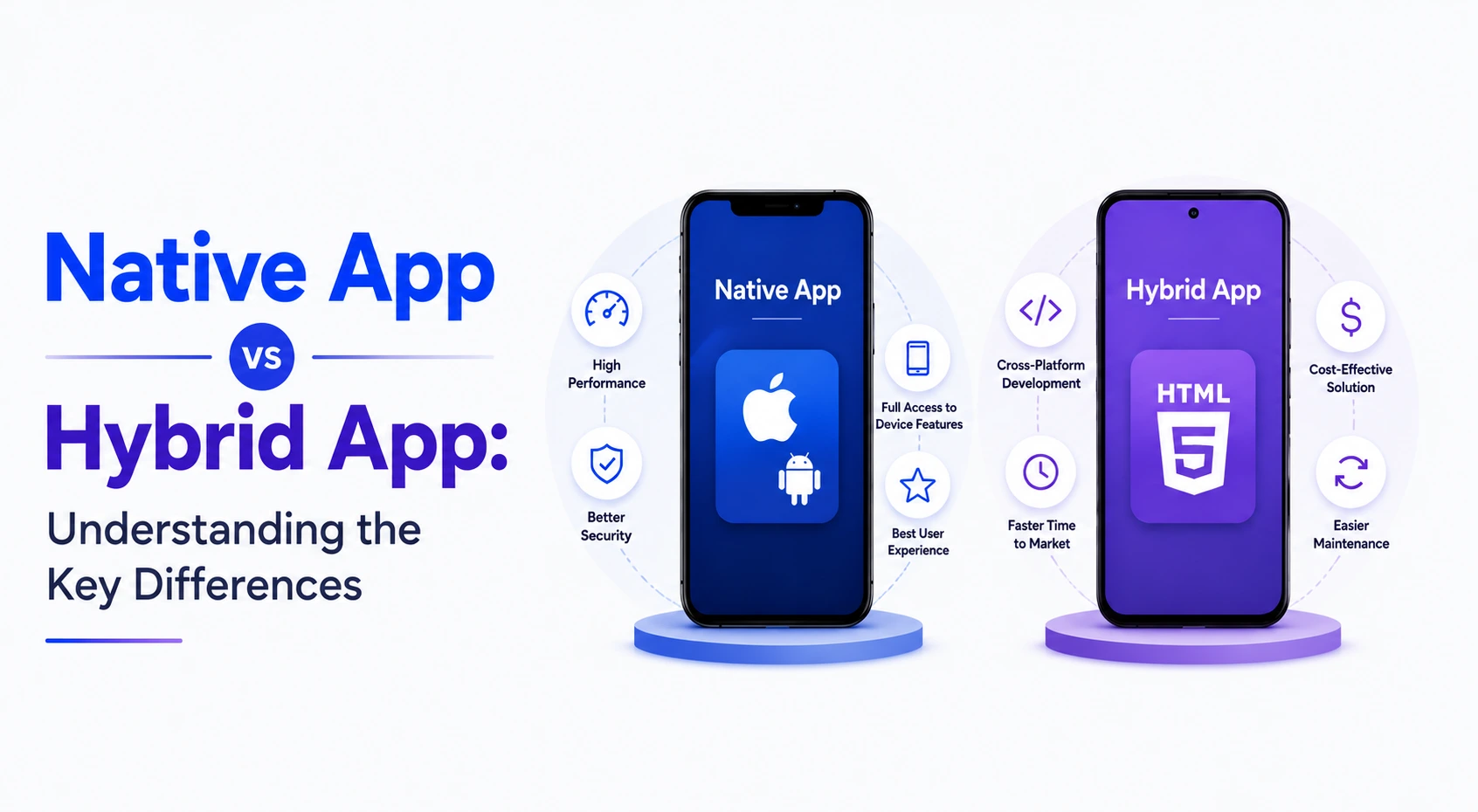
Native apps are built specifically for one platform (e.g., Swift for iOS, Kotlin for Android), offering peak performance and seamless UI. Hybrid apps use web technologies (HTML, CSS, JavaScript) wrapped in a native container, allowing one codebase for both iOS and Android.
Now, let’s break this down further.
A native app is written specifically for one operating system. The development team uses Swift or Objective-C to build iOS apps and Java or Kotlin to build Android apps. Since the code is written for one platform, native apps get direct access to device hardware like the camera, GPS, Bluetooth, and biometric sensors without any middleware layer in between.
The result is faster load times, smoother animations, and a user experience that follows platform-specific design guidelines, whether that is Apple’s Human Interface Guidelines or Google’s Material Design. This is also why native apps are easier to scale when your product grows in complexity or user base.
A hybrid app is built using web technologies like HTML5, CSS, and JavaScript. The code sits inside a native container (such as Apache Cordova or Ionic’s Capacitor), which allows a single codebase to run on both iOS and Android. The app looks and feels close to a native experience, but under the hood, it relies on a WebView to render most of its interface.
Because hybrid apps are essentially web applications wrapped in a mobile shell, they can also function without a full installation in some cases. This makes them a practical choice for teams that need to launch on both platforms quickly without maintaining two separate codebases.
At a glance, the table below compares the core differences between native and hybrid apps.
| Core Difference | Native Apps | Hybrid Apps |
|---|---|---|
| Technologies Used | iOS- Swift, Objective C Android- Kotlin, Java | HTML, CSS and JavaScript Frameworks: PhoneGap, Ionic |
| Development Approach | It is platform-specific. Separate app development for individual platforms | It is for multiple operating systems. Develop a codebase and share it over all the platforms (iOS, Android, Windows) |
| Cost of Development | As they are developed for individual platforms, the cost of app development is higher. You also need separate infrastructure for maintenance of the application | You are using only one codebase across platforms, which means it is cost-effective. A single framework and resource can help you maintain the application |
| Performance | Native apps are rich in performance as they are built using the design and development guidelines for the platform | Hybrid apps offer dependable performance. However, they are enclosed in native containers, so may not offer as high speeds as expected |
We will now look at a native and hybrid app in detail to understand the key features, advantages, and risks involved with using each approach.
What is a Native App?
A native app is a software application built specifically for one particular operating system, such as Apple iOS or Google Android, using that platform’s dedicated programming languages and development tools. Because native apps are designed for a single platform, they deliver maximum speed, reliable offline functionality, and seamless access to device hardware like the camera, GPS, and biometric sensors.
Let’s understand what makes native apps different from other app types.
Core characteristics of native apps
Native apps have distinct traits that set them apart from cross-platform, hybrid, or web-based applications:
- Platform-specific coding: Native iOS apps are built using languages like Swift or Objective-C, while native Android apps use Kotlin or Java. Choosing the right app development languages matters because each language is designed to work directly with its respective operating system, which means developers get access to the latest platform features as soon as they are released.
- Deep hardware integration: Because native apps are built for a specific device ecosystem, they can directly tap into hardware components like the camera, GPS, Bluetooth, microphone, accelerometer, and biometric scanners. No abstraction layer or bridge sits between the app and the device, which makes these interactions faster and more reliable.
- Superior performance: Native apps are compiled directly into the machine code of the device. This results in faster load times, smoother animations, and minimal lag even under heavy usage. For apps that rely on real-time data processing, complex graphics, or resource-heavy tasks, native development consistently delivers the best results.
- Offline accessibility: Native apps can store data locally on the device and remain fully functional without an active internet connection. Users can access saved content, complete tasks, and sync changes once connectivity is restored.
- Native look and feel: Every native app follows the specific design guidelines of its operating system. iOS apps follow Apple’s Human Interface Guidelines, while Android apps follow Google’s Material Design standards. This makes navigation, gestures, and transitions feel natural and familiar to the user from the first interaction.
- App store distribution: Native apps are published and distributed through official marketplaces like the Apple App Store or the Google Play Store. Users download the app directly to their home screen, which also gives businesses the advantage of app store visibility, user reviews, and organic discoverability.
In short, native apps are the go-to choice when your product demands high performance, tight hardware integration, and a user experience that feels like it truly belongs on the device. If you are exploring how to create an app from the ground up, understanding the native approach is an essential first step. However, building natively also means investing in separate development efforts for each platform, which is where hybrid apps enter the picture.

Glovo is an on-demand delivery app, having a $1.2 billion valuation and 50 million downloads. The app is covered by tech giants such as TechCrunch, Financial Times, and Bloomberg. The app is available in over 24 countries and 1500 cities.
What are the Key Features of Native App
Here are all the key features of a native solution that you should know before deciding on the native vs hybrid mobile app approach.
| Feature | Introduction | Explanation |
|---|---|---|
| Standardized Development Kits | The tools, environment, infrastructure, and even the programming language differ for native apps | If you plan to develop for Android, the mobile app development tools and IDE would be different from iOS? Similarly, you would use an Android-specific programming language, which is different from iOS. Hence, the native apps offer standardized software development kits that include all interface components and elements specific to the native approach |
| Delivery Approach | Download it to your device | You need to download the application to your device to use it. It uses up some memory of the device |
| High Performance | The apps are faster as they use device-specific components | The apps are faster as they use the internal components. You will notice that there is no lag when the application fetches the components as they are all designed to meet the guideline |
| Faster Approvals | Your app gets published at an exceptional speed | You don’t need to wait too long for the application to get published. As your app meets the specific design guidelines, it gets approved faster |
| Programming Language | You need to use a native programming language for development | If you plan to develop for iOs, you should be proficient with Swift and Objective-C. Similarly for Android, you should know Android Studio, Kotlin, or Java |
Looking to Develop a Native Mobile App?
We have built more than 4400 mobile apps and help you to develop featureful mobile apps according to your requirements.

You have learned about the key features of native apps, and get inspired by checking the best native mobile apps.
Well-known Apps Developed in Native Stack
Let’s take a look at the top mobile applications that were developed using the native features
| Apps | Category | Use Case | Revenue |
|---|---|---|---|

|
Messaging | As it uses a lot of devices specific features like camera, voice messaging, and needed end-to-end encryption, they chose native application development. Moreover, they needed real-time information exchange | $86.15 billion |

Spotify |
Music and Entertainment | This app was developed as a platform-specific solution. they needed to use the specific cloud platforms, and required bandwidth to save the songs and playlists | $11.4 billion |
What is a Hybrid App?
A hybrid app combines the advantages of native apps and web applications. Built with web technologies like HTML, CSS, and JavaScript, it is wrapped in a native container that allows the app to be downloaded from an app store while maintaining a single codebase across platforms like iOS and Android.
Let’s understand what makes hybrid apps work and how they differ from native development.
Core characteristics of hybrid apps
Hybrid apps have their own set of defining traits that make them a practical choice for certain types of products:
- Single codebase, multiple platforms: The biggest advantage of hybrid development is that one codebase powers both the iOS and Android versions of the app. Developers write the code once, and frameworks like Ionic, Apache Cordova, or React Native handle the platform-specific rendering. This significantly cuts down development time and cost compared to building two separate native apps.
- Web technologies at the core: Hybrid apps are built using HTML5, CSS, and JavaScript, the same technologies used for building websites. This means businesses with an existing web development team can transition into mobile app development without hiring entirely new platform-specific talent.
- Native container and WebView rendering: The web-based code runs inside a native shell that is installed on the device like any other app. Most of the interface is rendered through a WebView, which is essentially a built-in browser window running within the app. This is what allows hybrid apps to be distributed through app stores while still being built on web technologies.
- Device access through plugins: Hybrid apps can access device features like the camera, GPS, file system, and push notifications through plugins and bridging APIs. While this access is not as direct as native development, modern frameworks have closed much of that gap and continue to improve with every update.
- Faster time to market: Because there is only one codebase to build, test, and maintain, hybrid apps are generally faster to launch. For startups testing an MVP or businesses that need to reach both iOS and Android users on a tight timeline, this speed advantage can be a decisive factor.
- Simplified maintenance and updates: Bug fixes, feature additions, and UI changes only need to be made once and deployed across both platforms. Some hybrid frameworks even support over-the-air updates, which means certain changes can reach users without going through the app store review process.
In short, hybrid apps offer a practical middle ground for teams that want cross-platform reach without the cost and complexity of maintaining two native codebases. They work best for content-driven apps, internal business tools, and MVPs where speed and budget matter more than raw device-level performance. Now that both approaches are clear, let’s look at how the native app vs hybrid app comparison plays out across key factors.
Key Features of Hybrid Apps
Check out all the features that make hybrid apps a strong contender in the native vs hybrid app development discussion.
| Feature | Introduction | Explanation |
|---|---|---|
| Offline Access | You don’t need the device to be connected to the Internet to access the applications | They store the app API along with the data which allows them to access the data and use the application without Internet connectivity |
| Portable Codes | No separate codes needed for iOS and Android | You can use the device-specific component, contain them in the native container and access them through web browsers. However, you don’t need to code separate logic for the different platforms |
| Plugin Management | Use plugins to manage the different components | Use native plugins to manage the hardware and software for the hybrid applications. this way you can access the applications faster and with greater agility |
| Cost Efficient | Single codebase and web-based access lowers the cost | You don’t need individual of resources or code development to access hybrid apps on the different platforms. As a result, it reduces platform, infrastructure, maintenance, and development cost. |
Well-known Apps Developed in Hybrid Stack
The following table comprises top hybrid apps, along with their use case and revenue.
| Apps | Category | Use Case | Revenue |
|---|---|---|---|

|
Social Media | The image and videos are shared regularly on this platform. It required an approach that would help instantly scale or descale as needed. | $47.6 billion |

Evernote |
Notetaking | As it had users on both platforms, developing the multi-platform application was a good idea. It helps improve the experience and make the whole interface uniform for the user’s | $73 million |
In-depth Breakdown of Native App vs Hybrid App
The following information includes an in-depth breakdown of native app and hybrid app with reason and winner.
-
User Experience
Native Apps: The application is designed to suit the individual design guidelines and is in line with the standard practices. They implement UX design for specific operating systems.
Hybrid Apps: The user interface and experience design are common for all platforms, as the application is designed for multiple platforms. Uniformity is more important in this case.
Winner: Native app developmentReason: They are designed keeping user experience in mind while in hybrid development you get uniformity as a tradeoff for the experience.
-
Performance
Native Apps: Native apps can offer high-performance and fast 3D, gaming, and other applications without compromising on the quality
Hybrid Apps: While the approach offers similar quality to native for basic app versions, it is not able to match the performance and speed requirements for high-end apps
Winner: Native app development
Reason: If you are planning high-end or advanced app solutions, you cannot use hybrid approaches, as it can lower the quality and performance of the app. -
Code Portability
Native Apps: You need to develop separate codes for the different platforms. The reason is you program using different languages for native applications.
Hybrid Apps: In this case, you will use the same code and share it across the platformsWinner: Hybrid app development
Reason: You don’t need to create different codebases, which saves a lot of developers’ time and increases their productivity. -
Access Device Features
Native Apps: The native applications can directly access the device components as they have been designed using the mobile app development platform-specific guidelines
Hybrid Apps: They are able to access most of the components from the device. In some cases, the application will need external help (read plugins) to accessWinner: Native app development
Reason: There is a lag that hybrid applications experience when they try and access the device components using plugins. -
Time to Market
Native Apps: If you plan to develop for both platforms, it will take you a lot of time. You need to write the code, develop the interface, and plan experiences for the specific platform
Hybrid Apps: You will create a single codebase, a uniform design, and share it with all platforms. As they are essentially web apps, developed using cross-compatible web technologies, you need to make their browser compatible.Winner: Hybrid app development
Reason: You are able to release the apps faster into the market, as you create single designs and codes for all platforms. -
Update
Native Apps: The user needs to make sure they have updated the app in the app store to use the latest version.
Hybrid Apps: The user need not update the app in app stores to access the latest version, as it is more of a web app.Winner: Hybrid app development
Reason: The users can access the latest version without uploading, thus allowing them a good experience -
Approvals
Native Apps: With native mobile apps, you will need to take approval from the app store, therefore you should learn how to publish an Android app on the Play Store or app store.
Hybrid Apps: With hybrid mobile apps, you don’t need to worry about app store approvals, as it is accessed via a web browser.Winner: Hybrid app development
Reason: You can release yet another feature or grab the market’s attention in the time native app developers wait for app store approvals. -
Developer Expertise
Native Apps: You need mobile developers proficient in specific programming languages such as Swift for iOS to develop the platform-specific app
Hybrid Apps: Developers proficient in web technologies can opt for hybrid app development because of it’s easy deployment. These applications are not mobile device or operating system specific.Winner: Hybrid app development
Reason: You don’t need to hire an experienced application developer with proficiency in native programming languages, thus saving a lot of time and money. -
Cost of Development
Native Apps: Native development is expensive as you need to hire a dedicated app developer, fix the infrastructure, and deliver the solution
Hybrid Apps: For the mobile web app using hybrid technologies, you need not hire specific resources or infrastructure. You can use the web app development team to deliver the solutionWinner: Hybrid app development
Reason: You create a single codebase using the existing environment and resources to deliver a capable app for mobile browsers. -
Security
Native App: An iOS or Android app is saved in the local mobile devices and native device features.
Hybrid App: The hybrid mobile app can be accessed via multiple browsers, and are not specific to the user’s device. You should know that not all apps are plugin-independent.Winner: Native Apps
Reason: In native vs hybrid comparison, the clear winner is native android apps and iOS apps. You cannot trust the third-party plugins or applications, thus making the hybrid app vulnerable. -
Maintenance
Native Apps: You need to maintain the app for individual platforms, which leads to increased cost and reduced productivity.
Hybrid Apps: In this case, you can rely on a single resource to maintain the application, thus reducing cost.Winner: Hybrid Apps
Reason: You don’t need to invest in separate resources or infrastructure to maintain your application -
Operation Speed
Native Apps: As the device, components are used to develop the app, the operation speed is high.
Hybrid Apps: They use plugins and are accessed via web browsers, which is why their operation speed is low.Winner: Native Apps
Reason: A higher operation speed indicates that the apps will open faster, and be more interactive. It also indicates the app quality is not compromised in the process.Operation speed is the final but critical factor in the native vs hybrid mobile app comparison. Native apps load faster, respond to user input more quickly, and handle complex operations more smoothly because they run directly on the device’s operating system without any intermediary layers. Hybrid apps route much of their processing through a WebView, which adds a small but noticeable delay, especially in apps with data-heavy interfaces or frequent user interactions.
Native App vs Hybrid App: Which One to Choose?

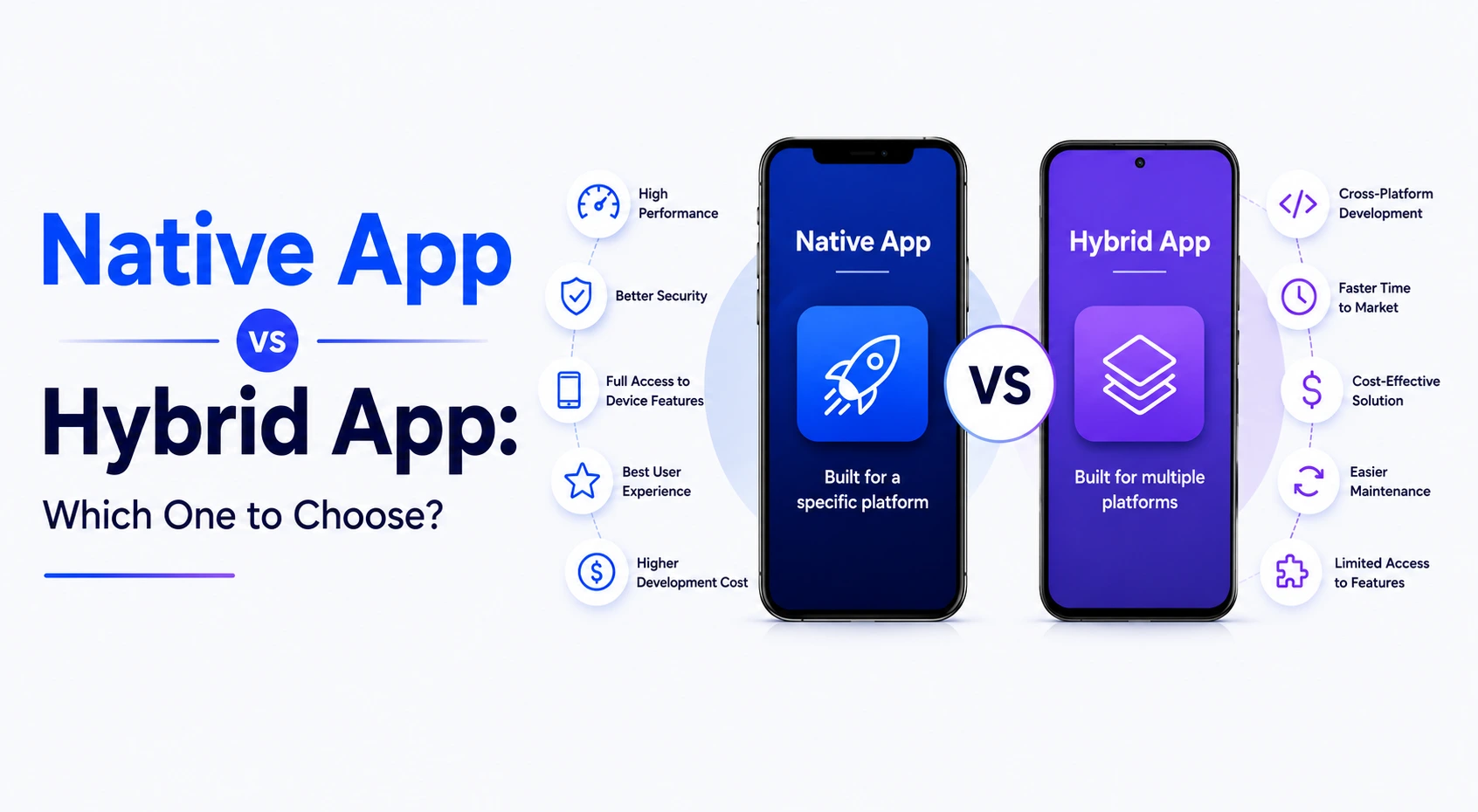
This blog covers the difference between native app and hybrid app in detail. It helps understand the native and web applications and talks about the key features for both hybrid and native applications. This guide takes you through the top apps for both native and hybrid development.Native development works best when you want to deliver an enterprise-grade, highly secure, and high-performance app solution. However, if you want to develop an application for multiple platforms, cross-platform app development is a good approach. It allows you to quickly develop and deploy the apps. Hybrid apps do not need approvals, thus hastening the launch.
If you are contemplating which development approach to choosing, consult the mobile app development company for advice. As a leading hybrid and native mobile app development company, we offer intuitive and interactive app solutions. Discuss your app requirements and connect with our team to convert your idea into a live app.
FAQs About Native App vs Hybrid App
Which is better, native or hybrid app?
It depends on your product goals. Native apps are better when your app requires high performance, complex animations, heavy device hardware usage, or a platform-specific user experience. Hybrid apps are a better fit when you need to launch on both iOS and Android quickly with a limited budget and a single development team. Neither approach is universally better. The right choice in the native app vs hybrid app debate comes down to your timeline, budget, feature complexity, and long-term scalability needs.
What is the advantage that hybrid apps carry over native apps?
The biggest advantage is a single codebase that runs on both iOS and Android. This means faster development, lower cost, and simpler maintenance since every update, bug fix, or new feature only needs to be built once. Hybrid apps also allow businesses to reach both platforms simultaneously without hiring separate iOS and Android development teams, making them a cost-effective choice for MVPs, content-driven apps, and internal business tools.
What are native app disadvantages?
The primary disadvantage is cost and time. Native development requires separate codebases for iOS and Android, which means two development teams, two testing cycles, and two ongoing maintenance workflows. This nearly doubles the investment compared to hybrid development. Additionally, every update must go through the app store review process for each platform, which can delay time-sensitive releases. For simple apps that do not require deep hardware integration or high-end performance, native development can be more investment than the product actually needs.
Is YouTube a native app or hybrid app?
YouTube is a native app. Google builds separate native versions for iOS and Android to deliver smooth video playback, real-time streaming, offline downloads, background audio, and deep integration with device features like picture-in-picture mode and push notifications. These are performance-intensive features that require direct access to device hardware, which is why Google uses native development for YouTube rather than a hybrid approach.
Does native app development cost more than hybrid app development?
Yes, native app development generally costs more. Since you need to build and maintain separate apps for iOS and Android, the cost of development, testing, and ongoing updates is nearly doubled. Hybrid development, on the other hand, uses a single codebase for both platforms, which reduces the overall investment significantly. However, the cost gap in native vs hybrid app development narrows if your native app only targets one platform or if your hybrid app later requires heavy native modules to handle complex features.
Is hybrid app development a good choice for startups with a limited budget?
Yes, hybrid development is often a smart choice for startups. It allows you to build one app that works on both iOS and Android, saving time and money during the early stages when validating your idea matters more than pixel-perfect platform optimization. Frameworks like React Native and Ionic have matured enough to deliver a solid user experience for most use cases. Once the product gains traction and revenue, startups can always invest in native development for performance-critical features down the line.
Can hybrid apps match the performance of native apps?
For most standard use cases, yes. Modern hybrid frameworks have closed the performance gap significantly, and the average user would not notice a difference in content-driven apps, e-commerce platforms, or business tools. However, for apps that rely on heavy animations, real-time processing, 3D rendering, AR/VR features, or complex hardware interactions, native apps still deliver noticeably better performance. The gap is shrinking every year, but it has not fully closed for high-performance use cases.
Do hybrid apps have access to device features like camera and GPS?
Yes, hybrid apps can access most device features including the camera, GPS, file system, push notifications, and even biometric sensors. This is made possible through plugins and bridging APIs provided by frameworks like Cordova, Capacitor, and React Native. The key difference is that this access goes through an additional layer rather than communicating directly with the device hardware. For most apps, this works perfectly fine. For apps that need real-time, high-frequency hardware interaction, native development offers a more reliable connection.
When should you choose native app development over hybrid?
When weighing the native vs hybrid app decision, choose native when your app depends on high performance, complex UI animations, real-time data processing, or deep integration with platform-specific features like ARKit on iOS or ML Kit on Android. Native is also the better choice when your app handles sensitive data that requires platform-level security protocols or when you are building a long-term product where user experience and scalability are top priorities. If your app falls into categories like fintech, healthcare, gaming, or media streaming, native development is typically the stronger path.
Is hybrid app development suitable for large-scale enterprise applications?
It can be, but with limitations. Hybrid development works well for enterprise apps that focus on content delivery, internal workflows, dashboards, and communication tools. Many companies successfully use hybrid frameworks for employee-facing apps that need to run across multiple devices and operating systems. However, for enterprise apps that require complex integrations with device hardware, handle large volumes of real-time data, or demand strict platform-level security compliance, native development gives you more control and long-term reliability.
What are some popular examples of native and hybrid apps?
Popular native apps include YouTube, Spotify, WhatsApp, Google Maps, and Pokemon Go. These apps require high performance, real-time processing, or deep hardware access, which makes native development the right fit. On the hybrid side, well-known examples include Instagram (which started as hybrid before moving to native), Uber (which uses a mix of both approaches), Evernote, and Gmail’s mobile app. This shows that the difference between native and hybrid app is not always black and white, as many apps today use a hybrid approach for certain features while keeping performance-critical modules native.
Can you convert a hybrid app into a native app later?
Yes, but it is not a simple migration. Converting a hybrid app to native essentially means rebuilding the app from the ground up using platform-specific languages and tools. The business logic, API integrations, and backend can often be reused, but the entire frontend and device interaction layer will need to be rewritten for each platform. Many startups intentionally follow this path. They launch with a hybrid MVP to validate the idea, gather user feedback, and generate revenue, then invest in native development once the product and business model are proven.

This is one of the most visible areas where the native app vs hybrid app choice makes a real impact. Native apps follow platform-specific design systems like Apple’s Human Interface Guidelines and Google’s Material Design, which means every gesture, transition, and interaction feels natural to the user. Hybrid apps deliver a consistent look across platforms, but that consistency sometimes comes at the cost of the polished, platform-native feel users expect.
Performance is often the deciding factor in the native vs hybrid app debate. Native apps compile directly into device-level machine code, which gives them an edge in speed, rendering, and memory management. Hybrid apps perform well for standard use cases, but once your product involves real-time processing, heavy animations, or AR/VR features, the performance gap becomes hard to ignore.
Code portability is where hybrid development holds a clear advantage in the native vs hybrid app development conversation. Writing and maintaining a single codebase for both iOS and Android means fewer resources, less duplication, and faster iteration cycles. Native development requires platform-specific code from scratch, which limits portability but gives developers complete control over each platform’s capabilities.
Hardware access is a key difference between native and hybrid app architectures. Native apps communicate directly with device components without any intermediary, which makes interactions with the camera, GPS, Bluetooth, and biometric sensors faster and more reliable. Hybrid apps rely on plugins and bridging APIs to access the same features, which works for most scenarios but can introduce latency in high-frequency or real-time hardware interactions.
Speed of launch is one area where the hybrid app vs native app comparison clearly favors hybrid. With a single codebase, one design system, and one testing workflow, hybrid apps can reach both iOS and Android users significantly faster. Native development requires separate build cycles for each platform, which can extend your launch timeline considerably, especially for teams with limited resources.
The update process is another practical consideration in the hybrid vs native app comparison. Hybrid apps can push certain updates directly to users without going through the app store review cycle, which means faster bug fixes and quicker feature rollouts. Native apps require users to download updates from the App Store or Google Play, and each update must pass through the respective store’s review process before it reaches the end user.
App store approvals add a layer of dependency that matters when comparing native vs hybrid mobile app workflows. Native apps must go through Apple’s or Google’s review process for every update, which can take anywhere from a few hours to several days. Hybrid apps, since they function partly as web applications, can bypass this step for many types of updates and deliver changes to users almost immediately.
Hiring requirements are a practical difference between native app and hybrid app projects. Native development demands developers who specialize in Swift or Objective-C for iOS and Kotlin or Java for Android, which often means building two separate teams. Hybrid development allows teams with web technology skills in HTML, CSS, and JavaScript to build mobile apps, making it easier to staff projects without competing for scarce platform-specific talent.
Cost is one of the most frequently discussed factors when comparing native apps vs hybrid apps. Native development typically costs more because it requires two separate development efforts, two QA cycles, and two ongoing maintenance budgets. Hybrid development consolidates all of this into a single workflow, which can reduce the total investment by 30% to 40% depending on the complexity of the project.
Want to Know the Cost of App Development
Talk to us. Discuss your app development plan with our experienced consultants and receive customized quotes based on your requirement.
Security is an important consideration when evaluating native vs hybrid mobile apps for products that handle sensitive user data. Native apps benefit from platform-level encryption, secure storage APIs, and the security frameworks built into iOS and Android. Hybrid apps rely on third-party plugins and WebView-based rendering, which can introduce additional attack surfaces if not properly configured and maintained.
Maintenance effort is where understanding what is hybrid app architecture really pays off. Since hybrid apps run on a single codebase, every bug fix, UI update, or feature addition only needs to be made once and deployed across both platforms. Native apps require separate maintenance workflows for iOS and Android, which means higher ongoing costs and more coordination between platform-specific teams.



 All our projects are secured by NDA




 4.8
4.8

