
 By
By 
The mobile development platform market was valued at approximately USD 15.9 billion in 2024 and is expected to reach around USD 153 billion by 2035, according to Market Research Future. With this rapid expansion, businesses and startups now face more platform choices than ever before.
However, not every platform fits every project. Choosing the wrong one can lead to performance issues, limited scalability, higher long-term costs, and difficulties integrating advanced features. The real challenge is identifying a platform that aligns with your project complexity, target platforms (iOS, Android, or both), budget, and future scalability needs. That is why many prefer to partner with a trusted mobile app development company that can guide them in selecting the right fit.
In this guide, we compare the best mobile app development platforms available in 2026 along with the key criteria you should consider before choosing one.
Table of Contents
- What is a Mobile Application Development Platform?
- How Does a Mobile App Development Platform Work?
- Types of Mobile Application Development Platforms
- Best App Development Platforms
- Top 8 Criteria to Select a Mobile App Development Platform
- Mobile Application Development Platform vs Custom Development
- Final Thoughts
- Frequently Asked Questions
What is a Mobile App Development Platform?
A mobile application development platform (MADP) is a comprehensive software environment that provides all the tools necessary to design, build, test, and deploy mobile applications across multiple platforms, devices, and networks. It unifies front-end and back-end development, API integrations, and cloud deployment into a single ecosystem so developers do not have to stitch together separate tools for each stage of the development lifecycle.
Without a MADP, building a mobile app requires managing separate tools for UI design, backend infrastructure, testing, and deployment. Each tool comes with its own setup, learning curve, and compatibility concerns. A MADP eliminates this fragmentation by bringing everything into one platform, which reduces development time, lowers costs, and simplifies maintenance.
Using a MADP, you will only have to maintain one codebase to enable compatibility with multiple operating systems such as Android, iOS, and the web. This streamlines the mobile app development process and makes it far more efficient for teams of any size.
Core Components of a Mobile Application Development Platform
Every MADP consists of several key components that work together to streamline the entire app lifecycle:
- Visual editors and IDEs: Interface (UI) builders and code editors that allow developers to design what the user sees. Some platforms offer drag-and-drop editors for non-technical users, while others provide full-featured integrated development environments (IDEs) for writing custom code.
- Mobile Backend-as-a-Service (MBaaS): Pre-built cloud infrastructure, such as Firebase, that handles databases, user authentication, push notifications, and server-side logic. This removes the need to build and manage backend systems from scratch.
- API connectors: Middleware that links your app to third-party services, payment gateways, analytics tools, and enterprise data sources. Strong API support determines how easily your app can integrate with external systems.
- Testing and monitoring tools: Built-in environments to debug the app, simulate user interactions across different devices, and track performance metrics or crash reports after launch.
- Deployment pipelines: Tools that package the final application and publish it directly to app stores (Google Play Store, Apple App Store) or distribute it internally within an organization.
These components together make a MADP a complete solution for taking an app from concept to launch without relying on disconnected third-party tools at every step.
How Does a Mobile App Development Platform Work?
A mobile application development platform works by letting developers write application logic once and deploy it across multiple operating systems without building separate native apps from scratch.
At the core, every MADP follows a three-layer process:
- Development environment: This is where developers write code using a single programming language or a visual drag-and-drop builder. For example, Flutter uses Dart, React Native uses JavaScript, and low-code tools like Mendix use visual modeling with minimal manual coding.
- Abstraction or bridge layer: This is where the platform translates the shared codebase into instructions that each target operating system can understand. Some platforms compile the code directly into native components using each platform’s mobile SDK (Flutter, .NET MAUI), while others use a web-based rendering engine wrapped inside a native shell (Ionic, Capacitor). The approach a platform takes at this layer directly affects app performance, access to device-level features, and the overall user experience.
- Build and deployment: The platform packages the final application into platform-specific formats, such as APK or AAB for Android and IPA for iOS, ready for submission to the respective app stores.
This three-layer architecture is what allows a single development team to ship applications across Android, iOS, and the web without maintaining entirely separate codebases for each platform. However, the level of native performance, UI fidelity, and hardware access varies significantly depending on how a platform handles the abstraction layer.
Understanding this process is essential before evaluating individual platforms, because the way a MADP handles compilation and rendering determines its strengths and limitations for your specific project.
Types of Mobile Application Development Platforms
Not all mobile application development platforms work the same way. Each type uses a different approach to code compilation, UI rendering, and native device access. Knowing these categories will help you evaluate the platforms listed in this guide with a clearer perspective.
Here are the five main types of mobile application development platforms used in 2026.
1. Native Development Frameworks
Native app development frameworks allow developers to build applications that run directly on a specific operating system using that platform’s official language and SDK. For Android, this means Kotlin or Java with Android Studio. For iOS, this means Swift or Objective-C with Xcode.
- Strengths: Full access to device hardware, best possible performance optimization, and complete UI control.
- Limitations: Requires maintaining separate codebases for each platform, which increases development time and cost.
- Best for: Performance-critical applications such as gaming apps, AR/VR experiences, and apps that rely heavily on device-specific hardware like cameras, sensors, or biometric authentication.
2. Cross-Platform Frameworks
Cross-platform frameworks let developers write a single codebase that compiles into native components for both Android and iOS. Unlike hybrid approaches, these frameworks render UI elements natively rather than through a web view.
- Strengths: Near-native performance with a single codebase. Faster development cycles compared to building two native apps separately.
- Limitations: Some platform-specific features still require writing native code modules. UI behavior can sometimes differ slightly between Android and iOS.
- Best for: Businesses that want to launch on both platforms simultaneously without doubling the development effort. This is the most popular category for custom mobile app development projects in 2026.
3. Hybrid App Frameworks
Hybrid app development frameworks wrap a web application (built with HTML, CSS, and JavaScript) inside a native container. The app runs primarily in a web view but gains access to native device features through plugins and bridge APIs.
- Strengths: Developers with web development skills can build mobile apps without learning platform-specific languages. Faster prototyping and shorter development timelines.
- Limitations: Performance is generally lower than native or cross-platform frameworks, especially for animation-heavy or computation-intensive apps. UI may not always feel fully native to the user.
- Best for: Content-driven apps, internal enterprise tools, and MVPs where faster time to market is a higher priority than peak performance.
4. Low-Code and No-Code Platforms
Low-code development and no-code platforms provide visual development environments where users can build apps using drag-and-drop interfaces, pre-built templates, and minimal manual coding. These platforms are designed for faster delivery and reduced dependency on traditional software engineering skills.
- Strengths: Dramatically faster development timelines. Business users and non-developers can participate in app creation. Lower initial development cost for straightforward applications.
- Limitations: Limited flexibility for complex business logic, custom UI, or advanced integrations. Vendor lock-in is a common concern, as migrating away from a low-code platform can be difficult and expensive.
- Best for: Simple business apps, internal workflow tools, and proof-of-concept applications. Platforms like FlutterFlow and Mendix are popular choices in this category.
5. Game Development Platforms
Game development platforms are specialized environments built for creating 2D and 3D interactive experiences. These platforms provide rendering engines, physics systems, asset management tools, and monetization features designed specifically for games.
- Strengths: Purpose-built for high-performance rendering, complex animations, and real-time interactions. Strong monetization tools like rewarded video ads.
- Limitations: Not suitable for standard business or enterprise applications. Steeper learning curve compared to general-purpose frameworks.
- Best for: Mobile games, interactive simulations, and gamified applications.
Quick Reference: Which Type Fits Your Project?
| Project Type | Recommended MADP Category |
|---|---|
| High-performance, hardware-intensive app | Native Development Framework |
| Consumer app launching on Android and iOS | Cross-Platform Framework |
| Content app or internal business tool | Hybrid App Framework |
| Simple app with fast turnaround needed | Low-Code / No-Code Platform |
| Mobile game or interactive experience | Game Development Platform |
Understanding these categories makes it easier to narrow down the right platform from the detailed list below. Instead of comparing all 11 platforms equally, focus on the category that matches your project requirements first, then evaluate individual tools within that category.
Build Your Mobile App with a Product-Focused Development Team
Our mobile app experts help businesses launch scalable applications with the right technology, user experience, and growth strategy.

Best Mobile App Development Platforms to Consider
Explore the top app development platforms that help you build, launch, and scale apps efficiently. Compare features, flexibility, and performance to choose the right solution for your business needs.
-
Alpha Anywhere
It is a complete front & back-end and a low-code application development platform. It is widely used for the rapid development, distribution & deployment of mobile applications on both iOS and Android platforms.
It has unique coding-optional technology, which allows developers to achieve high productivity with complete freedom.
Features
- Easy to connect with all SQL and no-SQL databases
- Flexible conflict resolution and large data storage capacity
- Enterprise-class data protection and complete administrative control
- Tightly integrated analytics & charting features
- Easily add drag-and-drop editor and scheduling to cross-platform apps
Want to try and download Alpha Anywhere?
-
Flutter
Flutter is the best UI toolkit that helps to build native applications for the web, mobile, and desktop. It comes with fully customized widgets, which help to create native mobile applications in a very short time. Its layered architecture will ensure the fast rendering of components. Here are the top applications developed using Flutter.

Features
- Built-in Cupertino (iOS-flavor) widgets
- Supports both iOS and Android platforms
- Can develop high-performance apps
- Rich motion APIs
Want to try and download Flutter?
-
Mendix
Mendix is the fastest & easiest low-code app development platform. Therefore, it is widely used by businesses to develop mobile & web apps for high performance.
It accelerates the delivery of enterprise applications, from ideation to deployment and operations. It becomes easy to implement both Agile and DevOps with Mendix.
Moreover, it also offers both no-code and low-code tooling in one single fully integrated platform.
Features
- The rapid building, deploying, and operating of enterprise-grade applications
- Can be used for low-code and no-code platforms
- Build on unrivaled cloud architecture
- Best functionalities and exceptional customer support
Want to try and download Mendix?
-
.NET MAUI
.NET MAUI (Multi-platform App UI) is Microsoft’s evolution of Xamarin and the official framework for building native Android, iOS, macOS, and Windows apps from a single C# and XAML codebase. Microsoft ended Xamarin support in May 2024 and transitioned the entire ecosystem to .NET MAUI, making it the recommended path for any team already invested in the .NET stack.
.NET MAUI ships as part of Visual Studio and integrates directly with the .NET runtime, giving developers access to the full .NET library ecosystem, native API access on each platform, and hot reload for faster iteration. It is a strong choice when evaluating the top framework for cross-platform development.
Features
- Single project structure targeting Android, iOS, macOS, and Windows from one codebase
- Full native API access on every platform without wrappers
- .NET Hot Reload for real-time UI changes during development
- Built-in dependency injection, MVVM support, and platform-specific lifecycle events
- Access to the entire NuGet package ecosystem for third-party integrations
- Backed by Microsoft with long-term support tied to .NET release cycles
Want to try and download .NET MAUI?
-
Unity Ads
Unity Ads is an important platform when it comes to integrating video ads into mobile games to increase player engagement. You must have seen the recommendations of seeing a video to get one more life to play the game.
Unity Ads is also known for offering the highest Average Revenue Per User (ARPU) of any global rewarded video ad network. Here are the top applications developed using Unity.
Features
- The setup is simple and easy to implement
- Helps to engage more players
- Offers a positive player experience
- Doesn’t interrupt the gameplay while introducing rewarded gameplay
Want to try and download Unity Ads?
-
Ionic
Ionic comes into the picture when you want to build an interactive hybrid mobile and progressive web apps along with cross-platform applications.
The unique benefit of using this open-source framework is that you can create applications and ship them to deployable locations every time you build.
If you want an easy visual development environment, then you can install Ionic Studio, which is the lightning and powerful version of Ionic. This mobile app development software is widely known as a tool for developing hybrid mobile apps as it is an HTML 5 mobile app development framework. Here are the top apps developed using Ionic.
Features
- Ionic is a free and open-source project
- Fast and powerful development platform
- Have complete control over app building
- Can build native and progressive web applications
- Easily handles all the UI components
- A developer can build an app for all app stores with a single code base
Want to try and download Ionic?
-
React Native
It is a widely used JavaScript library created by Meta to create native mobile apps for all devices and platforms.
Moreover, this mobile app development software also allows a developer to create platform-specific versions of various components for native apps with easy use of a single codebase across various multiple platforms. Here are the top applications developed using this platform.
Features
- Low-code requirement
- Compatible with third-party plugins
- Declarative API for predictive UI
- Supports both iOS and Android
Want to try and download React Native?
-
Sencha
Sencha Ext JS is an MVC-based JavaScript platform, offering a high level of responsiveness to the application for improving customer satisfaction.
Sencha has merged with Ext JS, and now you can use this for building data-intensive applications for both web and mobile. It is also known for cross-platform mobile development. Here are the top applications developed using Sencha.
Features
- Has the ability to manage millions of data
- Flexible layout system and data representation
- Code can be translated with the help of the mobile app development tool
- Rationalized configuration system
- Best support with the animations and touch events
Want to try and download Sencha?
-
Capacitor
Capacitor is an open-source native runtime built by the Ionic team that lets developers wrap any web application (built with HTML, CSS, and JavaScript) into a native iOS, Android, or progressive web app. It is the modern successor to Apache Cordova and Adobe PhoneGap, both of which have been discontinued.
Unlike Cordova, Capacitor treats each native project (Xcode for iOS, Android Studio for Android) as a first-class citizen rather than a generated artifact. This means developers can freely mix web code with native Swift, Kotlin, or Java code in the same project, making it far more flexible for teams that need access to advanced device features while still leveraging web-based UI. It pairs naturally with frameworks like Angular, React, Vue, and the Ionic UI toolkit.
Features
- Runs on iOS, Android, and the web from a single JavaScript codebase
- Full access to native SDKs and APIs alongside web code
- Native project ownership means developers can add custom Swift or Kotlin code directly
- Growing plugin ecosystem for camera, push notifications, geolocation, filesystem, and more
- Drop-in migration path from existing Cordova and PhoneGap projects
- Framework-agnostic and works with any modern JavaScript framework
Want to try and download Capacitor?
-
NativeScript
NativeScript is one of the preferable platforms to create native mobile applications. This helps to reduce the code and load time of native apps on the system.
Moreover, there are many leading companies, such as Puma and SAP, love using Native Scripts for their web empowerment platform.
Features
- Native user interface without WebViews
- Full direct access to Android and iOS APIs
- Cross-platform mobile app
- Good backend support
- Hundreds of NativeScript plugins are available
- Provides three complete real-world app implementations
Want to try and download NativeScript?
-
Swiftic
Swiftic is one of the best platforms for iOS app development services. It offers an easy-to-navigate interface for everyone to build an app. Swiftic offers a lot of profitable app features, such as unlimited push notifications, advanced analytics, and also makes the app attractive to look at.
Swiftic, an iPhone mobile app development software also offers a 30-day money-back guarantee. Along with that, it has a 6-months of success guarantee scheme. So, if you do not get the result within 6 months, then the service will be free for you.
Moreover, Swiftic has seven different templates and UX/navigation styles and comes in different colors, background pictures, and building blocks.
Features
- Helps to publish app on the App Store
- Easy to create a customized app with loyalty programs
- Attract customers with eye-catching push notifications
- Implement features to contact via call or email
- Guarantee app brings results for the business users
- Third-party integration
Want to try and download Swiftic?
After checking out the best app development platforms, we will compare the listed platforms based on their prices, supported programming languages, ratings, and cross-platform deployment support. This side-by-side view of mobile app development platforms makes it easier to spot which option fits your project scope and budget. We have prepared this table with the help of G2 that is the top review website. So, let’s get started:
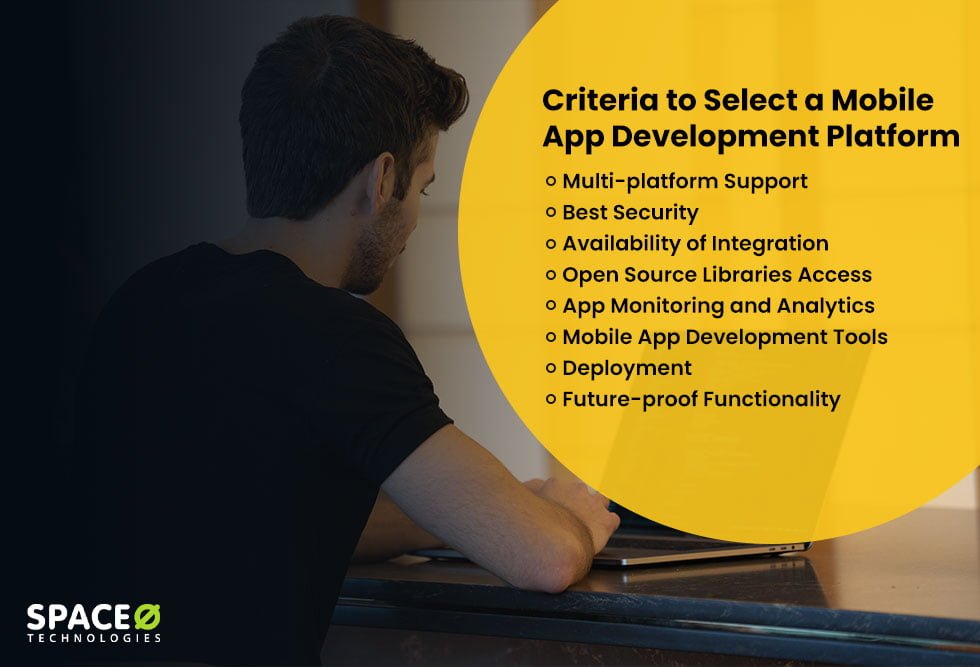
Top 8 Criteria to Select a Mobile App Development Platform
Now, you know almost all the information about these 11 best mobile app development platforms, so you shouldn’t miss their most valuable features to select the best one. Evaluating these app development platforms against the right criteria helps you narrow down the choice faster.
Here are the most valuable features and criteria to select the right platform that makes your work easier while keeping app development cost under control.
-
Multi-platform Support
Whenever you plan to develop enterprise apps or consumer apps with the MADP, ensure you look for this feature.
In an era where the mobile ecosystem is evolving with several platforms, devices, and other factors, it is essential to opt for a mobile application platform that supports multi-platforms. A flexible mobile app platform should let you ship a single codebase to Android, iOS, and the web without rewriting core logic.
Your decision would be investing in a cross-platform mobile application development platform that helps you with integrating and modifying various features across all the devices and OS platforms, such as the Web, Android, and iOS.
-
Best Security
We expect our mobile apps to run seamlessly without any significant glitch.
However, the mobile app often contains several sensitive information, such as payment details and a contact list, making app security a non-negotiable factor.
Losing a mobile device can haunt anyone. Therefore, it will require an additional layer of security. A MADP must provide secure management of user data and information.
In such cases, you must ensure to prevent data using a reliable mobile application platform. A secure mobile development platform should offer built-in encryption, role-based access, and compliance support out of the box.
-
Availability of Integration
It is often observed that many clients integrate new and improved features in the next stage of app development.
So, if you have the probability of integrating new features into your app once it is developed, then choose from platforms for mobile app development that can match your requirements and help you to integrate the features later through APIs and third-party services.
-
Open Source Libraries Access
The fact is that the app developer community is highly dependent on open source libraries and APIs, and there is no denying that they play an essential role in increasing the speed, integration, and delivery of the app development process. Leading app development platforms typically ship with a rich ecosystem of open source plugins that extend core functionality.
Therefore, make sure you choose a platform that gives complete freedom and easy access and integration with such libraries.
-
App Monitoring and Analytics
Most enterprise apps try to offer a rich user experience and choose agile ways of development. In most cases, user feedback triggers the best use of the app.
This allows app developers to accommodate necessary changes in a swift manner. And where MADPs play an essential role.
It helps to convert the user data into visual insights. Therefore, top mobile app development platforms provide easy monitoring of app performance and analytics.
-
Mobile App Development Tools
The benefit of mobile app development tools is that they provide a collaboration platform for developing, testing, debugging, deploying, hosting, and maintaining mobile apps more effortlessly.
If you want to build your app for Play Store, then choose Android Studio, an app development tool. Otherwise, you can select Xcode for the App Store.
Many hosts prefer a low code app development for their project with pre-designed templates and drag-and-drop app builders support.
Because of its promising nature, many developers prefer a CLI, which provides high agility for setting up and managing the development environment.
Choose a mobile development platform that will be comfortable for the developer because restrictions with CLI can be frustrating and may hamper time.
-
Deployment
The benefit of using a MADP is that you can deploy it on-premise and available as a cloud-based service. You can easily start without any significant upfront costs with cloud services.
However, an on-premise subscription will give you higher levels of security at a lower cost if you are in the long run.
Make sure you choose the right way and invest in an enterprise mobile app development platform that can fulfill the requirements of your developers while also scaling with future deployment needs.
-
Future-proof Functionality
There is no doubt that technology has advanced over the years, with trends like AI-powered development reshaping how apps are built. Everyone expects more with each advanced version.
If you have also planned to integrate any features into an app after creating a minimal viable product (MVP), then you must focus on this feature.
And this is the reason you must opt for a platform that can evolve over the years with the changing technological requirements and simplify long-term app maintenance.
Launch Your Mobile App with the Right Development Partner
Get expert guidance on platform selection, app strategy, and scalable development for your custom mobile application.
Mobile Application Development Platform vs Custom Development
A MADP is not the only path to building a mobile app. Many businesses with complex requirements or long-term product roadmaps choose custom mobile app development instead, where a dedicated team builds every component from scratch based on exact specifications.
Here is how the two approaches compare:
| Factor | Platform-Based Development | Custom Development |
|---|---|---|
| Development speed | Faster for simple apps due to pre-built components | Longer initial timeline, but no rework for complex features |
| Customization | Limited to what the platform supports | Complete flexibility over UI, UX, logic, and integrations |
| Scalability | Constrained by platform architecture and pricing tiers | Built to scale based on your infrastructure choices |
| Vendor dependency | Tied to the platform vendor’s roadmap and pricing changes | Full ownership of the codebase with no vendor lock-in |
| Performance | Varies by platform type (hybrid is slower, cross-platform is moderate) | Optimized for your specific use case and target devices |
When to Choose a Platform
Mobile app platforms work well when the app has standard functionality (forms, content display, notifications), the budget is limited, and you need a working product within weeks. It is also a practical choice for validating an idea quickly with an MVP before committing to a larger build.
When to Choose Custom Development
Custom development is the stronger option when the app involves complex business logic, role-based workflows, strict compliance requirements (HIPAA, PCI-DSS, GDPR), or advanced capabilities like AI integration, real-time data processing, and IoT connectivity. It is also the right path when you want complete ownership of the source code, a lower total cost of ownership over time, and no dependency on a third-party vendor’s pricing or roadmap.
If your project falls into this category, you can hire dedicated mobile app developers to build exactly what your business needs without platform limitations.
Some businesses also combine both approaches by using the best platform for mobile app development to build the initial MVP, then moving to custom development for the production-grade version once the concept is validated.
Conclusion
Now, you know what a mobile app development platform is, how it functions, and also its comparisons, it must be easy for you to select the best mobile application development platform for your project. Shortlisting the right app development platforms early in the planning stage saves both time and rework during development.
In case, if you have any confusion regarding the best mobile development platform, app development software, refer to our blog post. We, being one of the leading app development companies, have years of experience working with different mobile app development platforms tailored to diverse business needs.
Our IT team and app development team have hands-on experience in developing iOS and Android apps. No matter how challenging your app idea is, we will help you to find the best solution.
Frequently Asked Questions
What is a mobile app development platform?
A mobile app development platform (MADP) is a comprehensive software environment that provides tools to design, build, test, and deploy mobile applications from a single ecosystem. It unifies front-end UI builders, backend infrastructure, API integrations, testing environments, and app store deployment pipelines so development teams do not need to manage separate tools for each stage.
How do low-code platforms simplify mobile app development?
Low-code platforms replace manual coding with visual drag-and-drop builders, pre-built templates, and configurable logic flows. This allows teams to build functional apps in days or weeks instead of months. Business users and citizen developers can participate directly in app creation, reducing dependency on specialized engineering resources for straightforward applications.
How do mobile app development platforms reduce development costs?
MADPs reduce costs in three ways. First, a single codebase serves multiple platforms (Android, iOS, web), eliminating the need to hire separate development teams. Second, pre-built components like authentication, push notifications, and database connectors remove the cost of building common features from scratch. Third, built-in testing and deployment tools cut the time and tooling expenses associated with QA and release management.
When should you use a mobile app development platform?
Use a MADP when your app has standard functionality such as forms, content display, user accounts, or basic e-commerce. It is also the right choice when you need to launch quickly on a limited budget, validate an idea with an MVP, or build internal business tools where peak performance is not the primary requirement.
When is a low-code mobile app development platform the right choice?
A low-code platform fits best when the app involves straightforward workflows, standard UI patterns, and basic integrations. It is ideal for internal enterprise tools, simple customer-facing apps, and proof-of-concept builds. Avoid low-code when your project requires complex custom logic, advanced animations, deep hardware access, or long-term scalability beyond what the platform supports.
What are the types of mobile apps you can build on these platforms?
You can build five main types of mobile apps using development platforms: native apps that run directly on one OS, cross-platform apps that compile to both Android and iOS from one codebase, hybrid apps that wrap web content inside a native shell, progressive web apps (PWAs) that run in mobile browsers with app-like features, and low-code apps built using visual editors for quick deployment.
What is the difference between a mobile app development platform and a framework?
A framework is a code library that provides structure and reusable components for developers to write applications (e.g., Flutter, React Native). A platform is a broader environment that includes the framework plus additional tools like visual editors, backend services, testing suites, hosting, and deployment pipelines. In short, a framework is one piece of the puzzle, while a platform is the full toolkit.
Is Flutter better than React Native in 2026?
Both are strong choices, but they serve different strengths. Flutter offers faster rendering through its own Skia engine, a rich widget library, and strong performance for animation-heavy apps. React Native leverages JavaScript, which gives access to a larger developer pool and easier integration with existing web codebases. Choose Flutter for UI-intensive apps with custom designs. Choose React Native when your team already works with JavaScript or needs tight integration with web projects.
Can I build an enterprise app using a low-code platform?
Yes, but with limitations. Low-code platforms like Mendix and Alpha Anywhere support role-based access, workflow automation, and basic integrations suitable for internal enterprise tools such as CRMs, dashboards, and approval systems. However, apps requiring complex multi-tenant architecture, strict regulatory compliance (HIPAA, PCI-DSS), or deep custom integrations are better suited for custom development.
What is the best free mobile app development platform?
Flutter and React Native are the most widely used free platforms. Both are open-source, have large community support, and allow full-featured app development at no licensing cost. Ionic and Capacitor are also free and work well for hybrid apps built with web technologies. NativeScript is another free option for teams that want direct native API access using JavaScript or TypeScript.
How long does it take to build an app using a cross-platform framework?
A simple app (5 to 10 screens with basic functionality) typically takes 2 to 3 months. A medium-complexity app with custom UI, API integrations, and user authentication takes 3 to 6 months. Complex apps with real-time features, payment processing, and advanced backend logic can take 6 to 12 months or longer depending on team size and project scope.
Do I need coding knowledge to use a mobile app development platform?
It depends on the platform type. Low-code and no-code platforms like Mendix, Alpha Anywhere, and Swiftic are designed for users with minimal or no coding experience. Cross-platform frameworks like Flutter, React Native, and .NET MAUI require proficiency in programming languages such as Dart, JavaScript, or C#. Choose the platform category based on your team’s technical capability.
What is Kotlin Multiplatform and when should I use it?
Kotlin Multiplatform (KMP) is a technology by JetBrains that allows developers to share business logic written in Kotlin across Android, iOS, web, and desktop while keeping the UI native to each platform. Use KMP when your team already works with Kotlin for Android development and wants to share backend logic with iOS without rewriting it in Swift. It is best suited for projects where shared business logic matters more than shared UI.



 All our projects are secured by NDA




 4.8
4.8

