
 By
By 
Managing money has become increasingly digital, and personal finance apps now play a key role in how people track spending, plan budgets, and make smarter financial decisions. From expense tracking and savings goals to investment insights and real-time analytics, these apps have evolved into powerful tools that simplify everyday money management.
According to Business Research Insights, the global personal finance app market is projected to reach $167.56 billion by 2035, highlighting the massive growth opportunity in this space.
If you are planning to build a personal finance app, the process goes far beyond writing code. You need to understand user needs, choose the right features, design an intuitive experience, ensure data security, and comply with financial regulations. Without a clear roadmap, it is easy to overbuild, miss critical compliance requirements, or struggle with user adoption.
This guide walks you through how to build a personal finance app step by step. You will learn about market research, essential features, technology choices, development costs, security considerations, common challenges, and how to choose the right fintech app development agency.
Contents
What Is a Personal Finance App?
A personal finance app is a digital application that helps individuals manage, track, and optimize their money in a structured and user-friendly way. It enables users to monitor income and expenses, set budgets, track savings goals, and gain visibility into their overall financial health from a single platform.
These apps work by collecting financial data either through manual inputs or secure integrations with banks and financial institutions. Transactions are automatically categorized, allowing users to see where their money is going and identify spending patterns. More advanced personal finance apps also offer features such as cash flow analysis, investment tracking, bill reminders, and personalized financial insights.
Personal finance apps are used by a wide range of users, including salaried professionals, freelancers, students, and small business owners. For startups and businesses, they represent a fast-growing fintech opportunity driven by increasing digital payments, open banking adoption, and the rising demand for smarter, more accessible money management solutions.
Types of Personal Finance Apps
Personal finance apps exist across a spectrum, each serving different user needs and market segments. Understanding these categories helps you determine which type of finance app development aligns with your vision and target market.
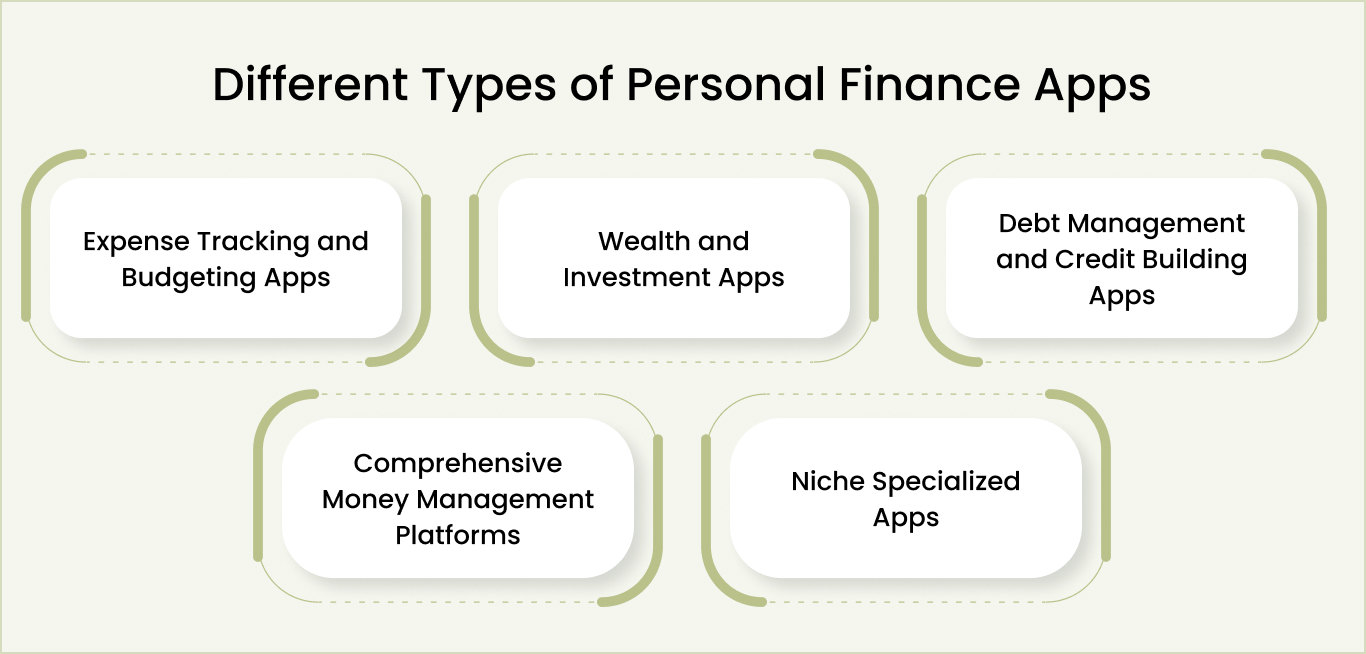
1. Expense tracking and budgeting apps
Expense tracking apps focus on helping users understand where their money goes each month. Users connect bank accounts, transactions import automatically, and categorize by spending type, and spending appears in visual charts and reports.
The core feature set includes budget creation by category, alerts when approaching spending limits, and easy category management for organizing transactions.
Key features
- Automatic transaction categorization from connected bank accounts
- Budget setting by category with visual progress tracking
- Spending alerts when approaching budget limits
- Monthly expense reports and spending trends
- Manual transaction entry for accounts Plaid can’t access
- Category customization and spending analytics
Target users
- Cost-conscious individuals wanting basic financial visibility
- Millennials and Gen Z focused on understanding spending habits
- Users new to personal finance, wanting to track spending
- Budget-conscious families want to see where money goes
- People beginning their financial management journey
2. Wealth and investment apps
Wealth apps focus on investment portfolio management and long-term wealth building. Users connect investment accounts across multiple institutions (brokerages, retirement accounts, crypto platforms), view complete portfolio composition, track investment returns, receive asset allocation analysis, and get personalized recommendations based on their financial profile and risk tolerance.
Key features
- Investment account aggregation across multiple platforms
- Portfolio allocation visualization showing diversification
- Real-time investment performance tracking and returns calculation
- Asset class breakdown and risk analysis
- Personalized investment recommendations based on profile
- Tax-loss harvesting opportunity identification
- Historical performance tracking and comparison to benchmarks
Target users
- High-income professionals are focused on wealth accumulation
- Investors interested in portfolio optimization and diversification
- Users managing retirement accounts and long-term investing
- Crypto enthusiasts tracking digital asset portfolios
- Financially sophisticated users wanting advanced analytics
3. Debt management and credit building apps
Debt management apps help users systematically track and eliminate debt while building credit. Users input all debts (student loans, credit cards, personal loans, mortgages), and the app calculates payoff strategies, estimates payoff timelines, tracks credit score progress, provides credit building tips, and sends accountability reminders, keeping users motivated toward debt freedom.
Key features
- Debt input and portfolio tracking across multiple debts
- Payoff strategy calculator comparing different repayment approaches
- Automated repayment recommendations optimizing payoff speed
- Credit score tracking and month-over-month improvement monitoring
- Credit-building tips specific to the user’s financial situation
- Interest savings calculation showing total interest paid under different strategies
- Accountability notifications and milestone celebrations
Target users
- Users with significant credit card or student loan debt
- People focused on debt elimination and financial freedom
- Young professionals building credit for the first time
- Users wanting to improve their credit scores for home or auto loans
- Financially motivated individuals with clear debt payoff goals
4. Comprehensive money management platforms
Comprehensive platforms attempt to solve all financial management needs in one unified app. Features include expense tracking and budgeting, investment portfolio management, bill reminders and payments, subscription tracking and cancellation, financial goal setting, tax planning and estimation, insurance management, and long-term financial planning.
Key features
- Complete account aggregation (bank, investment, loan, insurance, crypto)
- Unified dashboard showing a complete financial picture
- Advanced budgeting with multiple budget types and spending analysis
- Bill payment and reminder system with calendar integration and digital wallet app development for direct payments
- Subscription detection and cancellation recommendations
- Investment portfolio tracking and recommendations
- Tax planning and quarterly tax estimation
- Financial goal setting with multiple goal types
- Insurance and liability tracking
- Savings opportunity identification and alerts
Target users
- Power users who want one unified financial management platform
- Sophisticated investors managing complex financial situations
- High-net-worth individuals with multiple account types
- Users frustrated with juggling multiple financial apps
- Financially engaged individuals seeking complete visibility
5. Niche specialized apps
Niche apps focus obsessively on specific user segments with specific financial needs that general-purpose apps ignore. Freelancer apps handle invoicing, quarterly tax estimation, and variable income tracking.
Family apps coordinate household finances and teach children about money. Small business apps separate business from personal expenses while handling business-specific accounting needs.
Key features (Freelancer example)
- Invoice creation, tracking, and payment collection
- Income tracking from multiple clients and projects
- Quarterly tax obligation calculation and tax set-aside management
- Expense categorization by tax deductibility
- Business versus personal expense separation
- Mileage tracking for tax deductions
- Client payment reminders and late payment alerts
Key features (Family example)
- Shared account visibility for all family members
- Individual allowance management for children
- Chore-based reward system for teaching money management
- Spending limits by family member
- Family budget coordination and goal setting
- Financial literacy educational content for kids
Target users
- Freelancers and self-employed professionals (Freelancer app)
- Families wanting to coordinate household finances (Family app)
- Small business owners managing business finances (Business app)
- Users with specialized financial needs are ignored by mainstream apps
- Users valuing tools built specifically for their use case
Once you’ve identified the type of personal finance app you want to build, the next step is deciding which features are essential for launch, and which can wait.
Not Sure Which Type of Personal Finance App to Build?
Our fintech experts help you identify the right app type, features, and monetization model based on your target audience and goals.

Essential Features to Include In Your Personal Finance App
Successful personal finance app development means starting lean. You solve the core problem brilliantly with five to seven features. Then you iterate based on real user feedback. This section breaks down exactly which features matter for launch, which come later, and how to prioritize when you’re tempted to build everything.
Phase 1 features: MVP (essential) functionalities
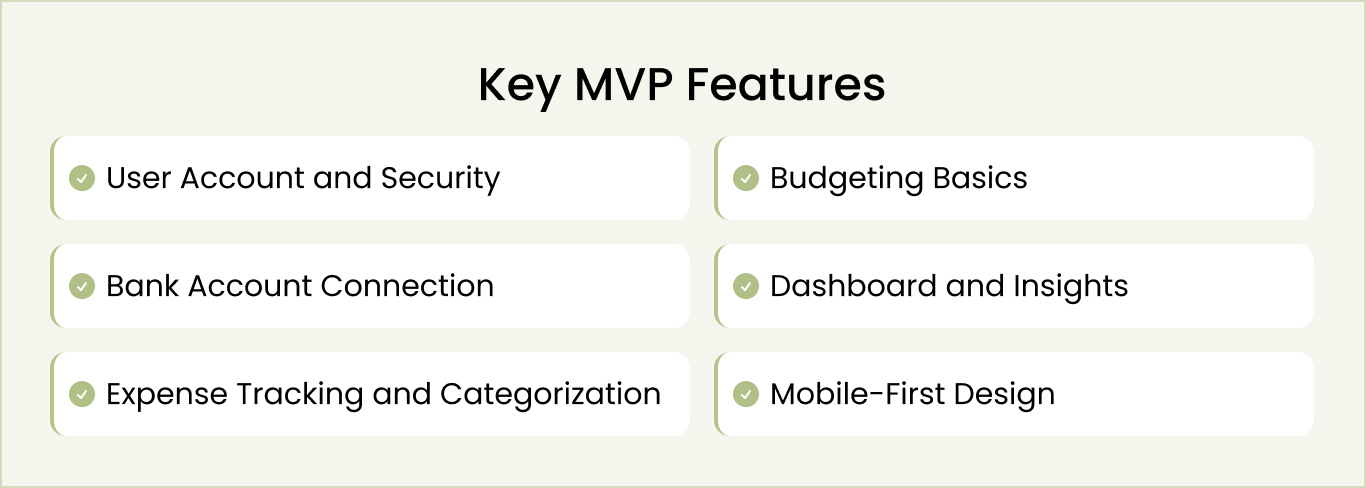
Your MVP is your proof of concept. It solves the main user problem and nothing else. Here’s what goes in:
1.1 User account and security
Users create an account and log in securely. Two-factor authentication is mandatory because you’re handling financial data. Biometric login (Face ID or fingerprint) works on both iOS and Android. Session management times out after inactivity periods to prevent unauthorized access.
1.2 Bank account connection
Users connect their bank accounts through Plaid or Finicity. Your app pulls transactions automatically. Setup takes under two minutes. Sync happens in real-time or near real-time. Users can manually add transactions if needed for accounts that Plaid can’t access.
1.3 Expense tracking and categorization
Transactions arrive and get categorized automatically. The system learns from user corrections. Users can override categories, add notes, and search history. Filtering is fast and intuitive.
1.4 Budgeting basics
Users set budgets by category. They see spending versus the budget. The app alerts them when approaching limits. Resets happen automatically each month.
1.5 Dashboard and insights
A simple dashboard shows total income, total spending, net position, and account balances. Basic charts display spending by category. Trends appear over recent months. Dashboard updates in real-time.
1.6 Mobile-first design
Everything works on phones first. Both iOS and Android are supported. Dark mode available. App performs on slow connections. Text is readable. Buttons are easy to tap. Navigation is intuitive.
Phase 2 features: Competitive differentiation
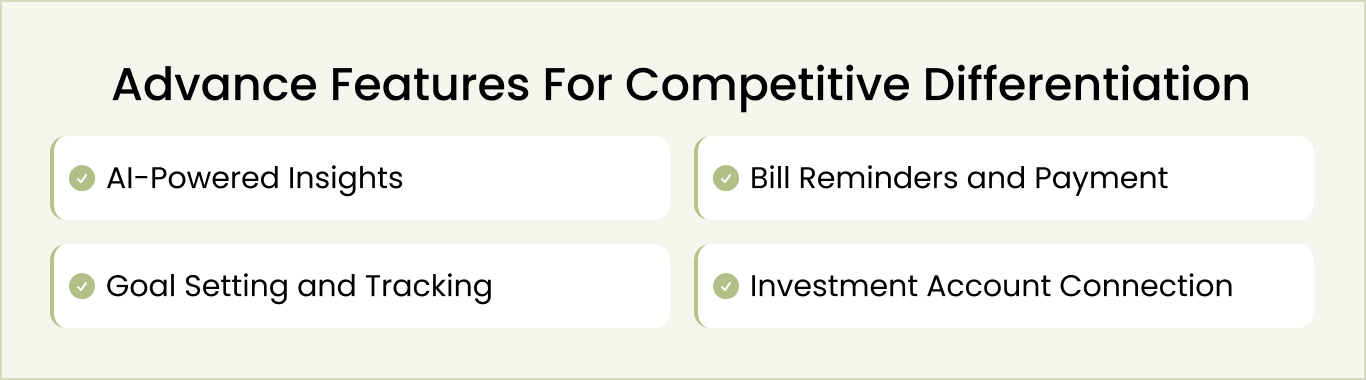
After launch, gather user feedback and add these features to stand out:
2.1 AI-powered insights
The app analyzes spending and identifies opportunities. “You spent 35% more on food this month,” or “You could save $200 by canceling these subscriptions.” Insights are specific and actionable.
2.2 Goal setting and tracking
Users set goals like “save $5,000 emergency fund” or “pay off credit card.” The app tracks progress and shows remaining amounts. Milestones create motivation and track completion.
2.3 Bill reminders and payment
Upcoming bills appear in a calendar. Users get reminders before payment is due. Bill pay integration lets them pay directly from the app without leaving.
2.4 Investment account connection
Users connect investment accounts and track portfolio performance. Asset allocation appears visually. Returns are tracked and displayed.
Phase 3 features: Premium revenue
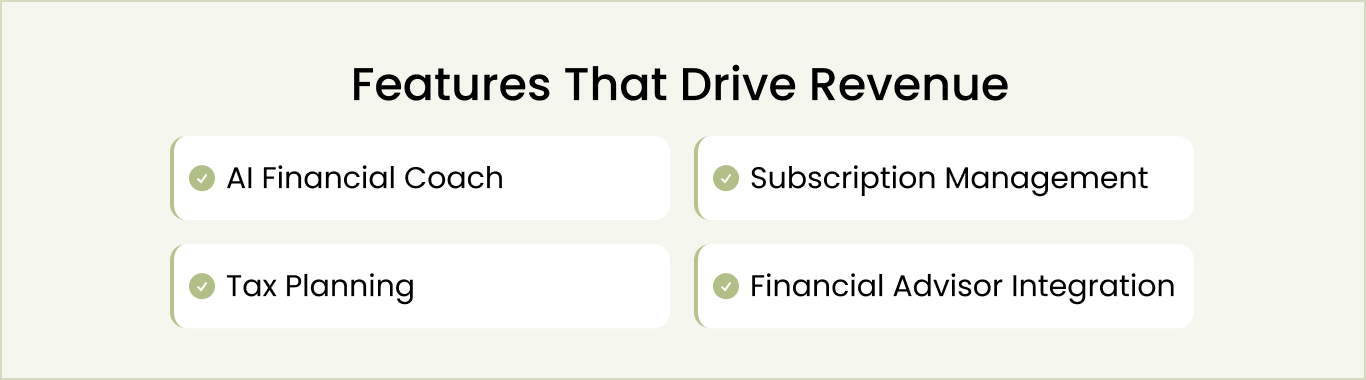
These advanced features create a competitive moat and drive subscription revenue:
3.1 AI financial coach
A chatbot provides personalized financial advice based on user behavior. Available 24/7. Responds like a human advisor to specific financial questions.
3.2 Tax planning
Identifies tax-deductible expenses. Estimates tax liability. For self-employed users, it helps set aside tax money automatically for quarterly payments.
3.3 Subscription management
Identifies recurring charges. Estimates annual subscription costs. Recommends cancellations for unused services.
3.4 Financial advisor integration
Premium users consult real financial advisors. Upload documents for review. Schedule video calls. Get professional guidance on financial decisions.
-
Expert Tip: Consult with a mobile app consulting agency to determine the right features fr your personal finance app as per your industry, scope, and budget.
Feature decisions directly impact the development process and timeline. Let’s understand the standard process for developing a personal finance app.
Personal Finance App Development Process: The 8-Phase Roadmap
Whether you hire fintech developers from an outsourced agency or build an in-house team, understanding the personal finance app development process is critical. A clear roadmap helps you set realistic expectations around timelines, costs, and technical requirements while ensuring nothing important is missed along the way.
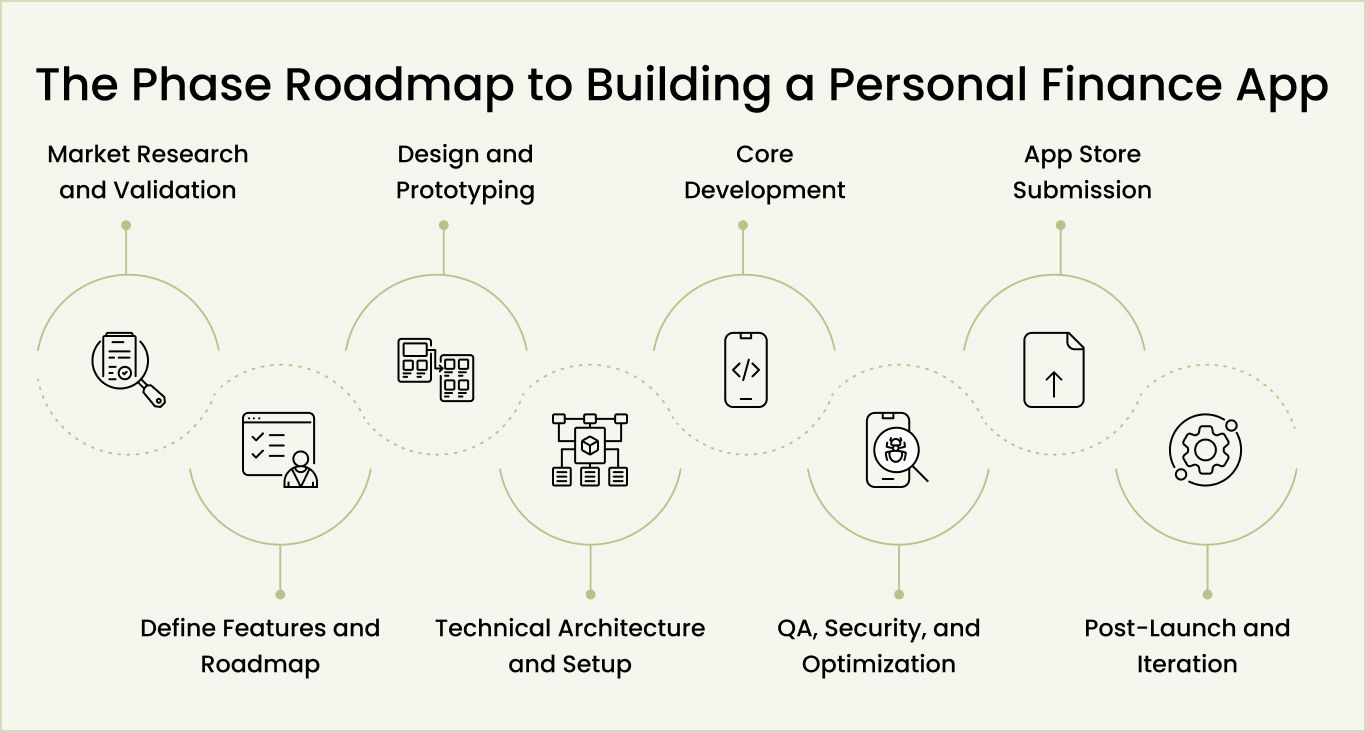
Phase 1: Market research and validation (Weeks 1–2)
Before writing code, validate your idea solves a real problem. This validation determines whether you’re solving something people want. Skipping this phase is the most expensive mistake. It’s far cheaper to validate now than to discover after months of development that your target market doesn’t care.
- Define your specific problem and target audience
- Create detailed user personas representing your core market segments
- Research the competitive landscape and identify market gaps
- Interview target users to confirm demand and gather requirements
- Make a go/no-go decision on whether to proceed with full development
Phase 2: Define features and roadmap (Weeks 3–4)
You’ve validated the problem. Now define what you’re building. The biggest mistake in creating finance apps is building everything at once. Successful finance app development starts lean with five to seven features solving your problem. This disciplined approach separates products shipping timely from budget overruns.
- Conduct feature prioritization exercise: list all desired features, rank by impact on core problem, keep top five to seven
- Write user stories in “As a [user], I want [action] so that [benefit]” format for each MVP feature
- Build a twelve-month roadmap with clear phases: MVP launch (months 1-6), enhancement (months 7-9), monetization (months 10-12)
- Define success metrics you’ll track post-launch (e.g., MAU, DAU, retention, conversion rate, CAC)
- Present scope to stakeholders and secure team agreement on what’s included and what’s not
Phase 3: Design and prototyping (Weeks 5–8)
Design determines whether users accomplish goals in your personal finance management app. Poor design kills adoption regardless of technology strength. This phase creates interactive prototypes that users test before engineering. This is where you discover design problems when fixes are cheap, not when they’re expensive after launch.
- Create user flow diagrams for three to four key tasks, showing every step and decision point
- Build wireframes for all major screens with focus on layout and content hierarchy
- Develop a visual design system with a color palette, typography rules, spacing standards, and component guidelines
- Construct an interactive prototype in Figma or Adobe XD with clickable workflows
- Run usability testing sessions with target users and iterate based on feedback findings
Phase 4: Technical architecture and setup (Weeks 8-10)
While designers finish prototypes, technical teams design architecture. This phase requires experienced finance app developers to understand architectural decisions and systems. Technical choices compound throughout development; poor decisions cost ten times more later. This is why architecture deserves careful thought and expert review before development begins.
- Document system architecture showing data flow from the frontend through APIs to databases and external services
- Define database schema and data relationships for users, transactions, accounts, and budgets
- Set up cloud infrastructure with separate development, staging, and production environments
- Establish authentication and encryption standards (JWT tokens, OAuth 2.0, AES-256, TLS)
- Engage a security consultant for an architecture review and compliance assessment
Phase 5: Core development (Weeks 11–22)
Backend and frontend teams work in parallel. Finance mobile app development requires coordinated effort—backend engineers build APIs and integrations, frontend engineers build the user interface. Experienced developers work two-week sprints, deploying regularly to the staging environment. This reduces catastrophic late discoveries and catches integration issues early.
- Initialize code repository with Git branching strategy, code review requirements, and automated testing pipeline
- Prioritize backend development on user authentication, database operations, and Plaid bank connection API integration
- Begin frontend development on core screens (dashboard, account connection, transactions, budgets) in parallel
- Write unit tests for individual functions and integration tests for component interactions throughout the development cycle
- Deploy builds to the staging environment weekly for QA team testing and feedback loops
Phase 6: QA, security, and optimization (Weeks 23–25)
Testing separates products working well from those working reliably. Financial application development cannot have bugs affecting accuracy, security, or trust. Test edge cases, negative budgets, offline connectivity, and disconnected accounts. Security testing through penetration and scanning finds problems before deployment. Teams skipping QA discover critical production issues.
- Execute functional testing covering normal workflows, edge cases, error handling, and offline scenarios
- Conduct penetration testing with an external security firm and remediate all identified vulnerabilities
- Optimize performance through database query analysis, caching strategies, and resource minimization
- Verify compliance requirements (GDPR for EU users, PCI DSS for payments, financial data protection standards)
- Create comprehensive testing documentation and audit trail for regulatory compliance purposes
Phase 7: App store submission (Weeks 26–27)
Your app needs Apple and Google approval before going live. Attention to specific guidelines and practices is critical. Apple reviews for privacy, security, and stability. Google enforces standards. Ignoring submission guidelines causes significant rejection delays. Complete documentation typically approves on the first attempt versus requiring resubmissions.
- Write app store description emphasizing the core problem solved, primary benefits, and target user type
- Prepare five to eight high-quality screenshots showing key user journeys with descriptive text overlays
- Produce a thirty-second preview video demonstrating real app usage and a clear user value proposition
- Finalize privacy policy, terms of service, data handling practices, and compliance documentation
- Submit to Apple and Android simultaneously, monitor review progress, and address any rejection feedback
Phase 8: Post-launch and iteration (Ongoing)
Launch is the beginning. Early weeks reveal problems testing missed. Real users have edge cases, use features unexpectedly, and complain differently. Success requires intensive monitoring, rapid response, and iteration based on real data, not assumptions. Teams engaged in month one to build sustainable bases. Disengaged teams watch engagement drop.
- Deploy monitoring infrastructure (crash reporting, performance tracking, error alerts) before launch day
- Establish a support response process with a twenty-four-hour maximum response time to user complaints
- Plan weekly update release schedule for first month, focusing on bug fixes and high-priority feature requests
- Analyze usage analytics to identify which features users actually engage with versus assumed features
- Schedule monthly product review meetings to assess roadmap priorities based on real usage data and user feedback
Each phase has specific deliverables and exit criteria. Don’t move to the next phase until the current phase is complete. Rushing creates compounding delays. A good rule of thumb: take your estimated timeline and add a 20 to 30 percent buffer. You’ll need it.
The phases most likely to slip are backend development (especially bank integrations), security hardening (always finds issues), and app store approval (sometimes takes longer than expected). Build in contingency time, and you’ll ship on schedule.
Follow this process to develop your personal finance mobile app. Next, let’s understand the time and cost investment for personal finance mobile app development.
Build Your Personal Finance App With a Clear Development Roadmap
With 15+ years of app development experience, Space-O Technologies manages everything from planning and design to development, testing, and launch.
Personal Finance App Development Cost Breakdown and Timeline
The cost to develop a fintech app depends on complexity, features, and team location. Basic apps cost $35,000 to $75,000. Standard apps cost $75,000 to $150,000. Advanced apps cost $150,000 to $300,000 or more.
This section breaks down exactly what you get at each investment level and what timeline to expect.
1. Cost by complexity level
| Tier | Budget | Timeline | Features |
|---|---|---|---|
| Basic MVP | $35K–$75K | 4–6 months | Expense tracking, budgeting, and basic bank connection |
| Standard App | $75K–$150K | 6–9 months | Advanced budgeting, goals, bill reminders, and investment tracking |
| Advanced/Enterprise | $150K–$300K+ | 9–12 months | AI insights, advisor chat, tax planning, subscription management |
1.1 Basic MVP: Build and validate ($35,000 to $75,000)
Single platform launch with core features. Validate your idea quickly and cheaply with real user feedback before investing more. Risk: single platform limits initial user reach, but a staged approach reduces risk and lets you make decisions based on real data instead of assumptions.
1.2 Standard app: Full launch ($75,000 to $150,000)
Building financial apps on both platforms simultaneously. Sweet spot for most companies. Broad platform coverage attracts serious users and generates meaningful revenue. You’re building financial applications that compete in the market with enough features to attract and retain users.
1.3 Advanced platform: Enterprise scale ($150,000 to $300,000+)
Finance mobile app development across all platforms with AI, tax planning, and advisor integration. Attracts venture capital and builds defensible products. Creates features competitors can’t quickly replicate and positions you for market leadership.
2. Hidden costs (What people miss)
Beyond development, budget for critical expenses:
| Cost Category | Monthly Range | Annual Cost | Details |
|---|---|---|---|
| Banking APIs (Plaid) | $3K–$5K | $36K–$60K | Scales with users. Non-negotiable for core functionality. |
| Cloud Infrastructure | $2K–$5K | $24K–$60K | AWS, Google Cloud, or Azure. Scales with user base. |
| Security & Compliance | $500–$2K | $6K–$24K | SOC 2 audits, security reviews, and GDPR compliance checks. |
| Third-Party Services | $1K–$3K | $12K–$36K | Analytics, crash reporting, monitoring, and email services. |
| Post-Launch Marketing | $5K–$20K | $60K–$240K | App store optimization, paid ads, and partnerships. |
| Legal & Regulatory | $5K–$15K (upfront) | $5K–$15K/year | Terms of service, privacy policy, and legal consultation. |
| Annual Maintenance | 15–20% of dev cost | Variable | Bug fixes, patches, OS updates, and minor features. |
Most entrepreneurs only budget for development. Hidden costs often exceed your initial development investment by 40-60%. If you spend $100,000 building the app, expect another $50,000-$60,000 in hidden costs in year one alone.
Outsourcing fintech development helps reduce development costs while maintaining quality and development speed.
With budget expectations clear, the focus shifts to execution. While developing a personal finance app, you are likely to face numerous roadblocks and pitfalls. Understanding these pitfalls and solutions is important for building your app successfully.
Want a Clear Cost Estimate for Your Personal Finance App?
Get a transparent cost breakdown based on features, integrations, and scalability requirements.
The 6 Biggest Mistakes in Personal Finance App Development (And How to Avoid Them)
Most personal finance app development projects fail not from lack of technology or funding, but from avoidable mistakes made during planning and execution. These mistakes compound; one bad decision creates problems that multiply throughout development.
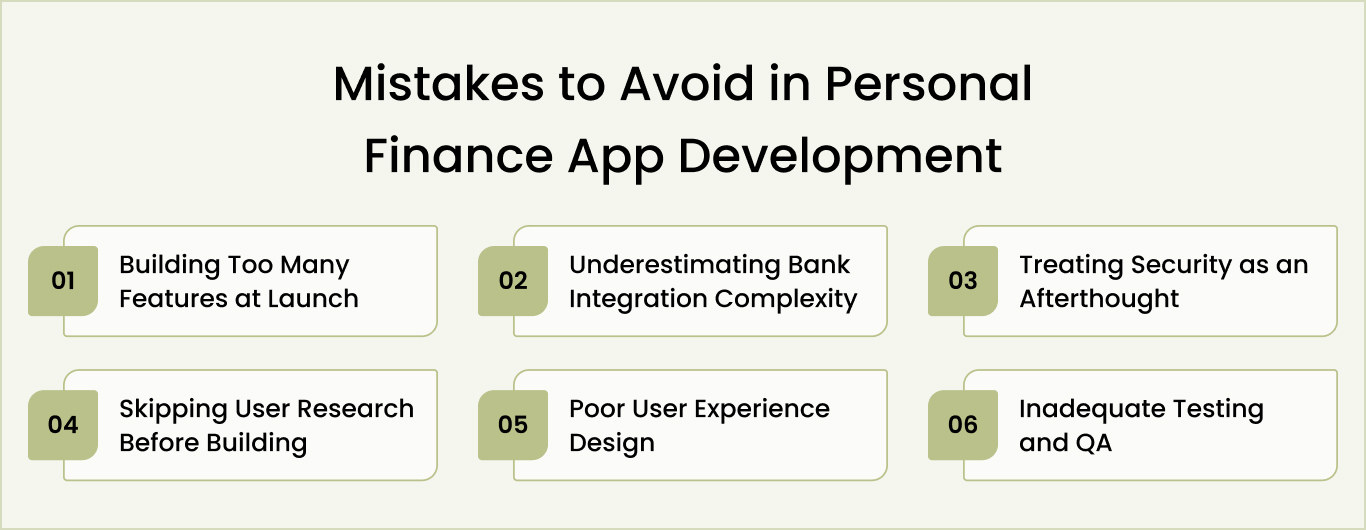
1. Building too many features at launch
Too many features dilute focus, explode budgets. Developers context-switch between features, releasing half-baked work with bugs everywhere. Users are overwhelmed with options. Support costs rise.
Solution
- Identify the one core problem your app solves better than everything else
- List every feature you want, rank by impact on solving that core problem, and cut everything outside the top five
- Say no to feature requests that don’t directly solve your core problem
- Remember that you can add features in Phase 2 based on real usage data, not assumptions
- Celebrate what you’re not building as much as what you are
2. Underestimating bank integration complexity
Bank integrations look simple on the surface. Use Plaid API, connect accounts, done. Reality is messier. Edge cases emerge. Some financial institutions have unusual systems. Error handling gets complicated. Security requirements are stricter than you expect. Teams that assume eight weeks for integration often discover they need twelve to sixteen weeks.
Solution
- Start bank integration work before everything else, don’t leave it for the end when delays hurt the timeline the most
- Test integration with multiple financial institutions, not just one bank
- Build robust error handling for failed connections, rate limits, and unexpected API responses
- Plan for API rate limits and design sync strategies that don’t hit them repeatedly
- Budget extra timeline and use spare weeks for polishing if integration finishes early
3. Treating security as an afterthought
Security feels abstract until your app gets hacked. Then it’s expensive. Financial data attracts attackers. Building security after development means tearing out and rebuilding components, introducing bugs.
Solution
- Engage a security expert during the architecture phase, not after development finishes
- Implement authentication properly from day one (JWT tokens, OAuth 2.0, never store passwords)
- Encrypt all data at rest (AES-256) and in transit (TLS/SSL)
- Plan for regulatory compliance requirements (GDPR if EU users, PCI DSS if processing payments)
- Conduct a security audit and penetration testing before app store submission
4. Skipping user research before building
Most teams assume they know what users want. They don’t. Users say what they think they want, but behavior reveals different truths. Building without research creates unused features and misses critical ones.
Solution
- Interview ten to twenty target users about their financial challenges and current solutions
- Ask open questions about problems, not leading questions about your specific solution
- Observe users trying your prototype and watch where they get confused
- Create detailed user personas representing your actual market segments
- Update your feature roadmap based on real user feedback, not your assumptions
5. Poor user experience design
Great technology with poor user experience fails completely. Financial apps handle sensitive money, so users must feel confident and in control. Confusing navigation frustrates users. Unclear data creates anxiety. Poor design kills adoption regardless of technical quality. Design matters as much as engineering.
Solution
- Create wireframes and test them with users before the design gets pretty
- Build interactive prototypes in Figma so users can click through workflows before engineering starts
- Focus on clarity over beauty; users trust clean, simple interfaces more than flashy designs
- Test design with real users watching them complete tasks, noting where they struggle
- Iterate on the design based on user feedback multiple times before handing it to the engineers
6. Inadequate testing and QA
Bugs in financial apps damage trust permanently. Calculation errors undermine user confidence. Missing transactions create stress. Features working in development fail in production with real users. Teams skipping rigorous testing discover critical issues after launch when damage spreads, and fixes become expensive and complex.
Solution
- Implement continuous testing throughout development, not just at the end
- Test edge cases like negative budgets, offline scenarios, disconnected accounts, and unusual transaction types
- Conduct security penetration testing with external experts who try to break your app
- Test on real devices with real network conditions, not just simulators and fast internet
- Have a separate QA team testing from day one of development, not when dev says “it’s done.”
Avoiding these pitfalls sets the foundation for a stable product. The next challenge is turning that product into a sustainable revenue-generating business.
Avoid Costly Mistakes When Building Your Finance App
Work with a team that brings experience of building 4,400+ mobile applications and avoid security, compliance, and scalability pitfalls.
How to Make Money From Your Personal Finance App (5 Proven Models)
Once you build a financial app and launch successfully, monetization becomes your priority. Most successful personal finance apps use multiple revenue streams rather than betting everything on one approach. Each model has different mechanics and requirements. Here are the five proven approaches.
Model 1: Freemium (Free core features, paid advanced)
Freemium means users get access to your app’s core features for free and pay only for advanced functionality. This creates a large free user base with a low barrier to entry. Some users convert to paid premium tiers when they need more powerful features or want to unlock advanced capabilities.
Users get expense tracking and budgeting for free. Premium tier ($9.99–$14.99/month) includes AI insights, investment tracking, and advanced features. Typical conversion is 2–5% of free users becoming paying customers. This works when you can reach 100,000+ users.
Model 2: Premium only (No free tier)
Premium-only means everyone pays to use your app. There’s no free version to try and no trial period. Users must trust that your app solves their problem based on descriptions, reviews, and word-of-mouth before paying. This model works when you have something unique and valuable that justifies upfront payment.
Everyone pays upfront. No free trial. Price $4.99–$19.99 monthly. This works for niche audiences (freelancers, small business owners) willing to pay without testing first. Smaller user base but higher revenue per user.
Model 3: Affiliate and partner revenue
Affiliate revenue means you recommend financial products within your app and earn commissions when users sign up through your links. Banks, brokerages, and investment platforms pay you per customer referred. You don’t charge users; your app stays free, and revenue comes from partners whose services you recommend.
Recommend financial products and earn commissions. Banks pay $50–$100 per account signup. Investment platforms pay $100–$200 per referral. Requires 50,000+ users to generate meaningful revenue. Works best alongside a freemium model.
Model 4: Enterprise and B2B (White-label licensing)
Enterprise licensing means you sell your app to institutions like banks and credit unions. They pay you a licensing fee and use your app as their own branded product for their customers. This B2B model generates massive revenue per customer but requires months of sales cycles and enterprise-grade infrastructure.
Sell to banks and credit unions for $50,000–$500,000 annually, plus transaction fees. Long sales cycles (6–12 months) but massive revenue per customer. Requires enterprise-grade support and compliance.
Model 5: Hybrid model (Combining multiple streams)
Hybrid monetization combines multiple revenue models into one strategy. You start with freemium to build users, add affiliate partnerships for passive revenue, introduce premium tiers for advanced features, and pursue enterprise deals as you scale. This diversification reduces dependence on any single revenue source.
Start with freemium for user acquisition. Add affiliate partnerships by month 3–4. Launch the premium tier by month 6. Pursue enterprise deals once you reach 50,000+ users. This diversified approach is most sustainable.
Best approach: Start simple, add over time
Launch with freemium. Get users first. Add affiliate partnerships once you have traction. Introduce the premium tier by month six after understanding what users want. Pursue enterprise deals when you reach scale. Revenue streams compound; each builds on the previous one.
Launch Your Personal Finance App With Our Expert App Developers
Creating a personal finance app starts with understanding market demand, identifying users, selecting core features, and committing to systematic development. You’ve learned what separates successful apps from failures. Now the real question: do you build alone or partner with experienced teams?
Most founders underestimate hidden complexity. Banking integrations fail unexpectedly. Security audits reveal vulnerabilities. Compliance timelines slip. Space-O Technologies eliminates these surprises. With 15+ years of building fintech solutions and 4,400+ apps developed, we’ve solved these problems repeatedly across global markets, serving hundreds of clients.
Our portfolio includes investment dashboards, lending platforms, payment applications, and personal finance tools serving hundreds of thousands of users globally. Our payment app development expertise encompasses secure transaction processing, multi-currency support, and seamless integration with major payment gateways. Every project maintains strong security, regulatory compliance, and systems that process millions safely. We know proven approaches work because we’ve delivered them repeatedly.
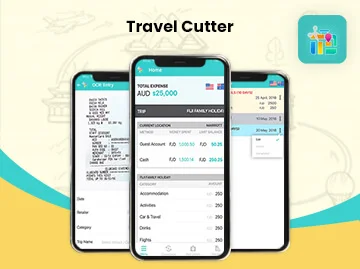
Travel Cutter: Expense Tracker App
Space-O Technologies designed this iOS and Android travel expense tracker, helping travelers maintain budgets, convert multiple currencies, track historical transactions, receive spending limit alerts, and export comprehensive reports in bar/graph layouts to PDF or XLS formats for simplified expense management.
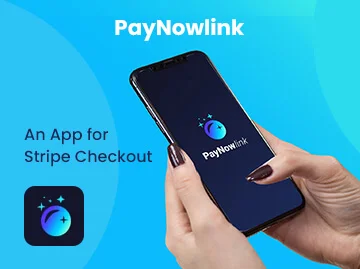
PayNowlink: Stripe Checkout App for Contactless Payments
We developed this payment application, revolutionizing contactless transactions during COVID-19. Shop owners enter amounts, generate secure Stripe checkout links, and share via text or email. Customers complete payments without physical contact or EFTPOS machines, ensuring safety and convenience.
PayNow for Stripe: Point of Sale Application
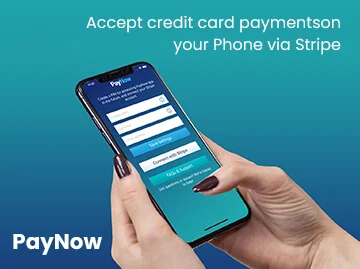
We built PayNow transforming payment collection for delivery vendors and small businesses. This NFC-enabled point-of-sale app accepts credit cards through Stripe, eliminating costly EFTPOS machines. Achievements include 50,000+ active users, 35x ROI, and ranking among Australia’s top innovative applications.
Consult with our team and get expert guidance on your personal finance app project. We’ll validate your complete concept, identify real market opportunity, map development path, and show how experienced partners accelerate launch while protecting security and compliance.
Frequently Asked Questions on Personal Finance App Development
How long does personal finance app development take?
Timeline varies by scope. Basic MVP takes 4–6 months, standard apps with good features take 6-9 months, and comprehensive platforms take 9–12+ months. Financial app development timelines depend heavily on bank integrations; budget 12–16 weeks instead of 8.
Security hardening, testing, and app store approval add 4–6 weeks. Plan for 20–30% buffer time. Delays commonly occur during integrations, security reviews, and compliance validation.
Is HIPAA compliance required for personal finance apps?
HIPAA applies only to healthcare information. Personal finance apps fall under different regulations: PCI DSS if processing payments, GLBA if handling financial information, and GDPR if serving EU users.
You must protect financial data with encryption, secure authentication, and access controls. Consult financial services lawyers early; compliance requirements vary by jurisdiction and the data you handle. Build security from the architecture phase, not after.
What technology stack should I use?
Recommended: Flutter for mobile (iOS/Android), React for web, Node.js or Python for backend, PostgreSQL for database, AWS for cloud, Plaid for banking APIs. This combination balances speed, cost, and scalability when you’re choosing a tech foundation for financial apps development. Avoid building with outdated technologies.
Your choice impacts development speed (30–40% difference between tech stacks), ongoing costs, and ability to scale. Consult experienced developers before committing to a tech stack.
Should I outsource personal finance app development or hire an internal team?
Outsourcing accelerates time-to-market, costs 30–40% less than hiring internally, and eliminates payroll burden. However, you lose direct control and team continuity. Hiring internally builds institutional knowledge and a stronger culture but requires 3–6 months of recruitment, higher costs, and ongoing management.
Most startups outsource initial development to experienced Fintech app development company partners, then hire internal teams for maintenance and new features post-launch.
How do I know if my personal finance app idea has product-market fit?
Product-market fit signals include: 30%+ monthly retention (users return 30 days after download), 50%+ word-of-mouth user acquisition, users actively requesting features, willing-to-pay signals (high conversion to premium), and low churn rates.
Early indicators are strong user engagement (30+ minute sessions), high feature adoption, positive reviews, and users solving real problems. Validate with 20 user interviews before launch. Post-launch, track retention obsessively; it’s your primary metric.
How do I prevent security breaches in a financial app?
Build security by design from the architecture phase. Use JWT tokens and OAuth 2.0 for authentication, implement AES-256 encryption at rest, and TLS/SSL in transit. Conduct penetration testing before launch. Have security experts review the architecture.
Implement regular security audits and vulnerability scanning. Never store raw financial data. Comply with regulations (GDPR, PCI DSS, GLBA). Most breaches result from poor architecture decisions made early, not from coding errors.



 All our projects are secured by NDA




 4.8
4.8

