
 By
Contents
- A custom AI support app cuts tickets by answering inside your product and acting on your systems.
- Start with your top three ticket types or screens, since a few repeated questions fill most support queues.
- Hand off to a human with the full transcript when confidence drops or frustration rises.
- Budget yearly maintenance, including knowledge-base refreshes from resolved transcripts, so answers stay accurate as your product changes.
Key Takeaways
A custom AI app reduces customer support tickets by answering inside your product and acting on your systems. It reads session context, grounds replies in your help content, and hands hard cases to a person. After Loom embedded an AI agent in its product, Atlassian reports that AI resolved 80% of help-seeking inquiries without human escalation and Loom deflected 34% of support tickets.
Most support queues fill with the same few questions about orders, logins, and billing. A generic chatbot cannot see what the user was doing, and it cannot change anything in your systems. That gap is why many teams move from a basic bot to an AI agent for customer service built on their own data.
This guide covers the five architecture parts, three build steps, build-versus-buy choice, and cost of ownership. Our generative AI consulting services team uses the same sequence when it scopes support apps with clients. Start with the architecture, because each later decision depends on it.
Core Architecture of a Custom AI Support App
A ticket-reducing support app needs five parts: in-app placement, session context, grounded answers, backend actions, and human handoff. Support leaders usually see ticket volume grow faster than headcount. Each of the five parts removes a specific reason a customer opens a ticket.
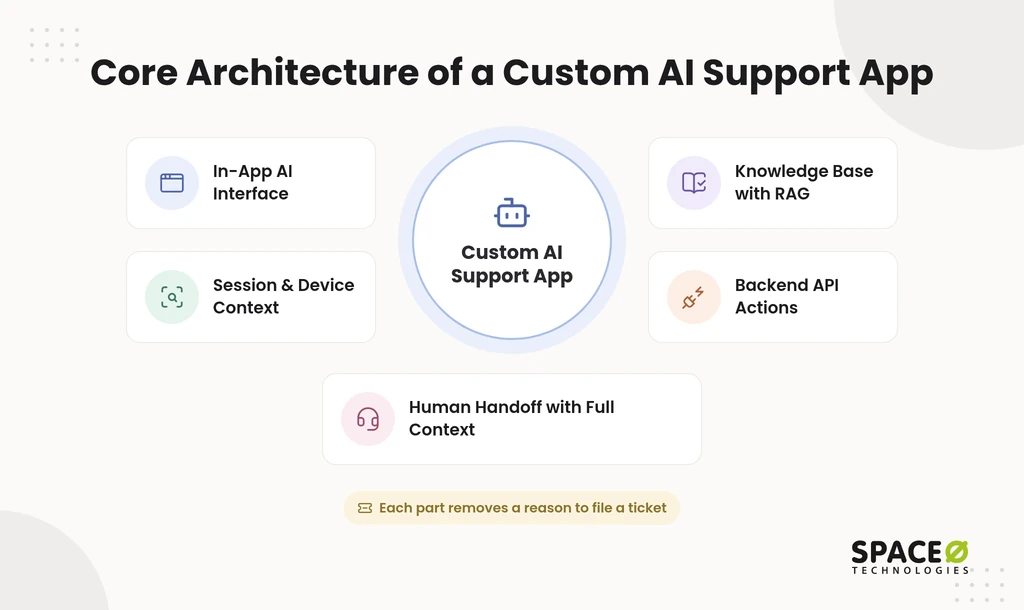
- In-app AI interface: Place the assistant inside the screens where users get stuck, such as your mobile app or a customer portal. Users get answers without leaving the task, so fewer of them give up and file a ticket.
- Session and device context: Pass the screen name, app version, operating system (OS), recent actions, and error logs to the AI. With that context, the AI diagnoses the real problem instead of asking users to describe it.
- Knowledge base with RAG: Ground answers in help docs, manuals, and past ticket resolutions using Retrieval-Augmented Generation (RAG). RAG retrieves the relevant passage before the large language model (LLM) writes a reply. That keeps answers tied to your content.
- Workflow automation through backend APIs: Connect the AI to your application programming interfaces (APIs). It can then check order status, issue standard refunds, and update subscriptions. Resolving the request, rather than only explaining it, separates a custom app from a plain chatbot.
- Human handoff with full context: Route the case to an agent when the user shows frustration or the AI’s confidence is low. Send the full transcript and diagnostic logs so the agent never asks the user to repeat anything.
The handoff should land in the queue your agents already use. If your team works in ServiceNow, route escalations into that existing workflow. A stable ServiceNow queue keeps handoffs reliable as volume shifts. With the architecture defined, the next question is how to build it in the right order.
Key Steps to Build a Custom AI Support App
Build in three steps: audit your top tickets, choose your approach, and keep the knowledge base fresh. Many teams start by picking a model, and that is the wrong starting point. The order below ties every technical choice to a ticket you can actually remove.
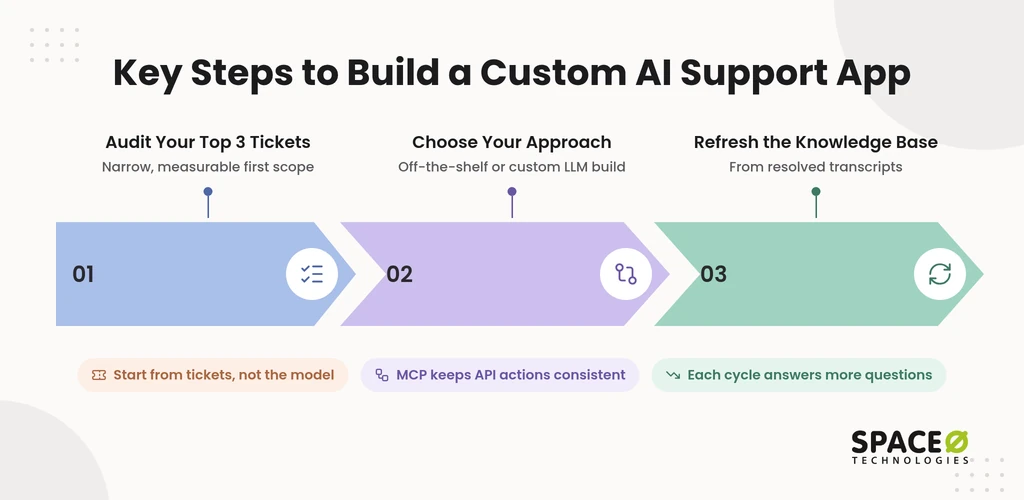
- Audit your top 3 tickets or screens: Pull the three ticket categories or app screens that generate the most contacts. A narrow first scope gives the release a clear target and a clean way to measure deflection.
- Choose your approach: Decide between off-the-shelf AI, such as Intercom Fin or HubSpot Breeze, and a custom build on LLM APIs. A custom build can use OpenAI, Anthropic, or open-source models and connect to tools via Model Context Protocol (MCP). The trade-offs mirror the choice between prebuilt vs custom AI models.
- Feed resolved transcripts back into the knowledge base: Review escalated and resolved conversations on a regular cycle. Add the confirmed answers to the knowledge base so the AI handles that question next time.
MCP matters most in step 2. Model Context Protocol gives the model a standard way to call your tools and data sources. Your API actions stay consistent as you add channels or swap models. The approach choice deserves a closer look, because it shapes cost and control for years.
Custom-Built vs. Off-the-Shelf AI for Support
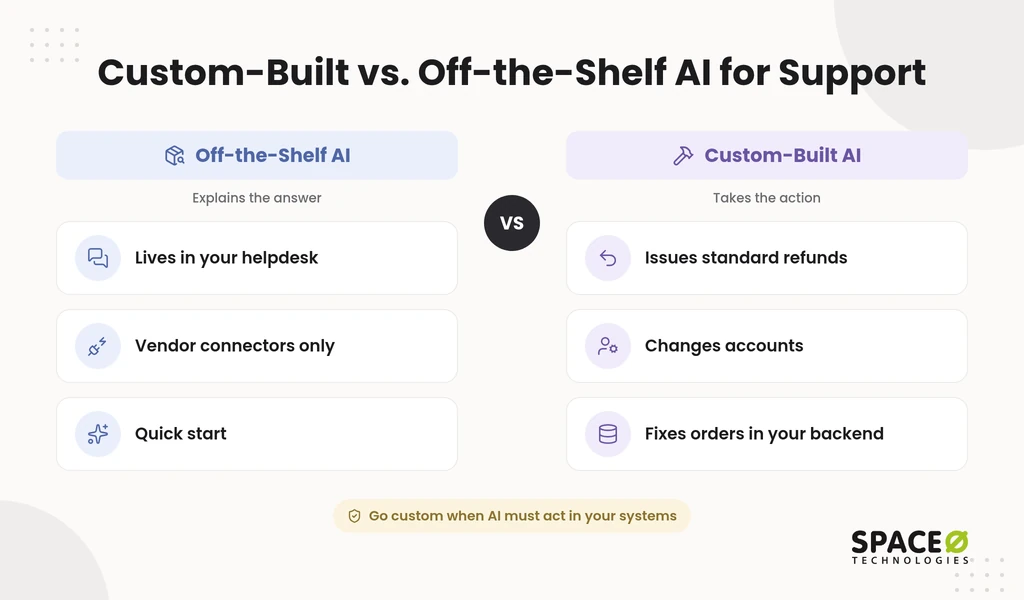
Off-the-shelf tools offer fast setup inside existing help desks, while custom builds go deeper into your own systems. The real question is how much of the resolution the AI must perform in your backend. The table compares both options on the factors that decide ticket reduction over time.
| Factor | Off-the-shelf helpdesk AI | Custom-built with LLM APIs |
|---|---|---|
| Setup | Fast setup inside existing helpdesks; requires that helpdesk to be in place first. | Requires a discovery and build phase before launch. |
| System and API integration depth | Actions are limited to the connectors and integrations the vendor supports. | Actions are written against your own backend APIs and data, often through MCP. |
| Code and IP ownership | The vendor owns the platform; your team configures it. | Your company owns the code and IP when the contract transfers them. |
| Engagement flexibility | Feature access follows the vendor’s plan tiers. | Scope, team shape, and payment model are set in your contract. |
| Long-term cost | Subscription and usage fees follow the vendor’s current pricing page. | Yearly maintenance, hosting, and LLM usage are covered in the next section. |
Choose a custom build when the AI must take actions in your own backend. Refunds, account changes, and order fixes need direct access to your systems and safeguards around each action. Our guide to custom AI vs. off-the-shelf covers the decision beyond support. Once you choose the custom route, the next thing to plan is the ongoing cost.
See Which Tickets Your App Could Resolve First
Send us your top ticket categories and current helpdesk setup. Our AI engineers will outline the integrations, grounding sources, and escalation rules your first release needs.

What a Custom AI Support App Costs to Own
Owning a support app costs more than the build, because content cleanup, monthly usage, and yearly upkeep keep adding up. Build quotes often stop at launch day. A support app keeps running costs as long as customers keep asking questions.
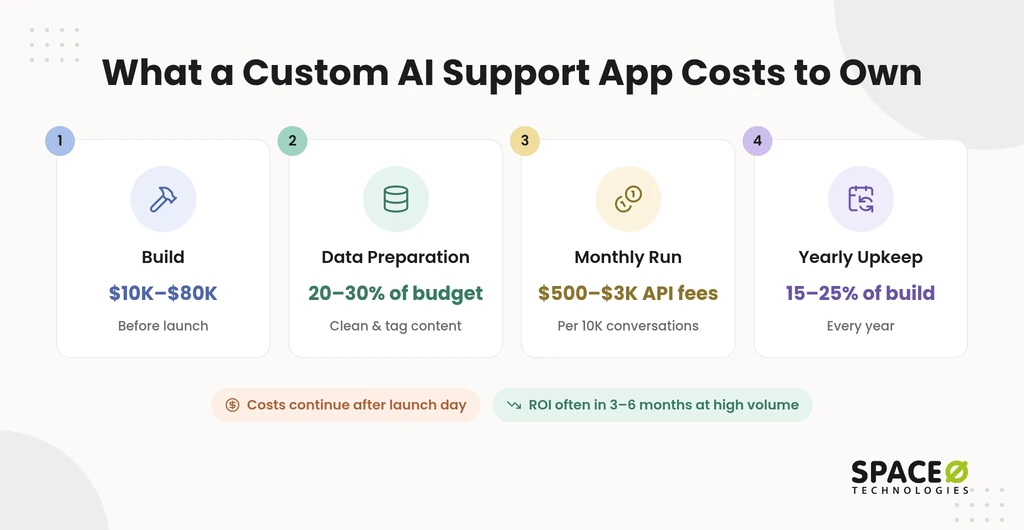
Space-O Technologies’ LLM integration cost guide puts a support chatbot grounded in help documents at $10,000 to $80,000 to build. ROI often comes within 3 to 6 months for high ticket volumes. Two figures from the Space-O Technologies AI development cost guide frame the rest of the budget. Data collection and preparation typically takes 20%-30% of the total project budget. Annual maintenance typically costs 15%-25% of the original development cost every year.
Where data preparation goes in a support app
In a support app, data preparation means turning scattered help content into answers the AI can retrieve. That work covers cleaning outdated help docs and manuals. It also covers tagging past ticket resolutions so RAG can find them. Strong data management for AI app development keeps that tagging repeatable. Messy content raises this share, so audit your knowledge base before you request a quote.
What it costs to run each month
Monthly run costs scale with conversation volume, because LLM APIs bill per token. Space-O Technologies’ AI chatbot development cost guide estimates $500 to $3,000 in monthly API fees for 10,000 conversations a month. The range depends on conversation length and model choice.
- Data infrastructure: The AI development cost guide budgets $500 to $5,000 a month for data infrastructure.
- Monitoring: The same guide plans $300 to $2,000 a month for monitoring across enterprise systems.
- Cost per conversation: Divide the monthly total by resolved conversations, then compare it with your current cost per ticket.
What yearly maintenance covers
Yearly maintenance keeps answers accurate as your product, APIs, and models change. Typical work includes refreshing the knowledge base from resolved transcripts and updating API actions after backend changes. It also includes model updates and monitoring of escalation patterns. Budget this every year, not once. Teams scaling an AI proof of concept to a full product plan it before production approval, with hosting and LLM usage fees on top.
The cost picture shows why the partner you choose matters as much as the model.
Where Space-O Technologies Fits for Support Automation
Space-O Technologies fits teams that need AI to take actions in their own backend, with safeguards around each action. Support apps that issue refunds or change accounts carry real business risk. That risk calls for clear contracts, ownership, and controls.
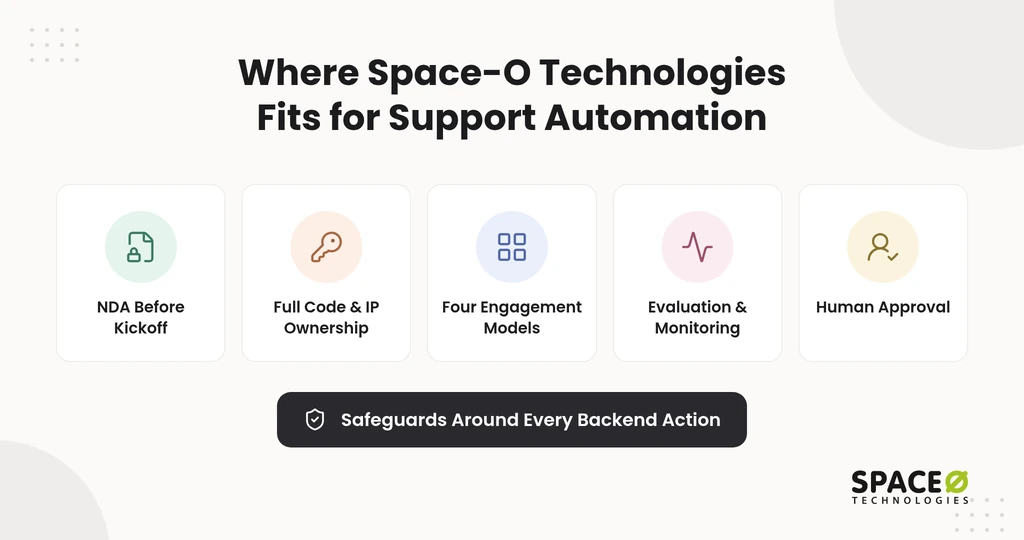
- Protected work: We sign an NDA before starting every project.
- Full ownership: All source code, data, and IP built during a project transfer to you at completion.
- Flexible engagement: You choose from four models, including a dedicated AI agent development team, Time & Material, Fixed Cost, and Staff Augmentation.
- Tested models: Every model we put into production sits inside an evaluation suite with continuous monitoring. That suite covers accuracy, hallucination rate, bias checks, latency, and cost.
- Human approval: Automation handles the volume, but a qualified human reviews and approves before any output influences a final decision.
Space-O Technologies has built AI-powered custom software since 2010. We have served 1,200+ clients, developed 300+ software solutions, and report 97% client retention. Our 140+ in-house developers work from offices in Mesa, Arizona; Brampton, Ontario; and Ahmedabad, India.
Tailor This Plan to Your Product
Your plan becomes concrete once you share two details: your platform and your top 2-3 daily issues. Tell us whether users reach you through iOS, Android, web, or a portal. Then list the questions your agents answer most often. Share your platform and top issues with our team, and you will get a scoped first release you can measure.
Frequently Asked Questions
Which teams need a custom AI support app instead of an off-the-shelf tool?
Teams whose AI has to take actions inside their own backend are the best fit for a custom build. Actions like refunds, account changes, and order fixes require direct system access, with safeguards on every action. Off-the-shelf helpdesk AI can only use the connectors and integrations its vendor supports.
Which LLM should I use for a custom support agent: OpenAI, Anthropic, or open-source?
Choose among OpenAI, Anthropic, or open-source models, because a custom support agent is not tied to a single LLM. Connecting your tools through Model Context Protocol (MCP) gives the model a standard way to call them. That keeps your API actions consistent when you add channels or swap models, so the model choice is easier to change later.
How long does it take to build a custom AI customer support app?
A custom AI support app typically takes 8 to 16 weeks, depending on its features and integrations. A basic version with RAG-based answers takes less time than an app with backend actions, analytics, and human handoff workflows. Data readiness and API complexity also affect the timeline.
How can I measure whether an AI support app is reducing tickets?
Track ticket deflection rate, AI resolution rate, escalation rate, and cost per resolved conversation. Compare these metrics with your support team’s baseline before deployment. Also monitor customer satisfaction (CSAT) to ensure automation does not reduce support quality.
How do I prevent a custom AI support app from giving incorrect answers?
Ground responses in verified knowledge sources using Retrieval-Augmented Generation (RAG). Set confidence thresholds, restrict backend actions through API permissions, and route uncertain queries to human agents. Regular evaluations and knowledge-base updates help maintain answer accuracy.
Can a custom AI support app integrate with an existing CRM or helpdesk?
Yes. A custom AI support app can integrate with existing CRMs and helpdesk platforms through APIs and webhooks. It can retrieve customer records, create support tickets, update case statuses, and transfer conversations to human agents. Integration requirements depend on your platform’s API capabilities and access permissions.



 All our projects are secured by NDA




 4.8


