
 By
Contents
- Neither option wins alone; route quick, private, or offline tasks on-device and heavy reasoning to the cloud.
- Run a break-even check before moving a feature on-device; per-call savings must cover engineering and upkeep.
- For regulated apps, use on-device-first hybrid with on-device masking of personal data and a consented cloud fallback.
- Start a new app cloud-first, then shift workloads on-device as volume and compliance needs grow.
Key Takeaways
On-device AI vs cloud AI for mobile apps balances privacy, speed, cost, and capability. On-device AI runs compact models on the phone’s own chip. Cloud AI runs large models on remote servers.
Your product team wants AI that feels instant, works offline, and keeps data private. Your finance team wants a bill that does not scale linearly with every new user. In our enterprise mobile app development services, this choice shapes every release.
Hybrid keeps quick, private tasks local; complex reasoning escalates to the cloud. This guide compares both options for your mobile app architecture. It then covers hybrid routing, governance, and a cost break-even formula.
On-Device AI
On-device AI runs a compact model on the user’s phone, so the app answers without calling a server. Teams choose it when a feature must feel instant, keep data private, or work without a signal. Quantization and pruning shrink a small language model or vision model until it fits in phone memory.
What on-device AI does well
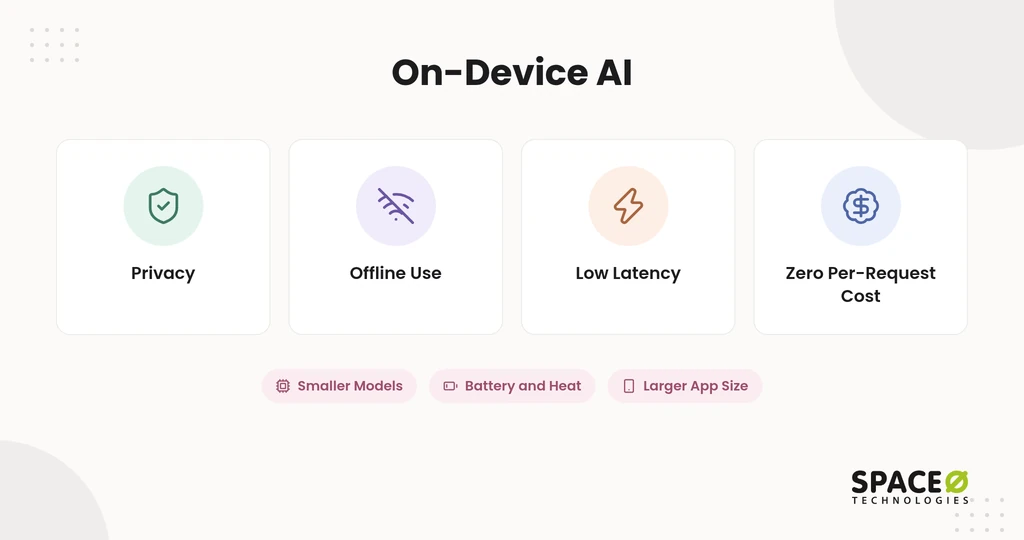
On-device AI wins on privacy, offline use, response time, and running cost. Each strength comes from one fact: the data and the model sit on the same device.
- Privacy: Photos, voice recordings, and messages stay on the phone, which simplifies data residency and compliance reviews.
- Offline use: Features keep working in airplane mode, and anywhere the network drops.
- Low latency: Responses skip the network round trip, so features such as live transcription stay real-time.
- Zero per-request cost: Each inference runs on hardware the user already owns, so there is no fee per call.
Where on-device AI hits limits
On-device models are smaller, so they give up reasoning depth in exchange for speed and privacy. Phone hardware also adds constraints that a server never faces.
- Smaller models: Phone memory caps model size, so complex multi-step reasoning stays out of reach.
- Hardware limits: RAM, support for the neural processing unit (NPU), and chip generation decide whether a model runs at all.
- Battery and heat: Sustained inference drains the battery and can slow the device as it warms.
- Larger app size: Bundled model files add weight to the app download.
- Update friction: A new model version ships through an app release or a separate model download.
- Device fragmentation: Older phones and current flagships run the same model at very different speeds.
Which toolkits run models on the phone?
Google, Apple, and cross-platform runtimes each give your team a supported path to run models on the device. The right one depends on your platforms and on whether a built-in model already fits the task.
- Google stack: Gemini Nano, ML Kit, LiteRT, and MediaPipe cover on-device AI for Android apps.
- Apple stack: Core ML and the on-device models behind Apple Intelligence cover iPhone and iPad apps.
- Cross-platform runtimes: TensorFlow Lite and ONNX Runtime Mobile run one model across both platforms, which suits cross-platform AI mobile app development.
On-device AI is the right fit when privacy, offline use, or speed matters most. The next question is what you give up by keeping everything local.
Cloud AI
Cloud AI sends each request to remote servers, where large language models (LLMs) process it and return a result. Teams pick it when a feature needs deep reasoning, long context, or fast iteration on prompts and models. Hosting these models follows the same patterns as cloud-based application development.
What cloud AI does well
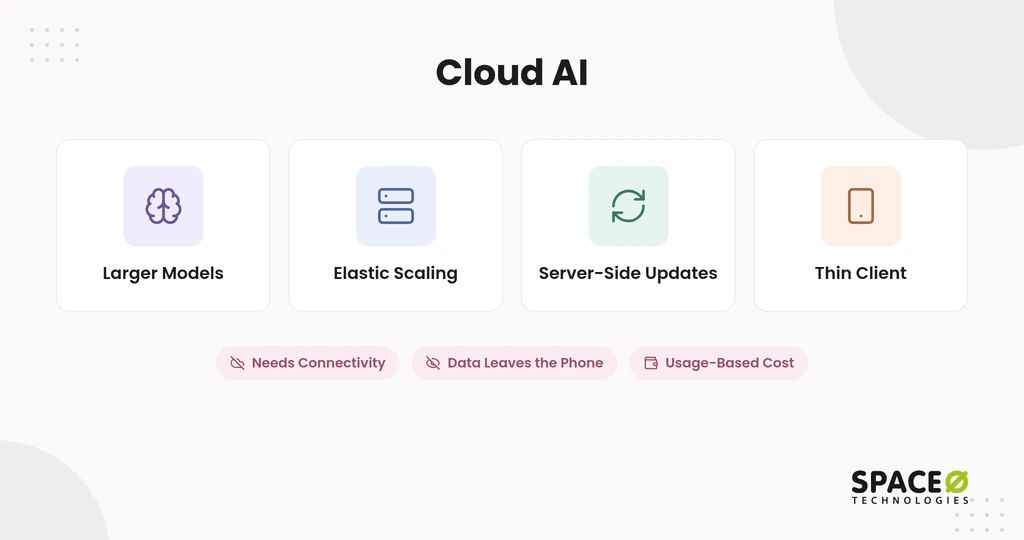
Cloud AI wins on model capability, scale, and how fast you can ship changes. The server does the heavy work, so the phone does not need to be powerful.
- Larger models: Frontier models such as GPT-4 and Claude handle complex reasoning, long documents, and multi-step tasks.
- Elastic scaling: Providers such as Amazon Web Services (AWS), Azure, and Google Cloud add capacity as traffic grows.
- Server-side updates: A model upgrade reaches every user without a new app release.
- Thin client: The app stays small and runs well on older phones.
Where cloud AI hits limits
Cloud AI depends on the network, moves data off the device, and costs more as usage grows. These limits matter most for regulated data and high-volume features.
- Connectivity: The feature slows or fails when the network is weak or missing.
- Data exposure: User data leaves the phone, so every request path needs a privacy review.
- Usage-based cost: Per-token pricing means API bills scale linearly with calls and user growth.
Cloud AI gives your app frontier capability at the price of connectivity, exposure, and a variable bill. The table below puts both options and the hybrid middle ground side by side.
Comparison at a Glance
On-device AI wins on privacy, offline use, and per-call cost; cloud AI wins on capability and update speed. Hybrid takes the strengths of each by routing every task to the right tier.
Head-to-head comparison
This table compares the three architectures on the factors buyers ask about most.
| Factor | On-device AI | Cloud AI | Hybrid AI |
|---|---|---|---|
| Privacy and data residency | Data stays on the phone. | Data leaves the device for remote servers. | Sensitive data stays local; masked data goes to the cloud. |
| Latency and offline | No network round trip; works offline. | Depends on the network; fails offline. | Local tasks work offline; heavy tasks wait for a connection. |
| Per-request cost | No fee per call. | Fee per call or per token. | Fees only on escalated calls. |
| Cost at scale | Flat after the build. | Grows with usage. | Grows only with the escalated share. |
| Model capability | Small language models, quantized and pruned. | Large and frontier models. | Both, chosen per task. |
| Update and fleet path | App release or model download. | Server-side, live for all users. | Cloud tier updates centrally; device tier ships with releases. |
| Device reach | Limited by RAM, NPU, and chip generation. | Any phone with a connection. | Falls back to the cloud on unsupported phones. |
| App size | Larger binary from model files. | Thin client. | Moderate; only compact models are bundled. |
| Compliance fit for regulated data | Strongest; protected health information (PHI) stays on the phone. | Needs vendor terms such as zero-data-retention. | Masks personal data on-device before upload. |
| Governance | Local logs; central audit is harder. | Central audit logging and review. | Router logs every escalation; humans review high-stakes outputs. |
| Ongoing maintenance | 15%-25% of original build cost per year | Same annual band, plus prompt and provider changes. | Same annual band across both tiers. |
| Data preparation | 25%-40% of total project budget, per the same guide. | Same share, driven by retrieval and context data. | Same share across both tiers. |
Latency has one nuance worth knowing. On-device AI removes the network round trip, which is why it wins on predictable response time and offline use. Cloud AI can still return a short reply quickly when servers run strong hardware, and the connection is good.
The table shows trade-offs, not a winner. That is why most production apps end up splitting work between the two tiers.
The Hybrid Approach
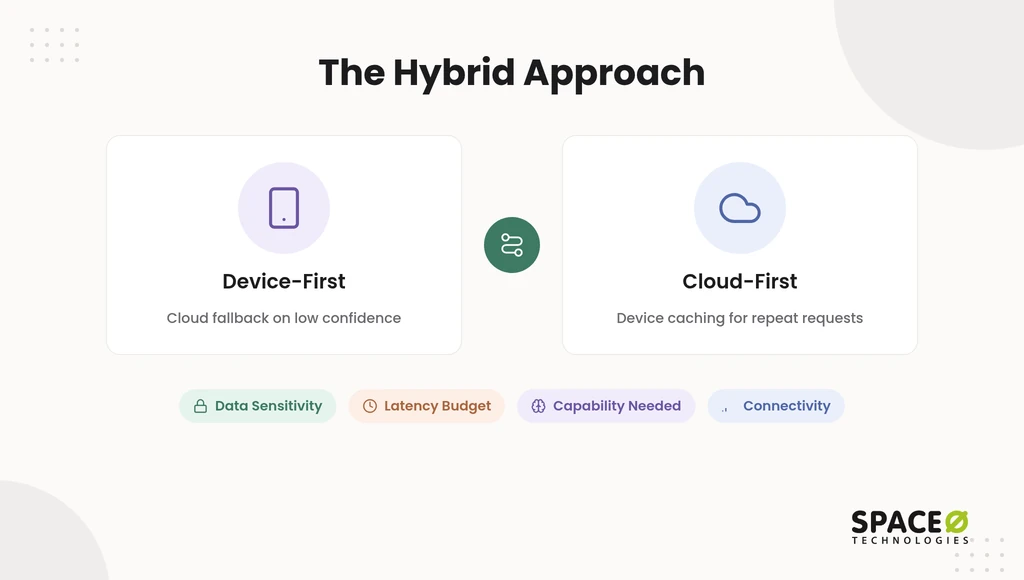
A hybrid architecture runs quick, private, or offline tasks on the device and sends heavy reasoning to the cloud. It solves the core tension: users get speed and privacy, and your product still reaches frontier capability. Two routing patterns cover most mobile apps.
Device-first (with cloud fallback)
The app tries the on-device model first and calls the cloud only when that result falls short. This pattern keeps most traffic local and free of per-call fees.
- Low confidence: The local model scores its own answer, and a score below the threshold triggers a cloud call.
- Model not installed: The app calls the cloud until the on-device model finishes downloading.
- Unsupported device: Phones without enough RAM or NPU support route straight to the cloud.
Cloud-first (with device caching)
The app calls the cloud by default and keeps recent results or a small model on the phone. The cache serves repeat requests and short outages without a network call. This pattern suits apps where model quality matters more than offline use.
Space-O Technologies used device caching in Photo Translator, an AI picture-translation app. Its offline mode keeps translated text, images, and phrases on the phone for weak networks.
Which four inputs decide where a task runs?
Four inputs decide placement: data sensitivity, latency budget, capability needed, and connectivity. Score each feature on all four before choosing a tier.
| Input | Route on-device when | Route to the cloud when |
|---|---|---|
| Data sensitivity | The input holds personal or health data. | The input is public or already masked. |
| Latency budget | The user expects a real-time response. | The user accepts a short wait. |
| Capability needed | Classification, short drafts, or simple extraction is enough. | Multi-step reasoning or long documents are required. |
| Connectivity | Users often work with weak or no signal. | Users are almost always online. |
The routing layer works like the controller in AI agent orchestration, picking the right tier for each task. Enterprises add governance on top of this router, which the next section covers.
On-Device vs Cloud-Based AI App Architecture for Enterprise: Governance and Routing
Enterprises run a two-tier router with on-device masking, so sensitive data is cleaned before any cloud model sees it. The business problem is rarely model quality. It is passing a security review while still offering frontier-grade features.
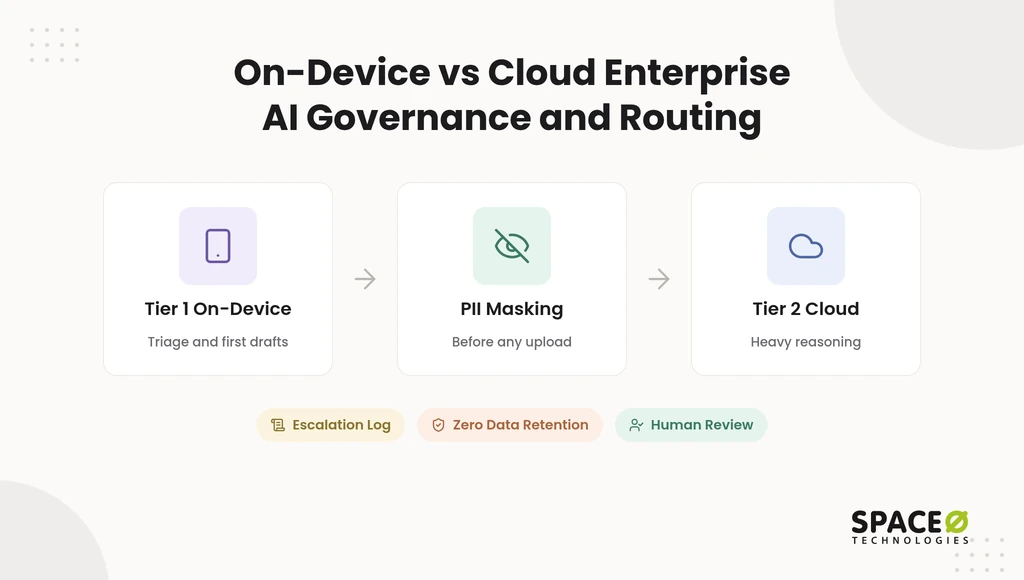
How a two-tier router protects sensitive data
Tier 1 handles fast, private work on the device; Tier 2 handles heavy work in the cloud. Personally identifiable information (PII) never crosses tiers unmasked.
- Tier 1 on-device: Triage, classification, first drafts, and PII masking run before any upload.
- Tier 2 cloud: Multi-step reasoning, retrieval over enterprise data, and heavy analytics run on servers.
- Escalation log: Every handoff from Tier 1 to Tier 2 is recorded for audit.
Which controls do regulated enterprise teams need?
Regulated teams need contract, hosting, audit, and review controls on the cloud tier. HIPAA is the primary rule for U.S. health data. The General Data Protection Regulation (GDPR) applies only where you serve EU users or data subjects.
- Zero-data-retention terms: Cloud model vendors agree not to store or reuse prompts and outputs.
- Private cloud tenants: Models run inside your own AWS, Azure, or Google Cloud account.
- Audit controls: Logs record who sent what, which tier answered, and when, as in an AI agent governance framework.
- Human review: People approve high-stakes outputs, such as clinical or lending decisions, before anyone acts on them.
Where do on-premise and vendor-managed options fit?
On-premise servers and vendor-managed private compute sit between pure on-device and public cloud. On-premise keeps data inside your own perimeter, much as on-device keeps it inside the phone. Apple Private Cloud Compute is a vendor-managed option that extends on-device privacy to larger server models.
Space-O Technologies signs an NDA before every project, and all code, data, and IP transfer to you at completion. Teams choosing an enterprise AI software development company should ask for this NDA and IP-transfer record. With governance in place, the remaining question is which pattern fits each feature.
When to Use Which
Choose by feature, not by app: each AI feature gets its own placement. A single app often runs on-device, cloud, and hybrid features side by side.
Choose on-device AI when privacy or offline use comes first
Run on-device when the feature must stay private, real-time, or available offline.
- Sensitive inputs: The feature reads health records, financial data, or private media.
- No-signal use: Users rely on the feature in remote or disconnected settings.
- Real-time response: The feature must react in the moment, such as live transcription.
- High call volume: The feature runs often enough that per-call fees would dominate cost.
Choose cloud AI when capability comes first
Run in the cloud when the feature needs deep reasoning or frequent model changes.
- Complex reasoning: The task needs a frontier model to plan, compare, or reason over several steps.
- Large context: The feature works across long documents or enterprise knowledge bases.
- Fast iteration: Your team expects to change prompts or models every few weeks.
- Broad device reach: Your users carry older phones without NPU support.
Choose hybrid AI when you need both
Run hybrid when one feature mixes private, quick steps with heavy reasoning.
- Mixed workloads: Simple requests stay local, and hard requests escalate to the cloud.
- Regulated data with advanced features: Masking happens on-device before reasoning in the cloud.
- Uneven connectivity: Core functions work offline, and enhancements return when the network does.
Best for regulated apps (healthcare, fintech): an on-device-first hybrid with an explicit cloud-fallback consent policy. Users then know when data leaves the phone, and auditors see a clear rule.
Stage rule: start an MVP cloud-first, then shift workloads on-device as volume and compliance needs grow. Cloud APIs keep the first build lean and fast to change. They also suit teams that build an AI app for the first time. Knowing when a shift pays off takes a cost check, which comes next.
Cost Break-Even and Total Cost of Ownership
Moving a feature on-device pays off only when the cloud fees it removes exceed the engineering and upkeep it adds. “On-device is free” is true per request, not per year. This section gives you a formula to test that claim against your own numbers.
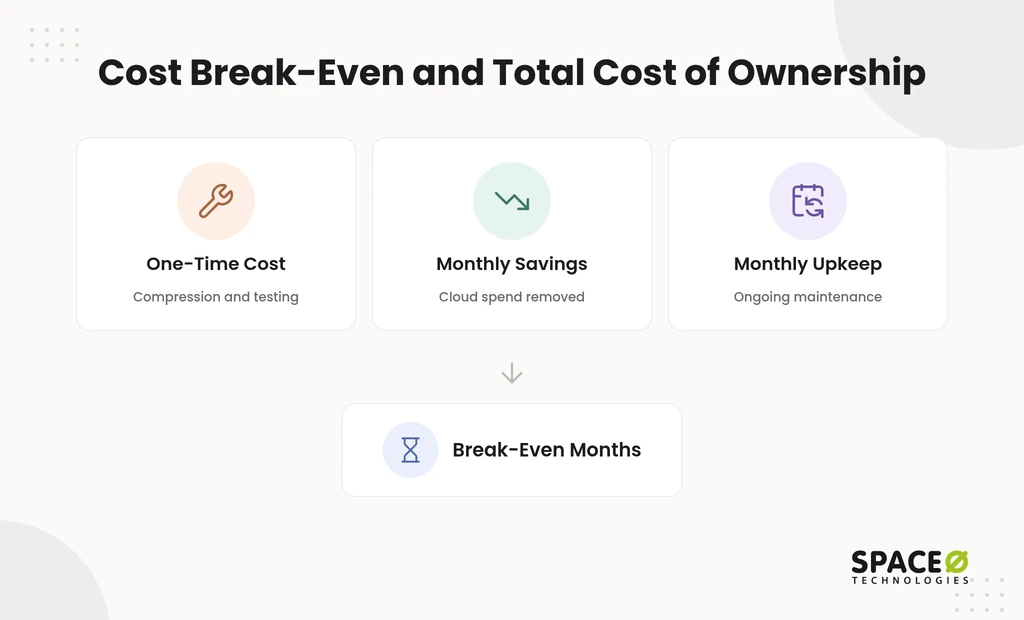
The break-even formula
Break-even months equal one-time on-device cost divided by monthly net savings. Every input is yours to fill in, so the result reflects your app, not an average.
- C (one-time cost): Engineering to compress the model with quantization and pruning, integrate it, test it across devices, and prepare any training data.
- S (monthly savings): Cloud inference spend removed each month, minus the cloud spend that remains for fallback calls.
- U (monthly upkeep): Annual maintenance, using the band in the comparison table, applied to C and divided by 12.
- Break-even: C ÷ (S − U) months; if S is less than or equal to U, the move never pays off.
A worked example with illustrative inputs
With the illustrative inputs below, the move pays back in about 17 months. These numbers are assumptions chosen to show the arithmetic. They are not quotes or API prices.
- Illustrative C: $40,000 to move one feature on-device.
- Illustrative U: 20% of C per year, the midpoint of the 15%-25% maintenance band, or about $667 a month.
- Illustrative S: $4,000 of monthly cloud spend removed, minus $1,000 of remaining fallback calls, equals $3,000.
- Result: $40,000÷($3,000 − $667) ≈ 17 months to break even.
Per-token pricing changes often, so pull S from your current provider invoice rather than a price list. At production volume, these fees add up quickly. Space-O Technologies’ AI cost guide notes that heavy traffic can push monthly API costs above $50,000.
Check the cheaper cloud-side option before you commit. The same guide notes that model quantization can cut production inference compute by 50% to 80%. If compressing the cloud model shrinks S that much, the on-device move may never reach break-even.
What the zero-cost claim leaves out
On-device AI removes per-call fees but keeps every other cost line. This scorecard shows which costs each architecture carries, from compression to data management for AI app development.
| Cost line | On-device AI | Cloud AI | Hybrid AI |
|---|---|---|---|
| Per-call fees | None. | Every call. | Escalated calls only. |
| Model compression and device testing | Required. | Not required. | Required for the device tier. |
| Annual maintenance | Yes. | Yes. | Yes, across both tiers. |
| Data preparation | Yes. | Yes. | Yes. |
| Fallback infrastructure | Not required. | Core cost. | Sized to the escalation rate. |
How build stage changes the math
Build stage decides which side of break-even you start on. As of November 2026, a basic MVP with Space-O Technologies starts at $15,000, and a feature-rich MVP can reach $50,000 or more, per our MVP development services page. A simple MVP takes 4 to 8 weeks, while one with multiple integrations takes 3 to 4 months. Full AI builds run longer: simple AI solutions take 2 to 3 months, mid-level applications 4 to 8 months, and enterprise systems 6 to 12 months. At the MVP stage, call volume is low, S is small, and cloud-first is usually cheaper. As volume grows, rerun the formula each quarter for your highest-traffic feature.
The formula turns a debate into a number your finance team can check. The next section shows how we apply it on client projects.
How Space-O Technologies Approaches Workload Placement
Space-O Technologies places each AI feature only after scoring it on data, latency, capability, and connectivity. Most teams pick an architecture first and map features later, so cost and compliance surprises arrive after launch. We reverse that order and test the break-even before writing production code.
- Track record: Since 2010, Space-O Technologies has served 1,200+ clients and developed 300+ software solutions.
- Team: 140+ in-house developers design, build, and maintain each product.
- Retention: We report 97% client retention across our engagements.
- Scale proof: Glovo, the on-demand delivery app we built, raised $1.2 billion, earned Apple’s Best of 2016, and passed 30 million downloads.
- Release controls: Every production model ships inside an evaluation suite for accuracy, hallucination rate, bias, latency, and cost.
- Human review: Confidence scoring sends any output below an acceptable threshold to a human-review checkpoint.
- Engagement fit: Four models match your stage: Dedicated Team, Time & Material, Fixed Cost, and Staff Augmentation.
Our teams work from offices in Mesa (Arizona), Brampton (Ontario), and Ahmedabad (India), with continuous monitoring after every release.
Get a Workload Placement Plan for Your App
Tell us the feature, the data type, whether it must work offline, and your compliance needs. We will map each workload and share a free, expert-reviewed estimate.

Frequently Asked Questions
Is on-device AI better than cloud AI for mobile apps?
Neither is better for every feature, so test each one separately. Ask whether the feature would still be useful with no signal and no server. If it would and the task is simple, run it on-device; if not, start in the cloud.
Can a mobile phone run a large language model?
A phone can run a small language model, not a frontier-scale LLM. Quantization and pruning shrink models enough for summaries, classification, and short replies. Long reasoning chains and large documents still need cloud servers.
Does on-device AI drain the battery faster than cloud AI?
Sustained on-device inference uses more battery than a short cloud call. Bursty tasks, such as tagging one photo, cost little power. Continuous tasks warm the device and can slow it, so test them on older phones before launch.
Is on-device AI HIPAA-compliant by default?
No, because HIPAA has no certification and on-device processing alone does not make an app HIPAA-compliant. Keeping PHI on the phone reduces exposure. Encryption, access controls, audit logging, and any cloud fallback still need their own safeguards.
How do you update an AI model that runs on the device?
You ship a new model through an app release or a separate in-app model download. Users update at different times, so plan for several model versions in the field at once. Your test matrix must cover each version still in use.
Do cloud AI providers keep the data my app sends?
Retention depends on the provider’s terms and your contract. Enterprise teams negotiate zero-data-retention terms or run models in a private cloud tenant. Confirm retention, training use, and data location before sending any personal data.
What drives the cost of adding AI to an existing mobile app?
Data work, integrations, and production engineering usually cost more than the model itself. Space-O Technologies sees this pattern across its AI projects. GPU workloads, low-latency targets, and hybrid or on-premises hosting raise both build and monthly costs.
Should I use the platform’s built-in model or ship my own?
Use a built-in model such as Gemini Nano or Apple Intelligence when its task fits your feature. It adds no model files to your app download. Ship your own compact model when you need custom behavior or support for phones the built-in model does not cover.



 All our projects are secured by NDA




 4.8


