
 By
Contents
- Choose native for heavy on-device AI that needs direct Neural Engine, NPU, or GPU access.
- Choose cross-platform for AI MVPs and apps calling cloud LLM APIs from OpenAI or Anthropic.
- Expect cross-platform plugins to lag new Core ML and ML Kit features, while native ships day one.
- Budget for data preparation and yearly AI upkeep on either framework; cross-platform trims only build cost.
Key Takeaways
Native vs cross-platform AI mobile app development depends on where your AI runs. Native fits heavy on-device machine learning (ML) that needs direct hardware access. Cross-platform fits minimum viable products (MVPs), tight budgets, and cloud AI apps.
Most teams pick a framework before they decide where the model runs. That order can force a costly rebuild once a feature needs Neural Engine access. Our native vs cross-platform app development guide covers general trade-offs; this page weighs AI.
This page covers where each approach fits, a table, a hybrid path, and costs. Space-O Technologies has built AI-powered custom software since 2010. We deliver native builds and cross-platform app development services, so advice follows your workload.
Where Your AI Runs Decides the Framework
Where your AI runs is the first filter, because it sets how much device hardware you need. A chat feature and a live object detector put very different demands on the phone. Sort your main AI feature into one of three groups before you compare frameworks.
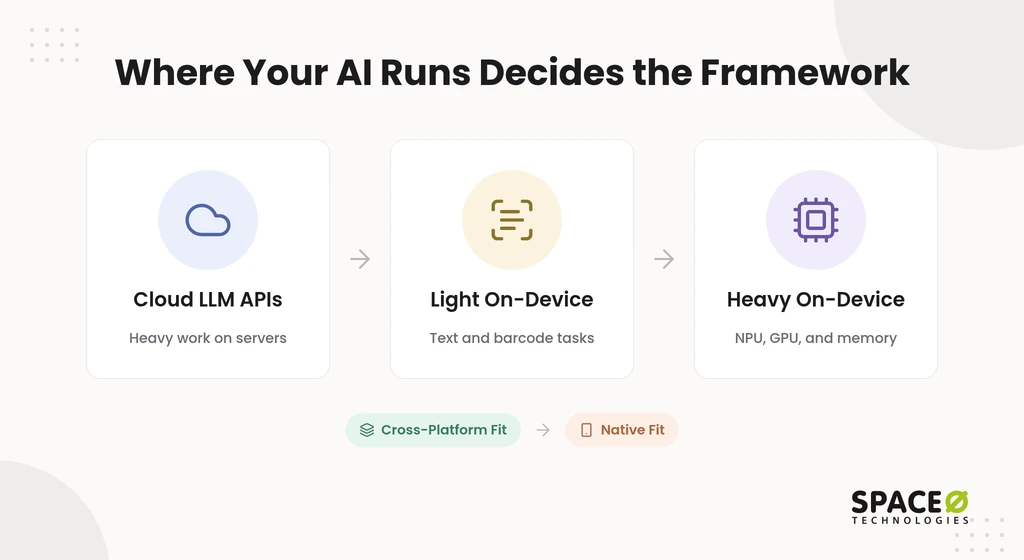
- Cloud LLM API calls: AI integration through application programming interfaces (APIs) to OpenAI or Anthropic models runs heavy work on servers.
- Light on-device tasks: Text recognition, barcode scanning, and small classification models need modest device resources.
- Heavy on-device inference: Real-time computer vision, local large language models (LLMs), and sensor processing strain the device. They push the neural processing unit (NPU), graphics processing unit (GPU), and memory hard.
The further your AI moves onto the device, the stronger the case for native code. The next two sections show what each approach looks like for those workloads.
Native AI Mobile App Development
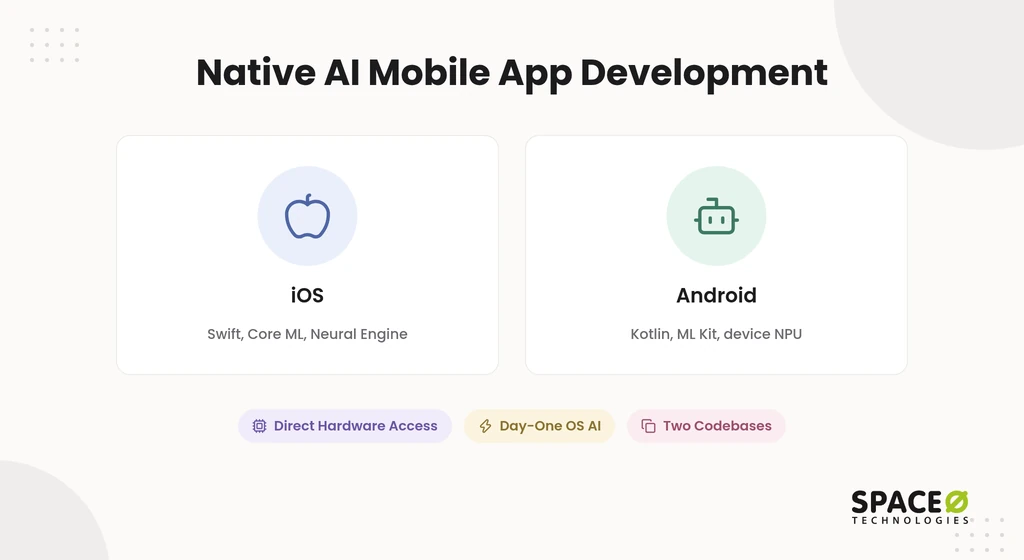
Native AI app development means separate iOS and Android apps in Swift and Kotlin with direct hardware access. On iOS, your team works with Core ML and the Apple Neural Engine. On Android, it works with ML Kit, TensorFlow Lite, and the device NPU. Our guide to native mobile app development covers the wider tooling.
Best for native AI apps
Native fits apps whose core value depends on the device’s AI hardware. These are the workloads where native, such as Android app development, is the stronger fit.
- Heavy on-device ML: Real-time computer vision, local LLMs, and continuous audio analysis run without a bridging layer.
- Hardware-dependent features: Apps using LiDAR, custom neural accelerators, or specialized sensors need low-latency device control.
- Sensitive local data: Healthcare and finance apps handling protected health information (PHI) can keep inference and storage on the device.
- Latency-critical experiences: Augmented reality and live video features need stable frame rates while models run.
Pros of native for AI workloads
Native gives you the most control over performance, hardware, and new platform features. That control matters most when the model runs on the phone, and the right mobile app development tools help.
- Direct NPU and GPU control: Your code calls Core ML, the Neural Engine, and Android accelerators with no abstraction layer between them.
- Day-one OS AI support: Your team can adopt new iOS and Android AI capabilities when each operating system (OS) update releases.
- Stable performance under load: Native rendering keeps the interface smooth while inference runs in the background.
Cons of native for AI workloads
Native costs more because you build and run two apps. Native’s drawbacks are about money and speed, two of the challenges in mobile app development.
- Two codebases: You build, test, and release iOS and Android separately.
- Two skill sets: You need Swift and Kotlin developers, or one team fluent in both.
- Slower first release: Building each feature twice lengthens time-to-market for an MVP.
Native is the right call when the device does the AI work. When the AI lives in the cloud, the extra cost buys little, which is where cross-platform comes in.
Cross-Platform AI Mobile App Development
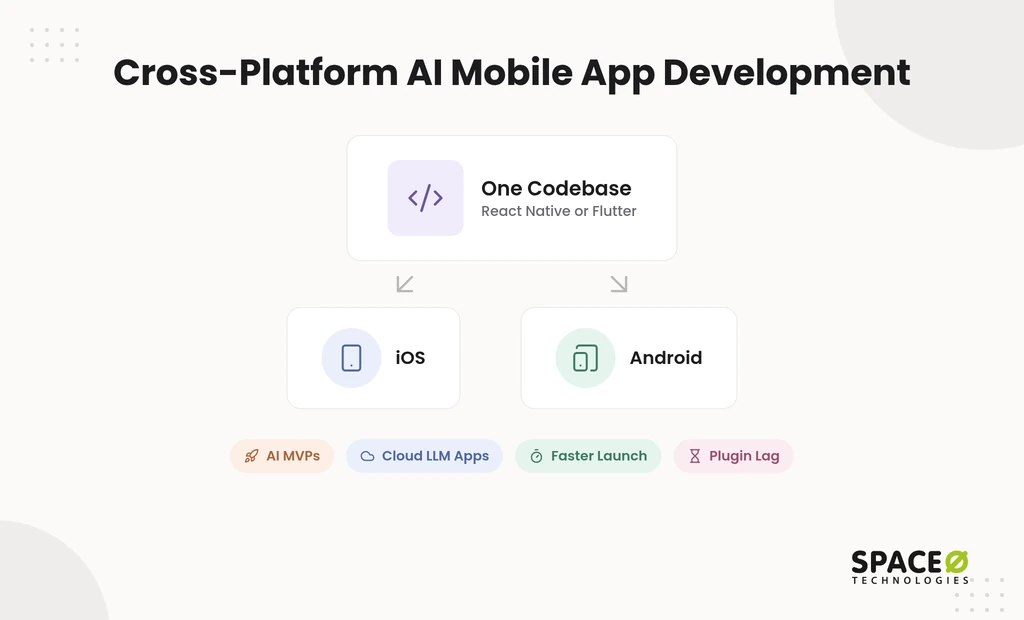
Cross-platform AI app development ships one codebase to iOS and Android, usually in React Native or Flutter. React Native with Expo, Flutter, and.NET MAUI are common routes in mobile app development. Each one compiles to or bridges into native code.
Best for cross-platform AI apps
Cross-platform fits apps where speed and budget matter more than raw device performance. It is also the default fit for server-side AI built on cross-platform app frameworks.
- AI MVPs and startups: Founders testing demand reach both app stores sooner on one budget.
- Cloud LLM wrapper apps: Chat, summarization, and search features that call OpenAI or Anthropic models gain little from native code.
- Budget-led business apps: Customer and internal apps with standard AI features stay affordable to build and update.
- Single-team products: One team ships each feature to both platforms at once, keeping releases in sync.
Pros of cross-platform for AI workloads
One codebase lowers cost and speeds up delivery without blocking on-device AI. It still leaves a route to device models when you need one.
- Shared code: You build, test, and maintain most features once, as with React Native for mobile app development.
- Faster time-to-market: Your MVP reaches iOS and Android users in one release cycle.
- Native ML access when needed: On-device models can run through native modules or runtimes such as ONNX Runtime and ExecuTorch.
Cons of cross-platform for AI workloads
Cross-platform waits on plugins and adds a layer between your model and the hardware. These limits rarely affect cloud AI but often affect heavy on-device AI.
- Plugin lag: New Core ML or ML Kit capabilities reach React Native and Flutter only after a library supports them.
- Bridging overhead: Sustained on-device inference can hit performance limits that native code avoids.
- Native work still appears: Advanced hardware features often need custom modules written in Swift or Kotlin.
These limits matter mainly for on-device models, which our AI development services build natively. The table below sets both approaches side by side.
Native vs Cross-Platform AI: Side-by-Side Comparison
Native wins on hardware control and new AI features, while cross-platform wins on cost and speed. The hybrid column covers a cross-platform shell with a native ML module.
| Factor | Native | Cross-platform | Hybrid (cross-platform shell + native ML module) |
|---|---|---|---|
| Where AI runs best | Heavy on-device and edge AI | Cloud LLM APIs and light on-device tasks | Cloud AI now, heavy on-device AI added later |
| Hardware access | Direct Neural Engine, NPU, and GPU control | Through plugins or native modules | Direct, inside the native module |
| New OS AI features | Usable on release | Usable after plugin or library support | Usable on release inside the native module |
| Data privacy and personally identifiable information (PII) handling | Full control of local inference and storage | Depends on plugin and backend design | Sensitive inference kept in the native module |
| Codebases to maintain | Two | One | One, plus small native modules |
| Time-to-market | Slower | Faster | Near cross-platform for the first release |
| Build cost | Higher, with two codebases | Lower | Between the two |
| Scale-out path | Scale each platform separately | May need native rework for heavy inference | Grow the native module without a rebuild |
| Best for | Heavy on-device ML apps | MVPs, budget-led builds, and cloud AI apps | AI MVPs expected to need heavy on-device inference |
The hybrid column is the option most comparisons skip. It suits founders who cannot predict their AI workload a year from now.
The Hybrid Path: Cross-Platform Shell with Native AI Modules
A hybrid build keeps one cross-platform codebase and moves only the heavy AI feature into native code. This is different from a WebView hybrid app. The interface stays in React Native or Flutter. One Swift or Kotlin module talks to Core ML or the Android NPU.
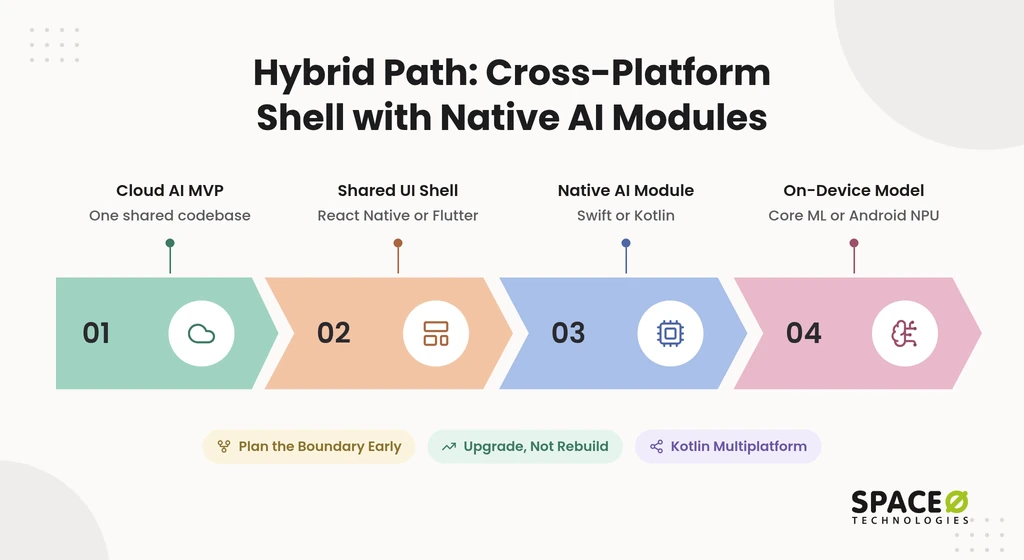
Kotlin Multiplatform (KMP) offers a related middle route. It shares business logic across platforms while each one keeps a native interface in SwiftUI or Compose. Teams pick KMP when they want shared code without giving up native UI.
A hybrid build makes sense under three conditions.
- Your MVP runs on cloud AI: The first release ships fast on one codebase.
- Your roadmap includes on-device inference: Privacy, offline use, or latency will later push a feature onto the device.
- Your team can own a native module: At least one engineer can maintain the Swift or Kotlin layer.
Plan the module boundary at the MVP stage, long before you scale an AI MVP into a product. That one decision separates a later upgrade from a later rebuild.
Cost and Timeline When AI Is Involved
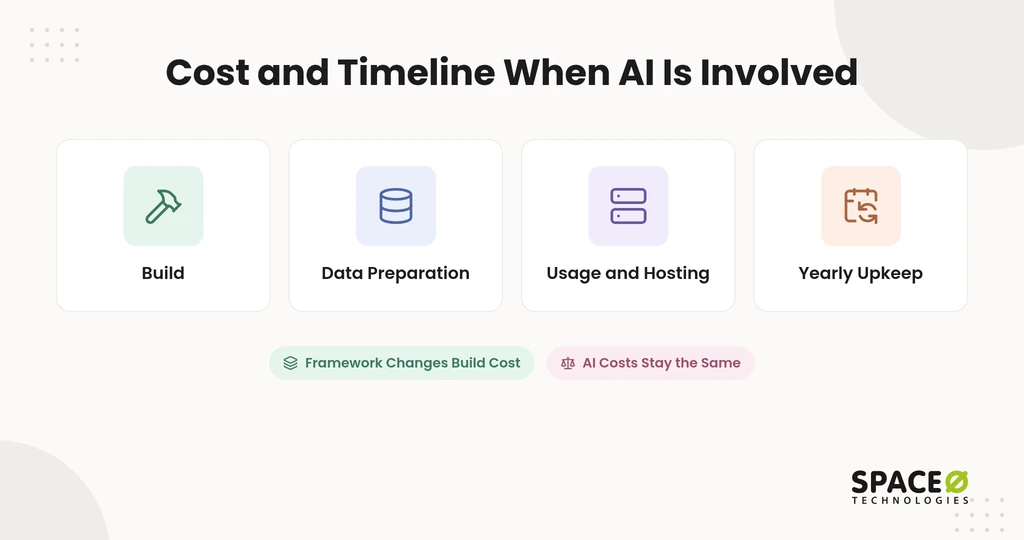
Cross-platform usually lowers build cost and time, but AI-specific costs stay the same on either approach. Most published figures describe general apps. Your AI budget has extra lines that the framework does not change.
What our cost guides show
Our cost guides show cross-platform builds cost less than native, but ranges vary with app complexity. General app ranges do not isolate AI costs, so treat them as a starting point.
- Space-O Technologies’ build ranges: Our React Native app development cost guide puts native development for both platforms at $80,000-$250,000. React Native for both platforms runs $25,000-$150,000.
- Complex apps with AI features: The same guide places complex React Native apps, including those with AI integration, at $80,000-$150,000 over 6-9 months.
AI cost drivers the framework does not remove
Data work and model upkeep often decide an AI budget, whichever framework you pick. These figures come from our AI development cost and AI integration cost guides.
- Data preparation: Data preparation typically takes 25% to 40% of the total project budget.
- Yearly maintenance: Annual AI maintenance typically costs 15% to 25% of the build cost.
- Cloud AI feature: A simple AI feature using a hosted OpenAI or Anthropic model costs $10,000-$30,000 to build.
- Usage and hosting: Infrastructure and API usage add to the total, and GPU workloads raise build and monthly costs.
- MVP entry point: A basic MVP starts from $15,000, while a feature-rich MVP runs up to $50,000+.
AI features need testing and oversight on any stack, so this effort sits outside the framework choice. Our teams test model accuracy, bias, and response time before launch. A qualified person reviews high-stakes output before it affects a decision.
How AI coding agents change the native cost math
AI coding agents cut the cost of writing a feature twice, not the cost of shipping it twice. Agents make writing the same feature in Swift and Kotlin cheaper. The counterpoint is practical. Two codebases still need separate testing, App Store releases, and maintenance across the mobile app development process.
Treat this as a reason to price native again in 2026, not as proof that native is now cheap.
Build Your AI MVP Once, Then Scale It
Our React Native team ships your AI MVP on iOS and Android from one codebase. Native modules stay ready for when on-device inference becomes necessary.

Which Should You Choose for Your AI App?
Choose by your AI workload first, then by budget and timeline. Use the three profiles below as a decision rule.
- Choose native: Your core feature runs heavy ML on the device, needs LiDAR or sensors, or handles PHI locally.
- Choose cross-platform: Your AI runs through cloud LLM APIs, or you need an MVP on both stores fast.
- Choose hybrid: Your MVP runs on cloud AI, but your roadmap moves a feature onto the device.
Before you commit, write down short answers to three points.
- Model location: On a server, on the device, or both.
- Launch deadline: The date both app stores must carry your first release.
- Data sensitivity: Whether the app handles PHI, financial records, or other regulated data.
Those three answers usually settle the choice in one conversation. If they do not, an app development consulting session will.
How Space-O Technologies Helps You Make the Call
Space-O Technologies starts from your business goal and picks the approach that solves it most cost-effectively. Since 2010, we have served 1,200+ clients and developed 300+ software solutions. Our 140+ in-house developers cover Swift, Kotlin, React Native, and Flutter, and 97% of clients stay with us.
We also built Glovo, the on-demand delivery app with 50M+ downloads.
The engagement model follows the approach you choose.
- Fixed Cost: Suits a scoped cross-platform AI MVP with a clear feature list.
- Time & Material: Suits a hybrid build whose native module scope will change.
- Dedicated Team: Suits a long-term native product with separate iOS and Android roadmaps.
- Staff Augmentation: Suits in-house teams that need Swift, Kotlin, or ML engineers fast.
We sign a non-disclosure agreement (NDA) before every project. All source code, data, and intellectual property (IP) transfer to you at completion. For regulated teams, our compliance posture covers ISO 27001 alignment and HIPAA-ready frameworks for healthcare AI.
If you want a clear recommendation before spending on a build, book a pre-build architecture consultation. You will leave with an approach matched to your AI workload, budget, and launch date.
Frequently Asked Questions
What are cross-platform apps?
Cross-platform apps ship one codebase to iOS and Android, usually in React Native or Flutter. New Core ML or ML Kit capabilities reach them only after a library supports them.
Can I start cross-platform and switch to native later?
Yes, but waiting until the app needs on-device AI can force a costly rebuild. The easier path is to plan a native module boundary at the MVP stage. A later move to on-device AI then means growing one Swift or Kotlin module rather than rebuilding the app.
How do I choose a cross-platform framework for an AI app?
Start by checking how each option reaches native ML, either through plugins or custom native modules. Common options are React Native with Expo, Flutter,.NET MAUI, and Kotlin Multiplatform. Kotlin Multiplatform suits teams that want shared business logic with native interfaces in SwiftUI or Compose.
What is the difference between a native app and a hybrid app?
A native app uses separate Swift and Kotlin codebases for each platform. A WebView hybrid app wraps web code in an app shell. Our hybrid path differs: it keeps one cross-platform app and adds native AI modules.
Is native or cross-platform better for on-device AI?
Native is better for heavy on-device AI. It gives direct access to the Neural Engine, NPU, and GPU. Cross-platform suits cloud AI and lighter on-device tasks.
Is cross-platform cheaper for AI apps?
Cross-platform usually lowers build cost because you maintain one codebase. It does not lower AI-specific costs such as data preparation, hosting, and yearly maintenance.
Is cross-platform safe for a healthcare or finance AI app that handles PHI?
It can be, when the plugins and backend protect the data. Native gives fuller control of local inference and storage. For PHI-heavy apps, keep sensitive inference in a native module.
Can React Native and Flutter run on-device AI models?
Yes. They run on-device models through native modules or runtimes such as ONNX Runtime and ExecuTorch. New Core ML or ML Kit features arrive only after a library supports them.



 All our projects are secured by NDA




 4.8


