

 Back
BackMyLovePics: Baby and Pregnancy Photo Editor App
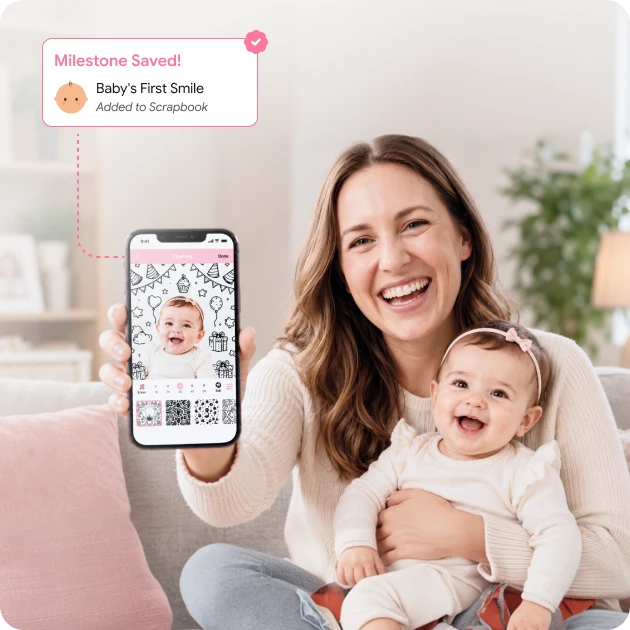
MyLovePics turns a camera roll of bump and newborn photos into a keepsake worth returning to. Space-O Technologies designed and developed the app for a Canadian client. Parents edit photos with themes, backgrounds, doodles, artwork, text, and filters built for baby moments. Edited images are then organized into a chronological scrapbook tagged by milestone, measurement, and date. A parenting community sits alongside the editor, with blogs, tips, and admin-run photo contests. Cloud backup protects every album, with sharing to social platforms or ordering physical prints. The mobile app runs on iOS and Android.
Industry
Parenting and Photo Editing
Client From
Canada
Platform
iOS and Android
AboutMyLovePics App
Parents take hundreds of pregnancy and newborn photos and do very little with them. Generic editors were never built for this subject, and nothing connected editing to the milestones that give the photos meaning.
MyLovePics closes that gap. Editing, milestone framing, birth announcements, and sharing all happen in one app. Parents stop moving between separate tools for shooting, editing, and posting.
The product grows past photo editing. A parenting community carries blogs, tips, and product news. Contests give parents a reason to return between milestones. Cloud backup keeps every album safe, and prints turn digital keepsakes into physical ones.
How We Built the Baby Photo Editor App
Our client wanted a parenting-first product rather than another general photo editor. Space-O Technologies handled design, native iOS and Android builds, and store launch. The challenge was building creative tools simple enough for a parent holding a newborn.
Photo Editing Engine
Requirement:
Parents needed a fast editor. Pull a photo from the gallery or camera and start decorating immediately.
Solution:
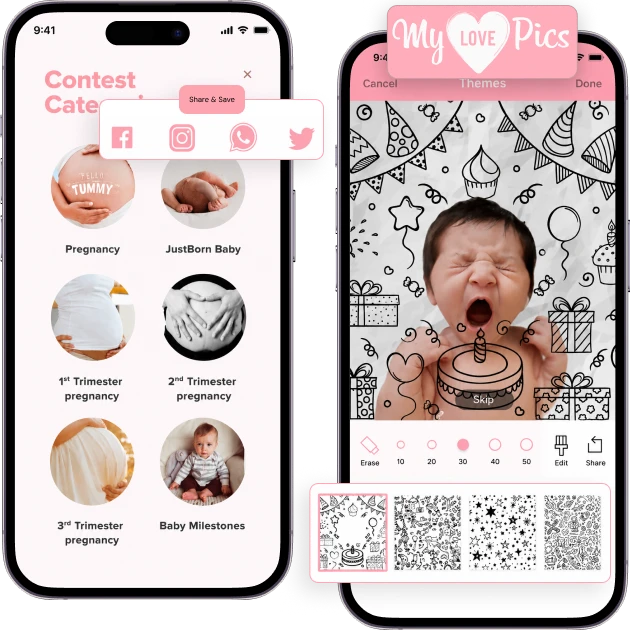
We built an editing engine with inside and outside crop, plus a library of backgrounds, themes, and filters. One-tap adjustments handle the common changes. Everything is tuned for the photos parents actually take, which are close-range, often poorly lit, and rarely posed.
Themed Doodles, Stickers, and Artwork
Requirement:
Baby and pregnancy creative assets had to cover milestones, firsts, quotes, and announcements.
Solution:
We built a layered system for customizable text, doodles, and themed artwork. Quote templates cover baby milestones and measurements. Assets are organized into categories including dates, firsts, and holidays. Categorization matters here because a parent looking for a six-month frame should not scroll through everything.
Digital Milestone Scrapbook
Requirement:
Parents wanted an ongoing story of pregnancy and baby milestones, not a folder of separate edits.
Solution:
The scrapbook module turns edited photos into a chronological milestone album. Parents tag each photo with milestones, measurements, and dates. The album grows over months into a genuine keepsake. This is what converts a photo editor into something parents keep using.
Parenting Community and Blogs
Requirement:
The app needed to be a destination rather than a tool opened only when a photo needed editing.
Solution:
We built a community module where parents write and read parenting blogs. Members share tips and follow updates on baby products and news. The community gives parents a reason to open the app on days when there is nothing to edit.
Parenting Photo Contests
Requirement:
The client wanted admin-run contests around milestone photos to drive engagement.
Solution:
We built a contest system where administrators run themed competitions. Parents submit milestone images to enter. Tracking covers ongoing, completed, and upcoming contests. Contests work well here because parents already believe their photos deserve an audience.
Monetization, Cloud Backup, and Sharing
Requirement:
The app needed sustainable revenue plus storage parents could trust with irreplaceable photos.
Solution:
In-app purchases unlock premium themes, backgrounds, and artwork individually or through a Go Pro bundle, with restore support. Edited photos and albums back up to the cloud and sync across Apple devices. Parents save to the gallery, share socially, assign photos to contacts, or order physical prints.
Create More Memorable Photo Experiences
Develop a custom photo editing app with engaging features that make it easy to enhance, personalize, and share special moments.
Key Features of MyLovePics
Photo Editing
Capture or import a photo, then edit with crop, backgrounds, frames, themes, and filters built for baby and pregnancy moments.
Collage Maker
Combine several shots into one keepsake image using the built-in collage tool.
Themed Doodles and Stickers
Add baby-themed doodles, artwork, stickers, customizable text, and milestone quotes to any photo.
Milestone Scrapbook
Organize edited photos into a chronological scrapbook by milestone, first, date, and measurement.
Pregnancy Tracking
Follow pregnancy week by week and month by month, with photos tied to each stage.
Parenting Community
Read and write parenting blogs, share tips, and follow product news and inspiration from other parents.
Photo Contests
Enter admin-run themed competitions and track ongoing, upcoming, and completed contests.
In-App Purchases and Go Pro
Unlock premium themes, backgrounds, and artwork individually or through the Go Pro package, with restore support.
Cloud Backup and Sync
Back up photos and albums to the cloud and sync across Apple devices so memories are never lost.
Sharing and Prints
Save to the gallery, share to social platforms, assign photos to contacts, or order prints for framing.
Who This Photo Editor App Serves
Expecting Parents
New Mothers and Fathers
Grandparents and Extended Family
Parenting Bloggers
Photography Hobbyists
Users Buying Gifts
Social Media Sharers
Scrapbook Enthusiasts
Technology Stack We Used
iOS App
 Swift
Swift Objective-C
Android App
 Java
Java
Backend Development
 PHP
PHP Laravel
Database
 MySQL
MySQL
Cloud and Storage
 Amazon S3
 iCloud Sync
Image, Payments, and Analytics
StoreKit
Play Billing
Firebase
Our Role in the MyLovePics Project
Space-O Technologies handled MyLovePics from concept through store launch on both platforms.
UI/UX Design
QA Testing and Store Deployment
Have a Photo Editing App Idea to Build?
Talk to our team about your concept. We plan the editing tools, the content library, and the monetization model together.
Related Case Studies

ReadGenie: OpenAI-based Image-to-Text App
ReadGenie is a reading assistant app that extracts text from images using OCR and the GPT 3.5 model.
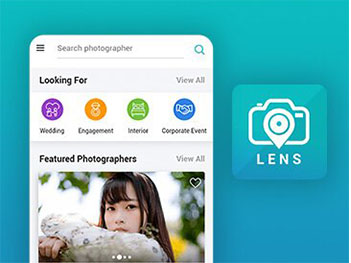
Photographer Booking App Like Uber
An on-demand booking app connecting customers with local photographers, covering availability, service radius, and in-app payment.
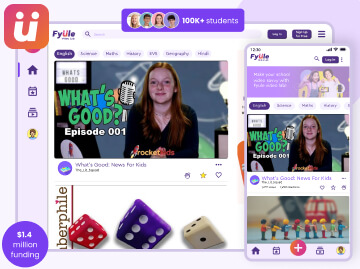
Fyule Online Learning Platform
A video-first learning platform where students submit recorded work, join contests, and track progress across schools.


 All our projects are secured by NDA




 4.8
4.8

