
 By

Contents
- Start with one of four core features: chatbots, predictive analytics, personalization, or workflow automation.
- Personalization only works when behavior and history data are clean, consented, and connected in real time.
- Ship the narrowest useful first release, with a cold-start fallback and one human-review safeguard.
- Budget for retraining, audits, and data infrastructure after launch, not only the initial build.
Key Takeaways
The AI app features businesses need are easy to list. Most teams start with chatbots, predictive analytics, personalization, and workflow automation. Each one cuts costs, automates repetitive work, or improves customer satisfaction.
The harder call is which feature to build first. You also need to know what data it needs and what it costs to run. Our AI development services team has served 1,200+ clients since 2010.
This guide covers nine core features, each with an example, a benefit, and data needs. It then covers personalization, mobile features, enterprise controls, and build vs. buy. If your use cases are unclear, start with AI consulting for businesses.
Core AI App Features Businesses Need at a Glance
Nine features cover most business needs, split between customer-facing tools and back-office automation. The list below follows the order business leaders usually weigh them. Each feature gets a fuller breakdown further down.
- 24/7 AI chatbots and support agents: answer customers around the clock and hand complex cases to people.
- Predictive analytics & demand forecasting: anticipate demand and customer behavior from historical data.
- Personalization & recommendation systems: tailor content and suggestions to each user.
- Workflow and task automation: take repetitive back-office tasks off your team.
- Meeting transcription and summarization: turn calls into searchable notes and action items.
- Content generation: draft marketing copy and segmented messages for human review.
- Computer vision and visual search: recognize images, read documents, and let users search by photo.
- Fraud and anomaly detection: flag unusual transactions and logins in real time.
- CRM and lead scoring: rank prospects inside your customer relationship management (CRM) system.
The first four form the core of almost every business AI app. The other five depend on your industry, your data, and where manual work piles up.
Customer-Facing AI Features That Improve Experience
Customer-facing AI features shape what users see and how quickly they get help. When every user gets the same screen and waits in the same queue, experience suffers. These four features address that directly.
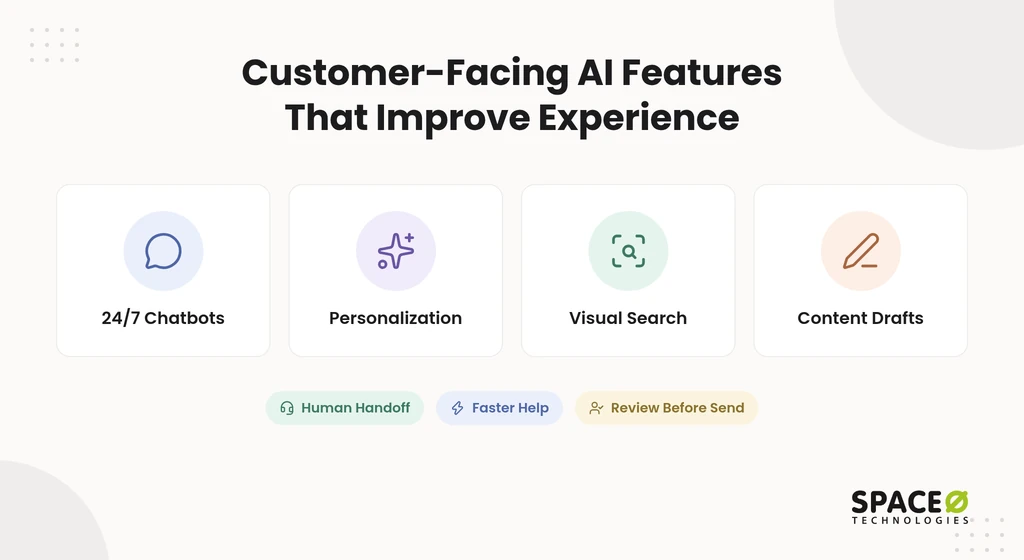
1. 24/7 AI chatbots and support agents
An AI chatbot uses NLP to answer customer questions 24/7, drawing on past tickets and account history. It escalates complex or sensitive cases to a human agent.
- Example: Bank of America’s Erica is a virtual assistant that answers banking questions inside the bank’s app.
- Business benefit: Customers get instant first responses, and agents handle fewer repetitive tickets.
- Data you need: Resolved tickets, help articles, and the account records the bot is allowed to read.
Grounding answers in your own knowledge base with retrieval-augmented generation (RAG) keeps replies tied to approved content. Our LLM integration cost guide puts a support chatbot grounded in help documents at $10,000 to $80,000. It reports ROI often within 3 to 6 months for high ticket volumes.
Teams that need ticketing and CRM connections usually scope this through AI chatbot development services.
2. Personalization & recommendation systems
Personalization uses machine learning on each user’s behavior and history to adapt content, layouts, and product suggestions in real time. Recommendations draw on purchase and browsing history.
- Example: Netflix, Spotify, and Amazon suggest titles, tracks, and products from viewing, listening, and purchase history.
- Business benefit: McKinsey research found faster-growing companies drive 40% more of their revenue from personalization than slower-growing peers.
- Data you need: Browsing, purchase, and engagement events tied to consented user profiles.
The personalization section below breaks this feature into seven buildable parts.
3. Computer vision and visual search
Computer vision, also called image recognition, lets an app identify objects, text, and products in photos or camera feeds. Visual search lets users find items by photo instead of by keyword.
- Example: Google Photos groups images by the people, places, and things it recognizes.
- Business benefit: Shoppers find products faster, and operations teams automate visual checks.
- Data you need: Labeled images from your own catalog, documents, or operations.
Reading text from images is one of the most common business uses. Start with one recognition task, such as reading receipts, before adding more. Our AI-based image-to-text app shows OCR in a shipped iOS product.
4. Content generation
Generative AI drafts marketing copy, product descriptions, and segmented messages from your brand guidelines and customer data. A person reviews every draft before it reaches customers.
- Example: HubSpot Breeze drafts marketing content inside the HubSpot platform.
- Business benefit: Your team produces more message variants for each audience segment.
- Data you need: Brand guidelines, approved past content, and clear segment definitions.
Generated content can be wrong or off-brand, so human review is part of the feature, not an extra step. A generative AI development company builds that review step into the workflow from the start.
Customer-facing features earn attention. The next group works out of sight, on the manual tasks that slow teams down.
Back-Office AI Features That Automate Operations
Back-office AI features remove manual work and support data-driven decisions across operations, finance, and sales. Most operations teams lose hours to tasks that follow the same pattern every day. These five features target that work.
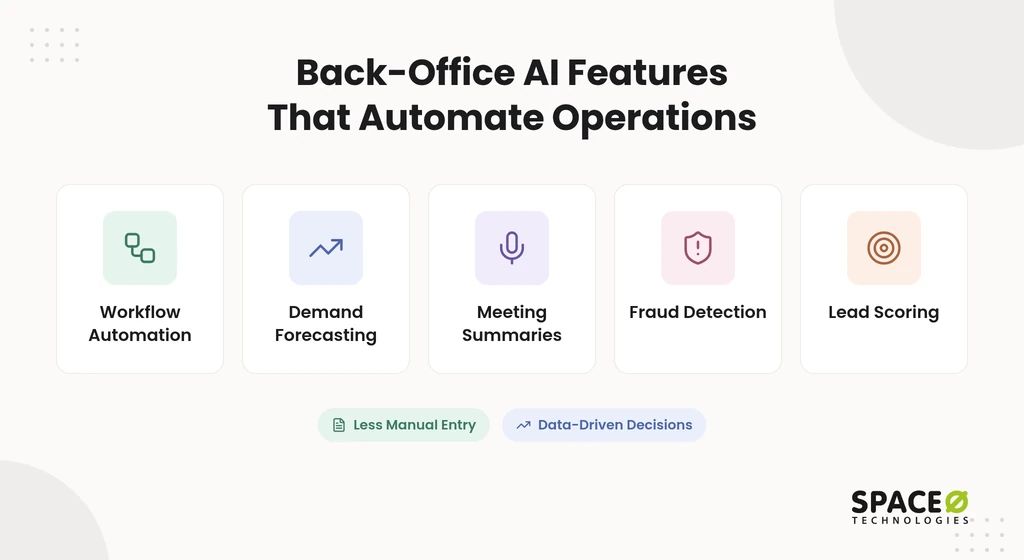
1. Workflow and task automation
Workflow automation uses AI to handle repetitive tasks such as data entry, invoice processing, scheduling, and email drafting. It connects to the systems where that work already lives.
- Example: Microsoft 365 Copilot drafts emails and summaries, and Zapier automates handoffs between business apps.
- Business benefit: Staff time shifts from manual entry to reviewing exceptions.
- Data you need: Access to the CRM, enterprise resource planning (ERP) system, inbox, and calendar the workflow touches.
For document-heavy work, optical character recognition (OCR) extracts fields from invoices and forms. The extracted fields then flow into your ERP without anyone retyping them.
2. Predictive analytics & demand forecasting
Predictive analytics uses historical sales, seasonality, and external signals to forecast demand and prevent stockouts. The same models forecast churn, the best time to send a message, and lead likelihood.
- Example: Retailers such as Walmart and Zara are common examples of AI demand forecasting.
- Business benefit: Teams hold less excess stock and run out of best sellers less often.
- Data you need: Clean sales history, a promotions calendar, and relevant external signals.
3. Meeting transcription and summarization
Meeting AI transcribes calls, summarizes decisions, and extracts action items into the tools your team already uses. It turns spoken discussion into searchable records.
- Example: Fireflies.ai records, transcribes, and summarizes meetings across common video platforms.
- Business benefit: Fewer follow-ups slip through, and decisions stay searchable.
- Data you need: Calendar and conferencing access, with participant consent to record.
4. Fraud and anomaly detection
Fraud detection models flag unusual transactions, logins, and account changes in real time. Behavioral biometrics add a check on how a user types, swipes, and holds a device.
- Example: A payments app holds a transfer when device and login patterns break from the account’s history.
- Business benefit: Suspicious activity stops before money or data leaves.
- Data you need: Labeled fraud cases, transaction logs, and device and session signals.
5. CRM and lead scoring
AI lead scoring ranks prospects by how likely they are to buy, using CRM history, engagement, and firmographic data. Reps see the strongest accounts first.
- Example: Salesforce Einstein and Agentforce add scoring and AI agents inside Salesforce.
- Business benefit: Sales teams spend their time on accounts most likely to close.
- Data you need: Won and lost deal history with consistent pipeline stage definitions.
Turn Your Shortlist Into a Scoped First Release
Our AI consulting team scores your candidate features on business value and data readiness. Then it recommends one pilot with a clear budget and review checkpoint.

AI App Personalization Features for Business Apps
AI app personalization features for business extend the core personalization feature above into interfaces, workflows, and role-specific views. Personalization projects often stall on data, not models. Clean, well-labeled, consented data beats sheer volume.
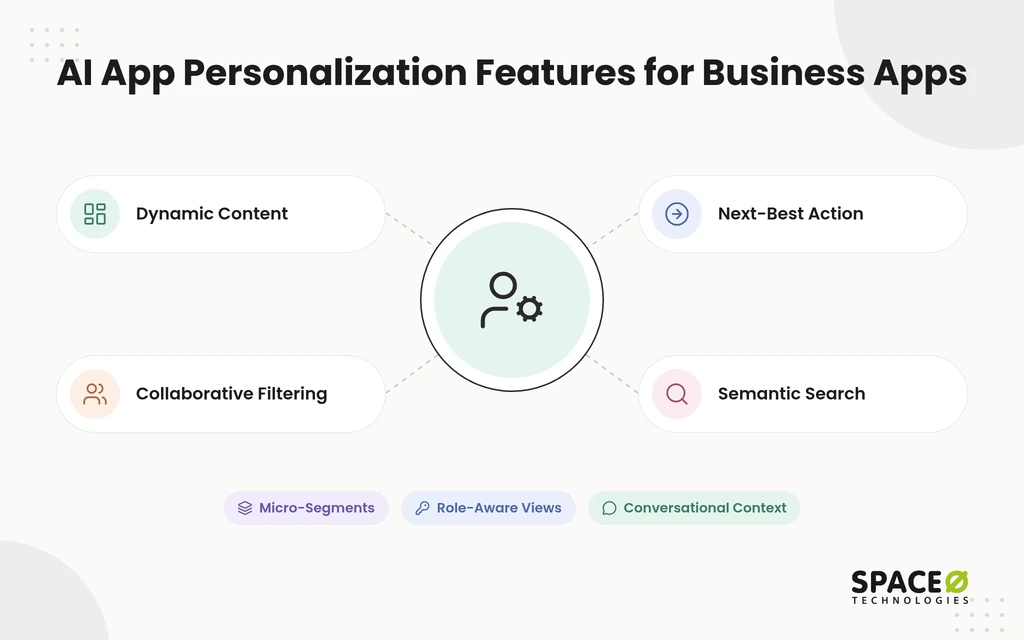
1. Dynamic content and interface adaptation
Dynamic content changes layouts, banners, and product order for each user based on recent behavior. A returning buyer sees categories they browse most. A first-time visitor sees broader, popular choices until behavior builds up.
2. Recommendations with collaborative filtering
Collaborative filtering recommends items by matching a user’s purchase and browsing history with similar users. It works well once you have steady interaction data. New users and new items need a fallback, such as popular or content-based picks.
3. Conversational personalization
Conversational AI personalizes help by using account context and stated preferences inside the conversation. A virtual assistant that knows a customer’s plan and order history answers in one turn. Without that context, it asks questions the business already knows the answers to.
4. Predictive next-best-action
Next-best-action models predict which offer, message, or step each user is most likely to respond to. They combine churn forecasts, purchase likelihood, and engagement timing. Marketing and success teams then act on one ranked recommendation per user.
5. Micro-segmentation and segmented messaging
Micro-segmentation groups users by behavior, not just demographics, so each small segment gets its own message. Generative AI then drafts copy for each segment. The human review step from the content generation feature still applies.
6. Semantic search
Semantic search understands what users mean, not only the words they type. It stores content as embeddings in a vector database such as Pinecone. The same approach powers internal knowledge retrieval for employees.
Space-O Technologies built eComChat, an AI search bot for a 47,000+ product catalog. It indexes products in real time as the catalog changes.
7. Role- and account-aware personalization for B2B and internal apps
Role- and account-aware personalization adapts a business app to each user’s job and company, not just their clicks. A finance approver sees pending invoices first, while a sales rep sees open deals. Firmographic data from tools such as Clearbit can shape what each account sees at onboarding.
Personalization looks different on a phone, where speed, privacy, and offline use change the design. That is where mobile-specific features come in.
Core Features of an AI-Powered Mobile App
The core features of an AI-powered mobile app are personalization, conversational AI, image recognition, and predictive analytics, plus on-device processing. Unlike static, pre-programmed logic, these apps learn from behavior and adapt. The four base features appear above, so this section covers what mobile adds.
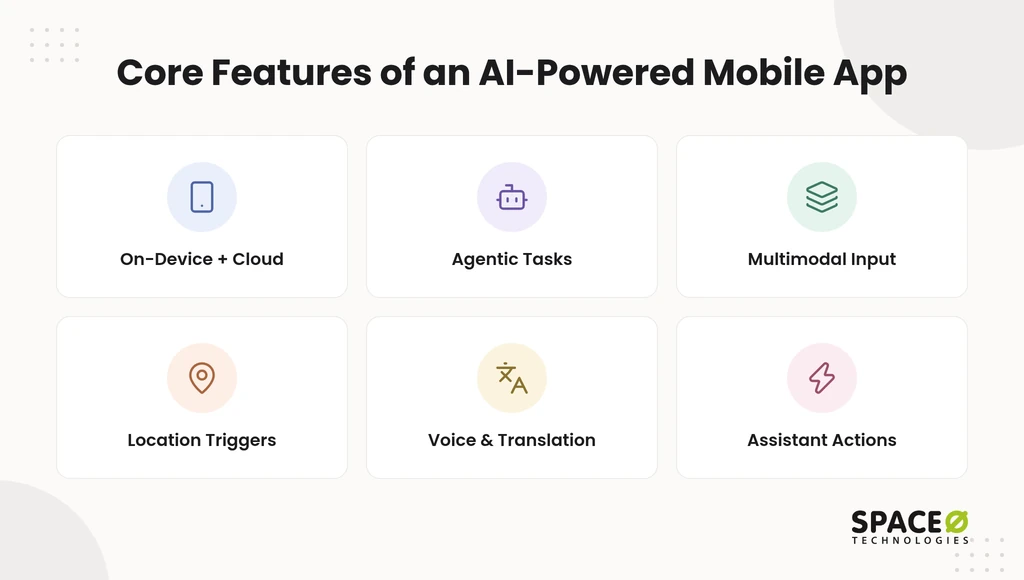
1. On-device, cloud, or hybrid AI
On-device (edge) AI runs models on the phone for privacy, speed, and offline use, while cloud AI handles heavy models. Most production apps are hybrid. Toolkits such as Core ML, ML Kit, TensorFlow Lite, and Gemini Nano run models on the phone.
2. Agentic AI and autonomous task execution
Agentic AI completes multi-step tasks with minimal supervision, such as checking stock, placing a reorder, and confirming delivery. AI agents call your app’s functions in sequence. Good AI agent development adds approval steps before any action that moves money or data.
3. Multimodal AI
Multimodal AI processes text, voice, images, video, and code together in one request. A field technician can send a photo with a voice note and get a repair step back. That replaces separate tools for each input type.
4. Context-aware and location triggers
Context-aware features respond to where a user is and what they are doing. A retail app can show in-stock items when a shopper is near a branch. Location triggers need clear consent and an easy opt-out.
5. Real-time translation and voice
Real-time translation and voice features let users speak to an app and get answers in their own language. Dialogflow and the OpenAI API are common building blocks. Voice works best for short tasks where typing is slow.
6. Apps that assistants can call
Assistant-callable apps expose actions that phone assistants can trigger on a user’s behalf. Support for this is still early on both major phone platforms. Treat it as a later add-on, not a launch requirement.
Mobile features add capability, and they also add risk. The next section covers the controls that keep any AI feature safe in production.
Enterprise Controls Every Business AI App Needs
Enterprise controls decide who can use an AI feature, what it can do, and who checks its output. Without them, a useful pilot cannot pass a security review. Four controls cover most needs.
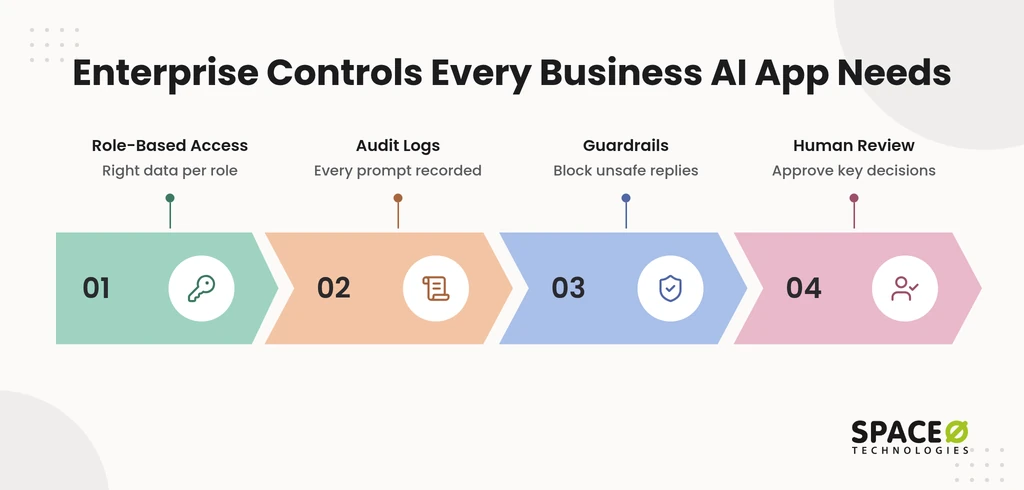
- Role-based access control (RBAC): each user and AI agent sees only the data their role allows.
- Audit logs: every prompt, action, and output is recorded for later review.
- Guardrails: filters block off-topic, unsafe, or out-of-policy responses before users see them.
- Human-in-the-loop review: people approve consequential decisions before they take effect.
At Space-O Technologies, we wrap every model we put into production in an evaluation suite. It covers accuracy, hallucination rate, bias checks, latency, and cost, with continuous monitoring in place. We add confidence scoring with human-review checkpoints for any output below an acceptable threshold.
If your app serves California residents, the CCPA and CPRA privacy laws shape how you use personal data. A consent preference center lets users see and change what data drives their experience. With these controls in place, the next question is where to start.
Which AI Feature to Build First and What It Costs to Run
Build first the feature tied to one repetitive, measurable workflow whose data you already hold. Many teams pick the most impressive feature instead, then find the data is not ready. Start narrow, prove value, and expand, ideally with AI consulting services to rank your options.
Use three checks before committing:
- Data signal: the data the feature needs already exists in usable form.
- Rules first or AI: stable logic with few exceptions can start as rules, then move to AI.
- Safeguard: one clear review point catches wrong outputs before customers see them.
The table applies these checks to all nine features. It also shows each feature’s narrowest first release and main running-cost driver.
| Feature | Narrowest useful first release | Data signal needed | Rules first or AI | Safeguard | Main running-cost driver |
|---|---|---|---|---|---|
| 24/7 AI chatbots | Top support intents with human handoff | Resolved tickets and help articles | AI grounded with RAG | Escalation on low confidence | API or token usage per conversation |
| Predictive analytics & demand forecasting | Weekly forecast for one product line | Sales history and seasonality | Rules baseline first, then ML | Compare against baseline before trusting | Retraining cycles |
| Personalization & recommendations | One recommendation slot on one screen | Browsing and purchase events | Popular-item fallback for new users | Consent check on profile data | Data infrastructure |
| Workflow and task automation | One document type, such as invoices | Labeled sample documents | Rules plus OCR | Human approval for exceptions | Processing volume |
| Meeting transcription | One team’s recurring calls | Calendar and conferencing access | AI | Participant consent to record | Transcription minutes |
| Content generation | Drafts for one channel | Brand guidelines and approved content | AI | Human review before publishing | Token usage |
| Computer vision | One recognition task | Labeled images | AI | Confidence threshold with review | Labeling and inference compute |
| Fraud and anomaly detection | Flag only, no automatic block | Labeled fraud cases and logs | Rules first, then ML | Human review before blocking | Monitoring and audits |
| CRM and lead scoring | Score inbound leads only | Won and lost deal history | Rules-based scoring first | Rep override on every score | CRM integration and retraining |
Running costs continue after launch, so plan them before the build. Our AI development cost guide sets these planning ranges:
- Data infrastructure: budget US $500 to US $5,000 monthly.
- Monitoring: plan for US $300 to US $2,000 monthly across enterprise systems.
- Retraining: plan for US $15,000 to US $60,000 per year on retraining cycles.
- Audits: in regulated sectors such as healthcare, finance, and legal, audits can cost US $10,000 to US $40,000 a year.
The same guide puts timelines at 2 to 3 months for simple AI solutions. Mid-level applications take 4 to 8 months, and enterprise systems take 6 to 12 months. GPU workloads, low-latency responses, and hybrid or on-premises hosting raise both build and monthly costs.
With costs in view, the next decision is whether to buy a tool or build.
Build vs Buy: Off-the-Shelf AI Tools or a Custom Build
Off-the-shelf AI tools usually go live faster for a single-function need, while a custom build fits workflows no product covers. The deciding factors are fit, integration, and ownership. The table compares both on the same axes.
| Axis | Off-the-shelf AI platforms | Custom build |
|---|---|---|
| Fit to existing workflows | Works within the platform’s own data model and screens. | Shaped around how your business already runs. |
| Integration with CRM and ERP | Strongest inside the vendor’s own ecosystem; other systems need connectors. | Connects to your CRM, ERP, and internal systems through APIs. |
| Ownership of code and IP | Platform logic stays with the vendor. | Code and intellectual property (IP) transfer to you. |
| Ability to scale | Scales within plan tiers and add-on limits. | Scales with the architecture you choose. |
| What adopting it requires | Plan selection, admin setup, add-on costs, and staff training. | Discovery, a scoped build, and ongoing maintenance. |
Many businesses combine both: a platform for one standard function and a custom layer where their workflow is different. Either way, the data readiness checks above still apply.
How Space-O Technologies Builds AI Features for Apps
Space-O Technologies builds custom AI features into new and existing apps for startups, growing businesses, and enterprises. We have delivered 300+ software solutions with 140+ in-house developers, and we report 97% client retention. We built Glovo, an on-demand delivery app that secured $1.2 billion in funding and passed 30 million downloads.
We sign an NDA before every project, and all source code, data, and IP transfer to you at completion. You choose from four engagement models: Dedicated Team, Time & Material, Fixed Cost, or Staff Augmentation. Our offices are in Mesa (Arizona), Brampton (Ontario), and Ahmedabad (India).
Which AI Features Fit Your Business? A Quick Decision Guide
The right AI feature depends on who uses it, which team owns it, and where it runs. Answer these five questions to narrow your list.
- Internal or customer-facing: internal tools favor automation and meeting AI, while customer-facing apps favor chatbots and personalization.
- Which department: support starts with chatbots, operations with forecasting, and sales with lead scoring.
- App type: e-commerce leans on recommendations, B2B software as a service (SaaS) on role-aware personalization, and internal tools on automation.
- Custom build or existing software: single-function needs fit a platform, while unique workflows fit a custom build.
- On-device or cloud: privacy and offline use point to on-device, while heavy models point to cloud or hybrid.
When your answers are in, get a free, expert-reviewed estimate for your first AI feature. You will see scope, cost, and timeline before you commit.
Frequently Asked Questions
What are the main risks and limitations of AI app features?
The biggest risks are no named owner for output review, an empty first screen, and unowned running costs. If a brand-new user would see an empty screen, add the cold-start fallback before personalization goes live. If nobody owns post-launch running costs, the pilot tends to stall after testing.
What AI features do businesses need most?
Most businesses need four features first: 24/7 chatbots, predictive analytics, personalization, and workflow automation. Together they cut costs, automate repetitive work, and improve customer satisfaction. They run on machine learning, natural language processing, or computer vision that adapt to user behavior in real time. The other five features depend on your industry, your data, and where manual work piles up.
How much does it cost to run AI app features after launch?
Data infrastructure runs US $500 to US $5,000 monthly, and monitoring adds US $300 to US $2,000 monthly. Retraining cycles run US $15,000 to US $60,000 per year. In regulated sectors, each audit can cost US $10,000 to US $40,000 annually, depending on the scope. GPU workloads, low-latency responses, and hybrid or on-premises hosting raise both build and monthly costs.
How long does it take to add AI features to an app?
Timeline depends on scope. Simple AI solutions typically take 2 to 3 months. Mid-level applications require 4 to 8 months. Enterprise systems may take 6 to 12 months. A narrow first release sits at the short end of these ranges, because it limits integrations and data preparation.
Which AI feature should a business build first?
Start with the feature tied to one repetitive, measurable workflow whose data you already hold. The data it needs must exist in usable form. Stable logic with few exceptions can start as rules. One clear review point must catch wrong outputs before customers see them. Then prove value and expand.
What data do AI app features need?
Each feature needs its own data, and clean, consented data beats sheer volume. A chatbot needs resolved tickets and help articles. Forecasting needs clean sales history and a promotions calendar. Personalization needs browsing, purchase, and engagement events tied to consented user profiles. Lead scoring needs won and lost deal history with consistent pipeline stages.
Should a business buy an AI tool or build a custom feature?
Buy a tool for a single standard function, and build custom when your workflow is different. Off-the-shelf platforms usually go live faster but keep their logic with the vendor and work best inside their own ecosystem. A custom build connects to your CRM and ERP through APIs, and the code and IP transfer to you. Many businesses combine both.
What are the core features of an AI-powered mobile app?
The core features are personalization, conversational AI, image recognition, and predictive analytics. Mobile apps add on-device processing, which runs models on the phone for privacy, speed, and offline use. Most production apps combine on-device and cloud AI. Location and voice features need clear user consent.



 All our projects are secured by NDA




 4.8


