
 Back
BackVTube: Custom Video Editor App for Virtual YouTubers
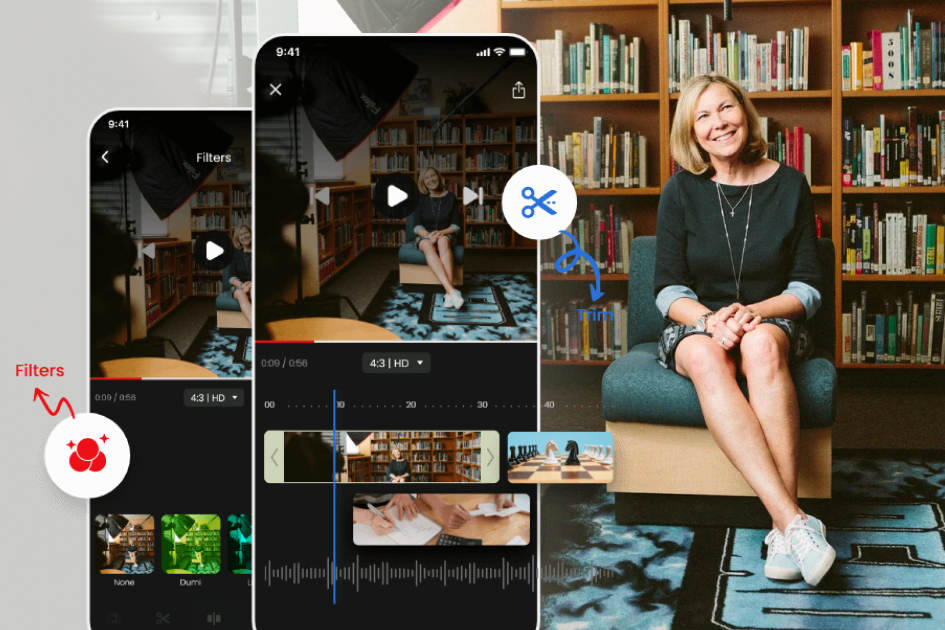
Virtual YouTubers build audiences without ever showing their faces, which creates an editing problem most video apps ignore. Our Singapore-based client searched the App Store for a tool built around avatar-based video and found nothing adequate. Space-O Technologies built VTube as an iOS application where creators import an avatar, layer it into their footage, and edit the result to a professional standard. The app carries keyframe animation, high-end transitions, filters, special effects, an advanced text editor, and 100+ music and sound effect tracks. Creators trim, split, resize for any platform, then export or share directly. VTube holds a 4.1 rating and around 5,000 active users.
5K
Active Users on the Platform
4.1
Average App Store Rating
100+
Music and Sound Effect Tracks
AboutVTube Video Editor
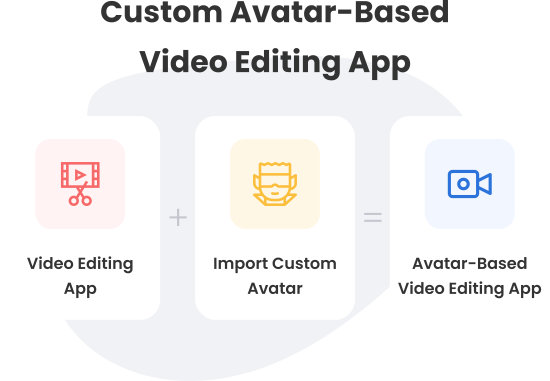
VTube lets creators layer virtual avatars into video clips so their identity stays private while their content stays personal. That single capability is what separates it from general-purpose editors on the App Store.
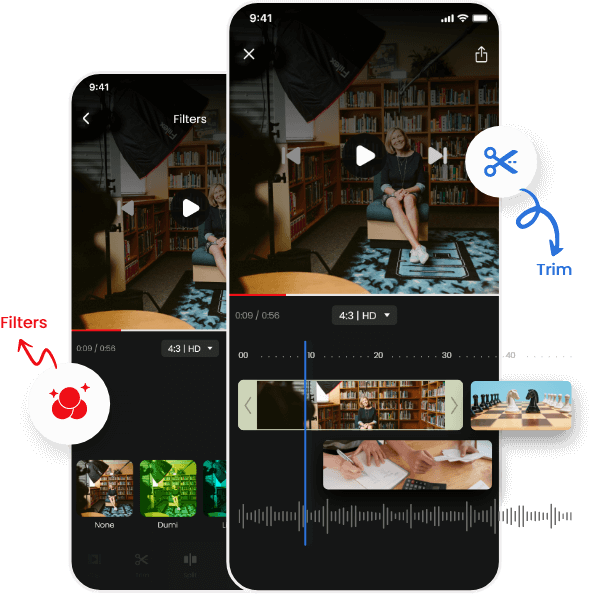
Everything else a creator needs sits alongside it. Filters, gestures, music, text, stickers, special effects, and multi-clip editing all work within one timeline. Trimming removes unwanted footage, and splitting divides a clip so different elements apply to each half.
An in-app subscription unlocks premium features including advanced filters, custom fonts, and additional special effects. Finished videos can be exported to the device or posted directly to social platforms. The app serves complete beginners and experienced video makers with the same toolset.
How We Built the Avatar Video Editing App
Our client develops mobile applications across multiple verticals and has launched between 80 and 90 of them on both stores. He had worked with Space-O Technologies before, so the engagement started fast. We assigned developers within 24 hours, conducted market research on reference applications, validated the concept, and delivered a work breakdown structure outlining scope and risk.
Avatar Import and Layering
Requirement:
The entire product rested on letting creators place a virtual avatar into their footage while keeping their real identity off screen.
Solution:
Creators import an avatar or sticker and position it across video clips during editing. The feature works across multiple clips in a single project, so an avatar carries through an entire video rather than being reapplied per segment. This is the capability the client could not find elsewhere on the App Store.
Keyframe Animation Engine
Requirement:
The client wanted keyframes, a tool for adding movement, animation, and transitions that normally appears only in professional desktop software.
Solution:
Keyframes carry strict technical conditions, and we built to all of them. Pixel quality had to survive the save process. Keyframes had to load within the applied time-lapse and take effect the moment playback starts. Their canvas position had to match exactly what the creator set during editing. Our developers delivered all four inside a fixed timeline.
High-End Transitions
Requirement:
Transitions between scenes had to look genuinely professional, since a poor transition undermines every other edit in the video.
Solution:
We integrated high-end transitions and tested the handoff between scenes frame by frame. The difficulty was consistency, because a transition that renders correctly in one clip pairing can break in another. Testing covered the combinations creators actually use rather than a representative sample.
Memory Optimization for Older Devices
Requirement:
High-end transitions consumed substantial RAM. iPhone models below the ninth generation were overheating during editing sessions.
Solution:
Our team researched the memory profile and ran repeated trials to isolate what was driving consumption. Optimization work brought usage down to a level older hardware handles without thermal issues. Excluding those devices would have been easier, but it would have cut off a meaningful part of the creator audience.
Audio, Text, and Visual Layer Tools
Requirement:
Creators needed the full range of editing tools rather than a stripped-down set built only around the avatar feature.
Solution:
We built an audio layer carrying 100+ music tracks, sound effects, and real-time recording. The advanced text editor covers font size, alignment, color, shadow, stroke, and animation. Stickers, photos, and overlay effects sit alongside filters that adjust texture, contrast, brightness, and tone. Paid and free filters coexist within the same library.
Format Control and In-App Subscription
Requirement:
Creators publish across platforms with different aspect requirements, and the client needed a revenue model inside the app.
Solution:
Videos export in 1:1, 4:5, 16:9, and 9:16, covering every major platform format from one project. The in-app subscription unlocks advanced filters, custom fonts, and additional special effects. Free users get a working editor, and paying users get the professional tier, which is what converts casual creators into subscribers.
Looking for a Video App Development Partner?
From product strategy to development, our team can help you build a seamless video editing app designed for real-world user needs.
Key Features ofVTube Video Editor App
Import an Avatar or Sticker
Add a virtual avatar or sticker into video clips while editing, keeping the creator’s identity private throughout.
Add Music
Choose from 100+ music and sound effect tracks, or record audio in real time directly onto the timeline.
Advanced Text Editor
Add custom text with control over font size, alignment, color, shadow, stroke, and animation.
Add Stickers and Overlays
Insert stickers, photos, and overlay effects to build more interactive and visually layered videos.
Trim the Video
Cut unnecessary footage by setting start and end points, shortening a clip to only what matters.
Split the Video
Divide a clip into two parts and apply different filters, transitions, or elements to each section.
Add Filters
Adjust texture, contrast, brightness, and tone using a library of free and premium filters.
Adjust Video Size
Export in 1:1, 4:5, 16:9, or 9:16 to match the requirements of any publishing platform.
Add Special Effects
Apply realistic effects including thunder, rain, and storms to build atmosphere into a scene.
Benefits the Video Editing App Delivers to Creators
Publishing Without Showing Your Face
Creators who prefer anonymity import an avatar and build a channel identity around it rather than their own appearance.
Complete Editing in One App
Soundtracks, text, filters, special effects, and transitions all sit in a single tool, so no part of the edit moves elsewhere.
Videos Sized for Every Platform
One project exports at multiple aspect ratios, which covers YouTube, vertical short-form, and square social formats.
Professional Output Without Desktop Software
Keyframes and high-end transitions bring capabilities from professional editing suites onto a phone.
Who This Video Editor App Serves
Virtual YouTubers and Avatar-Based Creators
Content Creators Prioritizing Anonymity
Short-Form Video Publishers
Social Media Content Producers
Beginner Video Editors
Professional Video Makers Working Mobile-First
Gaming and Streaming Personalities
App Publishers Building Creator Tools
Technology Stack We Used
Platform
 iOS
iOS
Backend Development
 Go
Go
Database
 Realm
Realm
Libraries and Services
 Firebase SDK
 Alamofire
 Facebook SDK
Our Role in the VTube Project
Space-O Technologies handled VTube from concept validation through App Store launch.
Market Research and Idea Validation
Work Breakdown Structure and Risk Assessment
UI/UX Design
Keyframe and Transition Engineering
QA Testing and App Store Deployment
Want to Build a Video or Photo Editing App?
Talk to our team about your idea. We plan the feature set, solve the hard rendering problems early, and build for the devices your users actually own.
Related Case Studies
Fyule Online Learning Platform
A video-first learning platform where students submit recorded work, join contests, and track progress across schools.

ReadGenie: OpenAI-based Image-to-Text App
ReadGenie is a reading assistant app that extracts text from images using OCR and the GPT 3.5 model.
Photographer Booking App Like Uber
An on-demand booking app connecting customers with local photographers, covering availability, service radius, and in-app payment.


 All our projects are secured by NDA




 4.8
4.8

