
 By
By 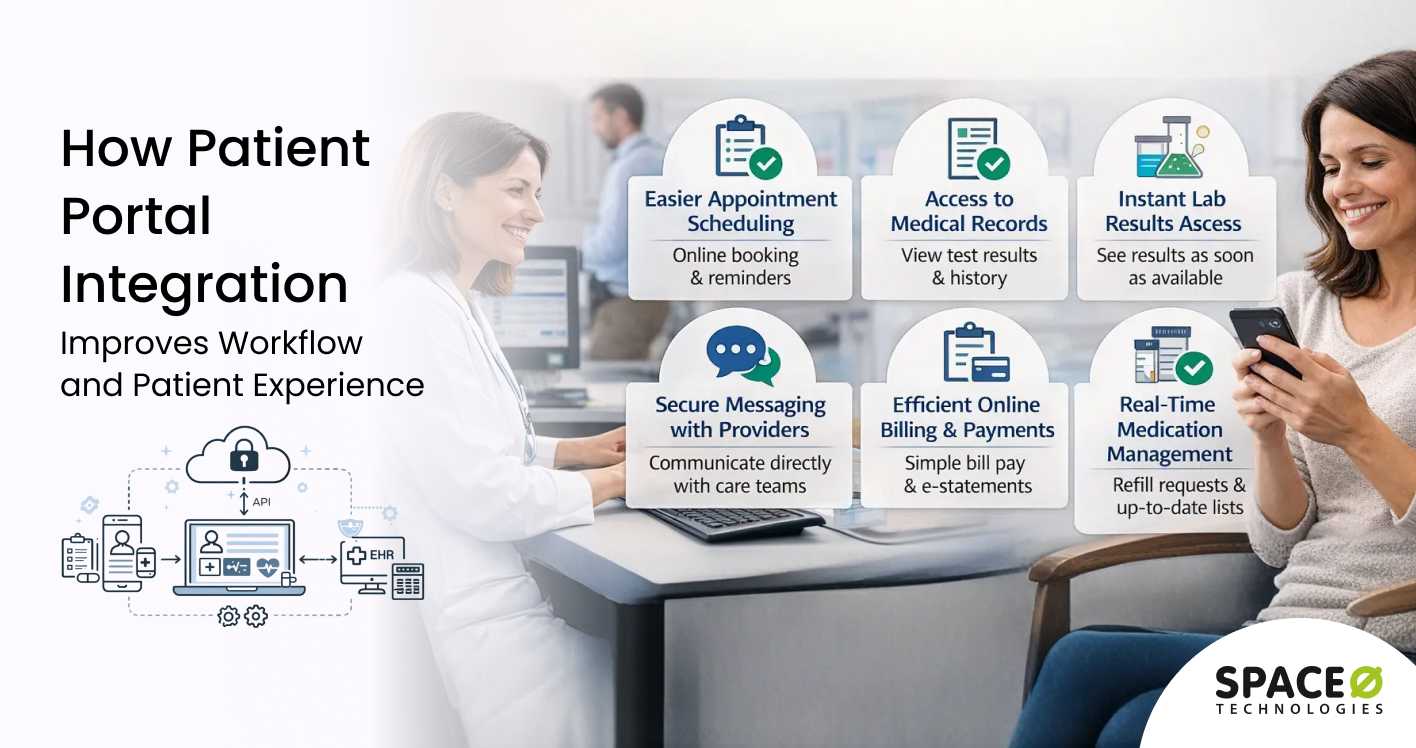
Contents
Patient portal integration is a critical requirement for healthcare organizations looking to deliver connected and efficient digital experiences. A patient portal is only as effective as its ability to exchange data with EHRs, telemedicine platforms, billing systems, and other healthcare applications.
Without proper integration, patient portals often suffer from data silos, manual workflows, and inconsistent patient information. These issues impact care coordination, patient satisfaction, and operational efficiency.
However, integrating a patient portal comes with certain technical and regulatory hurdles. A flawed approach can result in downtimes, data inconsistencies, security gaps, and compliance breaches.
This guide to patient portal integration explains how healthcare organizations can connect disparate systems securely and efficiently. Drawing from our 15+ years of experience as a patient portal development company, we have shared the common integration scenarios, processes, benefits, key challenges, and best practices to ensure interoperability while maintaining compliance and data security.
What Is Patient Portal Integration?
Patient portal integration is the process of connecting your portal application with other clinical and business systems. These connections enable automatic data synchronization between separate software platforms. Information flows bidirectionally without requiring manual data entry or file transfers.
Integration transforms standalone portals into connected healthcare ecosystems. Patients see real-time updates when providers enter new clinical notes or lab results. Appointment bookings flow instantly from portals to practice management scheduling systems.
Modern integration approaches use standardized APIs rather than custom point-to-point connections. Development teams implement healthcare data exchange protocols, such as HL7 FHIR, to ensure compatibility. This standards-based approach simplifies maintenance and supports future system additions.
Effective integration requires understanding both technical protocols and clinical workflows. Teams must map data fields between systems with different structures and terminologies. Security controls protect sensitive health information during every data transmission.
Patient Portal Integration Advantages Every Healthcare Professional Should Know
Connecting your patient portal with clinical systems delivers measurable improvements across your organization. These benefits extend to patients, providers, and administrative staff alike. Integrated portals create value that isolated systems simply cannot match.
1. Benefits for healthcare organizations
Healthcare providers experience significant operational improvements through portal integration. Connected systems eliminate redundant work and reduce errors throughout clinical operations.
- Staff members save hours each day by eliminating manual data entry across disconnected systems.
- Real-time synchronization ensures that clinical data remains accurate and up to date across all platforms.
- Automated workflows reduce human errors in manual information transfers.
- Faster data availability enables quicker clinical decisions during patient encounters.
- Reduced administrative burden allows staff to focus on higher-value patient care activities.
- Streamlined operations decrease overhead costs associated with managing multiple systems separately.
Integration also improves care coordination between departments and provider teams. Everyone accesses the same current information regardless of which system they use.
2. Benefits for patients
Patients experience dramatically improved engagement when portals connect with clinical systems. Real-time information access empowers patients to participate actively in their care.
- Lab results appear in portals immediately after providers release them for viewing.
- Medication lists update automatically when prescriptions change during visits.
- Appointment scheduling shows live availability without delays from manual system updates.
- Billing information synchronizes with practice management for accurate balance displays.
- Clinical notes become available faster because manual transfer steps disappear completely.
- Health records remain consistent across all platforms patients regularly use.
Connected portals build patient trust by delivering reliable, timely information. Patients spend less time calling offices for updates that integrated systems provide automatically.
3. Benefits for care quality
Integration improves clinical outcomes through better information availability and care coordination. Providers make more informed decisions with complete, current patient data.
- Complete health histories are displayed accurately because data flows directly from source systems.
- Fewer medication errors occur when prescription data synchronizes in real time.
- Care gaps become visible when systems share preventive care and screening data.
- Referral tracking improves through integrated scheduling and documentation workflows.
- Population health management strengthens with aggregated data from connected systems.
Research demonstrates that integrated health systems consistently achieve better patient outcomes. Connected data supports the coordinated care that complex patients require.
Simplify Patient Portal Integration Across Systems
Our experts handle complex patient portal integration to ensure seamless interoperability, security compliance, and long-term system performance.

Types of Patient Portal Integrations
Healthcare organizations implement various integration types based on their technology landscape. Each integration category serves specific purposes and requires different technical approaches. Understanding these types helps you prioritize which connections to implement first.
1. EHR and EMR integration
Electronic health record integration forms the foundation of most patient portal projects. This connection synchronizes clinical data between the portal and your primary documentation system.
Patients access visit notes, problem lists, allergies, and immunization records through this integration. Providers benefit because portal messages appear directly within their EHR workflows. Bidirectional data flow ensures information stays consistent across both systems.
Major EHR platforms like Epic, Cerner, and Meditech offer integration capabilities through proprietary and standard APIs. Development teams configure connections based on your specific EHR version and deployment. Testing validates that clinical data displays accurately and updates synchronize properly.
2. Practice management system integration
Practice management integration connects portals with scheduling, registration, and billing systems. Patients book appointments, update demographics, and view bills through these connections.
Real-time scheduling displays available slots directly from your PM system calendar. Patient registration updates flow back to update records before scheduled visits. Financial transactions synchronize to maintain accurate billing records across platforms.
This integration significantly reduces the front desk workload. Staff spend less time entering data from patients’ self-service portal features.
3. Laboratory information system integration
Lab system integration delivers test results to patient portals automatically after provider release. This connection eliminates manual processes for sharing results with patients.
Results appear in portals shortly after physicians complete their review and approval. Patients receive notifications prompting them to view new results immediately. Historical lab data becomes accessible for tracking trends over time.
Security controls ensure results remain hidden until providers explicitly release them. Integration configurations support different release rules for various test types.
4. Pharmacy system integration
Pharmacy integration enables medication management features within patient portals. Patients request prescription refills that flow directly to pharmacy dispensing systems.
Current medication lists synchronize automatically when prescriptions change. Refill status updates appear in portals, so patients know when medications are ready. Prescription history provides complete records for patient reference.
This integration reduces phone calls to both clinical offices and pharmacy locations. Patients manage medications conveniently without playing phone tag between providers and pharmacists.
5. Third-party service integrations
Modern portals integrate with various external services that extend functionality beyond core features.
- Payment Processors: Stripe, PayPal, and healthcare-specific gateways securely process patient payments.
- Telehealth Platforms: Video consultation services connect through portals for seamless virtual visits.
- Identity Verification: Third-party services verify patient identities during registration processes.
- Health Device APIs: Wearable and monitoring device data flows into portals through manufacturer integrations.
- Insurance Verification: Real-time eligibility checks confirm coverage before patient appointments.
Each third-party integration adds specific capabilities that enhance the overall portal experience. Teams prioritize integrations based on organizational needs and patient demand.
Healthcare Data Standards for Integration
Successful patient portal integration requires adherence to established healthcare data standards. Understanding available standards helps teams choose appropriate approaches for each integration.
1. HL7 FHIR
Fast Healthcare Interoperability Resources represents the modern standard for health data exchange. FHIR uses RESTful APIs and common web technologies that developers already understand well.
This standard defines resources for clinical concepts like patients, observations, and medications. API calls retrieve or update specific data elements using standardized formats. FHIR significantly simplifies integration development compared to older healthcare protocols.
Major EHR vendors now support FHIR APIs for third-party application connections. Regulatory requirements increasingly mandate FHIR availability for patient data access. New portal projects should prioritize FHIR integration wherever systems support it.
2. HL7 Version 2
This messaging standard has supported healthcare data exchange for decades. Many legacy systems rely exclusively on HL7 v2 for external communications.
Version 2 messages use pipe-delimited segments that follow defined message structures. Common message types include ADT (admissions), ORU (results), and SIU (scheduling). Integration engines translate these messages between systems with different implementations.
Organizations with older systems often require v2 support alongside modern FHIR connections. Integration teams must understand both standards to connect diverse healthcare environments.
3. SMART on FHIR
SMART provides a framework for launching third-party applications within clinical workflows. This standard builds upon FHIR to enable secure application authorization and data access.
Healthcare applications authenticate users through standardized OAuth 2.0 flows. Once authorized, apps access FHIR resources within defined permission scopes. Providers can launch portal-connected apps directly from their EHR interfaces.
SMART on FHIR enables advanced portal features that interact with clinical systems in a contextual manner. Organizations leverage this framework for custom applications and third-party integrations.
4. CCDA
Consolidated Clinical Document Architecture provides a standard format for exchanging clinical documents. This standard supports sharing comprehensive patient summaries between organizations.
CCDAs contain structured data covering problems, medications, allergies, and procedures. Documents transfer complete patient records during care transitions or referrals. Portals can import and display CCDA documents for patient review.
While newer than HL7 v2 but older than FHIR, CCDA remains important for certain exchange scenarios. Many health information exchanges still rely on CCDA for document sharing.
| Pro Tip: You can hire expert patient portal developers from an outsourcing agency. Such developers bring vast domain expertise in healthcare software integration, ensuring all compliance requirements are met. |
Need Help with Patient Portal Integration?
With 15+ years of healthcare software development experience, we integrate patient portals into your existing healthcare infrastructure without downtime, data loss, or workflow disruption.
Steps for Successful Patient Portal Integration
Implementing patient portal integration requires systematic planning and execution. Following proven methodologies reduces risk and ensures successful outcomes. For organizations considering patient portal MVP development, these steps guide teams through the complete integration process while allowing for iterative improvements based on user feedback.
Step 1: Assess your current technology landscape
Begin by documenting all systems that require portal connections. Identify EHR platforms, practice management systems, and other applications in your environment.
Evaluate the integration capabilities each system currently supports. Note available APIs, supported standards, and any documented limitations. This assessment reveals which integrations are straightforward and which require additional effort.
Understanding your starting point prevents surprises during implementation. Complete assessments before estimating integration timelines or budgets.
Step 2: Define integration requirements
Specify exactly what data must flow between systems and in which directions. Document user stories describing how patients and staff will use integrated features.
Identify data elements requiring synchronization between specific system pairs. Determine acceptable latency for different data types and use cases. Real-time needs differ significantly from batch synchronization requirements.
Prioritize integrations based on clinical impact and organizational goals. Not every possible connection deserves equal priority for initial implementation.
Step 3: Select integration approaches
Choose technical approaches for each required integration based on system capabilities. Evaluate direct API connections versus integration platform solutions.
FHIR APIs offer modern, standards-based connectivity where available. Legacy systems may require HL7 v2 interfaces or custom connection development. Integration platforms can simplify the management of multiple connections with unified tools.
Consider future scalability when selecting approaches today. Solutions that work for current needs should support anticipated growth.
Step 4: Design data mapping and transformation
Map data elements between systems that use different structures or terminologies. Define transformation rules that convert data formats during exchange.
Clinical terminologies often differ between source and destination systems. Mapping ensures concepts translate accurately despite varying code systems. Testing validates that the transformed data correctly maintains clinical meaning.
Document mapping decisions thoroughly for future maintenance and troubleshooting. Changes to source systems may require updates to the mapping over time.
Step 5: Implement security controls
Configure security measures that protect data during integration processes. Encrypt all data transmissions between connected systems.
Implement authentication mechanisms that verify system identities before data exchange. Configure authorization controls limiting which data each integration can access. Audit logging tracks all integration activities for compliance and security monitoring.
Security design must satisfy HIPAA requirements and organizational policies. Review controls with compliance teams before proceeding to development.
Step 6: Develop and test integrations
Build integration components in accordance with approved designs and security requirements. Use development and staging environments that mirror production configurations. You can hire a healthcare software development company to build custom integrations, connectors, and APIs for this stage.
Test each integration thoroughly before production deployment. Verify data accuracy, transformation correctness, and error handling behavior. Performance testing ensures integrations handle expected transaction volumes.
Include clinical users in acceptance testing to validate real-world usability. Technical correctness alone does not guarantee integration success.
Step 7: Deploy and monitor
Deploy integrations carefully, following change management procedures. Consider phased rollouts that limit initial exposure while validating production behavior.
Configure monitoring that detects integration failures or performance degradation immediately. Alert appropriate teams when issues require intervention. Establish support procedures to resolve integration issues quickly.
Ongoing monitoring prevents small issues from becoming major disruptions. Proactive management maintains integration reliability over time.
Let Our Experts Handle Integration Complexities
Our healthcare integration experts help you connect systems and streamline data exchange to reduce manual effort and improve care coordination.
Common Challenges in Patient Portal Integration
Integration projects encounter obstacles that threaten success without proper mitigation. Anticipating these challenges enables proactive planning and faster resolution. Below are frequent issues and approaches for overcoming them.
Challenge 1: Legacy system limitations
Older clinical systems often lack modern integration capabilities. Some platforms offer only outdated interfaces or no external connectivity options.
How to overcome this challenge
- Assess integration capabilities during planning before committing to specific timelines.
- Implement integration engines that translate between legacy formats and modern standards.
- Consider middleware solutions designed specifically for healthcare system connectivity.
- Explore vendor upgrade options that add integration features to existing platforms.
Challenge 2: Data quality issues
Integration exposes data quality problems that remained hidden in isolated systems. Inconsistent formatting, duplicate records, and missing fields create synchronization failures.
How to overcome this challenge
- Conduct data quality assessments before beginning integration development work.
- Implement data cleansing processes that correct issues at their source systems.
- Configure validation rules that identify problems during data exchange attempts.
- Establish governance processes for maintaining data quality across connected systems.
Challenge 3: Security and compliance concerns
Healthcare integration involves the transmission of protected health information between systems. Inadequate security exposes organizations to breaches and regulatory penalties.
How to overcome this challenge
- Engage security and compliance experts during integration design phases.
- Implement encryption, authentication, and access controls meeting HIPAA requirements.
- Conduct security assessments and penetration testing before production deployment.
- Monitor integration activities continuously for suspicious patterns or unauthorized access.
Challenge 4: Performance and scalability issues
Integrations that work during testing may fail under production transaction volumes. Slow synchronization creates delays in data availability that frustrate users.
How to overcome this challenge
- Design integrations with expected peak volumes in mind from the beginning.
- Conduct load testing that simulates realistic production usage patterns.
- Implement caching strategies that reduce unnecessary repeated data requests.
- Monitor performance continuously and address degradation before users notice.
Challenge 5: Vendor cooperation difficulties
Some EHR and system vendors provide limited integration support or documentation. Restricted API access prevents desired connectivity without vendor assistance.
How to overcome this challenge
- Verify vendor integration capabilities and support policies before selection decisions.
- Engage vendor professional services teams for complex integration requirements.
- Participate in user groups and forums where organizations share integration experiences.
- Escalate access issues through appropriate vendor relationship channels when necessary.
How Much Does Patient Portal Integration Cost?
Understanding integration costs helps organizations budget accurately for these projects. Pricing varies based on scope, complexity, and the systems requiring connection.
Budget estimates by integration type
The following estimates provide general guidance for budget planning purposes.
| Integration Type | Estimated Cost | Timeline |
| Single EHR Integration (FHIR) | $30,000 to $60,000 | 4 to 8 weeks |
| Single EHR Integration (Legacy) | $50,000 to $100,000 | 8 to 16 weeks |
| Practice Management Integration | $20,000 to $40,000 | 3 to 6 weeks |
| Lab System Integration | $25,000 to $50,000 | 4 to 8 weeks |
| Multiple System Integration Package | $100,000 to $250,000 | 3 to 6 months |
| Enterprise Integration Platform | $200,000 to $400,000+ | 6 to 12 months |
These estimates cover design, development, testing, and initial deployment activities. Ongoing maintenance typically costs 15 to 20 percent of the initial investment annually.
Key factors that influence integration costs
Multiple variables influence total patient portal integration costs.
- Number of Integrations: Each system connection adds design, development, and testing requirements.
- System Complexity: Legacy systems with limited APIs cost more to integrate than modern platforms.
- Data Volume: High-transaction integrations require more robust infrastructure and optimization.
- Security Requirements: Stringent compliance needs add security implementation and testing costs.
- Development Team Location: Geographic choices affect hourly rates for integration development work.
Understanding the return on your integration investment
Integration investments typically deliver strong returns through operational savings. Staff time savings alone often justify integration costs within the first year.
Reduced errors, improved patient satisfaction, and better care coordination add additional value. Organizations should quantify expected benefits when building business cases for integration projects.
Wondering How Much Patient Portal Integration Will Cost?
Share your integration requirements with our team and get a custom, free-of-cost quote from our experts. No obligations, NDA protection guaranteed.
7 Proven Best Practices for Patient Portal Integration
Following proven practices increases integration success rates while reducing implementation challenges. These guidelines reflect lessons learned across many successful healthcare projects. Apply them throughout your integration initiative.
1. Start with high-value integrations
Prioritize connections that deliver the most significant benefits first. EHR integration typically provides the greatest patient and provider value.
Early wins build momentum and demonstrate the value of integration to stakeholders. Success with initial integrations builds confidence for tackling more complex connections later.
2. Use standards whenever possible
Standardized integration approaches reduce development effort and improve maintainability. FHIR APIs offer significant advantages over custom point-to-point connections.
Standards-based integrations adapt more easily when you plan to modernize your patient portal solution. Custom connections often require rework when either endpoint system updates.
3. Plan for error handling
Integrations will encounter errors during normal operation. Network issues, system outages, and data problems cause transaction failures.
Design robust error handling that retries failed transactions automatically when appropriate. Queue mechanisms prevent data loss when destination systems become temporarily unavailable. Alerting ensures staff know when errors require manual intervention.
4. Document everything thoroughly
Maintain comprehensive documentation covering all integration configurations and mappings. Future teams need this information for maintenance and troubleshooting.
Record decisions about data transformations and why specific approaches were chosen. Document dependencies between systems and integration components clearly.
5. Establish governance processes
Create clear ownership and procedures for managing integrations over time. Someone must own responsibility for each connection in your environment.
Define processes for handling changes to connected systems. Integration impacts must be assessed before system updates proceed.
6. Test with realistic data
Use production-like data volumes and patterns during integration testing. Small test datasets may not reveal problems that appear with real workloads.
Deliberately include edge cases and error scenarios in test plans. Systems that handle normal transactions perfectly may fail when faced with unusual data patterns.
7. Monitor continuously
Implement continuous monitoring that provides visibility into integration health. Dashboard displays should show transaction volumes, error rates, and latency metrics.
Proactive monitoring catches issues before they impact patient care or user experience. Teams can investigate and resolve problems before users report them.
Space-O Technologies — Expert Patient Portal Integration Backed by 15+ Years of Experience
Patient portal integration has become essential for healthcare organizations seeking connected digital experiences. The right integrations transform isolated systems into unified platforms that serve patients effectively. Organizations that master integration deliver better care while operating more efficiently.
Success requires specialized expertise in healthcare data standards and clinical workflows. Integration projects demand understanding of EHR platforms, security requirements, and regulatory compliance. Choosing the wrong development partner leads to failed connections and wasted investment.
Space-O Technologies is an experienced patient portal integration and development company with over 15 years of expertise in patient portal and telemedicine development. We have served 1,200+ clients globally and delivered 300+ custom software solutions across healthcare and digital health domains.
Take a look at our work to see how we’ve created reliable web portals for organizations across a wide range of industries.
Conduet-Med
A digital healthcare platform that enables patients to receive professional medical guidance remotely through video, audio, and chat-based consultations.
Learn More
FIYA Fitness & Workout App
Space-O Technologies built FIYA to help users follow guided workouts, track progress, and access fitness content anywhere.
Learn More
Our team specializes in integrating patient portals with EHR and EMR systems, telemedicine platforms, billing software, and other healthcare applications. From integration strategy and API development to testing and post-deployment support, Space-O Technologies helps healthcare organizations achieve seamless, secure, and scalable patient portal integrations.
If you are planning to integrate or enhance your patient portal, we offer the experience and technical depth to ensure reliable and compliant data exchange. Connect with us today for a free consultation and get a tailored integration strategy for your patient portal solution.
FAQs on Patient Portal Integration
1. What systems should integrate with patient portals?
Priority integrations include electronic health record systems, practice management platforms, and laboratory information systems. EHR integration delivers clinical data like notes, results, and medications to patients. Practice management connections enable scheduling and billing features. Additional integrations with pharmacy systems, payment processors, and telehealth platforms further extend functionality.
2. What is HL7 FHIR, and why does it matter?
HL7 FHIR represents the modern standard for healthcare data exchange. FHIR uses RESTful APIs and web technologies familiar to software developers. This standard simplifies integration development compared to older healthcare protocols. Regulatory requirements increasingly mandate FHIR support for patient data access. New integration projects should prioritize FHIR wherever systems support it.
3. How long does patient portal integration take?
Timelines vary based on integration complexity and system capabilities. Single integrations using modern APIs typically complete in 4 to 8 weeks. Legacy system connections may require 8 to 16 weeks. Comprehensive integration projects connecting multiple systems often span 3 to 6 months. Thorough planning and testing prevent timeline extensions.
4. How much does patient portal integration cost?
Costs range from $20,000 for simple integrations to $400,000 or more for enterprise platforms. Single EHR integrations using FHIR typically cost $30,000 to $60,000. Legacy system connections cost more due to increased complexity. Comprehensive integration packages connecting multiple systems range from $100,000 to $250,000. Annual maintenance adds 15-20% to initial costs.
5. What are the biggest challenges in patient portal integration?
Common challenges include limitations of legacy systems, data quality issues, and security concerns. Older systems may lack modern APIs required for seamless connectivity. Inconsistent data between systems causes synchronization problems. Protecting health information during exchange requires careful security design. Vendor cooperation issues can sometimes complicate access to integration.
6. How do you ensure integration security and compliance?
Security requires encryption for all data transmissions between connected systems. Authentication mechanisms verify system identities before allowing data exchange. Authorization controls limit which data each integration can access. Audit logging tracks all activities for compliance monitoring. Security assessments and penetration testing validate protections before production deployment.



 All our projects are secured by NDA




 4.8
4.8

