
 Back
BackiHeartCam: Smartphone Security Camera App
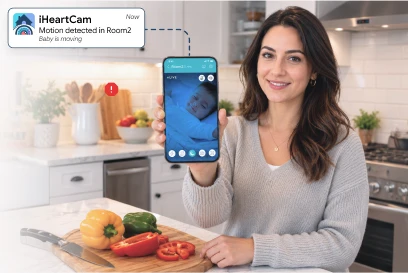
Standalone security cameras cost money to buy and time to install, yet most households already own a spare phone or tablet sitting in a drawer. Our client wanted to turn that idle device into a working camera. Space-O Technologies built iHeartCam as a mobile application that runs in two modes on two devices. The spare device becomes the camera, and the phone the user carries every day becomes the monitor. Live video streams between them over WiFi or mobile data, with instant alerts the moment motion or noise is detected. Two-way talk lets users respond through the camera device, whether that means comforting a child or warning an intruder.
Industry
Home Security and Monitoring
Client From
Canada
Platform
iOS and Android
About the iHeartCam Security Camera App
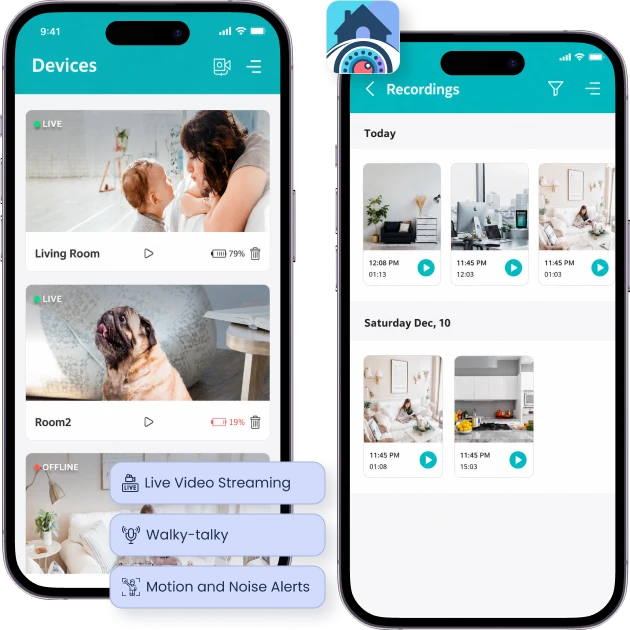
iHeartCam turns any spare iOS or Android device into a home security camera. Users install the app twice, setting one device to camera mode and the other to monitor mode. Nothing else needs buying or wiring in.
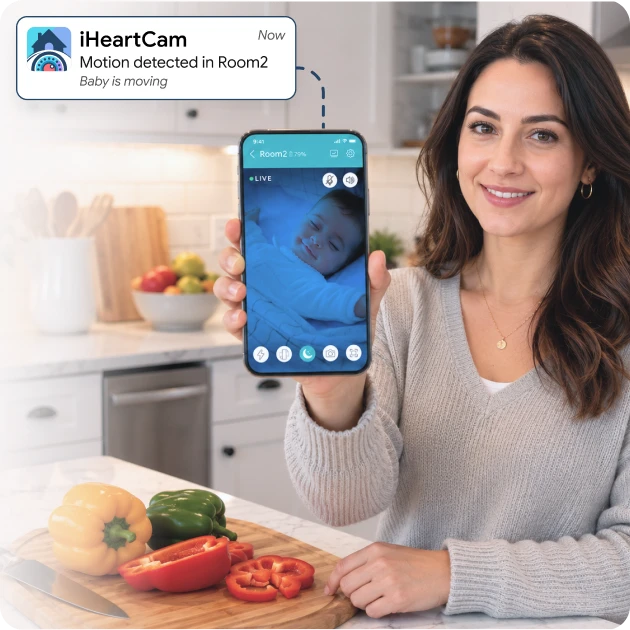
The monitoring device shows a live stream from wherever the camera sits. Push notifications fire when the camera detects motion or noise, so users are not tied to watching a feed. Night mode keeps the picture usable in dark rooms.
People use it to check on babies, pets, nannies, elderly relatives, homes, and small offices. Two-way talk means the interaction runs in both directions. A parent can settle a child from another room, and a homeowner can speak to whoever triggered the alert.
How We Built the Smartphone Security
Camera App
Our scope included UI/UX design, native iOS and Android app development, and end-to-end quality assurance. In real-time video monitoring, even minor lag or dropped streams can compromise the user experience. To address this, we delivered a solution with essential modules.
Dual-Mode Setup Across Two Devices
Requirement:
Setup had to work without special hardware. One spare device becomes the camera, and the user’s main device becomes the monitor.
Solution:
We built a dual-mode flow inside a single app. Users install iHeartCam on the spare device and select camera mode, then install it on their main device and select monitor mode. Pairing completes in a few taps, so a device that was gathering dust starts working within minutes.
Real-Time Live Video Streaming
Requirement:
Users needed a low-latency stream they could open from anywhere, in daylight or in a dark room at night.
Solution:
We implemented real-time streaming from either the front or back camera, with a night mode for low-light conditions. The stream runs over WiFi, 3G, 4G, or LTE. Users choose the camera facing the angle that suits the room, whether that is a crib, a doorway, or a pet’s usual spot.
Motion and Noise Detection Alerts
Requirement:
The app had to tell users when something actually happened, rather than asking them to sit watching a live feed.
Solution:
The detection engine fires an instant push notification the moment motion or noise registers on the camera device. Users go about their day and open the app only when something warrants it. Passive monitoring is what makes the product usable rather than a novelty.
Two-Way Talk
Requirement:
Seeing the room was not enough. Users needed to respond, whether to comfort a child, call a pet, or challenge an intruder.
Solution:
We built two-way audio using the microphone and speaker on each device. The monitoring user speaks, and the camera device plays it in real time, with audio returning the same way. It works like a walkie-talkie, turning a passive feed into an actual conversation.
Multi-Camera Monitoring
Requirement:
Many households want eyes on more than one room, child, or pet at the same time.
Solution:
We added multi-camera support so users connect several spare devices and switch between them from one monitor. A family with a nursery and a back door covers both without buying anything. Switching happens inside the app rather than through separate setups.
Connection Stability Across Networks
Requirement:
A monitoring app only earns trust if the connection holds when a user moves between networks and locations.
Solution:
We tuned the streaming and reconnection logic for stability across WiFi, 3G, 4G, and LTE. Automatic recovery restores the feed after a drop without user intervention. Someone checking a nursery from a parking lot needs the stream to reconnect on its own, not to be restarted by hand.
Have a Monitoring or Security App Idea?
Talk to our team about your concept. We validate the idea, plan the streaming architecture, and map a build that works across networks and devices.
Key Features of iHeartCam
Live Video Streaming
Watch a live stream from the camera device on your phone or tablet, using either the front or back camera.
Night Mode
Keep a clear view in low light, which suits nurseries, hallways, and any room monitored after dark.
Motion and Noise Alerts
Receive an instant push notification the moment the camera device detects movement or sound.
Two-Way Talk
Speak to people and pets through the camera device in real time using the microphone and speaker on both ends.
Multi-Camera Monitoring
Connect several camera devices and switch between them from one monitor to cover multiple rooms.
Remote Access Anywhere
Stream over WiFi, 3G, 4G, or LTE, so the camera stays reachable wherever the user happens to be.
One-Tap Setup
Install on a spare device, choose camera or monitor mode, and begin. No additional hardware is involved.
Front and Back Camera Selection
Pick either camera on the device to get the angle that suits the room or the subject being watched.
Who This Security Camera App Serves
Parents Monitoring Babies and Nurseries
Pet Owners
Homeowners
Small Office Operators
Families Employing Nannies
Households Supporting Elderly Relatives
Travelers Checking Empty Homes
Renters and Students
Technology Stack We Used
iOS App
 Swift
Swift
Android App
 Kotlin
 Java
Java
Live Streaming and Real-Time
 WebRTC
 Socket.IO
Backend Development
 Node.js
Database
 MongoDB
Cloud, Push, and Analytics
 AWS
AWS Firebase
 Firebase Cloud Messaging
 Apple Push Notification Service
Our Role in the iHeartCam Project
Space-O Technologies handled iHeartCam end-to-end, from user experience design through native delivery and store launch on both platforms.
UI/UX Design
Android App Development
Real-Time Streaming Implementation
QA Testing and Store Deployment
Ready to Build Your Own Security Camera App?
Whether you’re launching a connected camera product or adding mobile access to an existing security system, our team can build the software layer your product needs.
Related Case Studies
Baloora: School Bus Tracking App
Space-O Technologies built a school bus tracking app offering real-time GPS monitoring, route tracking, automated alerts, and improved visibility for safer student transportation.
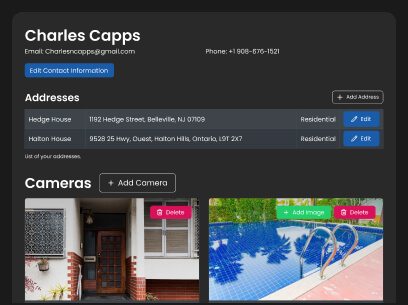
CCTV Listing & Data Management Platform
We developed a CCTV data management platform that helps organizations securely manage, organize, monitor, and access surveillance footage from a centralized system.
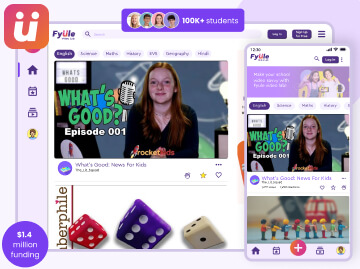
Fyule Online Learning Platform
Space-O Technologies built an online learning platform enabling students and educators to access courses, share content, track progress, and manage learning activities seamlessly


 All our projects are secured by NDA




 4.8
4.8

