
 By
By 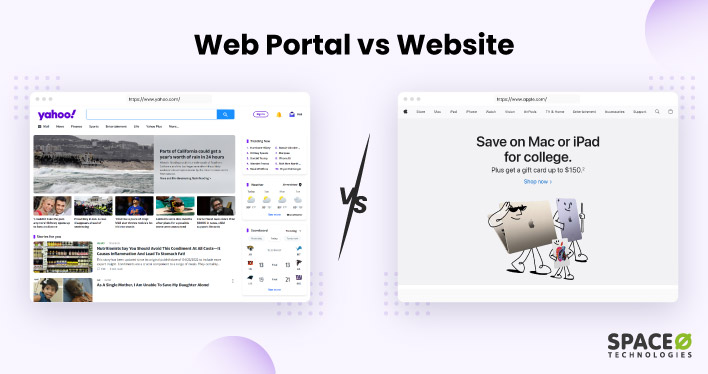
Are you building a digital platform for your business but unsure whether you need a website or a web portal? It’s a common dilemma, and choosing the wrong one can mean wasted web portal development costs, poor user adoption, or a platform that doesn’t scale with your operations.
A website might seem sufficient until your team starts juggling disconnected tools, manually sharing files over email, or losing track of customer requests across spreadsheets. That’s when the limitations of a standard website become clear, and businesses start looking into web portal development services to centralize operations. But before making that investment, understanding the web portal vs website comparison is essential.
In this guide, we break down the difference between a portal and a website across 7 key aspects, including purpose, security, personalization, cost, and integration. Whether you’re a CTO evaluating platform options, a product manager scoping a new build, or a business owner deciding where to invest, this blog gives you a clear, side-by-side comparison of a website and a web portal to help you make the right call.
Table of Contents
- What is a Web Portal?
- What is a Website?
- 7 Key Differences Between Web Portal and Website
- Cost Comparison: Web Portal vs Website Development
- How to Choose the Right Platform
- 5 Key Benefits of Developing a Web Portal
- 5 Key Benefits of Developing a Website
- Still Confused Between Web Portals and Websites?
- Frequently Asked Questions
What is a Web Portal?
A web portal is a secure, centralized online platform that gives authenticated users a single point of access to information, tools, services, and resources from multiple sources. Unlike a standard website that displays the same content to every visitor, a web portal requires users to log in and delivers a personalized experience based on their specific role. Each user sees only the data, workflows, and functionality relevant to their permissions, whether they are a customer checking order status, an employee managing internal tasks, or an administrator overseeing operations across departments.
If you are planning to develop a web portal and are not sure where to start, then check this blog about creating a web portal. It covers 7 simple steps to develop a web portal.
Moreover, web portals are often called horizontal enterprise portals that are used to offer users personalized content, tools, and services based on their preferences, roles, or interests.
Key Characteristics of a Web Portal
- Requires user authentication: Users must log in with credentials; access is restricted and permission-based.
- Personalized experience: Content, dashboards, and tools are tailored based on the user’s role, preferences, or department.
- Multi-source data aggregation: A web portal pulls information from multiple systems (CRM, ERP, email, databases) into a single interface.
- Role-based access control (RBAC): Different users see different data and features based on their permissions.
- Interactive and collaborative: Includes features like messaging, document sharing, workflow automation, and discussion boards.
- Secure by design: Built with multi-factor authentication (MFA), encryption, single sign-on (SSO), and compliance standards like GDPR or HIPAA.
Common Use Cases of Web Portals
- Customer portals — for order tracking, support tickets, and account management (e.g., Salesforce Community Cloud)
- Employee/HR portals — for leave requests, payroll, onboarding, and internal communication (e.g., Workday)
- Patient portals — for appointment scheduling, medical records access, and prescription management (e.g., Epic MyChart)
- Educational portals — for course management, grading, and student-faculty interaction (e.g., Blackboard)
- Vendor/supplier portals — for procurement, invoice management, and supply chain coordination
Depending on the target audience, these portals function either as intranets for internal teams or as extranets for external stakeholders like vendors, partners, and clients. For more web portal examples, check our blog on different examples of web portals from various industries with their features.
Now, let’s understand the definition of a website.
What is a Website?
A website is a collection of interlinked web pages hosted on a single domain name and accessible to anyone through a web browser. It serves as a digital platform where businesses, organizations, and individuals publish content, showcase products or services, and interact with visitors without requiring them to log in.
Unlike a web portal, which delivers role-based access behind authentication, a website is designed for public consumption. Its content remains the same for every visitor, whether the goal is brand visibility, content publishing, lead generation, or online sales. A company’s marketing site, a media publication, or an online store are all common examples of websites that operate without user-specific dashboards or permission-based workflows.
Key Characteristics of a Website
- Publicly accessible: Anyone with an internet connection can visit without logging in or creating an account.
- Information-focused: The primary goal is to deliver content, whether that’s marketing copy, blog posts, product listings, or news.
- Simple navigation: Structured around pages (Home, About, Services, Blog, Contact) with straightforward menus.
- Limited personalization: Content is generally the same for all visitors, though some sites use cookies for basic targeting.
- CMS-driven: Most modern websites are built on content management systems like WordPress, Webflow, or custom CMS platforms.
- SEO-optimized: Designed to attract organic traffic through search engine optimization, keyword targeting, and content strategy.
Common Use Cases of Websites
- Corporate websites — to showcase company information, services, and brand identity (e.g., Apple.com)
- eCommerce websites — to sell products or services online (e.g., Amazon)
- Blogs and content sites — to publish articles, guides, and thought leadership (e.g., HubSpot Blog)
- Portfolio websites — to display work samples for freelancers, agencies, or creatives
- News and media websites — to publish journalism and time-sensitive content (e.g., BBC)
So, after understanding the difference between a portal and a website at a definitional level, let’s move on to the next section that compares the website and web portal across key aspects.
7 Key Differences Between a Web Portal and a Website
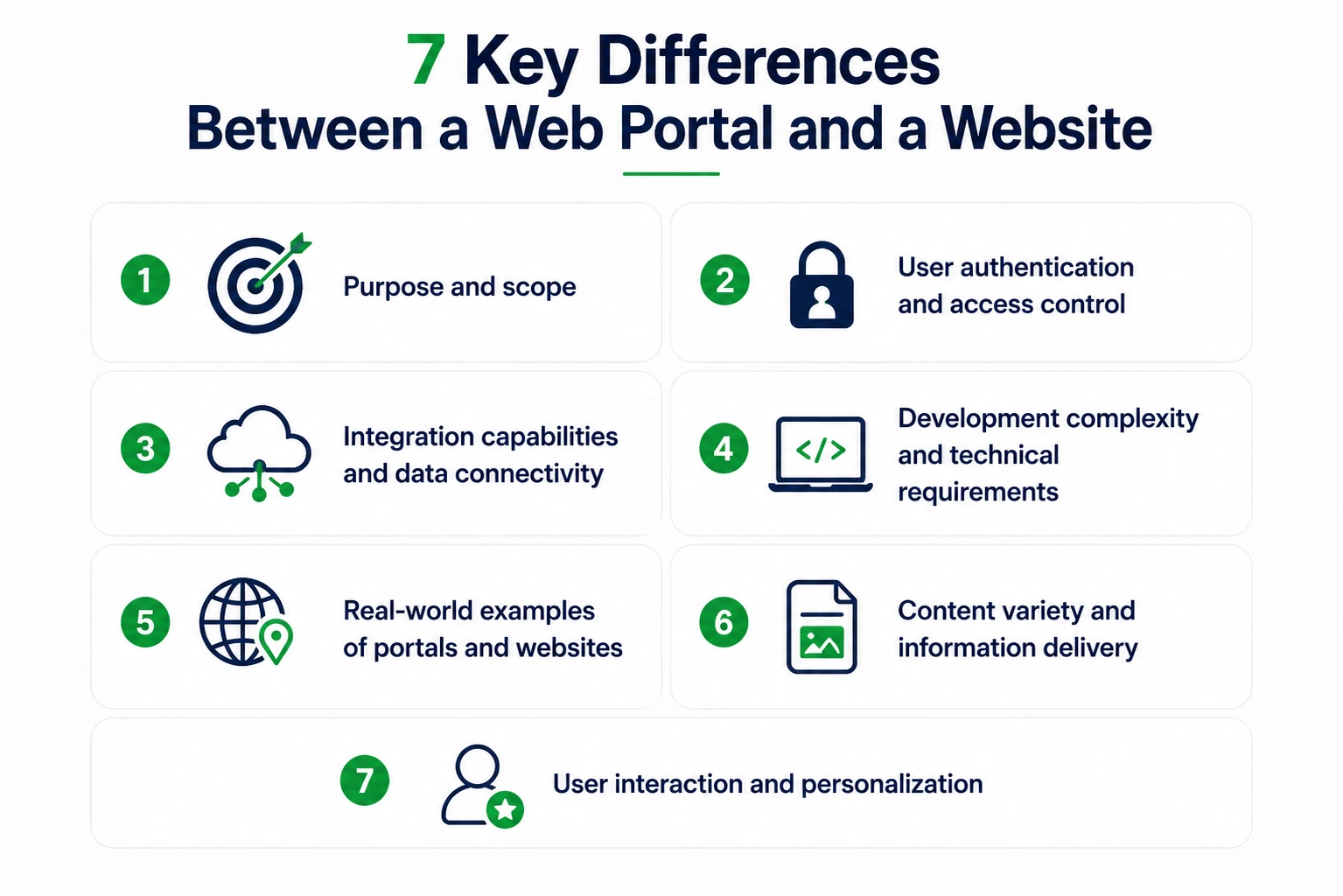
When evaluating a website vs web portal, it’s important to understand the core differences beyond just definitions. Here are the 7 key differences between a website and a web portal that help you understand when to build which.
The above table has provided a comprehensive comparison of the differences between a portal and a website. The following section breaks down the cost factor in more detail, followed by a framework to help you choose the right platform for your business.
| Sr. No | Aspects | Web Portal | Website |
|---|---|---|---|
| 1 | Purpose | The purpose of a web portal is to provide a single point of access to various resources, services, and information from different sources. | The purpose of a website is to provide a digital platform for sharing content, information, or services with an online audience. |
| 2 | User Authentication | Web portal content provides authorized access only and has strong user authentication mechanisms to control access data to different services. Moreover, web portals ensure that users are granted appropriate permissions based on their roles within the portal. For example your bank portal login. | Websites incorporate user authentication for features like memberships or commenting, but the authentication complexity is generally lower than in portals. Websites are more often publicly accessible without user authentication. For example Wikipedia. |
| 3 | Integration Capabilities | Portals bring together information and tools from different sources, making them work together seamlessly. For instance, portals show your emails, news, and calendars in one place. | Websites include tools or services from third-party, but the connection and integration are usually simpler and don’t involve complex data sharing. |
| 4 | Development Complexity | Portals tend to be more complex to develop due to the need for integrating diverse functionalities, databases, and user authentication systems. | Websites are generally simpler to create as they focus on specific content or services without the need for extensive integration. |
| 5 | Examples |
Examples of web portals are:
|
Examples of websites are:
|
| 6 | Content Variety | Web portals serve as multifaceted platforms, encompassing news, email, and forums. | Websites generally focus on specific types of content or information, such as blogs, eCommerce websites, informational content and portfolios. |
| 7 | User Interaction | Portals facilitate interactive features like user authentication, personalized content, and role-based access, allowing users to customize their experience. | Websites also offer interactivity through forms, comments, and user accounts, but the level of customization and interaction is usually limited compared to portals. |
The table above offers a quick snapshot of the difference between web portal and website across 7 key aspects. Now, let’s break down each of these differences in detail so you can clearly understand when a website works, when a portal is the right call, and what each platform looks like in practice.
1. Purpose and scope
The most fundamental portal and website difference comes down to what each platform is built to do.
A website exists to deliver information outward to a broad, anonymous audience. It showcases products, publishes content, builds brand credibility, and drives organic traffic. The audience is anyone who finds the site through a search engine, paid ad, or direct link. There is no expectation that the visitor will log in, complete a task, or interact with backend systems.
A web portal exists to deliver functionality inward to a specific, known group of users. The web portal meaning centers on giving authenticated users a single point of access to tools, data, and services they need to complete tasks. Instead of broadcasting information to everyone, a portal serves personalized resources to each user based on their role.
Example: Shopify.com is a website where anyone can browse pricing plans, read case studies, and sign up. The Shopify Admin dashboard, where merchants manage products, process orders, and track revenue, is a web portal.
2. User authentication and access control
When evaluating a portal vs website, authentication is the clearest dividing line.
A website is publicly accessible. No login, no gating, no credentials required. Visitors browse freely, and search engines crawl every page. Authentication, if present, is limited to optional features like account-based wishlists or newsletter preferences. It does not change what the visitor can see or do on the site.
A web portal requires every user to authenticate before accessing any content. This is implemented through username-password combinations, multi-factor authentication (MFA), single sign-on (SSO), or enterprise identity providers like Okta or Azure AD. Beyond authentication, portals enforce role-based access control (RBAC). The system determines what each user can view, edit, or act on based on their assigned role and permissions. Among the core features of web portal platforms, RBAC ensures that a finance manager sees budget reports while a team lead sees only project dashboards.
Example: Wikipedia lets anyone read, edit, and contribute without logging in. Your company’s Workday portal requires SSO login and shows each employee their own payroll records, leave balances, and performance reviews.
3. Integration capabilities and data connectivity
This is where the difference between website and portal becomes most visible at an operational level.
A website integrates with a handful of third-party tools such as Google Analytics for traffic tracking, Mailchimp for email capture, or a CRM plugin for lead forms. These integrations sit in the background and support marketing or reporting. They do not handle real-time data exchange or complex business logic.
A web portal is built around integration. Its value depends on how effectively it connects CRMs, ERPs, databases, payment gateways, and internal business systems into a single interface. A customer portal might pull order data from the warehouse management system, push support tickets to the helpdesk, and sync payment records with the billing engine. All of this happens through RESTful or GraphQL APIs working in real time.
This is also why portal development costs are higher. Each integration requires API development, data mapping, error handling, and ongoing synchronization, which adds both development hours and maintenance overhead.
Example: A hospital’s public website shows general health information and physician directories. Its Epic MyChart patient portal integrates with the electronic health records (EHR) system, lab systems, pharmacy databases, and insurance providers to show each patient their own medical data in one place.
4. Development complexity and technical requirements
The difference between portal and website in development complexity is substantial and directly impacts budget, timeline, and team composition.
A website can be built using a CMS like WordPress, Webflow, or a static site generator. A professional business website typically requires a designer, a frontend developer, and a CMS configuration specialist. Development timelines range from 4 to 8 weeks, and costs fall between $3,000 and $25,000 depending on design complexity, page count, and customization.
A web portal requires a full-stack development team that includes frontend engineers, backend developers, database architects, DevOps specialists, and QA testers. The enterprise web application architecture involves user management systems, RBAC, session handling, API layers, database design, and workflow automation. Development timelines range from 3 to 12+ months, and costs range from $20,000 to $250,000+ depending on the number of user roles, integrations, compliance requirements, and feature scope.
This complexity is not optional, and it highlights a critical difference between website and portal at the technical level. It reflects the operational depth that portals are designed to handle. Cutting corners on architecture leads to security vulnerabilities, poor performance, and costly rework.
5. Real-world examples of portals and websites
Understanding the difference between portal and website with examples makes the distinction immediately tangible. Here are current examples across different industries:
Web portal examples:
- Salesforce Community Cloud: A customer and partner portal where businesses manage support cases, access knowledge bases, and collaborate with account teams through role-based dashboards.
- Epic MyChart: A patient health portal used by hospitals and clinics, where patients view lab results, schedule appointments, request prescription refills, and message their care teams.
- Workday: An enterprise employee portal for HR self-service, payroll management, benefits enrollment, and performance tracking, used by organizations with thousands of employees.
- Shopify Admin: A merchant management portal where online store owners add products, process orders, configure payment settings, and analyze sales performance.
- Wikipedia: A publicly accessible encyclopedia where anyone can read and contribute content without authentication.
- HubSpot.com: A SaaS marketing website that showcases products, publishes blog content, and generates leads through gated resources and CTAs.
- The Weather Channel (weather.com): A content-driven website delivering public weather forecasts, maps, and alerts without requiring user login.
- Pinterest: A visual discovery website where users browse publicly available content before optionally creating accounts for personalized boards.
Web portal examples:
Website examples:
6. Content variety and information delivery
The web portal definition emphasizes centralized access to diverse resources, and that directly shapes how content is structured and delivered on each platform.
A website generally focuses on a specific content type or business purpose. A blog publishes articles. An ecommerce site showcases products. A corporate website displays company information and service pages. Most of this is static content, editorially managed through a CMS and presented uniformly to every visitor. Content updates follow publishing schedules, not user actions.
A web portal aggregates dynamic content from multiple sources and delivers it in real time based on who is logged in. A single employee portal might display HR documents, project management tools, internal announcements, team calendars, IT support tickets, and training modules, all within one interface. The content is not authored for a general audience. It is pulled from databases, integrated systems, and business logic engines, then filtered by user role and permissions.
This distinction matters for information architecture. Websites organize content for browsing and discovery. Portals organize content for task completion and operational efficiency.
7. User interaction and personalization
The final difference between website and web portal is how each platform handles user interaction and personalization. This is what determines long-term user engagement.
A website supports limited interaction. Visitors browse pages, click links, fill out contact forms, leave comments, or subscribe to newsletters. These interactions are brief, transactional, and one-directional. The website delivers content, and the visitor consumes it. Personalization is minimal, often limited to a cookie-based product recommendation or a location-based pricing display.
A web portal supports deep, ongoing interaction. Users log in and actively engage with the platform by submitting support tickets, uploading documents, approving workflows, configuring dashboard views, and managing account settings. The portal adapts dynamically to each user, showing personalized dashboards, role-specific navigation, and real-time notifications based on user activity and system data.
This two-way interaction is what makes portals essential for self-service use cases. When customers can track orders, manage returns, and resolve issues through a portal without contacting support, it reduces operational costs while improving user satisfaction. When employees can access payroll, submit leave requests, and complete training through a portal, it eliminates manual HR processes.
Example: Amazon.com as a website lets anyone browse products publicly. Amazon’s seller portal (Seller Central) gives each merchant a personalized dashboard with their own inventory levels, order queues, advertising metrics, and account health scores. It is a completely different experience from the public storefront.
The 7 differences above cover the essential aspects of the web portal vs website comparison, from purpose and authentication to content delivery and user interaction. The following section breaks down the cost factor in more detail, followed by a practical framework to help you choose the right platform for your business.
Cost Comparison: Web Portal vs Website Development
One of the most common questions when evaluating a web portal vs website is the cost involved. Here’s a breakdown of how the two compare in terms of development investment, ongoing maintenance, and total cost of ownership.
| Cost Factor | Web Portal | Website |
|---|---|---|
| Initial Development | Higher — due to custom backend, user authentication, role management, database integrations, and security compliance. A custom web portal typically starts at $25,000 to $100,000+, depending on features and complexity. | Lower — focused on frontend design, CMS setup, and content. A standard business website typically costs $5,000 to $25,000. |
| Development Timeline | 12 to 20+ weeks for a feature-complete portal with integrations and testing. | 4 to 8 weeks for a standard website with 10 to 20 pages. |
| Ongoing Maintenance | Higher — portals require regular updates to security patches, user role management, integrations, and database maintenance. Expect $1,000 to $5,000+/month for managed maintenance. | Lower — routine updates to CMS, plugins, content, and hosting. Typically $200 to $1,000/month. |
| Scalability Cost | Scales with user base and data volume. Adding new modules, user roles, or integrations increases cost incrementally. | Scales with traffic and content volume. Adding new pages or features is relatively inexpensive. |
| Infrastructure | Requires dedicated or cloud hosting with higher compute, storage, and security specifications (e.g., AWS, Azure). | Can run on shared or standard cloud hosting with lower infrastructure requirements. |
The portal and website difference in cost reflects the scope of what each platform delivers. If your business needs are limited to sharing information and generating leads, a website gives you the best ROI. But if you need to manage users, automate workflows, or aggregate data from multiple systems, investing in a web portal pays off through operational efficiency and better user experience.
Need Help Building a Website or Web Portal?
Not sure which platform fits your business? Talk with our web portal development experts who have delivered 350+ custom solutions across industries.

How to Choose the Right Platform Between a Web Portal and a Website
Examine the following considerations for a website or web portal development.
Develop a Website if
- You want to share content or information with a broad audience, showcase your products or services, or communicate your business’s mission.
- Your objective is to draw in new customers/audiences, increase traffic, and enhance brand awareness through the utilization of horizontal web portals.
- You are seeking a web system that functions independently from your business operations and doesn’t need to be integrated into your existing business and digital infrastructure (like ERP, CRM, HRMS, online payments, and asset management system).
- You want a unified web interface to provide optimal viewing and interactive experience to your users.
- You are constrained by limited resources and a tight timeframe for the development, management, and support of your web system.
Develop a Web Portal if
- You need to bring together various business applications and services into a single cohesive environment. This involves developing interconnected web pages to establish streamlined workflows that can be effectively managed online.
- You want to create a user-centric portal like an organized online hub for quick finding and people access what they need based on permissions.
- Your goal is to offer tailored or personalized database content, services, products, or tools to a particular group of people or multiple groups.
- You require a place with two-way communication and work together with the people you want to reach.
- Your objective is to make the experience better for your customers, clients, and employees, and to build ongoing connections with them.
So, after learning about the different factors to consider while developing a web portal or a website, let’s proceed to our next section. The following section talks about the key benefits of web portals and websites.
5 Key Benefits of Developing a Web Portal for Your Business
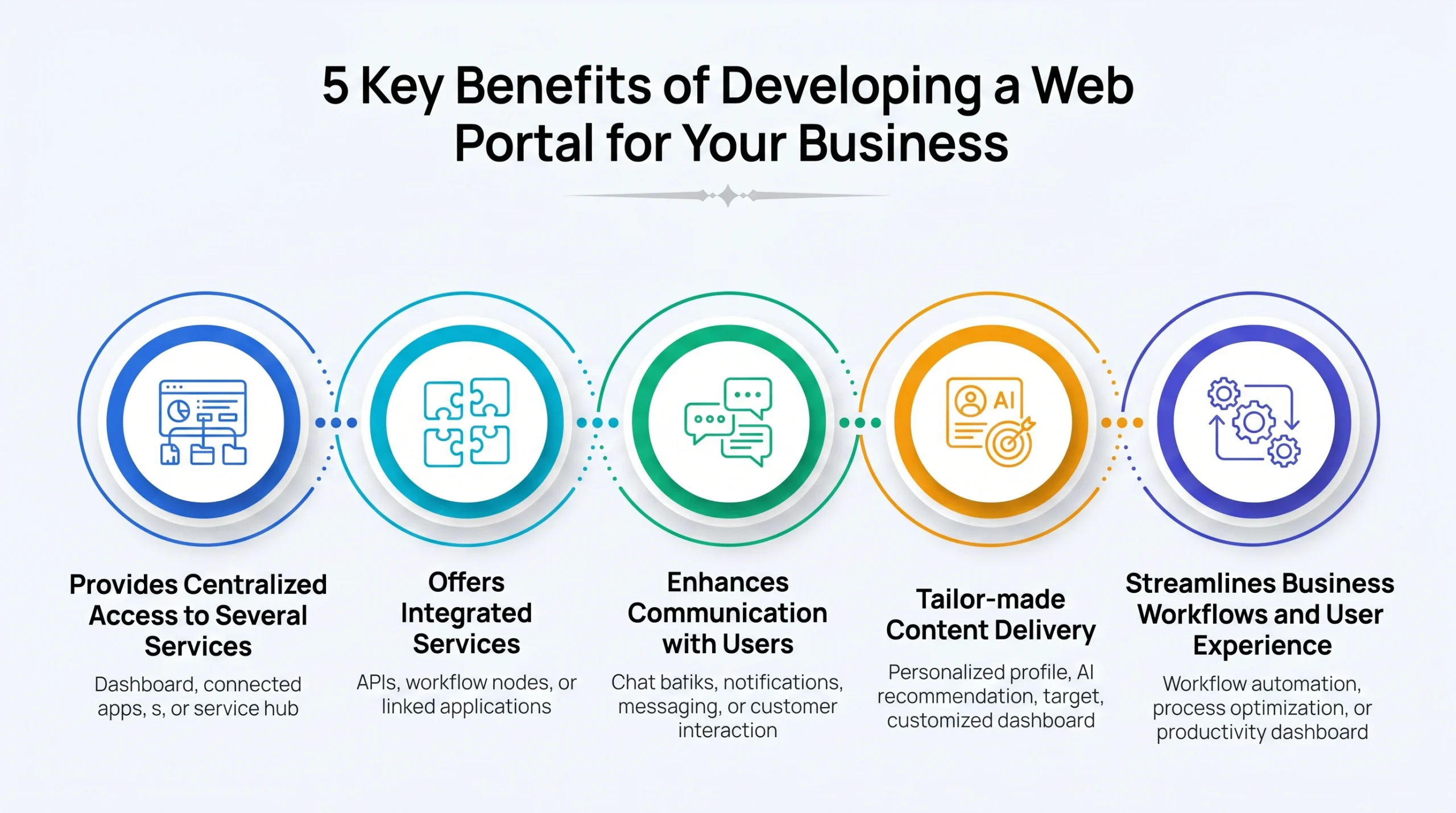
Here are the 5 key benefits of developing a web portal.
-
Provides Centralized Access to Several Services
Web portals provide users with a centralized hub where users access a wide array of services, tools, and resources. This integrated approach ensures convenience and efficiency, allowing users to fulfill various needs from a single entry point.
-
Offers Integrated Services
Web portals streamline user transitions between different functionalities without the need to navigate through multiple platforms. The core features of web portal platforms, such as single sign-on, role-based dashboards, and workflow automation, create this interconnectedness that enhances user experience and boosts productivity.
-
Enhances Communication with Users
With features like discussion boards, messaging systems, and collaborative tools, portals facilitate efficient interactions among users. This becomes especially important in vertical enterprise portals, customer portals, and B2B portals, where effective communication is integral to successful collaboration and seamless customer experiences.
-
Tailor-made Content Delivery
Through personalized databases and user-centric strategies, web portals ensure that users receive content tailored to their specific preferences and needs. This approach proves beneficial in delivering specialized expertise and information, especially in vertical web portals such as college portals, and tender and bidding portals, which cater to niche audiences.
-
Streamlines Business Workflows and User Experience
By centralizing resources and services, portals simplify processes, reduce redundancy, and ultimately enhance efficiency and user experience. This streamlined approach benefits both businesses and users, as tasks can be completed more seamlessly.
If you want to understand web portals, their benefits, and how they’re built, you can check this guide on web portal development. It covers everything from strategy and features to implementation.
However, after understanding the advantages of web portals, let’s proceed to the next section which discusses the benefits of developing a dynamic and interactive website.
Hire Web Developers Who Build High-Impact Portals
Work with senior web developers who design, build, and scale secure, user-centric portals that drive adoption, performance, and long-term business growth.
5 Key Benefits of Developing a Website for Your Business
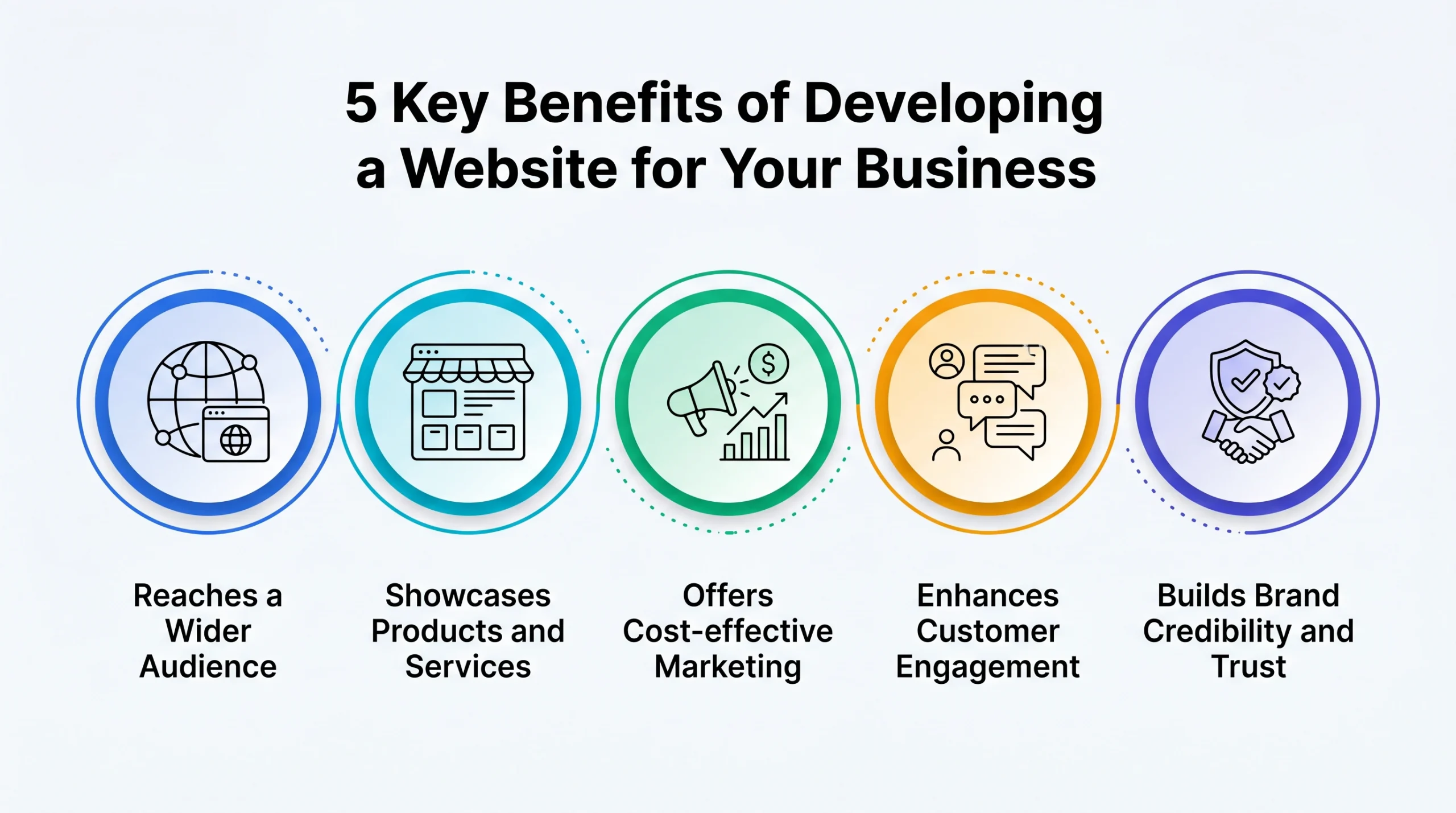
Here are the 5 key advantages of developing a website.
-
Reaches a Wider Audience
With the capability to reach a global audience, websites transcend geographical boundaries. Moreover, websites serve as virtual storefronts, enabling businesses to showcase their offerings to a diverse range of potential customers and attract significant web traffic.
-
Showcases Products and Services
Your website acts as a digital storefront where you can showcase your products or services in detail to your target audience. High-quality images, videos, and descriptions help customers within your target audience understand what you offer, leading to informed purchasing decisions.
-
Offers Cost-effective Marketing
Websites act as cost-effective marketing tools, allowing businesses to promote their products and services without the significant costs associated with traditional advertising methods. This holds for both static websites and interactive websites with engaging features.
-
Enhances Customer Engagement
Interactive features on websites facilitate meaningful customer interactions. Whether it’s through feedback forms, chatbots, or interactive elements, websites encourage engagement, fostering connections with users.
-
Builds Brand Credibility and Trust
A professionally designed website establishes your business as credible and trustworthy. It gives potential customers confidence by showcasing your brand story, customer testimonials, certifications, case studies, and contact information. A well-maintained website demonstrates professionalism and helps visitors trust your business before making an inquiry or purchase.
Have a Web Portal Idea? Let’s Validate It Together.
Validate your web portal idea with Space-O experts. Define scope, choose the right tech stack, and launch a secure, scalable portal faster with proven delivery.
Still Confused Between Web Portals and Websites?
Choosing between a web portal and a website comes down to your business goals, your audience, and the level of personalization and security you need. If you need a public platform to attract and inform visitors, build a website. If you need a secure, role-based platform for managing users, workflows, and data, invest in a web portal.
As a web portal development company with 15+ years of experience and 350+ web solutions delivered, Space-O Technologies has built custom portals across healthcare, education, eCommerce, and enterprise sectors. Whether you need a customer self-service portal, an employee HR portal, a B2B portal for partner collaboration, or a multi-vendor marketplace with a portal layer, our team can help.
We are also recognized among the top web portal development companies globally. Here are a few web portal projects we’ve delivered:
RaeCRM
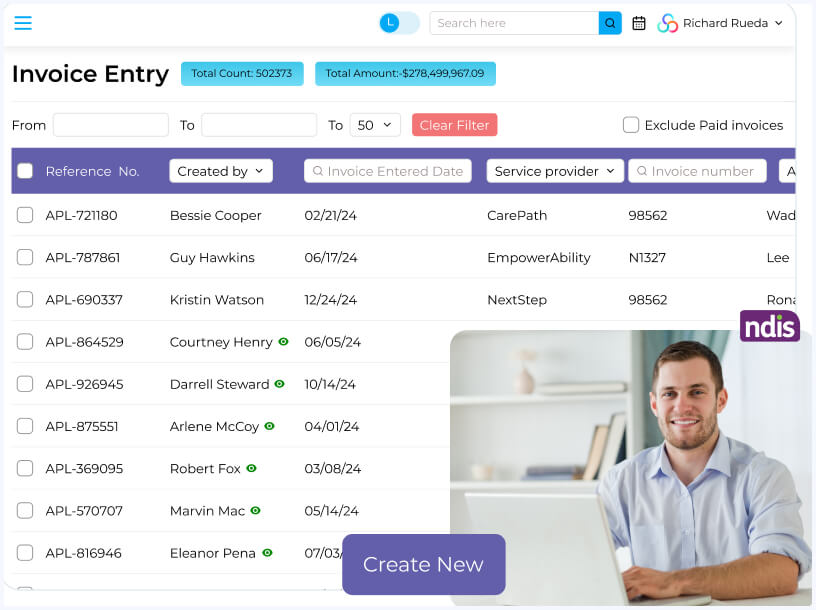
A fund management portal built for Australia’s NDIS ecosystem with role-based dashboards for participants, support coordinators, and service providers. Handles claims, invoices, budget tracking, and automated government submissions using Laravel and AWS.
GPT Vix
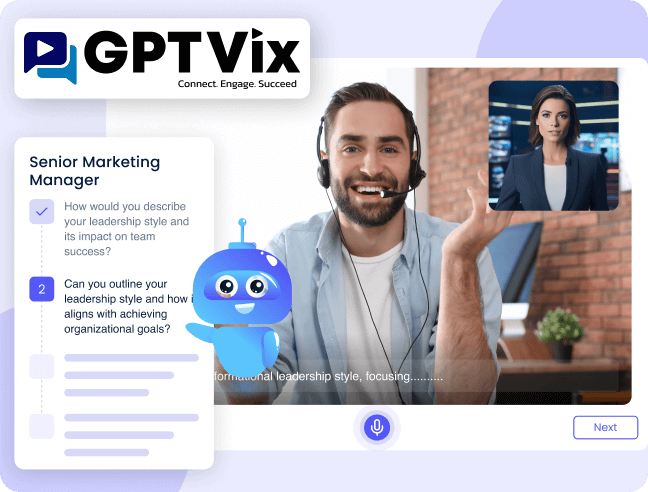
An AI recruitment portal that automates video interviews with ChatGPT-generated questions, Whisper-based speech analysis, and candidate scoring dashboards. Built with React, Node.js, and AWS Lambda for a US-based recruiting agency.
Fyule Video Lab
An EdTech learning portal serving 100K+ students across 150+ schools with video-based coursework, contest participation, and LMS admin dashboards. Built with Flutter and Laravel, backed by $1.4M in angel funding.

Looking for a reliable partner for your next project? Explore our web portal development services and get in touch with us to discuss your requirements. Book a free consultation and validate your web idea today.
Frequently Asked Questions
What is the difference between a website and a web portal?
The core difference between a website and a web portal is access and purpose. A website is a publicly accessible platform that delivers the same static content to every visitor without requiring login, built for brand visibility and lead generation. A web portal is a secure, login-based platform that delivers dynamic content, personalized dashboards, and role-based tools to authenticated users. To understand this difference between portal and website with example: Shopify.com is a website anyone can browse, while the Shopify Admin dashboard where merchants manage orders and inventory is a web portal.
Which is better for my business: a website or a web portal?
A website is better if your goal is public visibility, content publishing, and lead generation. A web portal is better if you need to manage users, automate workflows, or centralize data from systems like CRM, ERP, or HRMS. In most cases, the portal vs website decision is not either/or. Growing businesses benefit from both: a website for reaching a broad audience and a web portal for operations, customer self-service, or employee access.
Do web portals need login access?
Yes, login-based authentication is a defining feature of web portals. Unlike a website that is publicly accessible, a web portal requires every user to authenticate through credentials, multi-factor authentication (MFA), or single sign-on (SSO) before accessing any content. After login, role-based access control (RBAC) ensures each user only sees the data and tools assigned to their specific role and permissions.
Which is more secure: a website or a web portal?
A web portal is significantly more secure than a standard website. Core security features of web portal platforms include user authentication, role-based access control (RBAC), data encryption, MFA, single sign-on (SSO), and compliance with standards like GDPR and HIPAA. A website relies on basic protections like SSL and firewalls but does not enforce user-level access control or protect data behind authentication layers the way a portal does.
What is the cost difference between a website and a web portal?
A standard business website typically costs $5,000 to $25,000 with a 4 to 8 week timeline and $200 to $1,000 per month in maintenance. A custom web portal starts at $25,000 and can exceed $100,000 with a 12 to 20+ week timeline and $1,000 to $5,000+ per month in ongoing costs covering security patches, API integrations, and database maintenance. The portal and website difference in cost directly reflects the gap in backend complexity, user management, and integration requirements.
Can a website be converted into a portal?
Yes, but it typically requires a substantial rebuild rather than a simple upgrade. The difference between web portal and website architecture is fundamental, so converting a website into a portal involves adding user authentication, RBAC, database-driven personalization, API integrations with systems like CRM and ERP, and workflow automation. Most businesses retain their existing website for public-facing content and SEO while building a separate portal layer for authenticated, role-based operations.
What are the best use cases for a web portal?
The best use cases include customer portals for order tracking and support (e.g., Salesforce Community Cloud), employee and HR portals for payroll and onboarding (e.g., Workday), patient portals for medical records and appointments (e.g., Epic MyChart), educational portals for course management (e.g., Blackboard), and B2B portals for procurement and supply chain coordination. Depending on the audience, these portals function as intranets for internal teams or extranets for external stakeholders like vendors and clients.
Is a customer portal a type of website?
No, a customer portal is a type of web portal, not a website. The web portal meaning centers on providing authenticated users with personalized, role-based access to tools and data. A customer portal gives users a secure interface to track orders, submit support tickets, and manage account settings behind a login. While it may be accessed through a company’s website via a “Login” link, the portal itself operates as a separate authenticated platform with personalized dashboards, unlike a website that serves the same content to every visitor.
What type of platform do I need for employee access and internal data?
You need a web portal, specifically an employee or HR portal that provides authenticated, role-based access to internal tools like payroll, leave management, onboarding, and IT support. The difference between website and portal is critical here: a website is designed for public access and cannot support user authentication, RBAC, or integration with internal systems like ERP and HRMS that employee data access requires.
What are the benefits of building a web portal for users?
A web portal delivers five key benefits: centralized access to multiple services from a single platform, integrated services through API connections with CRM, ERP, and payment systems, enhanced two-way communication via messaging and collaboration tools, personalized content delivery based on user roles and permissions, and streamlined workflows that reduce manual processes and improve self-service functionality for both customers and employees.
How does personalization work in a web portal?
Personalization in a web portal works through user authentication, role-based access control (RBAC), and multi-source data aggregation. When a user logs in, the portal identifies their role and permissions, then dynamically loads only the relevant dashboards, tools, and workflows for that profile. For example, a finance manager sees budget reports while a team lead sees project dashboards. This dynamic content delivery, powered by real-time data from integrated systems like CRM and ERP, is what separates a web portal from a website that serves the same static content to every visitor.



 All our projects are secured by NDA




 4.8
4.8

