
 By
By 
Contents
Clinical documentation shapes the foundation of modern patient care. Every visit produces notes, diagnoses, prescriptions, and treatment plans that demand accurate recording. Yet many healthcare facilities still depend on outdated tools that slow down documentation. Inefficient charting steals valuable time that providers should spend with patients instead.
Medical charting software development solves this problem by creating purpose-built documentation platforms.
However, building an effective charting solution requires more than general software skills. Developers must navigate strict regulations, complex clinical workflows, and high usability standards.
This guide covers every essential aspect of medical charting software development in detail. With 15+ years of experience as a healthcare software development agency, we have shared insights on the core features, benefits, compliance needs, development steps, costs, and proven strategies for building medical charting systems.
What Is Medical Charting Software?
Medical charting software is a digital platform that helps clinicians document patient encounters electronically. It replaces paper charts with structured digital records for faster, more accurate documentation. Providers capture symptoms, diagnoses, medications, and care plans during each visit. The platform stores this data securely and makes it available across authorized care settings.
Modern charting tools go far beyond simple text entry into patient records. Voice recognition, template libraries, and auto-populated fields significantly accelerate the documentation process. Clinical decision support alerts flag drug interactions or missing information in real time. These intelligent features reduce errors and improve the overall quality of patient records.
Charting platforms often integrate with broader electronic health record ecosystems to enable seamless data flow. Lab results, imaging reports, and pharmacy information feed directly into the patient chart. This connectivity gives clinicians a unified view of each patient’s complete health history. A well-designed charting tool becomes the central hub for all clinical documentation needs.
Why Healthcare Providers Need Custom Medical Charting Solutions
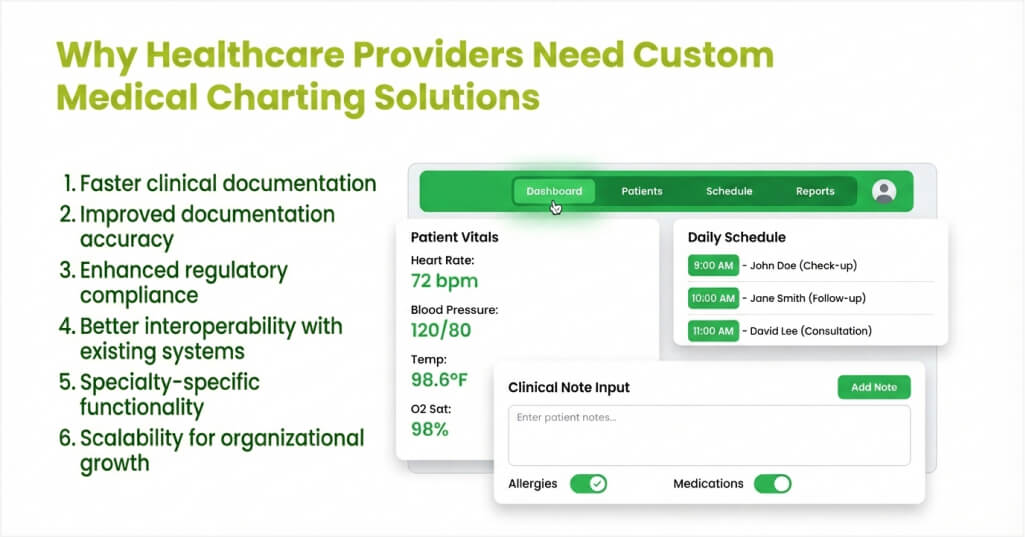
Generic charting tools rarely meet the unique demands of every medical specialty or practice. Off-the-shelf platforms force clinicians to adapt their workflows around rigid software limitations. Custom development creates solutions that align with how providers actually work each day. Building tailored charting tools delivers measurable returns across clinical and operational areas.
1. Faster clinical documentation
Custom charting tools precisely match specific specialty workflows and documentation patterns. Providers finish notes faster with templates tailored to their exact clinical needs. Smart defaults and auto-fill features remove repetitive data entry during patient encounters. Clinicians reclaim valuable time and redirect their focus toward direct patient care.
2. Improved documentation accuracy
Purpose-built platforms include validation rules that catch errors before records get saved. Required fields ensure providers capture all critical clinical information during every encounter. Built-in coding assistance helps clinicians select accurate diagnosis and procedure codes instantly. Higher accuracy reduces claim denials and improves overall patient outcomes.
3. Enhanced regulatory compliance
Custom platforms embed compliance requirements directly into the documentation workflow itself. HIPAA safeguards, audit trails, and access controls operate seamlessly within the application. Developers implement specific regulatory checks that generic charting tools often lack entirely. Proactive compliance features lower the risk of costly penalties and legal exposure.
4. Better interoperability with existing systems
Tailored charting solutions connect smoothly with the specific platforms each facility already uses. Custom APIs link charting tools to lab systems, pharmacies, billing engines, and imaging centers. This targeted connectivity eliminates data silos that fragment patient information across departments. Care teams access unified records without switching between multiple disconnected applications.
5. Specialty-specific functionality
Dermatologists, cardiologists, and pediatricians all document patient encounters in very different ways. Custom development creates specialty modules with relevant templates, forms, and data fields. These focused tools capture the precise clinical details each discipline demands for documentation. Generic platforms cannot match this level of specialization without extensive and costly modification.
6. Scalability for organizational growth
Custom solutions expand alongside growing healthcare practices and provider networks. Developers design architectures that handle increasing patient volumes and additional care locations. Modular designs let facilities add features without rebuilding the entire platform. This flexibility protects the initial investment and supports long-term strategic goals.
These advantages make a compelling case for providers to consider developing custom charting. The next step is understanding which features your charting platform must include.
Need Expert Medical Charting Software Development Support?
Access experienced healthcare development specialists who understand clinical workflows and compliance demands. Build a charting platform that works exactly how your providers need.

Core Features to Include in Medical Charting Software
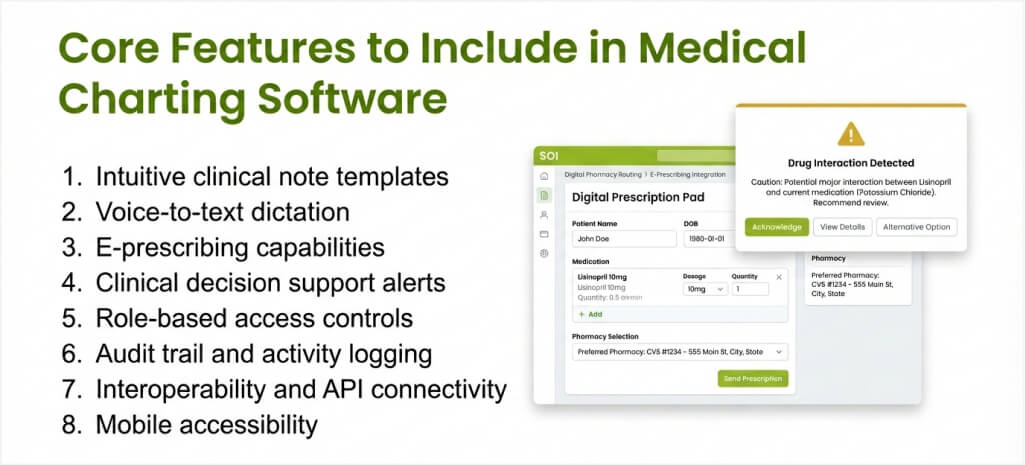
Feature selection determines how well your charting platform performs in real clinical environments. Every capability must serve a clear purpose that boosts documentation speed, accuracy, or usability. Prioritizing the right features from the start prevents costly redesigns after launch. Below are the essential capabilities every medical charting solution should deliver.
1. Intuitive clinical note templates
Pre-built templates accelerate documentation by offering structured formats for common encounter types. Providers personalize templates to match their specialty and documentation preferences with ease. SOAP notes, progress notes, and procedure notes each require a distinct template design. Flexible templates save significant time without sacrificing the thoroughness or quality of documentation.
2. Voice-to-text dictation
Speech recognition lets clinicians dictate notes naturally instead of typing during patient visits. Modern AI engines convert spoken words into structured clinical text with high accuracy. This feature significantly reduces the documentation burden for providers who treat many patients. Voice input works especially well for lengthy narrative notes and surgical summaries.
3. E-prescribing capabilities
Built-in prescription management allows providers to send orders directly to pharmacies electronically. The system checks for drug interactions, allergies, and formulary coverage before transmitting orders. Patients receive medications faster, and pharmacies eliminate errors from handwritten scripts. This capability streamlines medication management across the complete care cycle.
4. Clinical decision support alerts
Automated alerts notify clinicians about potential issues during the documentation process instantly. Drug interaction warnings, allergy notifications, and preventive care reminders appear at the right times. These prompts help providers make safer, better-informed decisions at the point of care. Effective alerts improve outcomes without disrupting the natural documentation flow.
5. Role-based access controls
Granular permissions restrict data visibility based on each user’s clinical role and responsibilities. Physicians, nurses, and administrative staff view only the information relevant to their tasks. This security layer protects patient privacy and satisfies HIPAA access control requirements. Administrators configure access levels without requiring code changes or developer involvement.
6. Audit trail and activity logging
Comprehensive logs automatically record every action users perform within the charting platform. These records track who accessed, modified, or shared patient information and exactly when. Audit trails satisfy regulatory requirements and support internal compliance investigations when needed. Detailed logging also helps identify workflow bottlenecks and unusual usage patterns.
7. Interoperability and API connectivity
Open APIs enable the charting platform to exchange data seamlessly with external healthcare systems. FHIR and HL7 standards ensure compatibility with labs, pharmacies, imaging centers, and billing platforms. Bidirectional data flow keeps patient records up to date across all connected applications simultaneously. Strong interoperability transforms standalone charting tools into integrated clinical ecosystems.
8. Mobile accessibility
Responsive interfaces let providers document patient encounters from tablets and smartphones anywhere. Mobile access supports clinicians who work across multiple locations or deliver bedside care. Offline capabilities ensure documentation continues even when network connectivity drops temporarily. Mobile-friendly designs improve provider satisfaction and increase documentation completion rates.
These features form the foundation of any effective medical charting platform built today. Your specific requirements may demand additional capabilities based on specialty and organizational needs.
Searching for a Reliable Medical Charting Development Partner?
Collaborate with dedicated healthcare development experts vetted for compliance and performance. Build your clinical documentation platform without the complexity of in-house hiring.
Step-by-Step Medical Charting Software Development Process
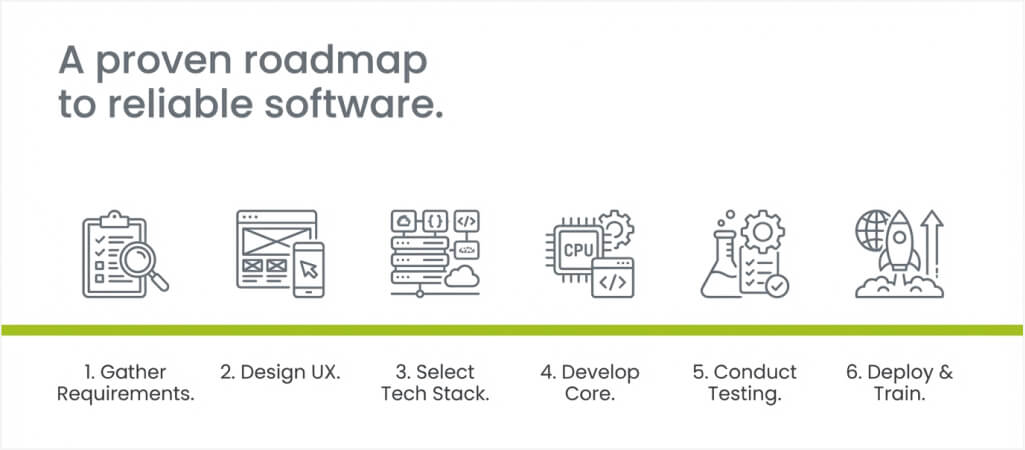
A structured development approach ensures your charting platform meets clinical and compliance standards. Each phase addresses specific technical and operational requirements in logical sequence. Following this process reduces risk and keeps the project consistently on schedule.
Step 1: Gather requirements and define objectives
Start by interviewing clinicians, administrators, and IT staff about their documentation challenges. Identify specific pain points with current charting tools and workflows across all departments. Document functional requirements, compliance needs, and integration priorities in a detailed specification. Clear requirements prevent scope changes that derail timelines during active development cycles.
Step 2: Design the user experience and interface
Create wireframes and prototypes that mirror actual clinical documentation workflows precisely. Prioritize simplicity and speed, as clinicians cannot afford slow or confusing interfaces. Test designs with real providers to gather feedback before writing any production code. Iterative design sessions ensure the final product accurately matches clinical expectations.
Step 3: Select the technology stack
Choose frameworks, databases, and hosting platforms that fully support healthcare compliance requirements. Cloud infrastructure offers scalability, but teams must first verify HIPAA compliance certifications. Choose programming languages and tools your development team knows well to improve efficiency. Technology decisions at this stage affect performance, security, and long-term maintenance costs.
Step 4: Develop core functionality and integrations
Build the charting engine, template system, and user management modules to form the platform’s foundation. Add interoperability layers using FHIR and HL7 protocols to connect with external systems. Implement security controls, encryption, and access restrictions throughout the entire codebase from day one. Follow agile development practices to deliver working features in regular, testable increments.
Step 5: Conduct thorough testing and validation
Execute functional, performance, and security testing across all platform components systematically. Verify that clinical workflows operate correctly under realistic usage conditions and data volumes. Involve actual providers in user acceptance testing to catch usability issues before launch.
Step 6: Deploy, train users, and maintain continuously
Launch the platform with dedicated support staff ready to resolve issues right away. Provide comprehensive training programs that help clinicians adopt the new tool confidently. Monitor system performance, error rates, and user feedback closely during the initial weeks. Establish ongoing maintenance routines to keep the software secure, up to date, and running smoothly.
A structured development process protects your investment and delivers a reliable clinical tool. Proper planning and execution turn development projects into lasting competitive advantages.
Planning a Medical Charting Software Project?
Work with Space-O Technologies to design a solution tailored to your clinical environment. Get expert guidance from planning through post-launch support.
Compliance and Security Standards for Medical Charting Platforms
Healthcare software must meet strict regulatory requirements to protect patient information effectively. Non-compliance exposes organizations to severe financial penalties and reputational harm. Building compliance into the development process from the start costs far less than retrofitting. Below are the critical standards every charting platform must address before launch.
HIPAA Privacy and Security Rules
HIPAA establishes baseline requirements for protecting electronic protected health information across platforms. The Privacy Rule governs how providers use and disclose patient data in all operations. The Security Rule mandates specific administrative, physical, and technical safeguards for digital records. Every charting platform must implement these protections before processing any patient data.
Encryption and data protection
All patient data must stay encrypted both during transmission and while stored on servers. AES-256 encryption is the industry standard for securing health information at rest today. TLS protocols protect data moving between the charting platform and connected external systems. Strong encryption prevents unauthorized access even if attackers breach other security layers.
Access controls and authentication
Multi-factor authentication verifies user identities before granting access to any patient records. Role-based permissions ensure each user views only the data relevant to their responsibilities. Session timeouts automatically log users out after periods of inactivity for added protection. These controls satisfy HIPAA requirements and reduce the risk of internal data exposure.
Audit trails and monitoring
Detailed logs must record every interaction with patient data within the charting platform. Facilities need these records for compliance reporting and internal security investigations alike. Automated monitoring detects unusual access patterns that could signal a potential security breach. Proactive alerting helps security teams respond to threats before significant damage occurs.
Business Associate Agreements
Any third-party vendor handling patient data must sign a formal Business Associate Agreement. These contracts define security responsibilities and liability for data protection between both parties. Cloud hosting providers, integration partners, and analytics vendors all require signed agreements. Missing BAAs create significant compliance gaps that auditors consistently flag during regulatory reviews.
Strong compliance architecture protects patients, providers, and the entire organization from serious risks. A compliance-first approach builds trust with users and positions the platform for long-term success.
Common Challenges in Medical Charting Software Development and Solutions
Building clinical documentation tools presents unique obstacles that general software projects rarely encounter. Anticipating these challenges allows development teams to prepare effective solutions early on. Below are the most frequent issues along with proven strategies for overcoming them.
Challenge 1: Balancing usability with comprehensive documentation
Clinicians want fast, simple interfaces, but regulations demand thorough record-keeping at all times. Overloading screens with required fields frustrates providers and slows down patient visits. Development teams must design interfaces that capture complete data without feeling burdensome to users.
How to overcome this challenge
- Use smart defaults and auto-population to reduce manual input during clinical encounters.
- Apply progressive disclosure to show additional fields only when they are clinically relevant.
- Conduct usability testing with actual clinicians throughout every design and development phase.
- Gather continuous feedback from providers and refine interfaces based on real-world workflow observations.
Challenge 2: Achieving reliable interoperability
Connecting charting tools to diverse external platforms introduces significant technical complexity. Different systems use varying data formats, protocols, and clinical terminology standards. Failed integrations create data gaps that undermine the charting platform’s core value entirely.
How to overcome this challenge
- Adopt FHIR and HL7 standards from the start to ensure broad compatibility across systems.
- Build a modular integration layer that accommodates new connections without major code changes.
- Test all integration endpoints rigorously before deploying them into production environments.
- Partner with experienced healthcare developers who have a proven track record of interoperability.
Challenge 3: Managing evolving regulatory requirements
Healthcare regulations change frequently, and platforms must adapt quickly to remain fully compliant. New HIPAA rules, certification criteria, and interoperability mandates require ongoing software updates. Falling behind on compliance creates serious legal and financial risks for providers.
How to overcome this challenge
- Design flexible architectures that enable rapid configuration changes without major redevelopment.
- Monitor regulatory updates actively and maintain a compliance roadmap for planned improvements.
- Build automated compliance checks into the platform that flag issues before they become violations.
- Assign dedicated compliance resources to track regulatory changes across federal and state levels.
Challenge 4: Ensuring adoption among clinical staff
Even well-built software fails if clinicians resist using it in their daily documentation workflows. Poor training, unfamiliar interfaces, and workflow disruptions all contribute to low adoption rates. Development teams must prioritize user experience to drive consistent engagement from providers.
How to overcome this challenge
- Involve clinical staff in every development phase, from requirements gathering through final testing.
- Provide hands-on training sessions and responsive support to address concerns quickly after launch.
- Designate clinical champions within each department to encourage adoption among their peers.
- Collect usage analytics and feedback regularly to identify and resolve adoption barriers early.
These obstacles are manageable with proper planning and the right development partner by your side. Investing in solutions early prevents costly fixes and delays during later project stages.
Facing Medical Charting Development Challenges?
Our experienced teams deliver reliable, HIPAA-compliant charting solutions on time and within budget. Leverage our proven processes and technical expertise to move your project forward.
How Much Does Medical Charting Software Development Cost?
Development costs depend significantly on project complexity, feature scope, and compliance requirements. Simple charting tools for small practices cost far less than enterprise platforms with advanced capabilities. Understanding the key cost drivers helps organizations plan their budgets accurately before starting.
Key cost drivers
- Feature complexity: Advanced capabilities such as voice dictation and AI alerts increase development effort.
- Compliance requirements: HIPAA safeguards, encryption, and audit systems add to the total project investment.
- Integration scope: Connecting with labs, pharmacies, and billing platforms requires additional development resources.
- Platform coverage: Supporting web, mobile, and tablet interfaces multiplies design and testing costs.
- Data migration needs: Transferring records from legacy systems requires careful planning and validation.
Estimated cost ranges
| Project Scope | Estimated Cost Range | Timeline |
|---|---|---|
| Basic charting platform (single specialty) | $40,000 to $100,000 | 8 to 16 weeks |
| Multi-specialty charting solution | $100,000 to $300,000 | 16 to 32 weeks |
| Enterprise charting platform with full integrations | $300,000 to $600,000+ | 32 to 52 weeks |
| Legacy system modernization and migration | $150,000 to $400,000 | 16 to 40 weeks |
Facilities that invest in proper planning and phased development incur lower overall control costs. Partnering with experienced healthcare developers prevents budget overruns and ensures consistent quality.
Partner with Space-O Technologies for Medical Charting Software Development
Developing medical charting software requires specialized knowledge of healthcare workflows, regulatory compliance, and modern technology. The right platform turns clinical documentation from an everyday challenge into an efficient, streamlined process. A custom-built solution works the way your providers do and delivers real, measurable improvements in productivity. Achieving this requires a development partner with expertise in both the technical and clinical aspects.
Space-O Technologies is a trusted software development company that builds custom healthcare solutions for organizations of all sizes. Our skilled teams bring proven expertise in HIPAA compliance, FHIR integration, and clinical workflow design. We work with hospitals, clinics, and healthtech companies to create charting platforms that providers actually want to use. From initial requirements gathering to deployment and long-term support, we deliver dependable results every step of the way.
Our healthcare technology specialists work hand in hand with your clinical teams to fully understand your documentation requirements. We identify the right architecture, design user-friendly interfaces, and develop platforms that perform consistently under real-world conditions. This methodology helps lower implementation costs and reduce long-term maintenance overhead for your facility. Talk to our specialists and start building your medical charting platform with confidence today.
FAQs on Medical Charting Software Development
1. What is medical charting software?
Medical charting software is a digital tool that helps clinicians document patient encounters electronically. It captures symptoms, diagnoses, medications, and treatment plans in structured digital records. These platforms replace paper charts and significantly improve documentation speed, accuracy, and accessibility. Modern charting tools also integrate with other healthcare systems for seamless data sharing.
2. How long does it take to develop medical charting software?
Development timelines depend entirely on feature scope, compliance needs, and integration complexity. Basic single-specialty platforms typically require 8 to 16 weeks of focused development work. Enterprise solutions with full integrations may take 32 to 52 weeks to complete. Thorough planning and phased delivery help keep projects on schedule and within budget.
3. What compliance standards must medical charting software meet?
HIPAA Privacy and Security Rules are the primary regulatory requirements for any healthcare platform. Developers must implement encryption, access controls, audit trails, and secure data storage throughout the system. Additional standards, such as FHIR and HL7, apply when the platform exchanges data externally. Compliance should be embedded into the development process from the earliest design phases.
4. How much does medical charting software development cost?
Costs range from $40,000 for basic platforms to $600,000 or more for enterprise solutions. Major cost drivers include feature complexity, integration scope, and regulatory compliance requirements. Partnering with experienced healthcare developers helps control spending while maintaining high quality. Phased development approaches allow facilities to spread investment across manageable project stages.
5. What features are essential in medical charting software?
Key features include clinical note templates, voice dictation, e-prescribing, and decision support alerts. Role-based access controls and audit trails ensure security and regulatory compliance across the platform. Interoperability through FHIR and HL7 enables data exchange with labs, pharmacies, and billing systems. Mobile accessibility allows providers to document encounters from any location or device.



 All our projects are secured by NDA




 4.8
4.8

