
 By
By 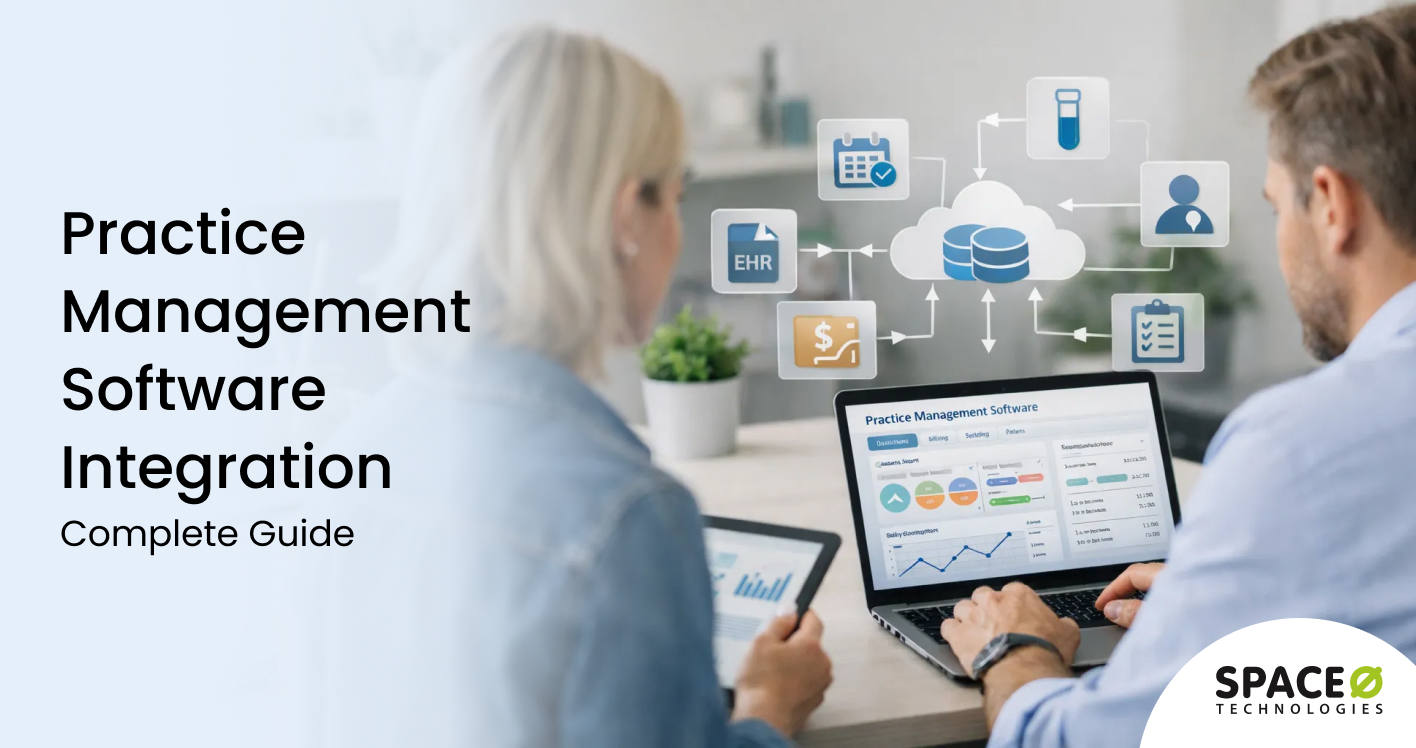
Contents
Healthcare organizations rely on multiple digital systems to manage appointments, billing, patient records, labs, and insurance workflows. When these systems operate in isolation, data silos, manual workarounds, and process delays become unavoidable. Practice management software integration plays a critical role in connecting these systems and enabling seamless data flow across healthcare operations.
Healthcare practice management software integration focuses on linking PMS platforms with EHR systems, billing and clearinghouse tools, laboratory systems, payment gateways, and third-party healthcare applications. Effective integration improves operational efficiency, reduces errors, enhances compliance, and ensures staff have real-time access to accurate data across the care and revenue cycle.
Partnering with an experienced healthcare practice management software development firm ensures these integrations are architected correctly from the start. A specialized development firm brings expertise in HL7, FHIR, and other healthcare interoperability standards, implements secure API connections, and designs integration workflows that maintain data integrity while enabling seamless information exchange across your entire healthcare technology ecosystem.
In this guide, we explore healthcare practice management software integration in detail, including integration types, common challenges, interoperability standards, and best practices. Get insights on how to integrate your medical PMS based on our expertise as a trusted healthcare PMS development company to improve system connectivity.
What is Practice Management Software Integration?
Practice management software integration refers to connecting your core PMS with other healthcare systems, third-party applications, and external platforms. These integrations enable automatic data exchange between systems, eliminating manual data entry and creating unified workflows across your entire practice.
Modern integrations rely on APIs (Application Programming Interfaces) that allow different software systems to communicate in real time. When a patient schedules an appointment through your online portal, the integration automatically updates your scheduling system, triggers confirmation messages, and prepares relevant records for the visit.
Healthcare system interoperability has become essential as practices adopt more specialized tools. The average healthcare organization now uses 15-20 different software applications in their practice management software development ecosystem. Without integration, each system operates in isolation, creating data silos that slow operations and increase error rates.
Benefits of Practice Management Software Integration
Integrating your practice management software delivers measurable improvements across every aspect of healthcare operations. These benefits compound over time as connected systems learn to work together more efficiently.
1. Eliminate manual data entry and reduce errors
Integration automates data transfer between systems, removing the need for staff to manually input information multiple times. Patient demographics entered once flow automatically to billing, scheduling, and clinical systems. This automation reduces transcription errors that lead to claim denials and patient safety issues.
2. Accelerate revenue cycle management
Connected billing systems submit claims faster and with fewer errors. When clinical documentation flows directly to billing software, charge capture improves significantly. Practices report 15-25% faster payment cycles after implementing comprehensive billing integrations.
3. Improve patient experience and satisfaction
Patients interact with multiple touchpoints during their healthcare journey. Integrated systems ensure consistent information across patient portals, appointment reminders, and communication channels. Patients no longer need to repeat information already provided, creating a smoother experience.
4. Enable real-time clinical decision support
When EHR data flows to practice management systems in real time, staff gain complete patient visibility during scheduling and check-in. They can see relevant clinical information, flag care gaps, and ensure appropriate visit preparation. This coordination improves care quality.
5. Streamline staff workflows and productivity
Staff members stop wasting time logging into multiple systems and copying data between screens. Integrated workflows consolidate common tasks into a single interface. Practices typically recover 1-2 hours per staff member daily through effective integration.
6. Enhance reporting and business intelligence
Disconnected systems produce fragmented reports that require manual consolidation. Integrated data flows into unified analytics platforms, providing comprehensive visibility into practice performance. Leaders make better decisions based on complete, accurate information.
7. Support compliance and audit readiness
Automated data exchange creates consistent audit trails across all systems. When information flows through defined integration pathways, compliance can be demonstrated more easily. Security controls apply uniformly rather than requiring separate protection for each system.
Need Help Integrating Your Practice Management Software?
Connect your healthcare systems with expert integration services from Space-O Technologies. We build secure, HIPAA-compliant integrations that streamline your operations and reduce administrative burden.

Essential Practice Management Software Integrations
Not all integrations deliver equal value when considering the cost to build healthcare practice management software. Focus your integration efforts on connections that directly impact operational efficiency, revenue, and patient care. These essential integrations form the foundation of a connected healthcare practice.
1. PMS EHR integration
Electronic health record software integration represents the most critical connection for clinical practices. This integration synchronizes patient demographics, appointment information, and clinical documentation between systems.
Key capabilities
- Bidirectional patient demographic synchronization
- Appointment status updates are flowing to clinical workflows
- Insurance eligibility is verified before the patient encounters
- Clinical notes accessible during administrative tasks
Impact: Practices with tight PMS-EHR integration report 40% fewer documentation errors and 25% faster patient check-in times.
2. Billing and revenue cycle integration
Connecting practice management to billing software accelerates the entire revenue cycle. Charges flow automatically from encounters to claims, reducing lag time and improving accuracy.
Key capabilities
- Automatic charge capture from clinical encounters
- Real-time eligibility verification
- Claim scrubbing before submission
- Payment posting and reconciliation
- Denial management workflow integration
Impact: According to Experian Health, 41% of healthcare providers report denial rates exceeding 10%. Integrated billing systems reduce denials by catching errors before submission.
3. Patient portal and engagement integration
Patient-facing tools must connect seamlessly to backend systems. Portal integrations enable self-service scheduling, secure messaging, and online payments.
Key capabilities
- Online appointment scheduling with real-time availability
- Secure patient-provider messaging
- Digital intake forms populating the PMS
- Online bill pay and payment plans
- Lab results and document sharing
Impact: Practices with integrated patient portals see 35% higher patient engagement and reduced phone call volume.
4. Laboratory and diagnostic integration
Lab integrations streamline order entry and result delivery. Instead of faxing orders and manually entering results, connected systems handle this electronically.
Key capabilities
- Electronic lab order submission
- Automatic result delivery to patient records
- Critical value alerting
- Historical result trending
Impact: Electronic lab integration reduces result turnaround time from days to hours.
5. Pharmacy and e-prescribing integration
E-prescribing integration enables electronic prescription transmission while checking for drug interactions and insurance formulary compliance.
Key capabilities
- Electronic prescription transmission
- Real-time drug interaction checking
- Formulary verification
- Prescription history access
- Controlled substance prescribing (EPCS)
Impact: E-prescribing reduces medication errors by up to 70% compared to handwritten prescriptions.
6. Scheduling and calendar integration
Calendar integrations synchronize provider availability across platforms, preventing double-booking and enabling efficient appointment management.
Key capabilities
- Provider calendar synchronization
- Multi-location scheduling coordination
- Resource and equipment booking
- Waitlist management automation
- Appointment reminder integration
Impact: Integrated scheduling reduces no-show rates by 20-30% through automated reminders.
Looking to Connect Your Healthcare Systems?
Work with Space-O Technologies to build custom PMS integrations using HL7 FHIR standards. Our healthcare software development team has 15+ years of experience building HIPAA-compliant solutions.
Types of Practice Management Software Integration Approaches
Different integration methods suit different scenarios. Understanding these approaches helps you choose the right strategy for each connection.
| Approach | Best For | Complexity | Flexibility | Maintenance |
| Native/Built-in Integration | Connecting products from the same vendor | Low | Limited to vendor capabilities | Vendor managed |
| API-Based Integration | Real-time data exchange with modern systems | Medium-High | Highly customizable | Requires development resources |
| HL7/FHIR Integration | Healthcare-specific data exchange standards | Medium | Standardized but requires mapping | Industry standard updates |
| Integration Platform (iPaaS) | Connecting multiple cloud applications | Medium | Pre-built connectors available | Platform subscription |
| Custom Middleware | Complex legacy system connections | High | Unlimited flexibility | Significant ongoing maintenance |
1. Native/Built-in integrations
Vendor-provided integrations connect products within the same ecosystem. When you purchase add-on modules from your PMS vendor, they typically include built-in integrations.
- Advantages: These integrations work immediately without custom development. The vendor handles updates and compatibility.
- Limitations: You’re limited to the vendor’s ecosystem and their integration priorities. These connections may lack depth for complex workflows.
2. API-based integrations
Modern APIs enable real-time, bidirectional data exchange between systems. RESTful APIs have become the standard for healthcare software integration.
- Advantages: APIs offer flexibility to build exactly the integration you need. They support real-time synchronization and complex business logic.
- Limitations: API integrations require development expertise. You must manage API versioning and handle changes when vendors update their interfaces.
3. HL7 FHIR integrations
HL7 FHIR (Fast Healthcare Interoperability Resources) represents the modern standard for healthcare data exchange. FHIR uses web standards such as JSON and REST, making integration easier.
- Advantages: FHIR provides standardized data formats across vendors. It’s becoming mandatory for certain use cases under healthcare regulations.
- Limitations: Not all vendors fully support FHIR yet. Complex clinical data may require extensive mapping to FHIR resources.
4. Integration platforms (iPaaS)
Integration Platform as a Service solutions provide pre-built connectors and visual workflow builders for connecting applications.
- Advantages: iPaaS reduces development time with existing connectors. Visual tools enable faster modifications.
- Limitations: Platform fees add ongoing costs. Complex healthcare integrations may exceed platform capabilities.
5. Custom middleware
Middleware solutions handle data transformation and routing between systems with incompatible interfaces.
- Advantages: Middleware can connect virtually any systems regardless of their native capabilities.
- Limitations: Custom middleware requires significant development and maintenance investment. It can become a single point of failure.
Key Integration Standards in Healthcare
Healthcare integrations must follow specific standards to ensure data accuracy, security, and regulatory compliance. Understanding these standards helps you evaluate integration solutions.
1. HL7 Version 2.x
HL7 v2 remains the most widely deployed healthcare messaging standard. Most legacy systems communicate using HL7 v2 messages for admissions, orders, and results.
- Use cases: Lab orders and results, ADT (Admit, Discharge, Transfer) messages, patient registration updates.
- Considerations: HL7 v2 allows significant customization, meaning no two implementations are identical. Integration requires careful message mapping.
2. HL7 FHIR (Fast Healthcare Interoperability Resources)
FHIR represents the next generation of healthcare interoperability standards. It uses modern web technologies and standardized resource definitions.
- Use cases: Patient access applications, provider directory services, clinical data exchange, payer-provider interactions.
- Considerations: FHIR adoption is growing rapidly due to regulatory requirements. The 21st Century Cures Act mandates the use of FHIR APIs for certified health IT.
3. X12 EDI
Electronic Data Interchange standards govern administrative transactions such as claims, eligibility, and payments.
- Use cases: Claims submission (837), eligibility verification (270/271), remittance advice (835), prior authorization.
- Considerations: EDI transactions require specific formatting and connections to clearinghouses. Errors in formatting cause claim rejections.
4. DICOM
Digital Imaging and Communications in Medicine standards govern medical imaging data exchange.
- Use cases: Radiology image transfer, PACS integration, imaging order management.
- Considerations: DICOM integration requires specialized expertise due to large file sizes and complex metadata.
5. NCPDP SCRIPT
National Council for Prescription Drug Programs standards govern e-prescribing communications.
- Use cases: Electronic prescriptions, prescription history requests, medication history.
- Considerations: SCRIPT standards are mandatory for e-prescribing. EPCS (Electronic Prescribing for Controlled Substances) adds additional security requirements.
Common Challenges in Practice Management Software Integration
Even well-planned integration projects encounter obstacles. Anticipating these challenges enables proactive solutions rather than reactive troubleshooting.
Challenge 1: Data format and mapping inconsistencies
Different systems store similar information in different formats. Patient names might be stored as “First Last” in one system and “Last, First” in another. Mapping these differences requires careful analysis.
How to overcome this challenge
- Document data formats in both systems before integration design
- Create comprehensive mapping specifications covering all fields
- Build data transformation rules that handle edge cases
- Implement validation checking to catch mapping errors
- Plan for ongoing mapping updates as systems change
Challenge 2: Legacy system limitations
Older practice management systems may lack modern API capabilities. They might support only file-based exports or proprietary interfaces that require specialized knowledge.
How to overcome this challenge
- Assess legacy system capabilities early in project planning
- Consider middleware solutions that bridge old and new technologies
- Evaluate whether practice management legacy system modernization makes more sense than integration
- Work with vendors who have experience connecting similar legacy systems
- Plan longer timelines for legacy integration projects
Challenge 3: HIPAA and security compliance
Healthcare integrations must protect patient data throughout transmission and storage. Each integration point becomes a potential security vulnerability that requires protection.
How to overcome this challenge
- Encrypt all data in transit using TLS 1.2 or higher
- Implement proper authentication and authorization for API access
- Log all data access for audit purposes
- Conduct security assessments before production deployment
- Include security requirements in vendor agreements
Challenge 4: Vendor cooperation and support
Integration requires cooperation from multiple software vendors. Not all vendors prioritize integration support or maintain adequate documentation.
How to overcome this challenge
- Evaluate vendor integration support before purchasing software
- Negotiate integration support in vendor contracts
- Document APIs and get written confirmation of stability commitments
- Build relationships with vendor technical teams
- Plan contingencies for vendors who don’t provide adequate support
Challenge 5: Performance and scalability issues
Integrations that work fine in testing may struggle under production load. Real-time synchronization between busy systems requires careful performance planning.
How to overcome this challenge
- Load test integrations with realistic data volumes
- Implement queuing for high-volume transactions
- Design for horizontal scalability from the beginning
- Monitor integration performance continuously
- Plan capacity for peak periods like Monday mornings
Challenge 6: Maintaining integrations over time
Software updates on either side of an integration can break functionality. Ongoing maintenance requires dedicated attention and resources.
How to overcome this challenge
- Establish change notification processes with all vendors
- Create staging environments for testing updates
- Document all integration configurations thoroughly
- Build monitoring that alerts on integration failures
- Budget ongoing resources for integration maintenance
Get Expert Integration Support From Space-O Technologies
Work with Space-O Technologies to build secure, scalable practice management integrations tailored to your specific requirements. Our team has delivered 300+ software solutions.
Best Practices for Successful PMS Integration
Following proven practices dramatically increases integration success rates. Implement these guidelines from project inception.
1. Start with a comprehensive integration assessment
Document all systems, data flows, and business processes before designing integrations. Map current manual processes that integration will automate. Identify data quality issues that must be resolved before integration.
Create a detailed inventory of every system touchpoint, the data exchanged, and the business rules governing that exchange. This assessment prevents surprises during implementation.
2. Define clear integration requirements and success metrics
Specify exactly what data must flow between systems, in what direction, and how frequently. Document business rules for data transformation. Define success metrics like error rates, processing times, and user satisfaction.
Vague requirements lead to integrations that technically work but don’t meet business needs. Invest time upfront in detailed specifications.
3. Prioritize integrations by business impact
Not all integrations deliver equal value. Rank potential integrations by their impact on revenue, efficiency, and patient care. Start with high-impact integrations that demonstrate quick wins.
Build momentum with successful initial integrations before tackling more complex connections. Quick wins build organizational confidence.
4. Design for security and compliance from the start
Build HIPAA compliance into integration architecture rather than adding it later. Implement role-based access controls, encryption, and audit logging as core requirements. Document security measures for compliance audits.
Security retrofitting is expensive and often incomplete. Design secure integrations from the beginning.
5. Implement robust error handling and monitoring
Integrations fail. Networks drop. APIs timeout. Systems return unexpected data. Build comprehensive error handling that gracefully manages failures without data loss.
Implement monitoring that alerts appropriate staff when integrations encounter problems. Include enough detail for efficient troubleshooting.
6. Plan for testing across multiple environments
Create development, testing, and staging environments that mirror production. Test integrations with realistic data volumes and scenarios. Conduct user acceptance testing with actual staff members.
Integrations that work in isolation often fail when combined with real-world workflows. Thorough testing prevents production surprises.
7. Document everything thoroughly
Create comprehensive documentation covering integration architecture, configuration, data mappings, and troubleshooting procedures. Update documentation when changes occur.
Future staff members will need to understand and maintain these integrations. Documentation enables knowledge transfer.
Hire Our Integration Experts to Connect Your Healthcare PMS with External Systems
Practice management software integration transforms disconnected healthcare operations into unified, efficient workflows. The right integrations reduce administrative burden, accelerate revenue cycles, improve patient experiences, and enable better clinical care. Organizations that master integration gain significant competitive advantages.
Success requires careful planning, proven expertise, and ongoing attention. Integration is not simply a technology project but a business transformation that touches every aspect of practice operations. Choosing the right approach and partners determines whether integration delivers its full potential.
Space-O Technologies specializes in healthcare software development with deep expertise in practice management integration. Our team has built platforms like MedCall WorkComp, serving 20,000+ companies with seamless connections to healthcare systems. We understand the technical requirements and regulatory considerations that make healthcare integration challenging.
With 15+ years of experience, 300+ software solutions delivered, and ISO 27001 certification for information security, we bring proven capabilities to your integration project. Our software development consulting services help you plan integration strategies while our development teams execute with precision.
Contact Space-O Technologies today to discuss your practice management integration requirements and discover how connected systems can transform your healthcare operations.
FAQs on Practice Management Software Integration
What is the difference between PMS and EHR integration?
Practice management software handles administrative and business functions, such as scheduling, billing, and patient registration. Electronic health records manage clinical documentation, diagnoses, and treatment plans. PMS EHR integration connects these systems so that administrative and clinical workflows share data seamlessly, reducing duplicate entry and improving care coordination.
How long does a typical practice management integration take?
Integration timelines vary based on complexity. Simple two-system integrations using well-documented APIs may be completed in 4-8 weeks. Comprehensive multi-system integrations requiring custom development typically take 12-24 weeks. Legacy system integrations often require additional time for middleware development.
What is HL7 FHIR, and why does it matter for integration?
HL7 FHIR (Fast Healthcare Interoperability Resources) is the modern standard for healthcare data exchange. It uses familiar web technologies such as REST and JSON, making integration easier. FHIR is increasingly required by regulations, including the 21st Century Cures Act. Adopting FHIR positions your practice for future interoperability requirements.
How do we ensure HIPAA compliance during integration?
HIPAA compliance requires protecting patient data throughout integration processes. Key measures include encrypting all data in transit and at rest, implementing proper access controls, maintaining audit logs of data access, conducting security assessments, and including compliance requirements in vendor agreements. Work with partners experienced in HIPAA-compliant healthcare integration.
Can we integrate legacy practice management software?
Yes, legacy systems can be integrated, though they often require different approaches than modern software. Options include middleware solutions that translate between old and new protocols, file-based integrations for systems lacking APIs, and screen scraping for systems with no programmatic access. Legacy integration typically costs more and takes longer than modern API integration.
What ongoing maintenance do integrations require?
Integrations require continuous attention, including monitoring for failures, updating when vendors change APIs, optimizing performance, applying security patches, and implementing enhancements to address new business requirements. Budget 15-25% of initial integration costs annually for ongoing maintenance. Many organizations underestimate maintenance needs.
How do we measure integration success?
Key metrics include error rates (data that fails to sync properly), processing times (how quickly data moves between systems), user satisfaction (staff feedback on workflow improvements), and business outcomes (reduced claim denials, faster payment cycles, improved patient satisfaction). Define success metrics before implementation and track them continuously.



 All our projects are secured by NDA




 4.8
4.8

