
 By
By 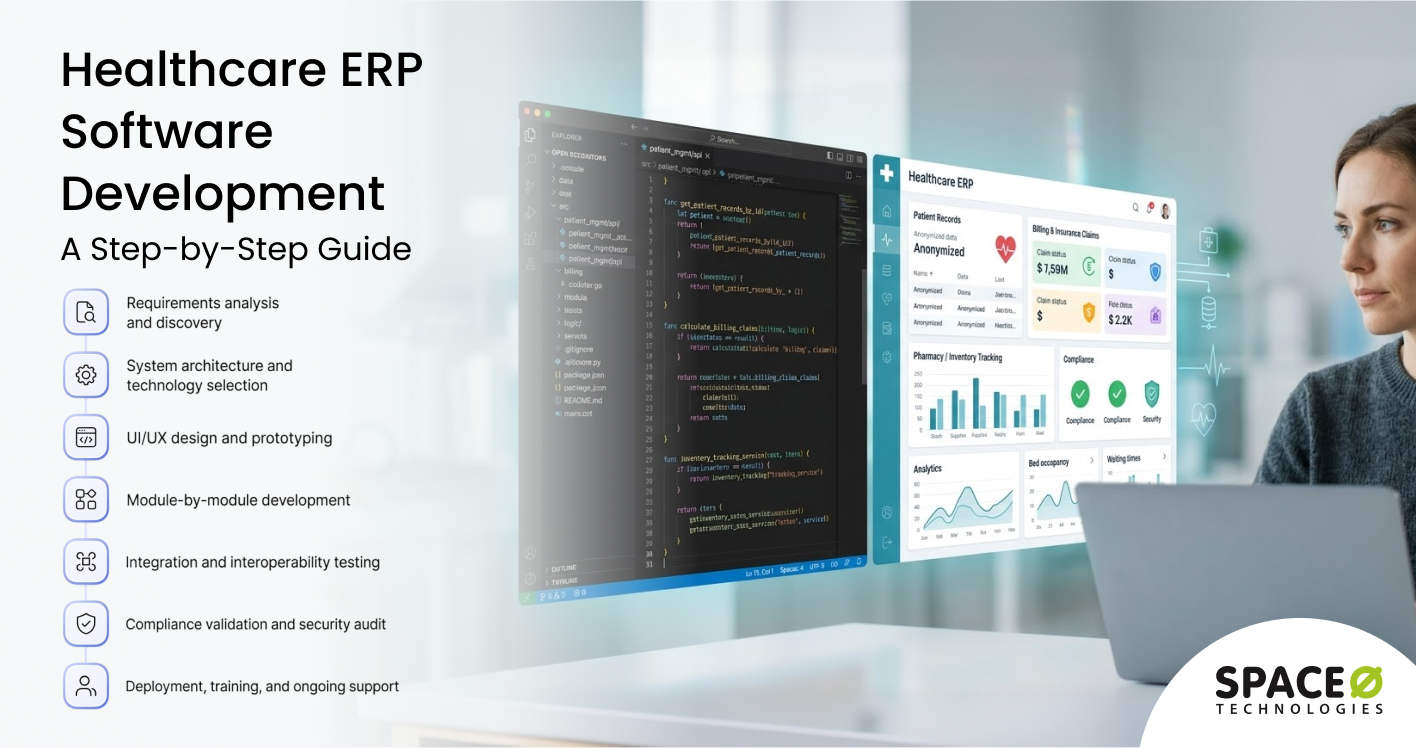
Contents
The healthcare industry manages complex operations that range from patient administration and billing to inventory management and regulatory compliance. Hospitals, clinics, and healthcare networks must coordinate multiple departments while ensuring accurate data management and efficient workflows.
To streamline these processes and improve operational visibility, many healthcare organizations are adopting ERP (Enterprise Resource Planning) systems tailored to the healthcare environment.
The demand for healthcare ERP solutions continues to grow as providers invest in digital systems that can support operational efficiency and better resource management.
According to Mordor Intelligence, the healthcare ERP market reached $8.46 billion in 2025 and is anticipated to reach $12.26 billion by 2031. This growth reflects the increasing adoption of ERP platforms across hospitals and healthcare institutions.
This comprehensive guide covers everything healthcare organizations need to know about healthcare ERP software development. Drawing from our experience as a leading ERP development partner, we share insights on the business benefits of healthcare ERP systems, key features, development process, cost considerations, and possible challenges with their solutions.
What Is Healthcare ERP Software?
Healthcare ERP (Enterprise Resource Planning) software is a centralized platform that integrates all critical hospital and clinical operations into a single system. Instead of running separate tools for billing, patient records, inventory, human resources, and compliance, a healthcare ERP connects these functions under one unified database.
What makes healthcare ERPs different from generic ERP systems?
Standard ERP platforms are built for manufacturing, retail, or distribution. A healthcare ERP, on the other hand, is designed specifically for the demands of medical institutions. It handles:
- HIPAA compliance with built-in encryption, audit trails, and access controls
- EHR and EMR integration using interoperability standards such as HL7, FHIR, and DICOM
- Medical billing and claims processing across insurance companies, Medicare, Medicaid, and patient co-pays
- Pharmaceutical inventory tracking with lot numbers, expiration-date monitoring, and controlled substance logging
- Clinical workflows, including patient admission, discharge, transfer, lab ordering, and prescription management
Who needs a healthcare ERP?
Healthcare ERP systems are relevant for hospitals, clinics, multi-specialty practices, and healthcare networks with 100 to 1,000+ employees. These organizations typically face disconnected platforms across departments, paper-based processes that slow operations, and siloed data that prevents leadership from seeing the full picture.
This naturally leads to an important question: what specific modules does a healthcare ERP system include?
Key Modules of a Healthcare ERP System
A healthcare ERP system is modular by design. Each department gets a dedicated module that connects to the central database, enabling real-time data sharing across the entire organization. Here is a breakdown of the core modules you should consider.
1. Patient management module
This module handles the complete patient lifecycle from registration through discharge. It stores demographic data, insurance details, medical history, and appointment schedules in one centralized location.
Administrators can track bed availability in real time, manage patient transfers between departments, and monitor admission and discharge workflows without manual paperwork. For multi-facility organizations, this module synchronizes patient data across all locations.
2. Electronic health records (EHR) module
This module digitizes all clinical documentation, including clinical notes, diagnosis codes, treatment plans, and lab results, into a structured and searchable format. It supports clinical decision-making by giving physicians immediate access to a patient’s complete medical history.
The EHR module also enables compliance with meaningful use requirements and supports data exchange with external healthcare providers using interoperability standards.
3. Financial management module
Healthcare billing is uniquely complex because it involves insurance companies, government programs such as Medicare and Medicaid, and patient co-pays. This module automates claims submission, tracks denials and rejections, manages the complete revenue cycle, and generates financial reports for leadership.
It integrates directly with insurance verification systems to reduce claim rejection rates and accelerate payment collection. Revenue cycle management alone can improve cash flow by 15%–25% when properly automated.
4. Supply chain and inventory module
Hospitals manage thousands of items ranging from surgical instruments to medications with strict expiration dates. This module automates reorder alerts based on usage patterns, tracks lot numbers for regulatory compliance, monitors stock levels across multiple storage locations, and coordinates vendor relationships.
For healthcare organizations dealing with complex supply chains and inadequate inventory tracking, this module eliminates stockouts of critical supplies and reduces waste from expired materials.
5. Human resources module
This module manages employee records, staff scheduling, credential tracking, payroll processing, and shift management across all departments and facilities. In healthcare, credential tracking is especially critical because clinical staff must maintain active licenses, certifications, and continuing education records. The HR module automates expiration alerts for credentials and simplifies compliance with staffing ratio requirements mandated by regulatory bodies.
6. Pharmacy management module
This module oversees the full medication lifecycle from procurement to dispensing. It manages drug inventory with lot-level tracking, verifies prescriptions against patient allergies and drug interactions, maintains dispensing logs, and manages formulary compliance. For hospitals with in-house pharmacies, this module reduces medication errors and ensures controlled substances are tracked according to DEA regulations.
7. Laboratory management module
This module coordinates lab operations from test ordering through results reporting. It tracks sample collection, manages lab equipment calibration schedules, routes results to the ordering physician, and flags critical values for immediate attention. Integration with the EHR module ensures that lab results automatically populate into the patient’s medical record, eliminating manual data entry and transcription errors.
8. Compliance and reporting module
Healthcare operates under strict regulatory frameworks. This module automates HIPAA compliance documentation, generates audit trails for every data access and modification, tracks quality metrics required for accreditation, and produces regulatory reports on demand. It also manages incident reporting workflows and maintains documentation needed for inspections from bodies such as the Joint Commission.
Understanding the modules gives you the structural foundation. Now, let’s explore the specific features that make a healthcare ERP system powerful and effective.
Want a Healthcare ERP System Designed Around Your Clinical Workflows?
Space-O Technologies builds custom healthcare ERP platforms with HIPAA compliance, EHR integration, and a modular design that aligns with your hospital’s unique operational needs.

Key Features of Healthcare ERP Software
Beyond the modular architecture, healthcare ERP software needs specific features to function effectively in a medical environment. These features cut across modules and determine the system’s overall capability. Here are the essential features to include.
1. HIPAA-compliant data security
Every healthcare ERP must meet Health Insurance Portability and Accountability Act (HIPAA) standards. This includes role-based access controls that restrict data visibility by job function, AES-256 encryption for data at rest and in transit, automated audit logging that records every access and modification, and breach notification capabilities.
Without these safeguards, your organization risks penalties that can reach $1.5 million per violation category annually. Security is not an add-on feature; it must be embedded into the system architecture from day one.
2. EHR and EMR integration
Your ERP should exchange data with existing electronic health record and electronic medical record systems using interoperability standards such as HL7, FHIR, and DICOM. This eliminates duplicate data entry, reduces transcription errors, and gives clinicians a complete view of patient information without switching between platforms.
For organizations with established EHR systems, ERP integration services ensure that the new platform connects with existing tools rather than replacing them entirely.
3. Real-time analytics and dashboards
Decision-makers need visibility into key performance indicators such as bed occupancy rates, average length of stay, revenue per department, staff utilization, and supply chain status. Real-time dashboards aggregate data from all modules into visual reports that support faster, more informed operational decisions.
Advanced implementations include predictive analytics that forecast patient admission volumes, identify potential supply shortages, and flag revenue cycle bottlenecks before they impact cash flow.
4. Appointment scheduling and queue management
An integrated scheduling engine coordinates appointments across departments, manages physician availability, handles recurring visit schedules, and sends automated reminders to patients via SMS and email. Queue management features reduce wait times in outpatient departments and emergency rooms by distributing patient load intelligently based on staff availability and case urgency.
5. Telemedicine and patient portal integration
Modern healthcare ERP systems extend beyond hospital walls. A patient portal allows individuals to access their medical records, schedule appointments, view test results, pay bills online, and communicate with providers through secure messaging. Telemedicine integration enables virtual consultations directly through the system, expanding your organization’s reach to patients in remote areas.
6. Automated billing and claims processing
The system should auto-generate billing codes based on documented diagnoses and procedures, submit claims electronically to insurance payers, track payment status in real time, and flag denials for immediate review. Automation reduces billing cycle time from weeks to days and improves collection rates by catching coding errors before claim submission.
7. Multi-facility and multi-department support
For hospital networks and multi-specialty practices, the ERP must support multiple locations with centralized data visibility. Each facility operates with its own workflows and department-specific configurations while leadership accesses consolidated reports, financial summaries, and performance benchmarks across all sites from one dashboard.
With the features defined, the next step is understanding why custom development offers distinct advantages over off-the-shelf solutions.
Benefits of Custom Healthcare ERP Software Development
Off-the-shelf healthcare ERP platforms come with limitations. They force organizations to adapt their workflows to the software rather than the other way around. Custom healthcare ERP software development solves this problem by building the system around your specific clinical and operational needs. Here are the key benefits.
1. Tailored workflows for your organization
Custom development maps the ERP directly to your existing clinical and administrative processes. Your team works with interfaces and workflows they recognize, eliminating the need to restructure operations around rigid software templates.
2. Full HIPAA and regulatory compliance from the ground up
A custom-built system allows your development team to embed HIPAA compliance requirements into the core architecture from day one. This approach is more secure than relying on generic compliance add-ons that may leave gaps in your security posture.
3. Integrated data across all departments
Custom ERP connects every department, from patient intake to billing to pharmacy, through a single database. This breaks down the data silos that cause duplicate records, inconsistent reporting, and slow decision-making across your organization.
4. Lower long-term ownership costs
While custom development requires a higher upfront investment, it eliminates recurring per-user licensing fees, mandatory upgrade charges, and costly workarounds for vendor-locked limitations. Over a five to seven-year lifecycle, total ownership costs are often lower.
5. Scalability as your organization grows
A custom healthcare ERP grows with your organization. You can add new modules, integrate additional facilities, and increase user capacity without migrating to a more expensive vendor tier or renegotiating licensing agreements.
6. Competitive advantage through unique capabilities
Custom features such as AI-powered patient flow prediction, proprietary clinical decision support algorithms, or specialized analytics dashboards give your organization capabilities that competitors using off-the-shelf platforms simply cannot replicate with standard configurations.
7. Faster adoption with familiar interfaces
When the ERP mirrors your existing workflows and uses terminology your staff already knows, resistance to change decreases significantly. Custom UI/UX design creates familiar interfaces that reduce training time and accelerate organization-wide adoption.
With a clear understanding of these benefits, let’s explore the step-by-step process of building a healthcare ERP system from the ground up.
Build a Custom Healthcare ERP System That Fits Your Operations
Space-O Technologies builds tailored healthcare ERP solutions with HIPAA compliance, EHR integration, and modular architecture designed specifically for your unique clinical workflows.
Healthcare ERP Software Development Process
Building a healthcare ERP system requires a structured approach that balances clinical requirements, technical architecture, and regulatory compliance. Here is the software development process that leads to successful delivery.
Step 1: Requirements analysis and discovery
This phase involves documenting every business process, data flow, and integration requirement across your organization. The development team interviews stakeholders from clinical, administrative, and IT departments to build a complete picture of what the system must accomplish.
Action items
- Conduct department-wise workflow audits to identify automation opportunities and bottlenecks
- Document current pain points, such as disconnected EHR and financial platforms, preventing data-driven care decisions
- Define user roles, permissions, and access levels required for HIPAA compliance
- Prioritize modules based on operational impact, implementation complexity, and budget constraints
Step 2: System architecture and technology selection
Based on the requirements document, architects design the system’s technical foundation. This includes selecting the technology stack, database architecture, cloud infrastructure, and integration protocols that will support the system for years to come.
Action items
- Choose between cloud-native, on-premise, or hybrid deployment based on your security policies and budget
- Design a microservices or modular architecture that allows independent module development, testing, and scaling
- Select interoperability standards such as HL7 FHIR for external system integration and DICOM for imaging
- Plan the database schema to accommodate multi-facility, multi-department data structures with proper indexing
Step 3: UI/UX design and prototyping
Healthcare ERP interfaces must balance functionality with usability. Clinical staff need fast access to critical information without navigating complex menu structures during high-pressure situations. Poor interface design is a leading cause of staff resistance.
Action items
- Create role-specific dashboards that display relevant data based on the user’s department and responsibilities
- Design mobile-responsive interfaces for physicians and nurses who access the system from tablets during rounds
- Build intuitive navigation patterns that minimize clicks for the most frequently used functions
- Develop interactive prototypes for stakeholder validation and usability testing before development begins
Step 4: Module-by-module development
Development follows Agile methodology, building one module at a time. Each sprint delivers a functional component that stakeholders can test, provide feedback on, and approve before the team moves to the next module.
Action items
- Build core modules first, such as patient management and financial management, because other modules depend on their data
- Develop integration layers between modules using RESTful APIs to ensure real-time data synchronization
- Implement HIPAA security controls, including encryption, access logging, and session management at the code level
- Conduct code reviews and automated testing within each sprint to identify and fix defects early
Step 5: Integration and interoperability testing
Once modules are complete, the team connects them to external systems. This includes existing EHR platforms, insurance databases, lab equipment interfaces, pharmacy networks, and payment gateways.
Action items
- Test data exchange between the ERP and external systems using HL7 and FHIR protocols with real patient data formats
- Validate that insurance verification and claims submission function correctly with major payer systems
- Confirm that pharmacy integration transmits prescription data accurately to dispensing systems
- Run end-to-end workflow tests that simulate real clinical scenarios across all connected systems and modules
Step 6: Compliance validation and security audit
Before deployment, the system undergoes a thorough compliance review. An independent security audit verifies that all HIPAA technical safeguards are correctly implemented and documented.
Action items
- Perform penetration testing and vulnerability scanning to identify and remediate security weaknesses
- Validate audit trail functionality to confirm that every data access, modification, and export is logged with timestamps
- Test role-based access controls to ensure users can only view and modify data relevant to their clinical role
- Generate the compliance documentation required for regulatory inspections and HIPAA audits
Step 7: Deployment, training, and ongoing support
The final phase involves deploying the system to production, training staff across all departments, and establishing long-term maintenance and support processes to keep the system running optimally.
Action items
- Execute a phased rollout starting with one department or facility to minimize risk and gather early feedback
- Provide role-specific training programs for clinical staff, administrative users, and IT administrators
- Set up monitoring dashboards to track system performance, uptime, error rates, and user adoption metrics
- Establish a maintenance schedule for security patches, feature updates, performance optimization, and backup verification
Now that you understand the complete development process, let’s address the challenges you are likely to encounter and how to overcome them.
Get Expert Guidance for Your Healthcare ERP Development Project
Our team of 140+ developers specializes in building HIPAA-compliant enterprise systems. Get a free consultation to discuss your requirements and architecture plan today.
Key Challenges in Healthcare ERP Development and How to Overcome Them
Healthcare ERP development is complex. According to Panorama Consulting, 73% of discrete manufacturing ERP implementations fail to meet their objectives, with average cost overruns of 215%.
Healthcare projects carry even greater complexity due to strict compliance requirements, sensitive patient data, and the need for interoperability with clinical systems. Here are the most common challenges and their solutions.
1. Data migration from legacy systems
Healthcare organizations often run on multiple disconnected systems accumulated over decades, each with different data formats, coding standards, and storage structures. Migrating years of patient records, financial history, and operational data to a new ERP without data loss or corruption is one of the most technically demanding aspects of any healthcare ERP project.
Solution
- Create a detailed data mapping document that defines how fields from each legacy system translate to the new ERP schema
- Perform data cleansing before migration to remove duplicates, correct formatting inconsistencies, and standardize coding conventions
- Run parallel systems during the transition period so staff can verify data accuracy in the new ERP before decommissioning legacy tools
- Execute multiple test migrations with progressively larger data sets before the final production migration
2. HIPAA compliance complexity
Building a HIPAA-compliant ERP demands expertise in security architecture, access control design, encryption implementation, and audit logging. A single compliance gap can result in penalties ranging from $100 to $50,000 per violation, with a maximum of $1.5 million per year per violation category.
Solution
- Engage HIPAA compliance experts during the architecture phase to embed security requirements into the system’s foundation
- Implement end-to-end encryption for data at rest and in transit using AES-256 and TLS 1.3 standards
- Design granular role-based access controls that restrict data visibility based on clinical need and job function
- Build automated audit logging that records every access, modification, and export of protected health information with timestamps
3. EHR and third-party integration
Connecting a new ERP to existing EHR platforms, lab information systems, pharmacy networks, and insurance databases introduces interoperability challenges. Different systems use different data standards, and some legacy platforms have limited or outdated API support.
Solution
- Use industry-standard protocols such as HL7 FHIR and DICOM for system-to-system data exchange and clinical imaging
- Build middleware layers that translate data between incompatible formats when direct API integration is not available
- Partner with an experienced ERP customization services provider who has established connections with major healthcare platforms
- Test all integrations thoroughly with real data in a staging environment before connecting production systems
4. Staff resistance to change
Clinical and administrative staff who have used the same tools for years often resist adopting a new system. Resistance to moving away from paper-based processes remains one of the biggest barriers to ERP adoption in healthcare. Poor adoption rates undermine the entire investment.
Solution
- Involve end users from every department in the requirements and design phases so they feel ownership of the new system
- Create a formal change management plan with executive sponsorship, departmental champions, and regular communication updates
- Develop role-specific training programs rather than generic one-size-fits-all training sessions that overwhelm users
- Implement the system in phases, starting with departments that are most receptive to change and using their success as proof
5. Budget and timeline overruns
Healthcare ERP projects are prone to scope creep, especially when clinical staff identify additional features they want during the development process. Without strict governance, costs and timelines can exceed initial estimates significantly.
Solution
- Define a fixed scope for each development phase with a formal change request process for any additions or modifications
- Use Agile sprints with regular stakeholder reviews to catch scope changes early before they compound into major overruns
- Prioritize modules by business impact and implement the highest-value components first to deliver ROI sooner
- Work with a software development outsourcing partner that provides transparent cost estimates and milestone-based billing
With challenges addressed, the next critical consideration is cost. Let’s break down what healthcare ERP software development typically costs.
How Much Does Healthcare ERP Software Development Cost?
Healthcare ERP software development cost varies based on system complexity, the number of modules, integration requirements, compliance needs, deployment model, and development team location. Here is a general breakdown to help you plan your budget.
The following table outlines estimated cost ranges based on ERP system complexity.
| System Complexity | Modules Included | Development Timeline | Estimated Cost Range |
|---|---|---|---|
| Basic | 3–4 core modules (patient management, billing, scheduling) | 4–6 months | $50,000–$100,000 |
| Mid-range | 5–7 modules with EHR integration and compliance features | 6–10 months | $100,000–$250,000 |
| Enterprise-grade | 8+ modules with multi-facility support, AI analytics, full interoperability | 10–18 months | $250,000–$500,000+ |
The cost ranges above are approximate and depend on several factors specific to your project and organization. Here is what each tier typically includes.
1. Basic tier: $50,000–$100,000
A basic healthcare ERP covers foundational operations. It typically includes three to four modules, such as patient registration and management, appointment scheduling, and basic billing. This tier suits small clinics and single-specialty practices that need to digitize core workflows without complex integrations. It does not include EHR integration, advanced compliance features, or multi-facility support.
2. Mid-range tier: $100,000–$250,000
This tier adds depth across five to seven modules, including EHR integration, insurance claims processing, supply chain management, and HIPAA compliance automation. It is suited for mid-size hospitals and multi-specialty practices with 100–500 employees that need interoperability with external systems and automated revenue cycle management. Most healthcare organizations fall into this category.
3. Enterprise-grade tier: $250,000–$500,000+
Enterprise-grade systems include eight or more modules with full interoperability, multi-facility support, AI-powered analytics, telemedicine integration, and advanced security certifications such as SOC 2 and HITRUST. This tier serves large hospital networks and healthcare systems that operate across multiple locations and need centralized data visibility with facility-specific configurations.
Factors that affect healthcare ERP development cost
1. Number and complexity of modules
A basic system with patient management, billing, and scheduling costs significantly less than an enterprise platform with pharmacy management, laboratory integration, telemedicine, AI-powered analytics, and multi-facility support. Each additional module adds development, testing, and integration effort.
2. Integration requirements
Connecting your ERP to existing EHR systems, insurance databases, lab equipment, pharmacy networks, and third-party platforms requires custom integration work. Each integration point adds development hours, and legacy systems with outdated APIs require additional middleware development.
3. Compliance and security levels
HIPAA compliance requires encryption, audit logging, access controls, penetration testing, and ongoing security monitoring. More stringent requirements, such as SOC 2 Type II or HITRUST certification, increase both development and audit costs.
4. Deployment model
Cloud-based deployment typically has lower upfront infrastructure costs compared to on-premise installations that require dedicated servers, networking equipment, and IT staff. Hybrid models offer a middle ground but add architectural complexity.
5. Development team location
Hourly rates vary significantly by region. US-based teams typically charge $100–$250 per hour, Western European teams charge $80–$180, while experienced teams in India offer rates of $25–$50 per hour with comparable technical quality. Understanding the cost to hire a software developer in different regions helps you plan your budget more accurately.
6. Ongoing maintenance and support
Post-launch support, security updates, feature enhancements, performance optimization, and infrastructure costs typically add 15%–20% of the initial development cost annually. This is a recurring expense that should be factored into your total budget from the start.
For organizations that need help scoping their project before committing to development, a healthcare software development services provider can conduct a detailed assessment and deliver a cost estimate based on your specific requirements, existing systems, and organizational goals.
This brings us to the most common questions healthcare organizations ask about ERP development.
Get a Healthcare ERP Development Cost Estimate Tailored to Your Needs
Share your requirements with our team and receive a transparent, milestone-based cost breakdown within 48 hours. No hidden fees or long-term obligations.
Partner with Space-O Technologies to Build Compliant, Patient-Centric EHRs for our Healthcare Workflows
Healthcare ERP software development replaces fragmented hospital tools with a single connected platform for better clinical operations. This guide walked you through eight core modules, key features, seven development steps, five common challenges, and detailed cost tiers for your planning.
Space-O Technologies brings 15+ years of enterprise software experience and 500+ successful software projects delivered across 1,200+ clients worldwide. Our proven track record spans healthcare, fintech, and retail, with a focus on building compliant, scalable systems that organizations rely on daily.
Our team of 140+ developers has hands-on experience with HIPAA-compliant architecture, HL7 FHIR interoperability, and modular ERP design for multi-facility healthcare networks. Every project follows Agile delivery with milestone-based transparency so you see measurable progress at every stage of development.
Contact Space-O Technologies for a free consultation to scope your healthcare ERP project today. Our team will assess your current systems, map the right module configuration, and deliver a transparent cost estimate with a clear implementation roadmap within 48 hours.
Frequently Asked Questions on Healthcare ERP Software Development
How long does it take to develop a healthcare ERP system?
Development timelines range from four to 18 months, depending on complexity. A basic system with three to four modules typically takes four to six months, a mid-range system with EHR integration takes six to 10 months, and an enterprise-grade platform with full interoperability and AI analytics can take 10 to 18 months.
How much does healthcare ERP software development cost?
Costs range from $50,000 for a basic system to $500,000 or more for an enterprise-grade platform. The final cost depends on the number of modules, integration requirements, compliance standards, deployment model, and development team location. Request a detailed estimate based on your specific requirements for accurate budgeting.
What compliance standards must a healthcare ERP meet?
At a minimum, a healthcare ERP must comply with HIPAA regulations, which require data encryption, role-based access controls, audit logging, and breach notification capabilities. Depending on your organization and the markets you serve, additional standards such as SOC 2, HITRUST, HL7, FHIR, and DICOM for imaging interoperability may also apply.
Should I build a custom healthcare ERP or buy an off-the-shelf solution?
Custom development is recommended when your organization has unique clinical workflows, specific compliance requirements, multi-facility operations, or needs that off-the-shelf platforms cannot address without expensive customization. Off-the-shelf solutions work well for smaller practices with standard operational needs and limited budgets.
Can a healthcare ERP integrate with existing EHR systems?
Yes. A well-built healthcare ERP integrates with existing EHR and EMR platforms using interoperability standards such as HL7 FHIR and DICOM. This integration allows clinical data to flow between systems without duplicate entry, manual data transfer, or the need to replace your current EHR platform entirely.
What modules are essential in a healthcare ERP system?
Core modules include patient management, electronic health records, financial management, supply chain and inventory, pharmacy management, human resources, laboratory management, and compliance and reporting. The specific modules your organization needs depend on its size, specialty areas, number of facilities, and operational priorities.
How do I ensure my healthcare ERP project stays on budget?
Define a clear scope before development begins and document all requirements thoroughly. Use Agile methodology with milestone-based reviews, prioritize modules by business impact to deliver value early, and work with an experienced development partner that provides transparent pricing, regular progress reports, and a formal change request process for scope additions.



 All our projects are secured by NDA




 4.8
4.8

