
 By
Contents
- Without APIs, AI agents can analyze and reason but cannot act inside your business systems.
- Give AI agents read access first, and require human approval before any write to a live system.
- Pick the approach by coverage: no-code connectors for standard apps, custom code for legacy and bespoke systems.
- Plan for idempotency, retries with backoff, and API version changes before the first integration ships.
Key Takeaways
API and third-party integration for AI applications connects AI models to your business systems. An Application Programming Interface (API) is how one system requests data or actions from another. A third-party integration links your app to an outside service, such as a payment processor.
A model cut off from your CRM leaves your team copying data by hand. Space-O Technologies builds integrations that let AI agents read, draft, and act under scoped permissions. Our API integration services cover custom builds and platform connectors.
We also offer generative AI integration for startups, SMEs, and enterprises. This page covers approaches, agent permissions, reliability, and costs, with a comparison table. Read on to see which approach fits your systems.
Disconnected AI Models Leave Your Team Doing the Work
An AI model that cannot reach your systems can reason about work but cannot complete it. The gap shows up as rework, delays, and risk that grows with every new tool. Four problems come up most often when AI runs in isolation.
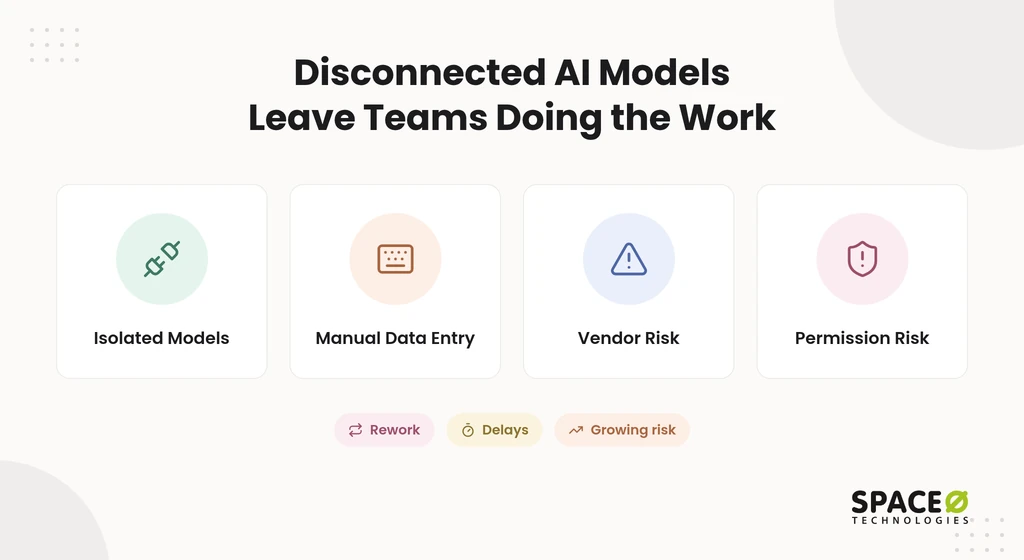
- Isolated models. The model drafts answers but cannot check stock, open a ticket, or update a record.
- Manual data entry. Staff copy AI outputs between tools, the CRM, and the ERP by hand.
- Vendor risk. Third-party APIs change versions, throttle requests, and sometimes retire endpoints.
- Permission risk. An agent with broad write access can change records nobody approved.
Each of these risks has an engineering answer, which our AI development services build in from day one. The next section shows how we handle each one.
We Connect Your AI to the Systems Your Business Already Runs
Space-O Technologies builds the connections, controls, and safeguards that let your AI app work inside real systems. When you build an AI app, proven third-party services replace building payments, maps, or messaging from scratch. They also remove the manual re-entry that slows your team down.
Model and third-party API integration
We connect your AI app to model APIs and to external services through their published APIs. Typical targets include Stripe, PayPal, Google Maps, Salesforce, HubSpot, and ERP systems for orders and inventory. Most modern services expose REST. GraphQL lets a client request only the fields it needs, which avoids REST’s over-fetching. Many older enterprise systems still use SOAP.
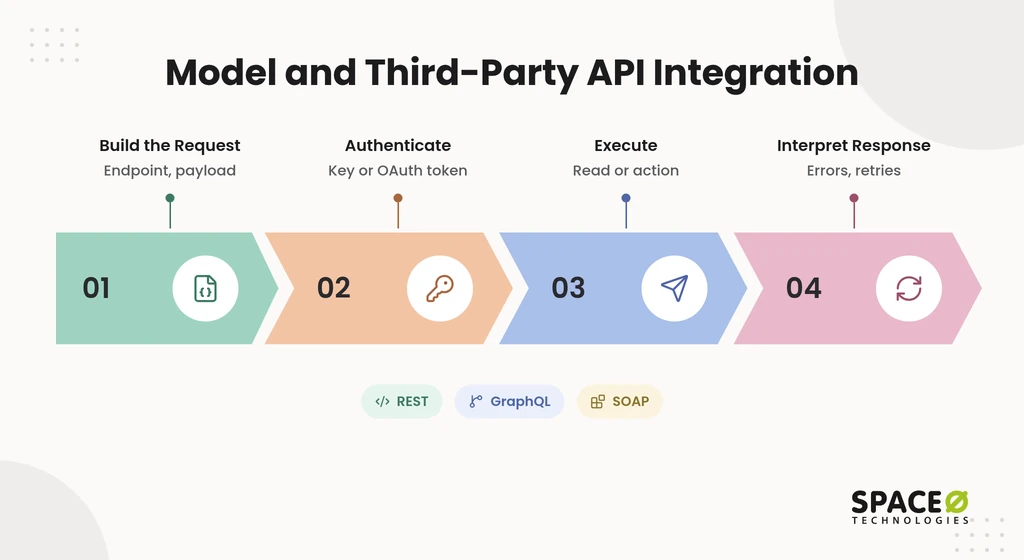
Each request authenticates with an API key or an OAuth token. Every call then follows the same four-step lifecycle:
- Build the request. Your app assembles the endpoint, method, and payload.
- Authenticate. The request carries a key or token the service accepts.
- Execute. The external system runs the read or the action.
- Interpret the response. Your app parses the result and handles errors or retries.
Direct calls work well for one service, and REST API integration is the usual starting point. They get harder once you connect many systems, which is where platforms come in.
Integration platforms and middleware
Integration platforms and middleware provide prebuilt connectors between AI tools and business apps. They sit between your AI layer and your systems and handle triggers, mapping, and scheduling. Three categories appear in most stacks:
- No-code automation (Zapier, Make). These provide prebuilt triggers and actions. Adoption requires configuring each workflow and choosing a plan sized to usage volume.
- Enterprise iPaaS (Workato, MuleSoft, Boomi). These provide governed connectors and orchestration. Adoption requires platform administrators, licensing, and connector setup.
- Unified APIs (Merge, Apideck, API2Cart). These provide one API across a category of apps. Adoption requires mapping your data to the provider’s common model.
These layers fit best when every system you need already has a maintained connector. Older on-premises systems often have no connector, and our ERP integration work usually starts there. Once connections exist, the next question is what the agent is allowed to do with them.
Permission-aware agent actions
AI agents should reach external systems only through scoped, role-based permissions, with human approval for sensitive writes. We pair permission-aware retrieval with action guardrails, following the least-privilege principles in AI agent architecture. Four controls apply to every agent we connect:
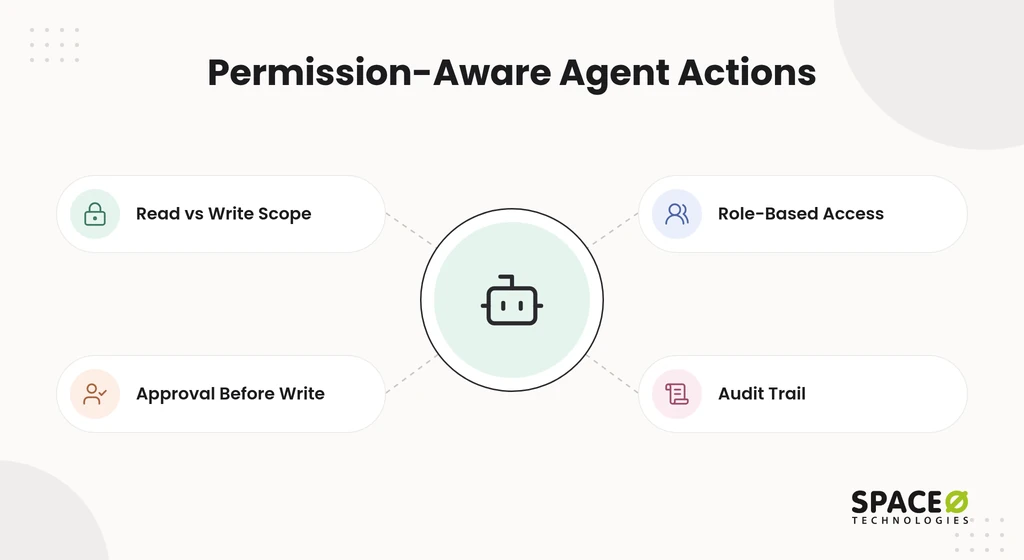
- Read versus write scope. Each agent gets read access by default and write access only where a task needs it.
- Approval before write. A person approves any action that changes a live record, payment, or message.
- Role-based access. The agent inherits the calling user’s role, so it never sees data that user cannot see.
- Audit trail. Every read, draft, and write is logged with the user, time, and result.
Here is a typical pattern. An agent reads open deals from Salesforce and drafts a summary. It posts the summary to Slack only after a manager approves it.
Reliability engineering for every connection
Third-party APIs fail, throttle, and change, so every integration we build plans for those events. Reliability work is the part most demos skip, so we staff it with experienced AI developers. Nine safeguards cover the failure modes we see most often:
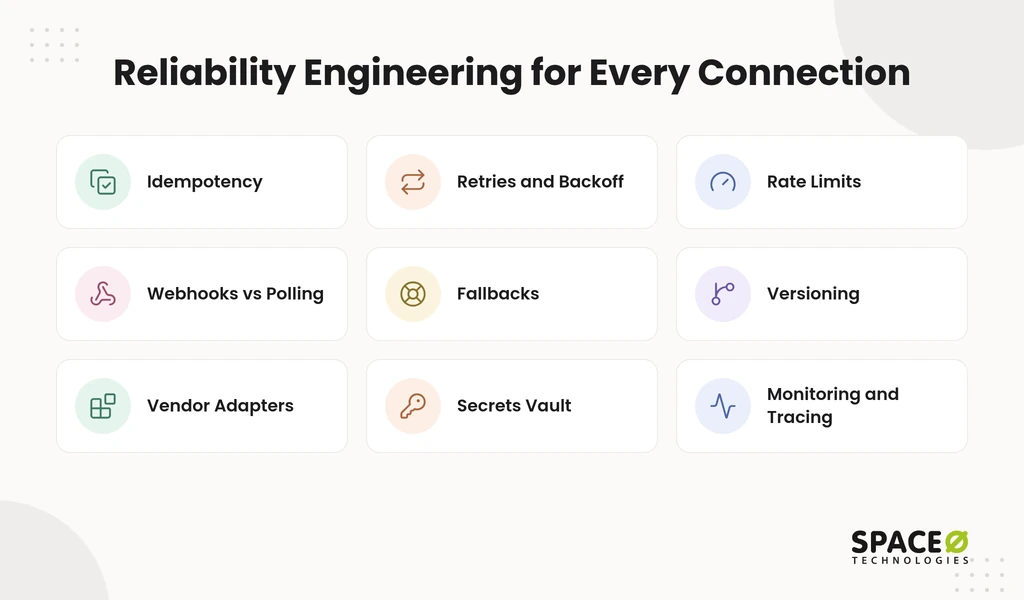
- Idempotency. A retried request never creates a duplicate charge, order, or message.
- Retries and backoff. Failed calls retry with exponential backoff instead of hammering the service.
- Rate limits. Request queues stay under each provider’s published limits.
- Webhooks versus polling. We use webhooks for event updates and poll only when a service offers no events.
- Fallbacks. A model gateway switches providers when one model API is down.
- Versioning and deprecation. We track provider version notices and migrate before an endpoint retires.
- Vendor dependency. Each vendor sits behind an adapter, so swapping vendors touches one module.
- Secrets and least privilege. Keys live in a secrets vault, with each task scoped to the narrowest permissions it needs.
- Monitoring and tracing. Logs, alerts, and traces show which call failed and why.
With the plumbing reliable, you can safely connect the models themselves.
AI model integrations, gateways, and RAG
We connect your app to the OpenAI API, the Anthropic API, or Google AI Studio models. We also ground their answers in your data, drawing on our AI app development using OpenAI experience. A model gateway, or router, gives your app one endpoint across providers, with failover and cost tracking. Retrieval-augmented generation (RAG) uses APIs to pull current external data into each answer.
The Model Context Protocol (MCP) is an open standard, described as a USB-C port for AI applications. It lets an agent discover and call many tools through one interface. We test each model integration for accuracy and hallucinations, and high-stakes outputs go to human review first.
Token usage, data work, and upkeep shape the budget, as our AI integration cost breakdown explains. The table below compares the main approaches side by side.
Seven integration approaches compared
The right approach depends on the systems you must reach, the control agents need, and who owns the code.
| Approach | Best for | Legacy and bespoke coverage | Permission and approval model | Maintained by |
|---|---|---|---|---|
| Direct API calls | One AI feature calling one documented service | Low; needs a usable API | Set in your app code | Your team |
| Custom integration | Legacy, bespoke, and multi-system AI workflows | High; adapters can wrap older systems | Fine-grained, with approval steps you design | Your team or build partner |
| No-code automation | Simple trigger-and-action flows between standard SaaS apps | Low; limited to listed connectors | Set per connection inside the platform | Platform vendor and your admin |
| Enterprise iPaaS | Governed workflows across many enterprise apps | Medium; depends on the connector catalog | Platform roles and policies | Platform administrators |
| Unified API | One integration across a category such as HR or accounting systems | Low; covers the provider’s supported apps | Inherited from each connected account | Provider |
| MCP servers | Agents that discover and call many tools | Medium; any system you wrap as a server | Scopes and approvals set per tool | Your team |
| Model gateway | Routing requests across several model APIs | Covers model providers only | Keys and quotas per app or team | Gateway owner |
For a simple trigger and action between standard SaaS apps, a no-code connector is often enough. Custom work earns its cost where connectors stop, or agents need fine-grained approvals. When you choose a partner, compare API development companies on legacy experience.
What an AI integration costs to build and run
Space-O Technologies’ published ranges put most AI integrations between $10,000 and $300,000+, plus $40 to $1,000+ a month to run. These figures come from our AI integration cost guide. They are scoped by integration tier rather than by connection approach.
| Integration tier | Build cost | What it covers |
|---|---|---|
| Simple feature or chatbot | $10,000-$30,000 | An AI feature wired to a hosted model, such as a support chatbot, summarization, or classification |
| Internal assistant with RAG | $40,000-$120,000 | An assistant grounded in your own documents and data |
| Workflow automation | $80,000-$300,000+ | Deep automation across multiple systems, with agents that act inside your CRM, ERP, or legacy backend |
Running cost can overtake build cost on heavily used integrations. In one modeled scenario, a $40,000 RAG assistant at $2,000 a month passes its build cost in month 15. An $80,000 build at $1,250 a month crosses around month 31, and a light-usage $40,000 build crosses around month 40. These are planning estimates, not quotes, so compare them with broader AI development cost ranges for your scope.
The pattern holds across all three: usage volume, not build size, decides how fast operating cost catches up. Annual maintenance typically adds 15% to 25% of the build cost. Heavy-usage integrations need token monitoring, query caching, and model routing from the first release. Build cost also rises with endpoint count and security scope, which API development cost factors explain in detail.
Map Your AI Integration Before You Build
Share your AI use case, the systems it must reach, and whether it reads or writes. Our engineers recommend an approach and a scoped estimate.

We Deliver Each Integration in Four Steps
Every integration we ship moves through four steps, from requirements to tested release. This order catches API limits and permission gaps before they reach production.
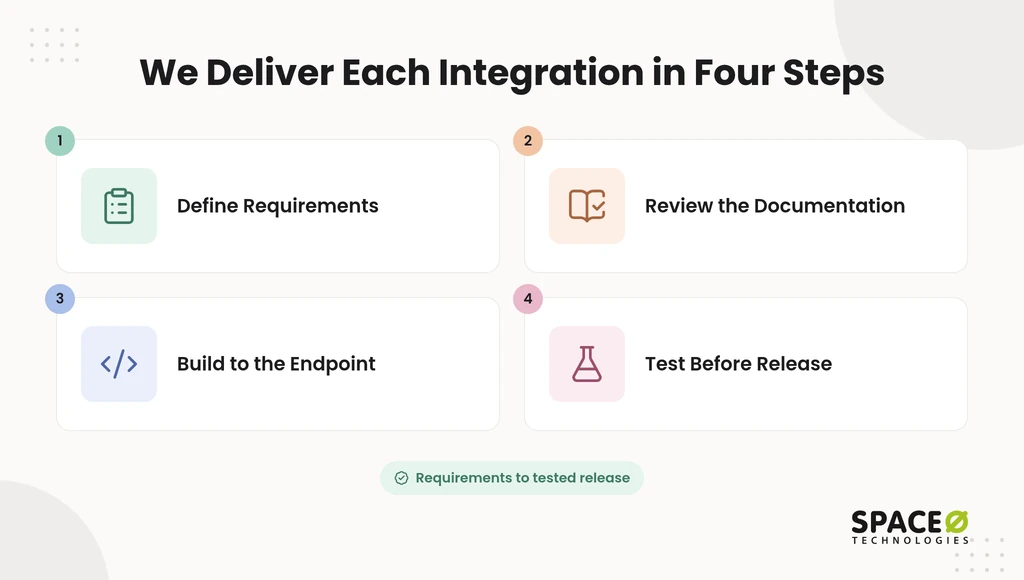
- Define requirements. Our AI consulting services team maps the systems, their data, and every read or write the AI performs.
- Review the documentation. We check each API’s authentication, rate limits, versioning, and sandbox access.
- Build to the endpoint. We write the integration, permission checks, and error handling against a test environment.
- Test before release. We run failure, retry, and approval scenarios before any live system connects.
Your team sees each step complete before the next begins, so there are no surprises at launch.
Space-O Technologies Has Served 1,200+ Clients Since 2010
Space-O Technologies has built AI-powered custom software since 2010, and we’ve made the record public. These figures come from our own published company data.
- Clients served. We have worked with 1,200+ clients worldwide since 2010.
- Solutions delivered. We have developed 300+ software solutions.
- Client retention. We report 97% client retention.
- Scale tested. Glovo, an on-demand delivery app we built, secured $1.2 billion in funding and passed 30 million downloads.
- AI products shipped. Our AI work includes GPT Vix, eComChat, and ReadGenie, all built on model APIs inside working business products.
That record shapes how we scope integration work, which the next section explains.
Why Space-O Technologies Builds Integrations You Own
Space-O Technologies is best for custom AI integrations where off-the-shelf connectors stop. That covers legacy systems, CRM, ERP, and payment integrations, with permissioned agent actions and human approval. Six commitments define how we work:
- Code and IP ownership. All source code, data, and IP built during the project transfer to you at completion.
- Confidentiality first. We sign an NDA before starting any project.
- Flexible engagement. You choose Dedicated Team, Time & Material, Fixed Cost, or Staff Augmentation.
- In-house engineering. Our 140+ in-house developers include dedicated API developers who can join your sprints.
- North American presence. We have offices in Mesa (Arizona, USA) and Brampton (Ontario, Canada).
- Global delivery. Our engineering center in Ahmedabad (India) supports round-the-clock delivery.
These commitments matter most once your integrations are live and need ongoing care.
Tell Us What Your AI Needs to Reach
A short conversation about your goal and your systems is enough to recommend an approach. Come with answers to four questions:
- Goal. Say what the AI should accomplish for your team or customers.
- Systems. Name the apps, platforms, or legacy systems it must reach.
- Access level. Say whether it needs read-only retrieval or should run active workflows.
- Stack. Name your preferred model provider, cloud, or integration platform, if you have one.
We reply with a recommended approach and a scoped range, never an hourly rate. Get your free, expert-reviewed integration estimate.
Frequently Asked Questions
How does API integration work?
An API integration lets one system request data or actions from another through a published contract. Each call follows four steps. Your app builds the request and authenticates with an API key or OAuth token. The external system runs the read or action. Your app then interprets the response, and error handling and retries complete the loop.
What is the best API platform?
No single platform is best; the right one depends on which systems you must reach. No-code tools like Zapier and Make suit simple flows between standard SaaS apps. Enterprise iPaaS such as Workato, MuleSoft, or Boomi suits governed workflows across many enterprise apps. Custom code suits legacy and bespoke systems that have no maintained connector.
How much does API and third-party integration for an AI app cost?
Space-O Technologies’ published ranges put a simple AI feature or chatbot at $10,000-$30,000. An internal assistant with RAG runs $40,000-$120,000, and workflow automation across systems runs $80,000-$300,000+. Running costs add $40 to $1,000+ a month. Annual maintenance typically adds 15% to 25% of the build cost. No-code tools run on a platform subscription, and enterprise iPaaS runs on a platform license. Space-O Technologies replies with a scoped range, never an hourly rate.
How long does an AI integration take to build?
Timeline depends on the number of systems and whether the AI only reads or also writes. Space-O Technologies phases the work as a proof of concept, then production hardening, then scale. This proves value before the full budget is committed. Share your use case and systems to get a scoped plan.
Which API authentication method should an AI app use?
Use an API key or an OAuth token, whichever the service accepts. Every request carries one of them. Keep keys in a secrets vault and give each task the narrowest scope it needs. Agents should inherit the calling user’s role.
What are the limitations of third-party APIs for AI applications?
Third-party APIs fail, throttle, and change. Providers change versions, limit request rates, and sometimes retire endpoints. Older on-premises systems may have no maintained connector. Plan for idempotency, retries with exponential backoff, and migration before an endpoint retires.
Is it safe to let an AI agent write to business systems?
It is safe only with scoped permissions and human approval. Give the agent read access by default and write access only where a task needs it. A person should approve any action that changes a live record, payment, or message. Log every read, draft, and write.



 All our projects are secured by NDA




 4.8


