
 By
By 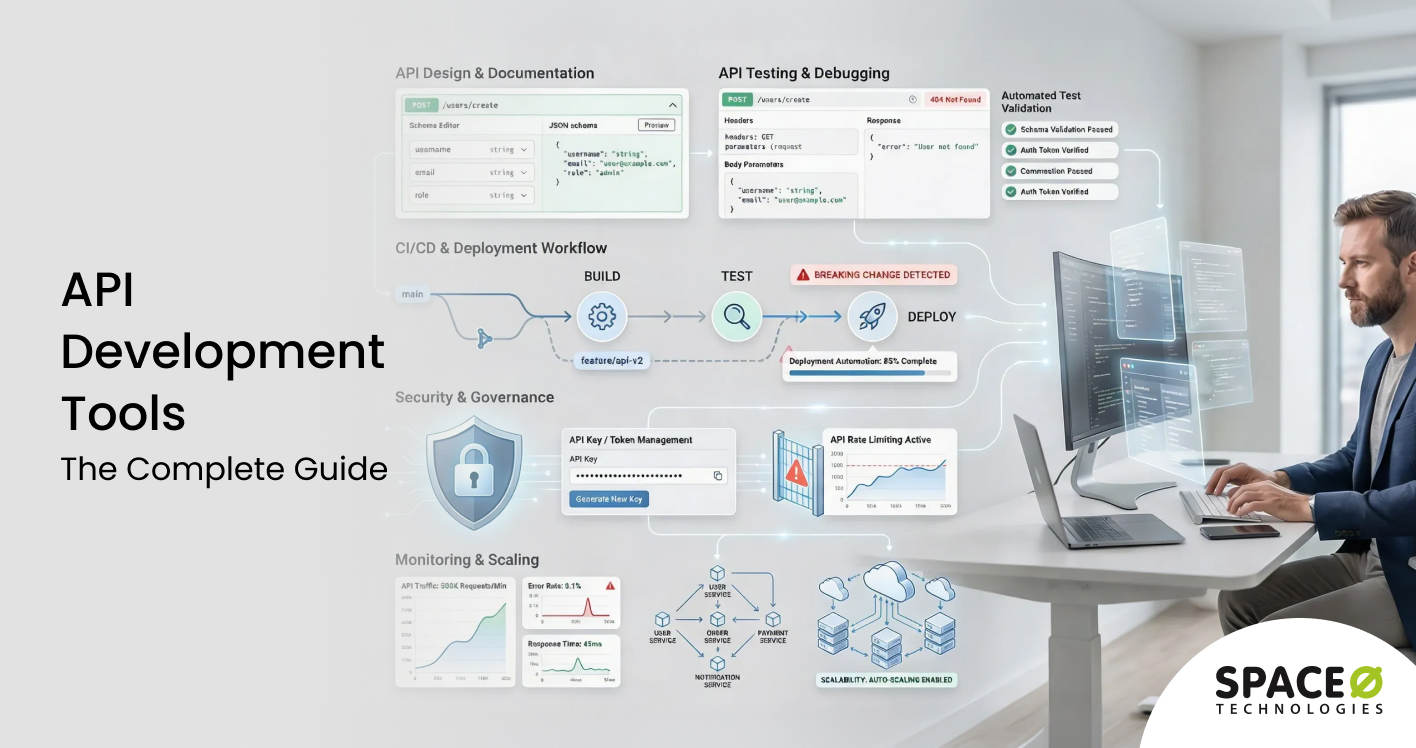
Contents
Every API your team ships depends on the tools behind it. The wrong API development tools lead to fragmented workflows, inconsistent documentation, security blind spots, and slow release cycles. The right ones compress build times, catch breaking changes before production, and give your team the confidence to scale.
According to DataIntelo, the global API development tools market is projected to reach $4.3 billion by 2032, growing at a CAGR of 13.2%. Organizations offering custom API development services are investing heavily in tooling because teams that pick the right tools ship faster with fewer production incidents.
This guide breaks down every category of API development tools, from design, testing, and security to management, monitoring, and integration. You will also find real-world tool stacks, cost comparisons, industry-specific recommendations, and a decision framework to help you choose the right tools, whether you are working with an in-house team or partnering with a custom API development company.
Let’s start by understanding what API development tools are and how they fit into the modern development workflow.
What Are API Development Tools and How Do They Work?
API development tools are software platforms and utilities that help teams design, build, test, document, deploy, and manage APIs throughout their lifecycle. These tools cover every stage of API development, from initial API specification draft to production monitoring.
How API development tools differ from API management platforms
It is important to distinguish between API development tools and API management platforms. API development tools focus on the build phase: designing endpoints, writing and running tests, generating documentation, and debugging requests.
API management platforms, on the other hand, handle the operational side: traffic routing, rate limiting, access control, analytics, and monetization. In practice, many enterprise solutions bundle both, but the core use cases remain distinct.
Where API development tools fit in the SDLC
Within a typical software development lifecycle, API development tools plug into multiple stages:
- Planning and design: Specification editors (OpenAPI, Swagger) define API contracts before writing code
- Development: Frameworks, SDKs, and code generators accelerate implementation
- Testing: API clients and automation frameworks validate functionality, performance, and security
- Deployment: CI/CD integrations push tested APIs to staging and production
- Monitoring: Analytics and alerting tools track uptime, latency, and error rates in production
Why modern applications rely on API-first architecture
Modern software teams adopt API-first architecture because it allows frontend and backend teams to work in parallel from a shared specification. According to the 2025 State of the API Report by Postman, 25% of organizations now operate as fully API-first, a 12% increase from 2024. This approach reduces rework, accelerates development cycles, and produces APIs that are consistent, well-documented, and easier to consume.
With API-first gaining ground across industries, the tools you choose directly shape your team’s velocity and the quality of your APIs. Let’s explore why these tools carry such weight in modern development.
Why API Development Tools Are Essential for Modern Software Teams
API development tools are not optional add-ons. They are core infrastructure that determines how fast your team ships, how reliable your APIs perform, and how secure your systems remain. Here’s why they matter.
Faster development cycles
The right API development tools compress the time between idea and deployment. Specification-first design lets teams define API contracts before writing a single line of code. Code generators produce boilerplate server stubs and client SDKs automatically.
Mock servers allow frontend teams to integrate against API definitions before backend implementation is complete. These capabilities eliminate bottlenecks and keep development moving without waiting for dependencies.
Improved developer productivity
Manual testing, hand-written documentation, and ad-hoc debugging waste hours every week. API tools automate these repetitive tasks. Automated test collections replace manual requests. Specification-driven generators produce interactive documentation without additional effort. Contract testing catches breaking changes before they reach production. The result is fewer context switches and more time spent on business logic.
Better API reliability and performance
Production APIs face unpredictable traffic, edge cases, and performance degradation. Monitoring tools track response times, error rates, and throughput in real time. Load testing platforms simulate high traffic to identify bottlenecks before launch. Performance profiling helps teams optimize slow endpoints and database queries. Together, these tools reduce downtime and improve the end-user experience.
Security, compliance, and governance
API security cannot be an afterthought. Security testing tools, authentication validators, and vulnerability scanners help teams identify weaknesses before attackers exploit them. Governance tools enforce naming conventions, versioning policies, and access controls across distributed teams. Compliance-focused tools generate audit trails, encryption reports, and access logs that regulated industries require.
Role in microservices and cloud-native architectures
Microservices architectures depend on APIs for inter-service communication. Without the right tooling, managing dozens or hundreds of APIs becomes unmanageable. API gateways route traffic, enforce rate limits, and handle authentication across services. Service mesh tools add observability and security at the network layer. Organizations building web applications rely on these tools as the connective tissue that holds distributed systems together.
The tools that support these outcomes fall into distinct categories. Let’s break down each type and what it does.
Ready to Build Scalable APIs for Your Business?
Space-O Technologies has delivered 300+ successful software projects with reliable API architectures. Get expert guidance on your API development strategy from our experienced team.

5 Types of API Development Tools Every Team Needs
API development tools span five primary categories. Each addresses a different phase of the API lifecycle, and most teams need tools from multiple categories to cover their full workflow.
The following table summarizes the five categories before we examine each in detail.
| Category | Purpose | Example Tools |
| Design and documentation | Define API contracts and generate docs | Swagger, Stoplight, Redocly |
| Frameworks and SDKs | Build API server and client code | Express.js, Django REST, Spring Boot |
| Testing | Validate functionality, performance, and security | Postman, SoapUI, JMeter, Karate DSL |
| Security | Identify vulnerabilities and enforce auth | OWASP ZAP, Burp Suite, 42Crunch |
| Monitoring and analytics | Track uptime, latency, and usage in production | Datadog, Moesif, New Relic |
Each category plays a specific role in the API lifecycle, and the right combination depends on your project scope and team size.
Design and documentation tools
API design tools let teams define endpoints, request/response schemas, and authentication flows before writing code. The OpenAPI Specification (formerly Swagger) is the industry standard for describing REST APIs. Tools such as SwaggerHub, Stoplight Studio, and Insomnia Designer provide visual editors, collaborative workflows, and mock server generation from a single specification file. Redocly extends this with developer portal generation and API linting.
Frameworks and SDKs
Frameworks provide the foundation for building APIs in your language of choice. Express.js (Node.js), Django REST Framework (Python), Spring Boot (Java), Laravel (PHP), and ASP.NET (C#) are among the most widely adopted.
These frameworks handle routing, middleware, serialization, and error handling out of the box, reducing boilerplate code and enforcing consistent patterns. Teams building APIs with Node.js or other server-side languages typically choose frameworks based on their existing expertise and scalability requirements.
Testing tools
API testing covers functional validation, load testing, and security scanning. Postman remains the most widely adopted platform for manual and automated API testing. SoapUI handles both SOAP and REST protocols. REST-Assured offers a Java-based DSL for automated testing in CI/CD pipelines. JMeter and k6 focus on load and performance testing. Karate DSL enables BDD-style test automation without writing Java code.
Security tools
Security tools scan APIs for vulnerabilities such as broken authentication, injection attacks, and excessive data exposure. OWASP ZAP is an open-source option for automated security scanning. Burp Suite provides advanced penetration testing capabilities. 42Crunch and APIsec offer API-specific security testing integrated into CI/CD workflows.
Monitoring and analytics tools
Monitoring tools provide visibility into API health after deployment. Datadog offers full-stack observability with API-specific dashboards. Moesif specializes in user-centric API analytics and monetization tracking. New Relic provides application performance monitoring with distributed tracing. Apimetrics runs synthetic monitoring from global locations to detect outages before users do.
Understanding these categories is one thing. Seeing how they come together in practice is another. Let’s look at real-world API development tool stacks.
Real-World API Development Tool Stacks for Startups, SaaS, and Enterprises
The ideal API development tools stack depends on your organization’s size, budget, and technical requirements. Here are three stacks that reflect common real-world scenarios.
Startup MVP stack
Startups need speed, low cost, and simplicity. A lean stack minimizes overhead while covering the essentials. Most early-stage teams can run a fully functional API workflow using free tiers and open-source tools alone.
- Design: OpenAPI Specification + Swagger Editor (free)
- Framework: Express.js or FastAPI
- Testing: Postman (free tier) + Hoppscotch (open-source)
- Monitoring: Uptime Robot (free tier) + built-in logging
- CI/CD: GitHub Actions (free for public repos)
- Estimated monthly cost: $0-$50
Enterprise-scale stack
Enterprises prioritize governance, security, and scalability across large teams and complex architectures. This stack supports organizations managing dozens of APIs with strict compliance and audit requirements.
- Design: Stoplight Studio + SwaggerHub (team plan)
- Framework: Spring Boot or ASP.NET
- API gateway: Kong Enterprise or AWS API Gateway
- Testing: Postman (enterprise) + SoapUI Pro + JMeter
- Security: 42Crunch + Burp Suite Enterprise
- Monitoring: Datadog + PagerDuty
- CI/CD: Jenkins or GitLab CI with contract testing
- Estimated monthly cost: $5,000-$25,000+
SaaS product stack
SaaS companies need developer-friendly APIs with strong documentation and analytics to support third-party integrations. API adoption and developer experience directly impact revenue, so tooling here focuses on DX and usage tracking.
- Design: Redocly + OpenAPI
- Framework: Django REST Framework or Node.js
- API gateway: Kong or Tyk
- Testing: Postman + Karate DSL
- Documentation: Redocly Developer Portal
- Monitoring: Moesif (API analytics + monetization)
- CI/CD: GitHub Actions + contract testing
- Estimated monthly cost: $500-$3,000
CI/CD and governance workflows
Regardless of stack size, API governance benefits from automation. A typical CI/CD workflow for APIs includes:
- Spec validation: Lint the OpenAPI spec on every pull request
- Contract testing: Verify API responses match the specification
- Security scanning: Run OWASP ZAP or 42Crunch scans automatically
- Performance testing: Execute k6 or JMeter load tests on staging
- Documentation generation: Auto-publish updated docs to the developer portal
- Deployment: Push to production with a canary or blue-green strategy
With these stacks as reference, the next decision is whether to use off-the-shelf tools or build custom tooling. Let’s examine that trade-off.
Build vs. Buy: When to Create Custom API Tooling and When to Use Existing Solutions
Most teams should start with established API development tools. But there are scenarios where building custom tooling makes sense. The decision comes down to five factors, similar to the in-house vs outsourcing software development debate.
Build vs. buy decision framework
The following framework helps evaluate whether to invest in custom tooling or adopt existing solutions.
| Factor | Build Custom | Use Off-the-Shelf |
| Unique workflow requirements | Your team has processes that no existing tool supports | Standard workflows that existing tools handle well |
| Compliance and data residency | Strict regulatory requirements demand custom control | Standard compliance needs are met by vendor certifications |
| Integration complexity | Deep integration with proprietary internal systems | Standard integrations with common platforms |
| Team expertise | In-house DevOps team capable of maintaining custom tools | Limited DevOps resources |
| Budget | Long-term investment budget available | Need immediate results with predictable costs |
The table above highlights the trade-offs, but several dimensions deserve closer examination.
Cost vs. control trade-offs
Custom tooling provides full control over features, data, and integrations. However, it requires ongoing maintenance, updates, and staffing. Off-the-shelf tools spread development costs across thousands of customers, making them more cost-effective for standard use cases. The breakeven point for custom tooling typically arrives only at a significant scale.
Scalability and maintenance impact
Custom tools must be maintained alongside your core product. Every framework update, security patch, and feature request consumes engineering resources that could be spent on your product. Off-the-shelf tools handle these concerns through vendor updates and support teams.
Time-to-market considerations
Building custom tooling adds weeks or months to your development timeline. Off-the-shelf tools provide immediate value with minimal setup. For startups and teams racing to market, this difference can be decisive.
Compliance and customization needs
Regulated industries such as fintech and healthcare sometimes require custom tooling to meet specific compliance mandates around data handling, audit logging, or access control. In these cases, the investment in custom tools is justified by regulatory necessity rather than preference.
Whether you build or buy, how you use your tools matters as much as which ones you pick. Let’s look at best practices.
Need Expert Help Choosing Your API Tool Stack?
Our team of 140+ developers has built APIs across fintech, healthcare, e-commerce, and enterprise. We help you select and implement the right tools for your project.
6 API Development Best Practices for Faster, More Reliable Releases
The right tools deliver maximum value only when paired with strong development practices. Here are six practices that high-performing API teams follow to ship faster with fewer production issues.
1. API-first development
Design the API contract before writing implementation code. Use specification editors to define endpoints, schemas, and authentication flows upfront. Share the spec with frontend, backend, and QA teams so everyone works from the same source of truth. This eliminates misalignment and reduces rework.
2. Contract testing
Contract tests verify that API responses match the published specification. They catch breaking changes, missing fields, and schema mismatches before they reach production. Tools such as Pact, Dredd, and Postman’s contract testing features automate this validation in CI/CD pipelines.
3. Versioning strategies
Plan your API versioning approach early. URL-based versioning (/v1/, /v2/) is the most common pattern and the easiest for consumers to understand. Header-based versioning offers cleaner URLs but adds complexity. Whichever approach you choose, document your deprecation policy and communicate changes to API consumers with adequate lead time.
4. Documentation automation
Manual documentation falls out of sync with code. Use tools that generate documentation directly from your OpenAPI specification. Redocly, Stoplight, and SwaggerHub produce interactive documentation that updates automatically when the spec changes. This ensures consumers always have access to accurate, current documentation.
5. CI/CD for APIs
Integrate API testing, linting, and security scanning into your CI/CD pipeline. Every pull request should trigger spec validation, contract tests, and security scans. Automated pipelines catch issues early and enforce quality standards without relying on manual review.
6. Observability-driven optimization
Monitor API performance from day one, not after the first outage. Track response times, error rates, throughput, and latency percentiles. Set alerts for anomalies. Use monitoring data to identify slow endpoints, optimize database queries, and plan capacity. Observability transforms API management from reactive firefighting to proactive optimization.
These practices establish a strong foundation, but teams still face common challenges. Let’s look at the most frequent problems and how tools address them.
6 Common API Development Challenges and How the Right Tools Solve Them
Even experienced teams encounter recurring challenges during API development. Whether you are building new APIs or maintaining existing ones, these six obstacles show up repeatedly, and the right tools make all the difference.
1. Versioning and breaking changes
As APIs evolve, new versions risk breaking existing integrations. Teams discover breaking changes too late, after consumers report failures in production. Without automated checks, every release becomes a risk.
Solution
- Use contract testing tools (Pact, Dredd) to detect breaking changes in CI/CD
- Implement automated schema comparison between API versions
- Set up deprecation notices and migration guides in your developer portal
- Enforce backward compatibility checks before merging code changes
2. Performance bottlenecks under high traffic
Performance issues surface when APIs handle increasing traffic or complex queries. Slow response times frustrate users and trigger cascading failures in microservices architectures.
Solution
- Run load tests with k6 or JMeter before every release
- Monitor latency percentiles (p95, p99) with Datadog or New Relic
- Implement caching strategies at the API gateway layer
- Use distributed tracing to identify slow dependencies
3. Security vulnerabilities and authentication gaps
APIs without proper authentication and encryption expose organizations to data breaches and compliance violations. Many teams ship endpoints with insufficient access controls, leaving sensitive data unprotected.
Solution
- Integrate security scanning (OWASP ZAP, 42Crunch) into CI/CD pipelines
- Enforce OAuth 2.0 or JWT authentication on all endpoints
- Require TLS encryption for all API traffic
- Conduct regular penetration testing with tools such as Burp Suite
4. Poor developer experience (DX) and slow adoption
Poor documentation, unclear error messages, and missing code samples make it harder for developers to integrate with your API. Low adoption undermines the value of even a well-built API.
Solution
- Generate interactive documentation from OpenAPI specifications
- Provide code samples in multiple languages using SDK generators
- Publish a getting-started guide with working examples
- Collect developer feedback through usage analytics
5. Inconsistent API standards across distributed teams
When multiple teams build APIs independently, inconsistencies in naming conventions, error formats, authentication patterns, and response structures create confusion for consumers and increase integration effort.
Solution
- Enforce API style guides using automated linting tools
- Implement centralized API governance with design-time validation
- Use shared OpenAPI templates and reusable schema components
- Conduct regular API reviews to maintain consistency across teams
6. Deciding whether to buy tools or build custom solutions
Teams often struggle to determine whether off-the-shelf API tools meet their needs or whether custom-built solutions are necessary. Choosing incorrectly wastes budget on tools that don’t fit or delays projects while building something that already exists.
Solution
- Audit your current workflow gaps before evaluating any tool
- Start with free or open-source tools and upgrade only when you hit clear limitations
- Reserve custom tooling for workflows that no existing product supports
- Factor in ongoing maintenance costs when considering custom builds
With these challenges addressed, the next question is how to evaluate and select the right tools for your specific situation.
How to Evaluate and Select the Right API Development Tools for Your Project
Choosing API development tools requires matching your team’s needs, technical stack, and budget to the right solutions. Consider these five factors.
Evaluate based on team size and technical skills
Small teams benefit from all-in-one platforms such as Postman that cover design, testing, and documentation in a single tool. Larger teams with specialized roles may prefer best-of-breed tools for each function: Stoplight for design, JMeter for load testing, and Datadog for monitoring. You can also hire API developers to fill skill gaps when your in-house team needs additional API expertise.
Match tools to your API protocol (REST, GraphQL, or gRPC)
Your API architecture determines which tools you need. REST APIs have the broadest tool support across every category. GraphQL requires specialized tools for schema management, query testing, and introspection (Apollo Studio, Insomnia). gRPC demands protocol buffer support and HTTP/2 testing capabilities. Choose tools that align with your protocol of choice.
Consider compliance and security requirements
Regulated industries need tools that support audit logging, encryption, and compliance reporting. Fintech companies require PCI-DSS-compliant API testing. Healthcare organizations need HIPAA-aligned access controls. Evaluate whether tools offer compliance certifications and data residency options that match your requirements.
Factor in budget constraints and future scaling needs
API development tools range from free open-source options to enterprise licenses costing thousands per month. Start with free tiers and open-source alternatives for early-stage projects. Scale to paid plans as your team and API traffic grow. Factor in hidden costs such as user seat limits, API call quotas, and support tiers.
Decide between cloud-hosted and on-premises deployment
Cloud-hosted tools offer faster setup and lower maintenance. On-premises deployments provide greater control over data and compliance. Hybrid options, such as Kong’s Kubernetes-native deployment, offer flexibility for organizations with mixed requirements.
Budget plays a significant role in tool selection. Let’s examine the real costs involved.
Looking for a Development Partner Who Understands API Architecture?
From REST to GraphQL to microservices, Space-O Technologies delivers API solutions built on the right tools and proven practices. Let’s discuss your requirements today.
API Development Tools Pricing: Free, Open-Source, and Enterprise Cost Breakdown
API development tools range from completely free to enterprise-priced, with significant variation across categories. Understanding the cost breakdown helps you budget accurately and avoid surprises.
Free and open-source API development tools
Several high-quality API development tools are available at no cost. Swagger Editor and Hoppscotch are fully open-source with no usage limits. Postman offers a free plan supporting up to 25 collection runs per month. GitHub Actions provides free CI/CD minutes for public repositories.
Kong and Tyk offer open-source editions of their API gateways. Prometheus, paired with Grafana, delivers monitoring without licensing fees. These options cover most needs for solo developers, small teams, and early-stage startups.
Cost comparison: open-source vs. commercial tools
The following table breaks down what you can expect to pay across each tool category.
| Tool Category | Open-Source (Free) | Commercial Option | Monthly Cost Range |
| API design | Swagger Editor | Stoplight, SwaggerHub | $79 – $399 |
| API testing | Hoppscotch, REST-Assured | Postman Enterprise, SoapUI Pro | $49 – $999 |
| API gateway | Kong OSS, Tyk OSS | Kong Enterprise, AWS API Gateway | $150 – $5,000+ |
| API monitoring | Prometheus + Grafana | Datadog, New Relic | $23 – $500+ |
| API security | OWASP ZAP | 42Crunch, APIsec | Custom pricing |
Open-source tools carry no licensing fees but require internal expertise for deployment, configuration, and ongoing maintenance. Commercial tools bundle support, automatic updates, and managed hosting into their pricing.
Hidden costs that add up at scale
Several cost factors are easy to overlook during initial budgeting:
- Seat-based pricing: Enterprise tools charge $15–$99 per user per month, adding up as teams grow
- API call volume charges: Monitoring and gateway tools bill based on API call volume, which can spike during traffic surges
- Premium support tiers: SLA-backed support with dedicated account managers costs $500 — $5,000+ per month extra
- Compliance add-ons: HIPAA, SOC 2, and PCI-DSS certifications are typically locked behind enterprise plans
- Data retention fees: Extended log storage and analytics retention beyond 30 days requires higher-tier subscriptions
- Overage charges: Exceeding free-tier limits on tools such as Postman or Datadog triggers automatic billing
Total cost of API development tools by team size
The following breakdown covers tooling costs only. Development labor, cloud infrastructure, and ongoing maintenance are separate line items.
| Team Size | Monthly Tool Cost | What’s Included |
| Solo developer | $0 – $100 | Free tiers + open-source tools |
| Small team (2 – 5 developers) | $100 – $500 | Free tiers + 1–2 paid tools |
| Mid-size team (5 – 20 developers) | $500 – $3,000 | Mix of commercial design, testing, and monitoring |
| Enterprise (50+ developers) | $5,000 – $25,000+ | Full commercial stack with governance and compliance |
Organizations planning API projects can review our cost to hire a software developer guide for a deeper understanding of development labor costs alongside tooling expenses.
Tool requirements also vary by industry. Let’s look at how different sectors approach API development tooling.
Industry-Specific API Development Tools: Fintech, Healthcare, E-Commerce, and More
Each industry has unique requirements that influence API development tool selection. Here’s how key sectors approach tooling.
Fintech: security-first API tooling
- Key requirement: PCI-DSS compliance, encrypted data transmission, and fraud detection
- Recommended tools: 42Crunch and Burp Suite for security scanning, OAuth 2.0 testing frameworks, and API gateways with token management
- Compliance needs: Audit trail generation, vulnerability assessments, and sandbox environments for payment gateway integrations
Healthcare: HIPAA-compliant API development
- Key requirement: Patient data protection, role-based access controls, and encryption at rest and in transit
- Recommended tools: FHIR-compatible testing tools for HL7 resource validation, API gateways with PHI access policies, and monitoring tools with compliance logging
- Compliance needs: HIPAA audit trails, data access tracking, and encryption verification across all API endpoints
E-commerce: high-traffic performance and integration tools
- Key requirement: Handling seasonal traffic spikes (5x normal volume) without downtime
- Recommended tools: k6 and JMeter for load testing, webhook management tools for real-time sync, and monitoring across payment, inventory, and shipping integrations
- Compliance needs: PCI-DSS for payment processing, GDPR for customer data handling
SaaS: developer experience and API monetization tools
- Key requirement: Third-party developer adoption, versioning stability, and usage-based billing
- Recommended tools: Interactive documentation generators, SDK auto-generation tools, API analytics platforms (Moesif), and monetization solutions (Stripe Billing)
- Compliance needs: Backward compatibility validation, rate limiting, and multi-tenant data isolation
Enterprise IT: governance and lifecycle management tools
- Key requirement: Managing large API portfolios with consistent standards across distributed teams
- Recommended tools: API management platforms (Apigee, MuleSoft) for lifecycle control, service mesh tools (Istio, Linkerd) for microservices, and centralized governance dashboards
- Compliance needs: SOC 2 certification, role-based access controls, and API usage auditing
- Teams managing complex enterprise integrations benefit from dedicated API specialists with governance experience
Mobile apps: performance-optimized API tools
- Key requirement: Sub-second response times on variable network connections, offline sync support
- Recommended tools: API design tools supporting pagination and token refresh patterns, performance monitoring with mobile-specific latency tracking, and lightweight serialization format support
- Compliance needs: Secure token storage, certificate pinning validation, and data minimization testing
Industry-specific requirements are important, but the biggest shift in API development tooling is happening right now with AI. Let’s examine what’s changing.
How AI Is Transforming API Development Tools in 2026
Artificial intelligence is transforming every category of API development tooling. According to Postman, 89% of developers use generative AI in their daily work in 2025, but only 24% design APIs with AI agents in mind. Organizations investing in artificial intelligence development services to build modern AI-driven solutions are seeing these AI capabilities reshape API development tools across every category.
AI-assisted API design
AI-powered design tools generate OpenAPI specifications from natural language descriptions. Developers describe what the API should do, and the tool produces endpoint definitions, request/response schemas, and validation rules. This accelerates the design phase and reduces specification errors.
Auto schema generation
AI tools analyze existing databases, codebases, and data models to generate API schemas automatically. They detect relationships, data types, and naming patterns, producing specifications that match existing data structures without manual mapping.
AI testing
AI-driven testing tools generate test cases automatically based on API specifications. They identify edge cases, boundary conditions, and security vulnerabilities that manual testing often misses. These tools also prioritize test cases based on risk analysis and historical failure patterns.
Intelligent monitoring
AI-powered monitoring detects anomalies in API performance before they become incidents. Machine learning models learn normal traffic patterns and flag deviations automatically. This reduces alert fatigue and catches issues that static thresholds miss.
AI-powered developer experience
AI chatbots integrated into developer portals answer integration questions, generate code samples, and troubleshoot errors in real time. This reduces support burden and accelerates developer onboarding for public APIs.
AI capabilities are expanding rapidly, and they point toward a broader transformation in how APIs are built and managed. Let’s look at what’s coming next.
The Future of API Development Tools: What to Expect Beyond 2026
The API development tools landscape is evolving in five directions that will reshape how teams build and manage APIs over the next several years.
AI-native platforms
Expect API development platforms that embed AI throughout the workflow, not as add-on features but as core functionality. AI will handle specification generation, test creation, documentation writing, and deployment optimization as integrated capabilities rather than separate tools.
Low-code and no-code API builders
Low-code platforms are lowering the barrier to API creation. Business analysts and product managers will build functional APIs using visual interfaces without writing backend code. These tools will handle standard CRUD operations, authentication, and data validation through configuration rather than custom development, freeing engineering teams to focus on complex business logic.
API marketplaces and composability
API marketplaces such as RapidAPI (40,000+ APIs) will continue growing. Developers will compose applications by combining pre-built API services for payments, authentication, messaging, and AI. This composable approach reduces development effort and accelerates time to market.
Autonomous testing and validation
Testing will shift from developer-initiated to continuous and autonomous. AI agents will monitor API specifications, detect changes, generate and execute tests, and report results without human intervention. This will enable continuous validation that keeps pace with rapid deployment cycles.
Governance automation
API governance will move from manual review processes to automated enforcement. AI-powered governance tools will scan API specifications for compliance, naming convention adherence, security best practices, and backward compatibility, approving or flagging changes automatically before they reach production.
Want to Build Scalable, High-Performance APIs?
Space-O Technologies builds custom APIs using REST, GraphQL, and microservices architecture with end-to-end testing, security, and monitoring. Our 140+ developers have delivered projects across industries, including Fortune 500 giants.
Let’s Build Your API Solution with Space-O Technologies
This guide covered the full landscape of API development tools, from design and testing to management, monitoring, security, and the AI-driven innovations shaping how teams build APIs today. Choosing the right combination of tools directly impacts how fast your team ships, how secure your APIs remain, and how well they scale under production traffic.
Space-O Technologies is a custom software development company with 15+ years of experience since 2010. Our team has delivered 300+ successful software projects for 1,200+ clients across healthcare, fintech, e-commerce, and enterprise. We help businesses select the right API development tools, define architecture standards, and build integrations that perform reliably at scale.
Our 140+ in-house developers specialize in building full-stack API solutions using REST, GraphQL, and microservices architecture. We maintain a 97% client retention rate and have contributed to apps such as Glovo ($1.2B) and Fyule ($1.4M). Every project includes end-to-end API testing, security hardening, and monitoring setup as part of our delivery process. Ready to start your API development project? Contact us for free consultation where our experts will assess your requirements, recommend the right tool stack, and provide a detailed project estimate.
Frequently Asked Questions About API Development Tools
What are the most popular API development tools in 2026?
Postman remains the most widely adopted API platform for design, testing, and documentation. Swagger/OpenAPI is the industry-standard specification format. For API gateways, Kong and AWS API Gateway lead the market. Datadog and New Relic dominate API monitoring. REST-Assured and Karate DSL are popular for automated testing in CI/CD pipelines.
What is the best tool for API testing?
The best tool depends on your use case. Postman works well for manual and automated functional testing. JMeter and k6 are strong choices for load and performance testing. OWASP ZAP covers security testing. For automated contract testing in CI/CD, REST-Assured (Java) and Karate DSL (BDD-style) are widely adopted.
How much do API development tools cost?
Costs range from free to $25,000+ per month, depending on team size and requirements. Open-source tools such as Swagger Editor, Hoppscotch, and OWASP ZAP are free. Commercial tools such as Postman ($49–$999/month), Stoplight ($79–$399/month), and enterprise API gateways ($150–$5,000+/month) charge based on features and usage.
What tools do I need for REST API development?
A minimal REST API development stack includes an OpenAPI specification editor (Swagger Editor), an API testing client (Postman or Insomnia), a backend development framework (Express.js, Django REST, or Spring Boot), and a monitoring solution (Datadog or Prometheus + Grafana). Add a CI/CD pipeline with GitHub Actions for automated testing.
Can I use free tools for API development?
Yes. A fully functional API development workflow is possible using free and open-source tools such as Swagger Editor for design, Hoppscotch for testing, Express.js or FastAPI for development, Prometheus + Grafana for monitoring, and GitHub Actions for CI/CD, along with free tiers of Postman and Uptime Robot.
What is the difference between an API gateway and an API management platform?
An API gateway handles runtime traffic, including routing, rate limiting, authentication, and load balancing, while an API management platform covers the full lifecycle including design, publishing, monitoring, analytics, and developer portal management. Gateways are a component within broader management platforms.
How do I test API security?
Start by integrating OWASP ZAP into your CI/CD pipeline for automated vulnerability scanning. Use Burp Suite for manual penetration testing. Validate authentication and authorization on every endpoint and test for vulnerabilities such as injection attacks, excessive data exposure, and rate limiting bypass before every production deployment.
Does Space-O Technologies help with API development and tool selection?
Yes. Space-O Technologies provides end-to-end API development services, including architecture design, tool selection, development, testing, and deployment, helping businesses build scalable and efficient API solutions.
What industries does Space-O Technologies build APIs for?
Space-O Technologies builds API solutions for fintech, healthcare, e-commerce, SaaS, and enterprise IT, including PCI-DSS-compliant payment APIs, HIPAA-aligned healthcare integrations, high-performance e-commerce APIs, and enterprise-grade microservices architectures.



 All our projects are secured by NDA




 4.8
4.8

