
 By
By 
Contents
- Four paths: AI connects to a CRM through native features, API or LLM connectors, middleware, or a custom build.
- Start native: If you run Salesforce or HubSpot, built-in AI is usually the fastest first step.
- Custom and legacy CRMs: They need a permission-aware access layer and masked data before AI touches records.
- Data comes first: Clean, deduplicated records and one KPI decide whether a pilot succeeds.
- Safe by design: Human review, PII masking, and no training on your CRM data keep AI under control.
Key Takeaways
AI integration with CRM (customer relationship management) software connects AI to your customer data. It lets AI read, write, and act on records. It arrives as native features, application programming interface (API) links, or custom CRM development.
Sales teams lose hours to manual updates and guesswork. AI automates data entry and follow-ups. It also scores leads by conversion likelihood and predicts customer behavior.
This guide compares four integration approaches, including custom-built. It covers platforms, steps, and controls. Use it to pick the path that fits your CRM.
What does AI do inside a CRM?
AI inside a CRM handles six jobs: logging activity, scoring leads, forecasting, drafting outreach, running agents, and answering questions. Most sales teams lose hours to manual updates and guesswork about which deal to chase. These six capabilities address that directly:
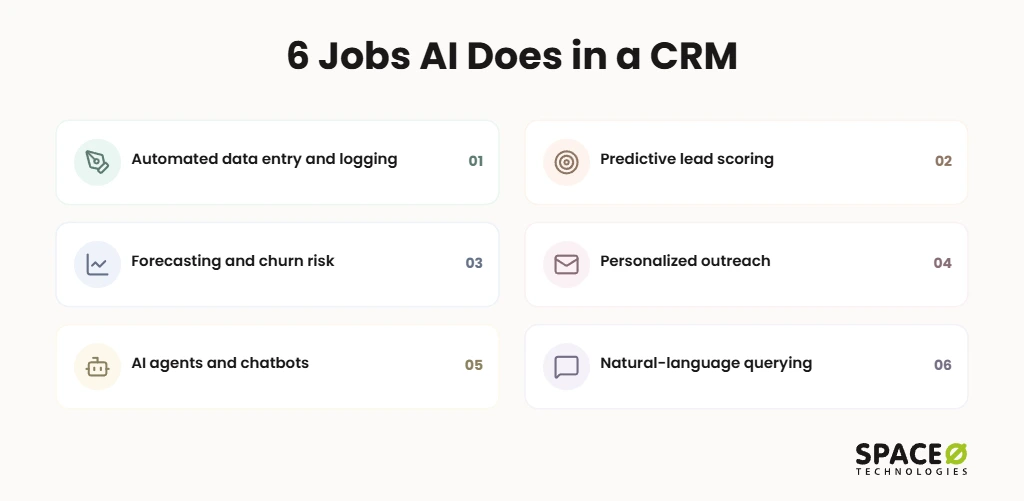
- Automated data entry and activity logging: AI captures emails, calls, and meetings and writes them to the right record without manual typing.
- Predictive lead scoring: AI analyzes historical data and behavioral signals to rank leads by their likelihood to convert.
- Forecasting and churn risk: AI projects pipeline revenue and flags at-risk accounts before they cancel.
- Personalized outreach: AI drafts follow-up emails and messages from each contact’s conversation history.
- AI agents and chatbots: Agents qualify leads, route tickets, and book meetings 24/7.
- Natural-language querying: Users ask the CRM questions in plain English (e.g., “When was our last contract discussion with this client?”).
Gartner’s overview of AI in sales covers prospecting, analytics, forecasting, and enablement use cases.
How AI integrates with a CRM: 4 approaches
There are four ways to connect AI to a CRM, and each takes a different approach. Those options are native AI, direct API or LLM connectors, middleware, and a custom-built integration. The right path depends on which CRM you run and how much control you need over your data. Here is what each path involves:
- Native AI: Built into platforms such as Salesforce and HubSpot. It is the fastest to adopt but is limited to the vendor’s own features.
- Direct API / LLM connectors: External large language models (LLMs) such as OpenAI’s ChatGPT, Claude, or Gemini connect through APIs or native connectors.
- Middleware: Zapier or Make link the CRM to AI services through no-code or low-code workflows.
- Custom-built integration: AI connects to a custom, legacy, or multi-system CRM through your own APIs, with full data control.
If you already run Salesforce or HubSpot, native AI is often a sensible first step. You can extend it later with connectors or generative AI integration services.
| Approach | Data control and IP ownership | Fit with custom workflows | Security controls available | Time-to-value | Complexity | Engagement-model fit |
|---|---|---|---|---|---|---|
| Native AI | Data stays in the vendor’s platform under its terms | Limited to vendor features | Vendor-defined permissions | Fastest | Low | Vendor configuration, often in-house |
| Direct API / LLM connectors | Shared with the model provider under its API terms | Moderate | Depends on how the connector is built | Fast to moderate | Medium | Time and material |
| Middleware | Passes through a third-party automation layer | Moderate, within available triggers | Limited to the middleware’s settings | Fast | Low to Medium | Small fixed-cost setups |
| Custom-built integration | Full ownership of code, data flows, and IP | Built around your workflows | Personally identifiable information (PII) masking and permission-aware access, by design | Moderate | High | Fixed cost, time and material, or dedicated team |
Space-O Technologies has 50+ AI systems live in production, and they were built by 30+ AI engineers. The company also holds OpenAI Select Partner and AWS Partner status, along with Claude Certified Architect credentials. For how to vet partners like us, see how to hire an AI development company for enterprise businesses.
AI-enabled CRM platforms
Salesforce, HubSpot, Zoho CRM, and Microsoft Dynamics 365 are the CRM platforms most associated with built-in AI. Pipedrive and Freshsales follow as the next CRM platforms most associated with built-in AI features. Each one gates its AI features by plan or edition, and some sell AI as an add-on. Confirm current plans with each vendor before you budget.
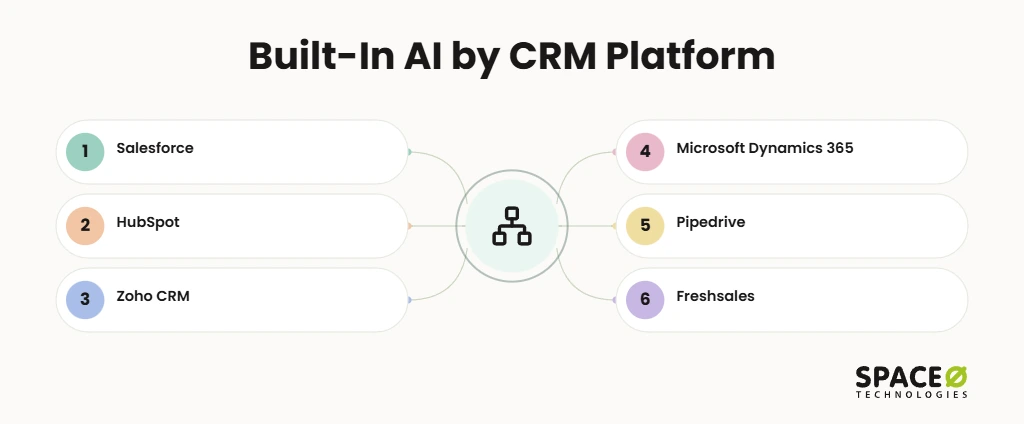
- Salesforce (Einstein, Agentforce): Scores leads, predicts deal outcomes, and runs autonomous agents for sales and service.
- HubSpot (Smart CRM, Breeze): Drafts emails, enriches contact records, and runs AI agents across Sales Hub.
- Zoho CRM (Zia): Predicts deal closure, scores leads, and answers conversational queries about CRM data.
- Microsoft Dynamics 365 (Copilot): Summarizes records, drafts emails, and surfaces insights for sellers.
- Pipedrive (AI sales assistant): Suggests next steps and helps sellers prioritize deals.
- Freshsales (Freddy AI): Automates lead qualification, handles chat queries, and books meetings.
Not Sure Which AI CRM Path Fits?
Share your CRM and goals with our AI engineers. We review your setup and return an expert-reviewed integration plan with clear next steps, free of charge.

Steps to integrate AI with your CRM
A reliable AI CRM integration follows eight steps, from auditing your current system to measuring results and scaling. Most failed pilots skip the early steps and go straight to tools. This order prevents that:
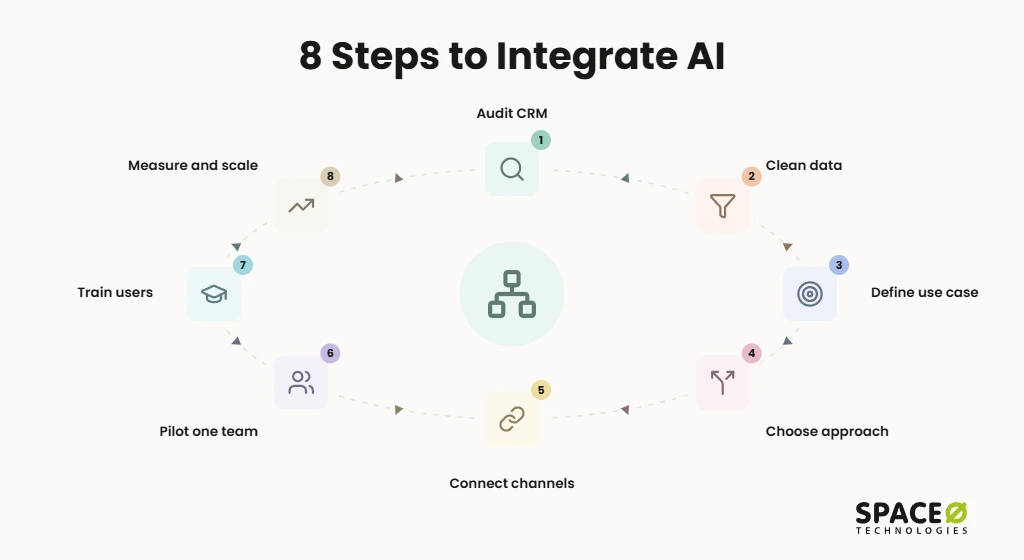
- Audit your CRM and workflows: List where staff spend manual time and where data lives.
- Clean and standardize data: Remove duplicates, fill missing fields, and align formats.
- Define one high-impact use case and KPI: Pick a single key performance indicator (KPI), such as lead-response time.
- Choose the integration approach: Select native, connector, middleware, or custom-built.
- Connect communication channels: Link Google Workspace or Microsoft 365 through Open Authorization (OAuth).
- Pilot with one team: Test with a small group before a wider rollout.
- Train users: Show staff how to review and correct AI output.
- Measure and scale: Compare results against your KPI, then extend to more teams.
Timelines vary by approach and data condition. In our custom CRM development cost guide, a custom CRM with core features takes three to four months. Adding workflow automation and integrations extends that timeline to four to eight months in total. An advanced platform with AI-powered lead scoring and predictive analytics takes eight to twelve months.
How to add AI to a custom or legacy CRM with no native AI
You can add AI to a custom or legacy CRM without native AI in six steps. One governance control is attached to each step, and each control is listed alongside its step below.
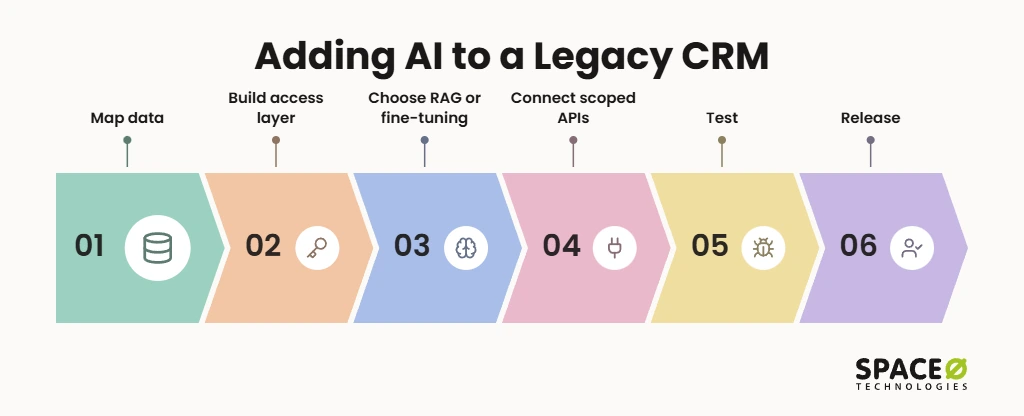
- Map data and owners: Classify every field. Control: mask PII before any record reaches a model.
- Build a permission-aware access layer: Mirror existing CRM roles. Control: role-based access, so AI sees only what the requesting user can see.
- Choose RAG or fine-tuning: Pick retrieval-augmented generation (RAG) or fine-tuning based on cost-effectiveness for the use case. Control: no training on client CRM data.
- Connect through scoped APIs: Expose only the endpoints the use case needs. Control: log every AI-initiated write action.
- Test before release: Run the AI against real, masked scenarios. Control: hallucination and bias testing with pass thresholds.
- Release with human review: Launch with approval gates in place. Control: human checkpoints for contract terms, lending, and clinical intake.
Space-O Technologies already works on legacy CRM systems. We modernized RaeCRM, an NDIS fund management software platform, and optimized it for security and performance. The team has run security monitoring and threat detection on it for the past 1.5 years.
Our guide on how to integrate AI into legacy software covers the wider approach. For step 5, every model we put into production gets an evaluation suite. It covers accuracy, hallucination rate, bias checks, latency, and cost. We red-team each model before release.
Implementation challenges
The three challenges that decide an AI CRM project’s success are data readiness, privacy and security, and human oversight. Teams often underestimate all three until a pilot stalls. Plan for each from day one:
- Data readiness: AI needs clean, deduplicated, standardized records. Garbage in, garbage out.
- Privacy and security: Use encryption, role-based access, and PII masking. California Consumer Privacy Act (CCPA) duties apply to California customer data.
- Human-in-the-loop: People review AI-drafted emails and approve high-stakes decisions before anything ships.
Our work is NDA-protected, and you keep full code and IP ownership.
Who we build AI CRM integrations for
We build AI CRM integrations for SMEs, SaaS and startup teams, enterprises, and regulated industries. Each group starts from a different problem:
- SMEs and growing businesses: Replace spreadsheets with a custom CRM that includes AI lead scoring from launch.
- SaaS and startup teams: Add AI features such as smart search or drafted follow-ups to an existing product.
- Enterprises: Connect AI across CRM and enterprise resource planning (ERP) systems, so insights draw on sales and operations data together.
- Regulated teams in healthcare and fintech: Build AI workflows with HIPAA-ready controls and human-review gates for clinical and lending decisions.
Why Space-O Technologies for AI CRM integration
Space-O Technologies has built custom software, CRM systems, and AI solutions for 1,200+ clients since 2010. Our work includes Glovo, an on-demand delivery app that secured $1.2 billion in funding. Our 140+ in-house developers cover CRM, ERP, and AI under one team, so you never coordinate multiple vendors.
- Flexible models: Fixed cost, time and material, dedicated team, or staff augmentation.
- Full transparency: A dedicated project manager and daily updates.
- Clients stay: 97% client retention and top Clutch ratings for quality, schedule, cost, and willingness to refer, with reviews on GoodFirms.
Costs depend on approach and scope. AI-driven lead scoring and chatbots start at $15,000 and can exceed $50,000. Predictive analytics costs $20,000 to $40,000, and workflow automation engines cost $8,000 to $25,000. Each API or ERP integration adds $3,000 to $12,000, and data migration runs $5,000 to $30,000 or more.
Plan for annual AI maintenance of 15% to 25% of build cost, as covered in our AI development cost guide. Most businesses see CRM payback within 18 to 36 months.
The free CRM services cost calculator gives a project-specific estimate.
Frequently Asked Questions
What is an AI CRM?
An AI CRM is a CRM with artificial intelligence that reads, updates, and acts on customer records. It typically automates data entry and follow-ups, ranks leads by conversion likelihood, predicts behavior, and answers questions.
Is an AI CRM a good investment?
Yes, an AI CRM can be a good investment when it is tied to one measurable goal. Pick a goal such as lead-response time, and test with one team before wider rollout. Results depend on clean, deduplicated data, the integration approach you choose, and whether staff review and correct AI output. Most failed pilots skip the early steps, such as auditing the CRM and cleaning data, and go straight to tools.
What do I need in place before connecting AI to my CRM?
You need clean, deduplicated, standardized records before connecting AI to your CRM. AI output is only as good as the data it reads. You also need one use case with a single KPI and an audit of where staff lose manual time. Decide on the integration approach, and plan for encryption, role-based access, and PII masking. If you hold California customer data, CCPA duties apply.
How to integrate AI into CRM?
Integrate AI into a CRM by auditing your data, choosing one use case, and picking an approach. Choose from native AI, an API or LLM connector, middleware, or a custom build. Then connect your communication channels and pilot with one team. Train users to review AI output, and measure results against your KPI before scaling.
What is the fastest way to add AI to a CRM?
The fastest path is usually the AI built into your current platform, such as Salesforce or HubSpot. These need the least setup but are limited to what the vendor offers. Middleware tools like Zapier or Make are also fast and need little or no code. Whichever you choose, pilot one use case with one team first.



 All our projects are secured by NDA




 4.8
4.8

