---
title: "H2GO: On Demand Water Delivery App"
url: "https://www.spaceotechnologies.com/project/on-demand-water-delivery-service-app/"
date: "2021-12-17T11:39:56+00:00"
modified: "2026-06-16T06:12:29+00:00"
author:
name: "Space-O Technologies"
url: "https://www.spaceotechnologies.com/"
word_count: 1269
reading_time: "7 min read"
summary: "Back
Bottled Water Delivery Service App
Home > Portfolio > On demand Water Delivery App
H2GO is a web and app-based smart on-demand water delivery system that helps thou..."
description: "This portfolio shows how we created a complete H2GO on-demand water delivery service for the water delivery business. Read the portfolio to know more."
keywords: "on-demand water delivery service app"
language: "en"
schema_type: "WebPage"
---
# H2GO: On Demand Water Delivery App
_Published: December 17, 2021_
_Author: Space-O Technologies_
[ Back](https://www.spaceotechnologies.com/project/)
# Bottled Water Delivery Service App
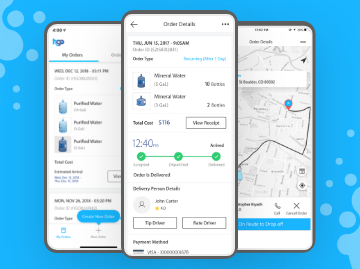
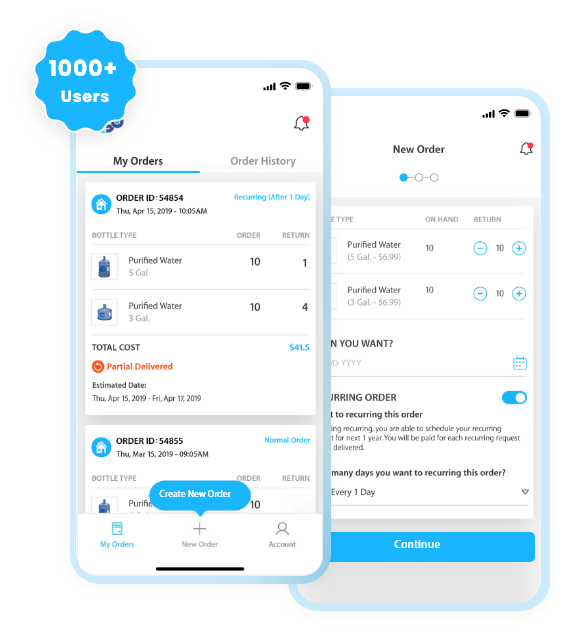
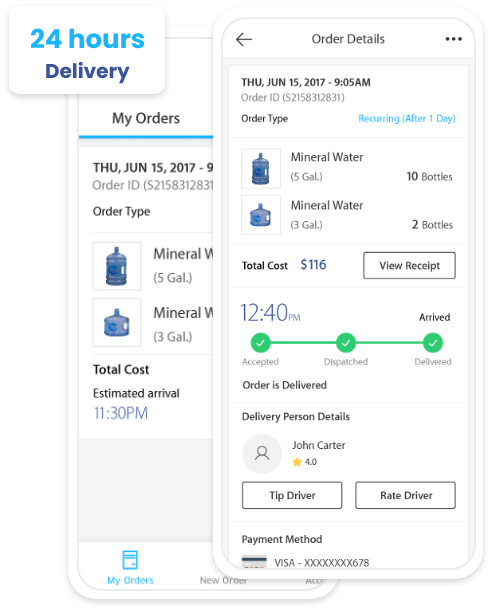
H2GO is a web and app-based smart on-demand water delivery system that helps thousands of consumers quench their thirst by delivering filtered water. Having more than 1000 users, the H2GO app not only provides regular water delivery in 24 hours but also provides BPA-free and recyclable water bottles. Do you have a similar on-demand app development idea?
## About the H2GO Water Delivery App
There are multiple water delivery systems in the market. But with the skills and experience of our development team, we have helped H2GO develop two complete water delivery apps in iOS and Android. Along with the mobile app, we have developed bottled water delivery software, which is currently available in Northern California. H2GO has enhanced its service and management using water delivery software solution to offer the cleanest water at a sustainable price.
H2GO has successfully taken its business online by offering the cleanest water to more than 1000 customers using our developed solutions. The water delivery service software is well built with all the necessary water delivery app features like 24 hours delivery, recurring order, and online payment feature. The customers can place orders at their convenience using the best water delivery services and get drinking water.
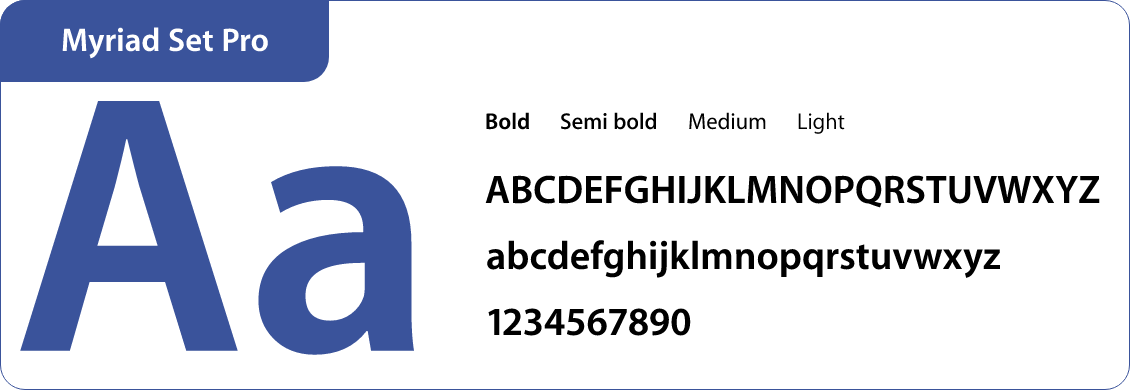
## Colors and Typography
#19B5FF
#3A539B
#333333
#484848
## Key Features of H2GO
01
### New Order
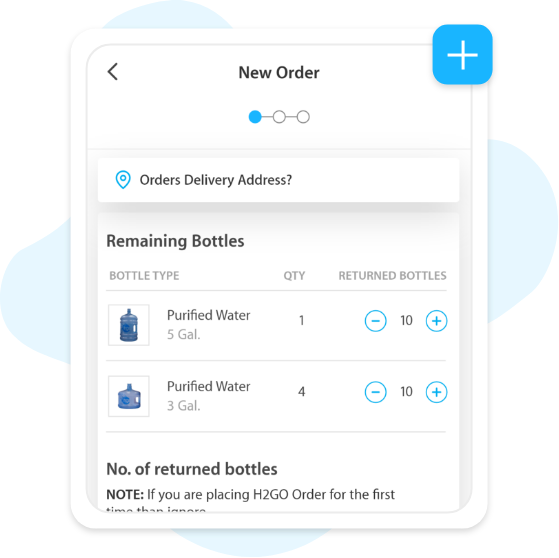
By clicking on the new order, place orders. Add the delivery address, either your business or personal address, and you’re ready to start placing new orders.
02
### Place an Order for Bottles
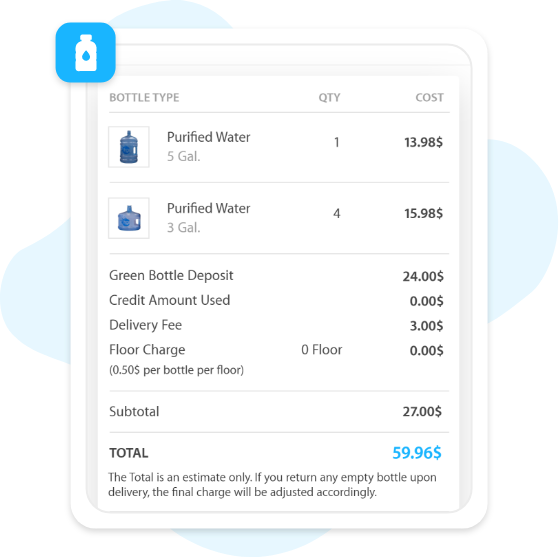
Choose from a variety of bottle sizes (3 gallons, 5 gallons, and 8 gallons) and order multiple water bottles in a single order. Depending on your needs, increase or decrease the bottle orders.
03
### Bottle Returning Process
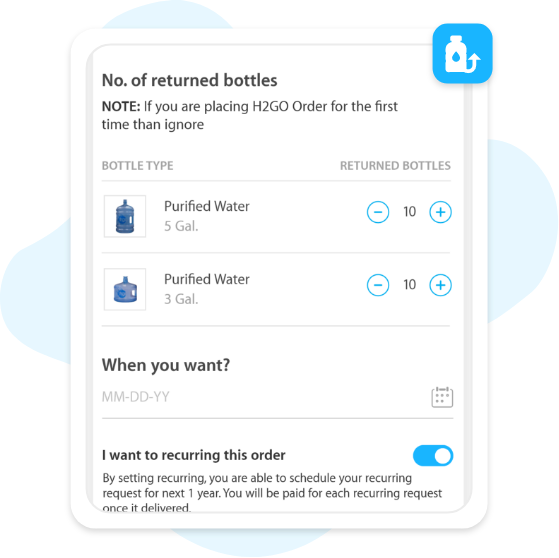
This feature is only available for existing users. Use this function if you’ve already ordered bottles and want to return them. Choose the number of bottles you want to return when ordering a new bottle.
04
### Recurring Order
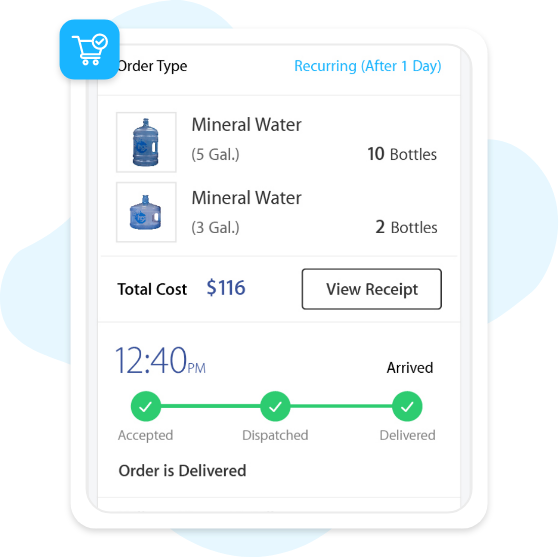
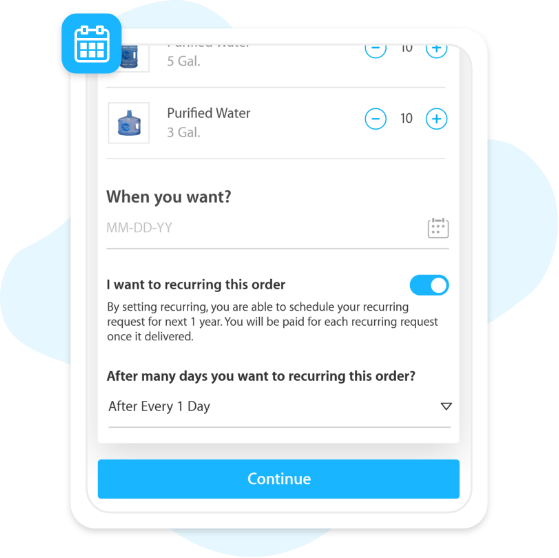
If a consumer selects a weekly repeating order, the order will be fulfilled on a weekly basis. Each week, the cycle will repeat itself. If they choose every two weeks, the next order will arrive two weeks later.
05
### Add a Delivery Address
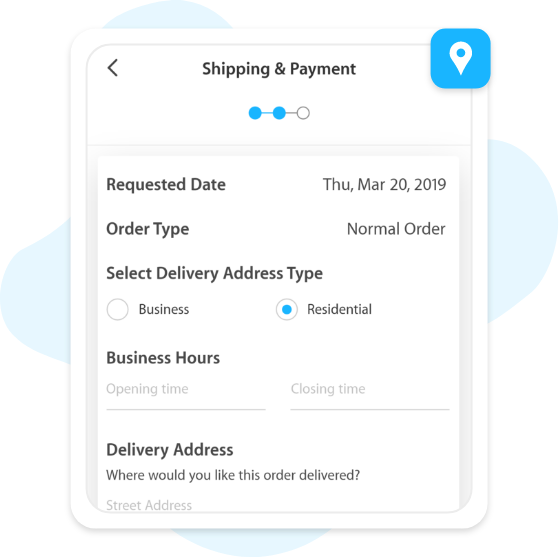
Add the address to which you’d like your water bottles to be delivered. Business deliveries are made between 10 AM and 5 PM (PST), whereas home deliveries are made between 10 AM and 8 PM (PST).
06
### Choose the Delivery Date
Choose a delivery date if you want water to be delivered to your home or office. It can take up to 24 hours for a single order of water to arrive. So, choose a delivery date that works for you.
07
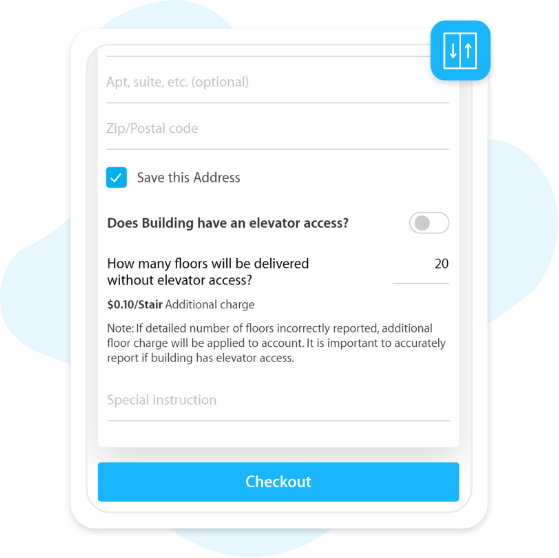
### Access to Elevator
The elevator access feature tells the driver how many floors must be climbed in order to complete your request. The charge may apply in case of the unavailability of elevator access.
08
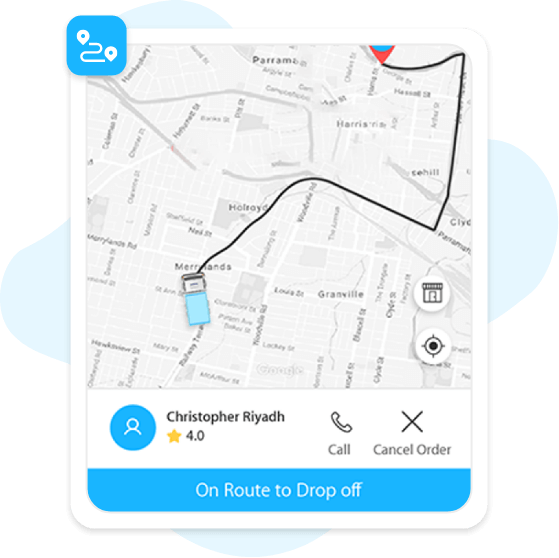
### Track Order
After receiving your order confirmation, use your app to track the status of your water delivery. Accepted, dispatched, partially delivered, and delivered are the four steps of the water delivery order.
09
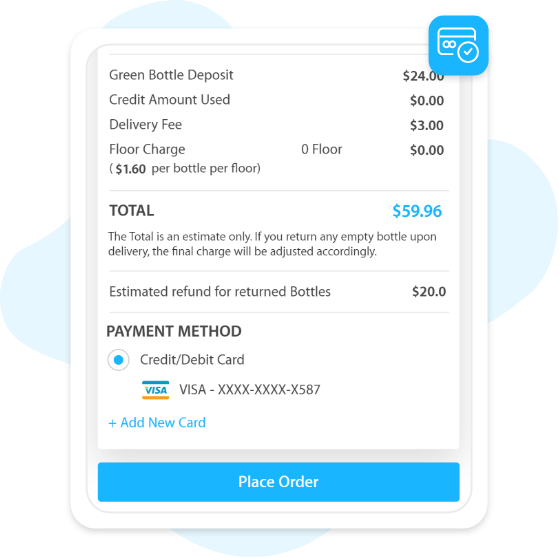
### Payment Methods
By selecting the New Card button, you can add new payment methods. To buy water bottles, use valid credit card information.
01
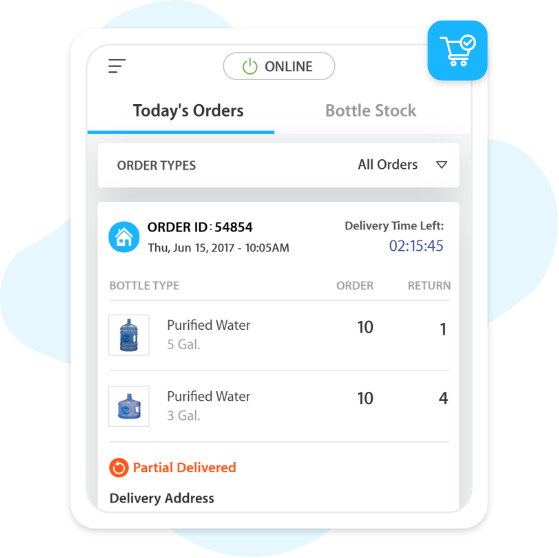
### Today’s Order
The request for a bottle will be sent to your smartphone. Before the delivery, check the name, email, mobile number, city, and delivery address and accept the delivery.
02
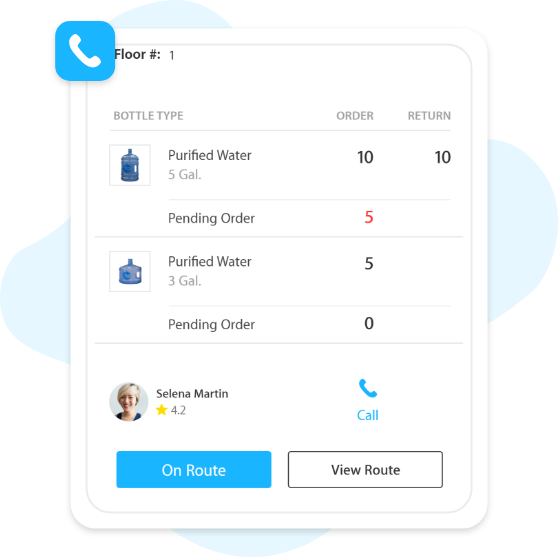
### Call the Customers
Call the customer to double-check the address or get more information. The call masking feature is in place to keep client contact information safe and secure.
03
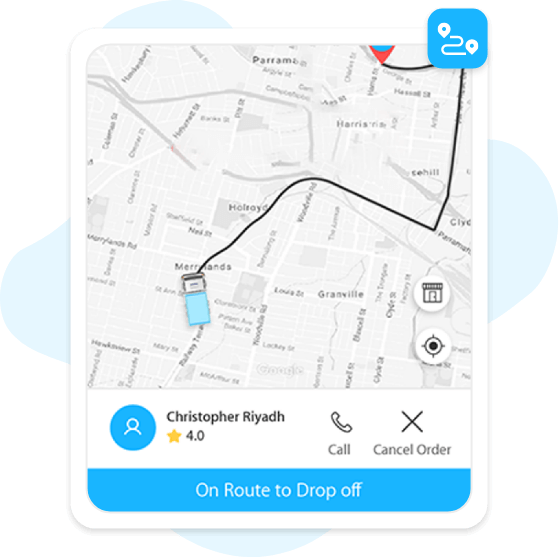
### On Route
Show the consumers’ exact delivery location. Allows you to track down even unknown areas without wasting a lot of time.
04
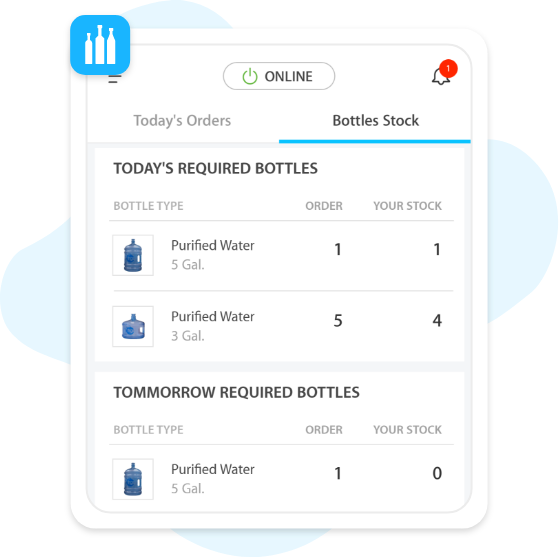
### Bottle Stock
Check the overall bottle stock, the present required bottles, and the required bottles for the next day. There’s also a list of empty bottles and a list of new bottles to deliver to consumers.
05
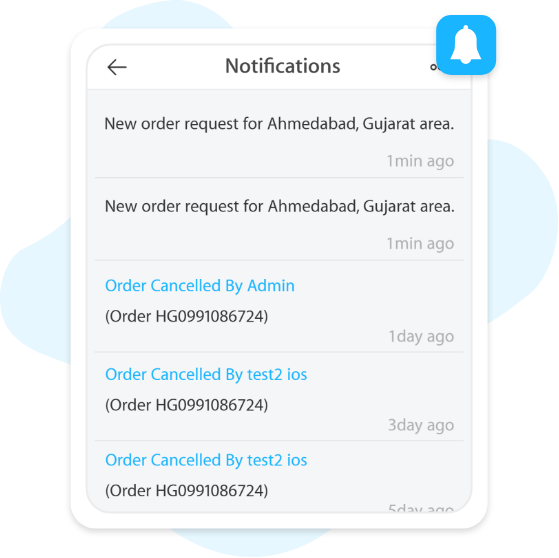
### Notification
Get the notification of new order requests, and canceled requests. It will be easier to manage and keep track of the status of orders.
06
### Order Popup
Whenever a new order is placed, get an alert message in your water delivery driver app. Accept or reject an order by tapping on the notification screen. The order is assigned to another driver if it is rejected.
07
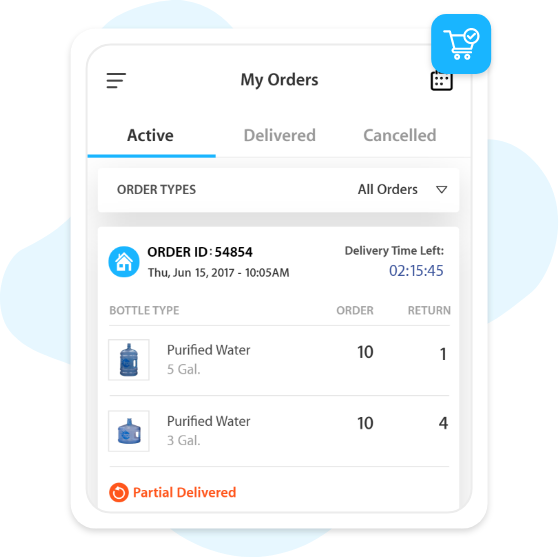
### My Orders
Directly from the dashboard, monitor the status of active orders. Check active, delivered, and canceled orders from this feature of the H2GO app.
08
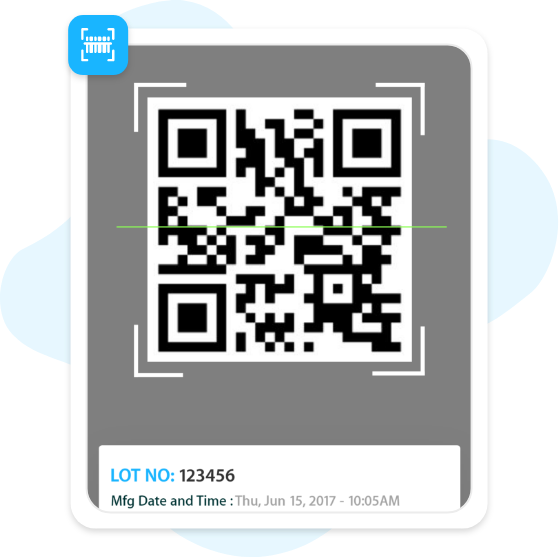
### Scan the QR Code
To scan the filled bottles, hit the “Scan the QR Button” after confirming the delivery. Manually scan the new and empty bottles by uploading the bottle image and selecting a specific QR code.
09
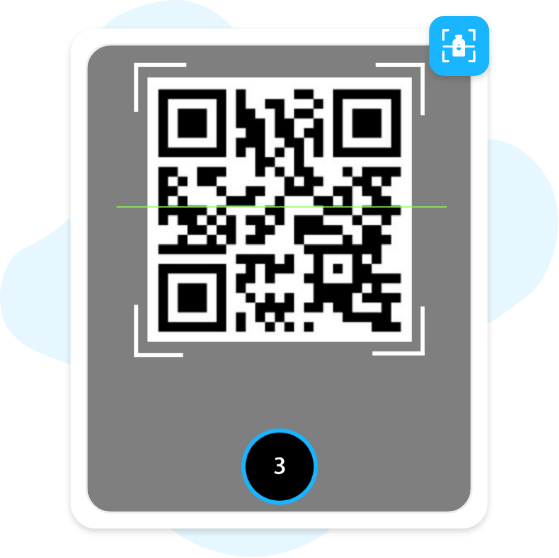
### Scan Damaged/Found/Lost Bottles
In case of finding a lost or damaged water bottle, scan the QR code to keep track of the lost/damaged bottles.
01
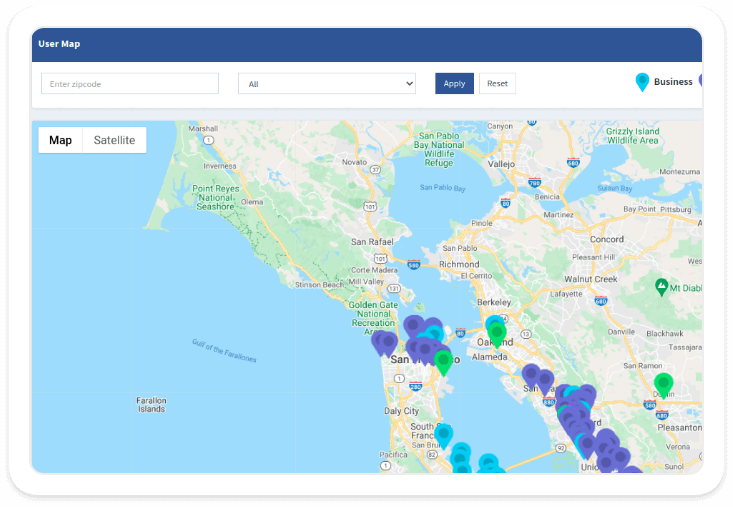
### User Map
Simply input the zip code of an area to access the various locations. Recognize the various sorts of locations, such as residential, commercial, storage, and plant.
02
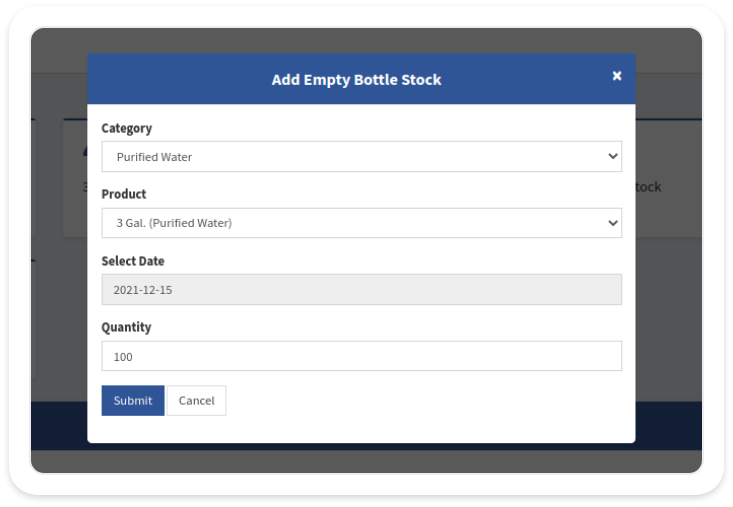
### Add Stocks
Create and change the status of existing stocks (water bottles) from the panel. Change the bottle price, deposit fee, bottle code, and bottle image with ease.
03
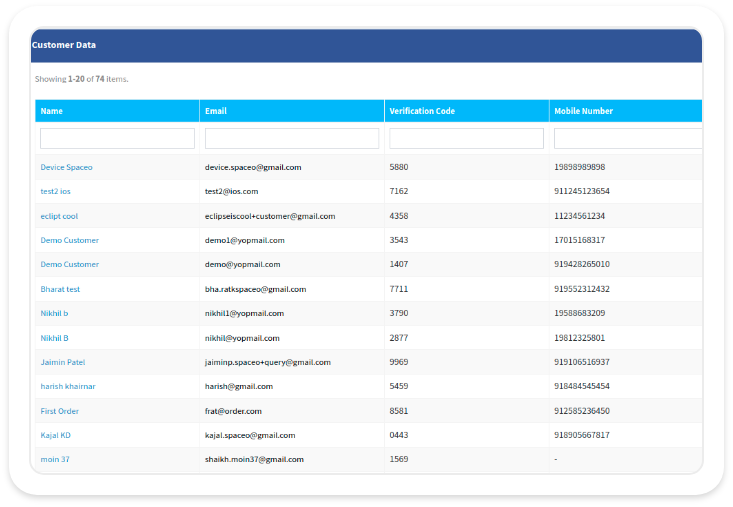
### Client Management
Manage information about clients such as their name, email, verification code, cell phone number, special discount, and status. Remove consumers from the list as well.
04
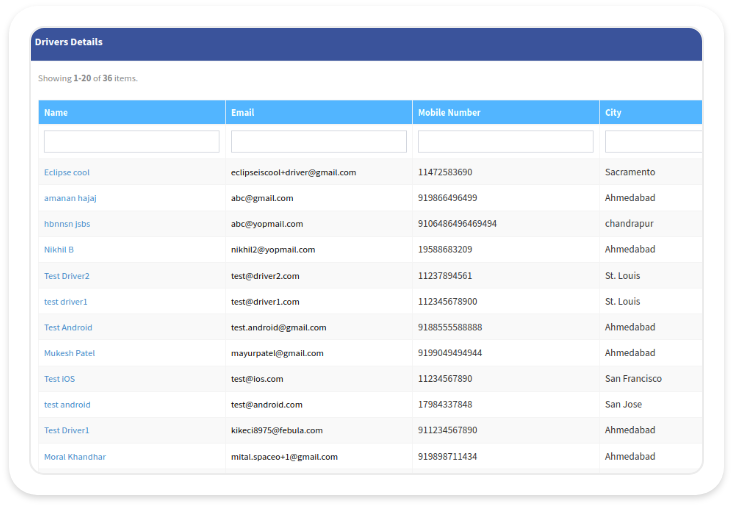
### Drivers Management
Keep track of the driver’s contact information and update it as needed. Cancel or assign the driver’s delivery schedule, as well as change the working status of the driver.
05
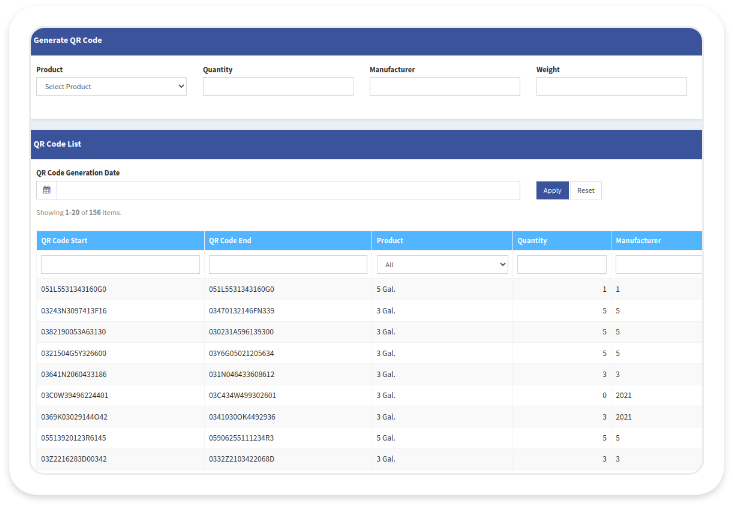
### Download the QR Code
Keep track of bottles that have been delivered and those that are yet to be delivered. Streamline the water delivery procedure by seeing and downloading QR codes for various bottles.
06
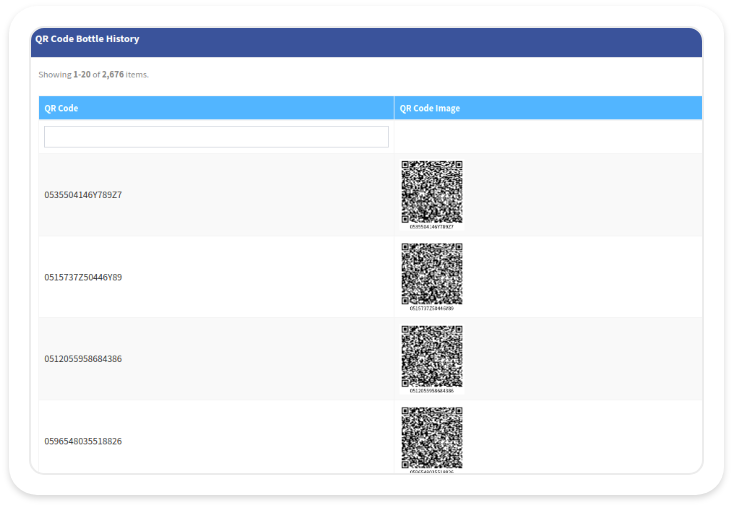
### Track Bottles
If a bottle goes missing, use the scanned QR code from the bottle history to inspect or trace it. Check the product’s lifecycle by clicking the track button.
07
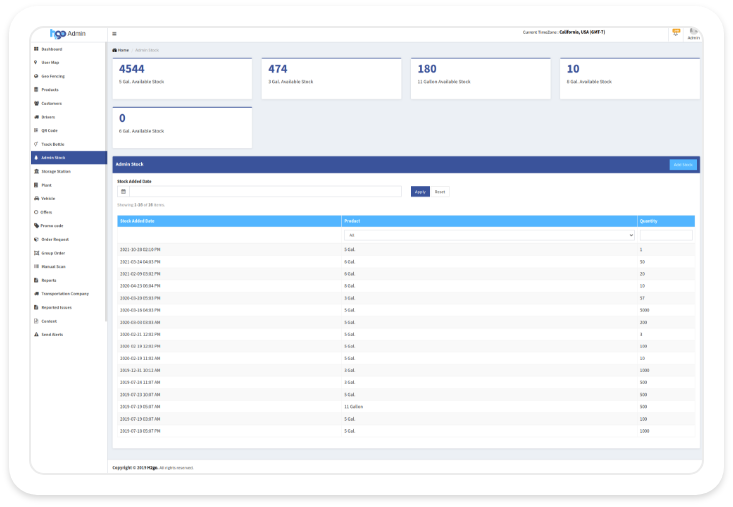
### Admin Stock
Check for water bottle availability and filter the data to ensure that the date, product, and amount are correct. To add stock, click the add button and fill in the details.
08
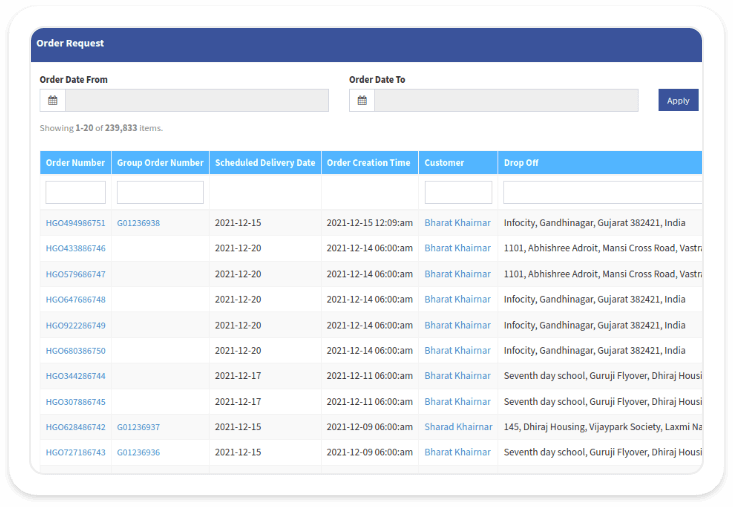
### Order Request
The order request panel allows you to keep track of all pending orders, accepted orders, on-route orders, and arrived orders. This feature allows you to keep track of all orders and user information, as well as shipping and billing information.
09
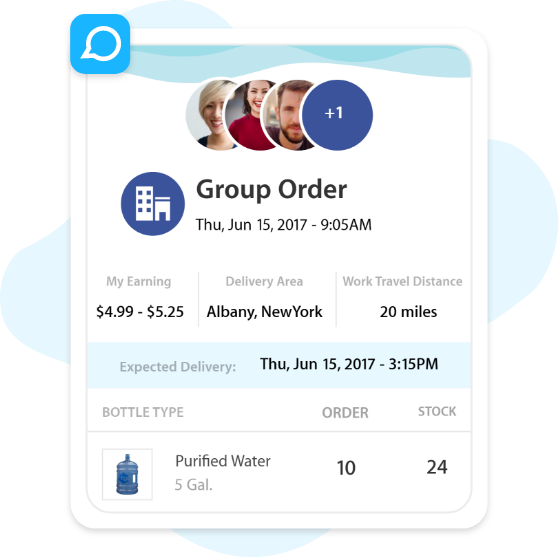
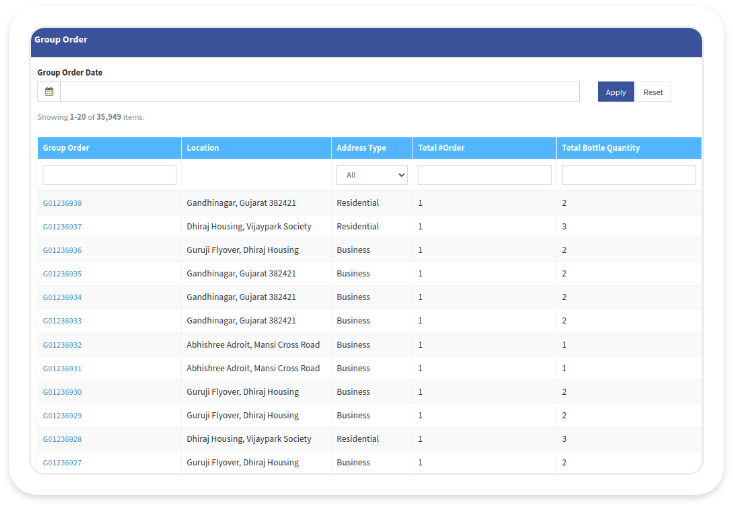
### Group Order
Assigns the delivery to the driver based on his or her proximity to the delivery site. Using group orders has the advantage of allowing drivers to finish maximum orders in the shortest period of time.
10
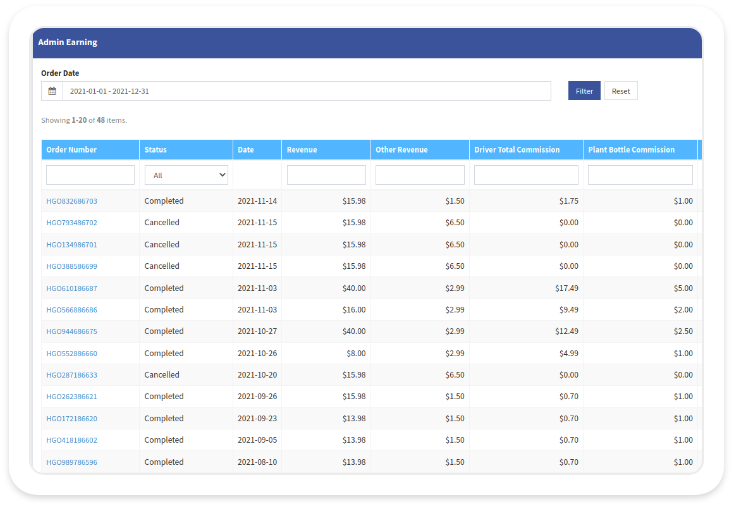
### Admin Earning Reports
It’s simple to figure out how much money the company makes from each order. Check the plant bottles and the driver’s commission on each delivered bottle.
Want to develop on-demand web and mobile app solutions for your business?
Reach us with your water delivery app development or other app ideas. We offer free consultation and a quote on developing an on-demand solution.
Top Apps Developed By Us
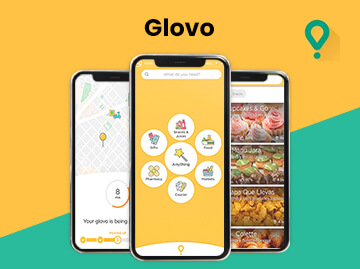
[Glovo – A Courier Delivery App](/project/glovo/)
Having a $1.2 billion valuation, Glovo is the most downloaded on-demand delivery app with over 50 million downloads.
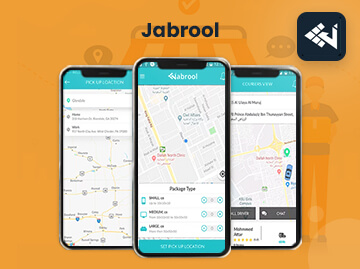
[Jabrool – On-Demand Package Delivery App](/project/jabrool-on-demand-package-delivery-app-solution/)
Jabrool is an Uber package-delivery app solution that connects delivery drivers and parcel senders in real-time across Saudi Arabia…
[Ninja Delivery – Package Delivery App](/project/developed-on-demand-app-ninja-delivery/)
Ninja Delivery is an on-demand application for package delivery services, where users can request package delivery services like Uber…
---
_View the original post at: [https://www.spaceotechnologies.com/project/on-demand-water-delivery-service-app/](https://www.spaceotechnologies.com/project/on-demand-water-delivery-service-app/)_
_Served as markdown by [Third Audience](https://github.com/third-audience) v3.5.5_
_Generated: 2026-06-16 06:12:30 UTC_